


7 Best Customer Feedback Categorization Tools in 2026


The CX intelligence
platform that's AI-native by design
Book a demoQuick Summary
Automatically categorizing customer feedback eliminates cumbersome manual tagging. The best platforms use AI to detect themes, assign sentiment, and organize feedback at scale. Chattermill leads for enterprise CX teams needing granular theme detection. Enterpret suits product-led SaaS teams. SentiSum fits high-volume support teams.
Here are our top picks before we get into the detailed comparisons.
| Tool | Best For |
|---|---|
| Chattermill | Enterprise B2C teams needing automatic theme detection across all channels |
| Enterpret | Product-led SaaS teams categorizing feedback by account and revenue impact |
| SentiSum | Mid-market to enterprise companies with high-volume support teams |
Why Auto-Categorizing Feedback Is a Competitive Advantage
Most teams are drowning in feedback.
Surveys come in daily. Support tickets pile up. App reviews accumulate. Social comments keep flowing. Manual tagging can't keep up. It's slow, inconsistent, and doesn't scale. One analyst can review hundreds of responses per week. Modern platforms process millions.
Automatic categorization changes what's possible. AI identifies themes, groups similar feedback, and surfaces patterns instantly. Your team stops reading tickets and starts acting on insights.
This guide covers seven platforms built for this job. The focus is on what happens to feedback after it lands, not how it gets collected.
Why Listen to Us
Chattermill has analyzed feedback at enterprise scale for over a decade. We've helped Uber, HelloFresh, H&M, and Booking.com replace manual tagging with AI-driven categorization. We know where tools succeed and where they fall short. Our recommendations are based on a solid track record in the customer experience industry.
7 Best Customer Feedback Categorization Tools at a Glance
| # | Tool | Key Features | Best For | Pricing | G2 Rating |
|---|---|---|---|---|---|
| 1 | Chattermill | Lyra AI categorization, adaptive taxonomies | Enterprise CX and VoC teams | Custom | 4.5/5 |
| 2 | Enterpret | Adaptive Taxonomy, knowledge graph | Product-led SaaS companies | Custom | 4.6/5 |
| 3 | SentiSum | Unified taxonomy, root cause detection | High-volume support teams | From $3,000 | 4.8/5 |
| 4 | unitQ | Root cause analysis, real-time alerts | Product and engineering teams | Custom | 4.5/5 |
| 5 | Thematic | AI theming agent, business scoring | Research and insights teams | From $25,000/yr | 4.8/5 |
| 6 | InMoment | Smart summaries, text analytics | Multi-location service businesses | Custom | 4.7/5 |
| 7 | Sprinklr | Real-time sorting, unified CXM tagging | Social-heavy consumer brands | Custom | 4.3/5 |
1. Chattermill
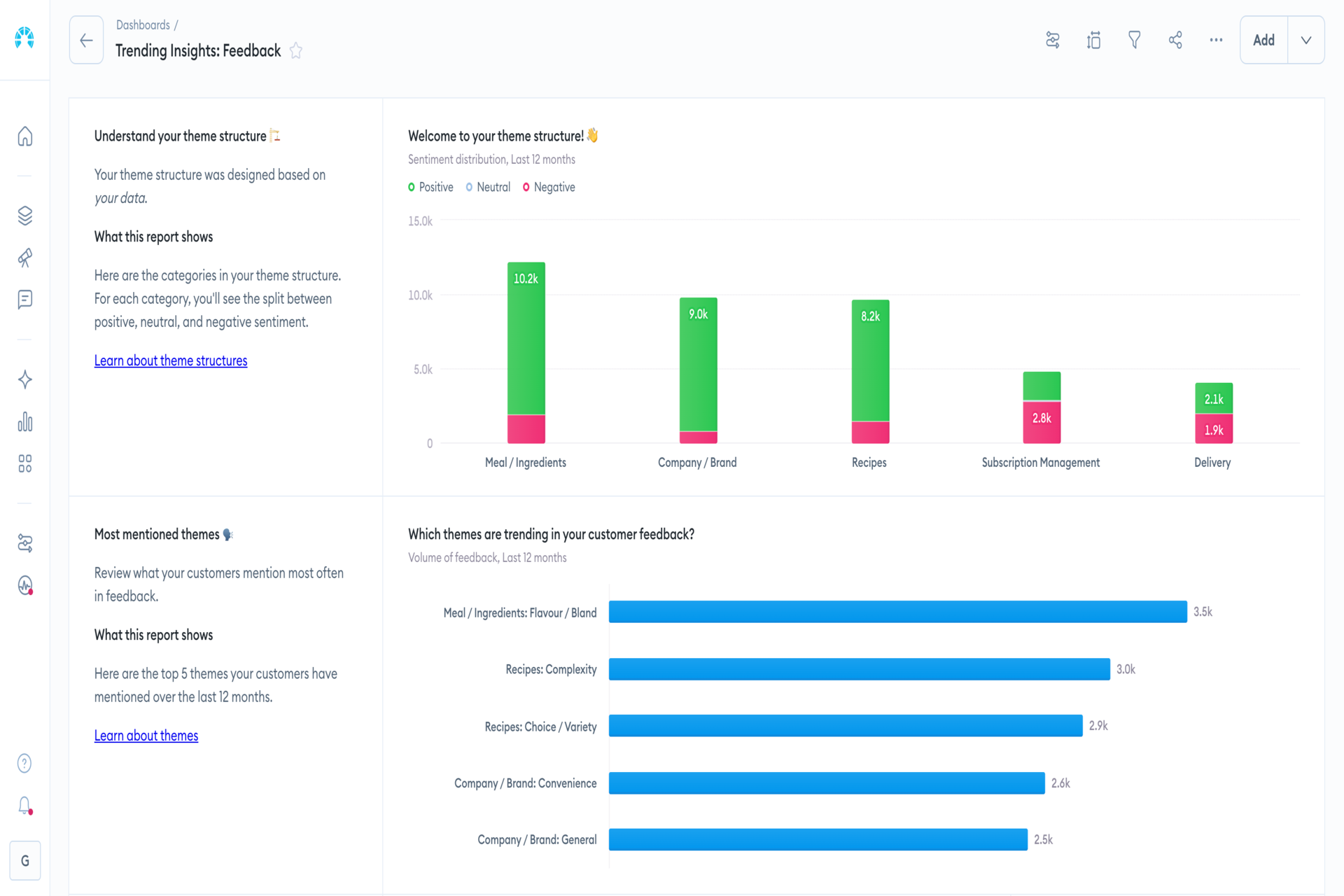
Chattermill is an AI-native feedback analytics platform. It automatically categorizes feedback from every source: surveys, support tickets, reviews, and calls. The platform removes the manual, time-consuming process of reading, sorting, and tagging large volumes of feedback.
Its Lyra AI engine goes beyond basic sentiment scoring. It detects granular themes, uncovers actionable insights, and explains why customers feel the way they do.
Chattermill connects categorized themes directly to NPS, CSAT, churn, and revenue. Every insight links back to a business metric. This makes it easier to prioritize customer issues based on ROI. Plus, you get executive buy-in faster using data-backed insights.
Standout Features
- Lyra AI Categorization: Automatically tags unstructured feedback from any channel into themes and categories
- Adaptive Taxonomies: Builds custom taxonomies so tags and themes match your company needs
- Root Cause: Automatic root-cause analysis across all sources
- Sentiment Analysis: Contextual AI interprets tone beyond keyword matching
- Impact Mapping: Links themes directly to NPS, CSAT, and revenue outcomes
Pricing
Custom enterprise pricing
Core Strength
Granular, automatic categorization tied to business outcomes
Biggest Con
No native survey creation tool
Best For
CX, VoC, and Product teams at B2C enterprises
G2 Rating
4.5/5
2. Enterpret
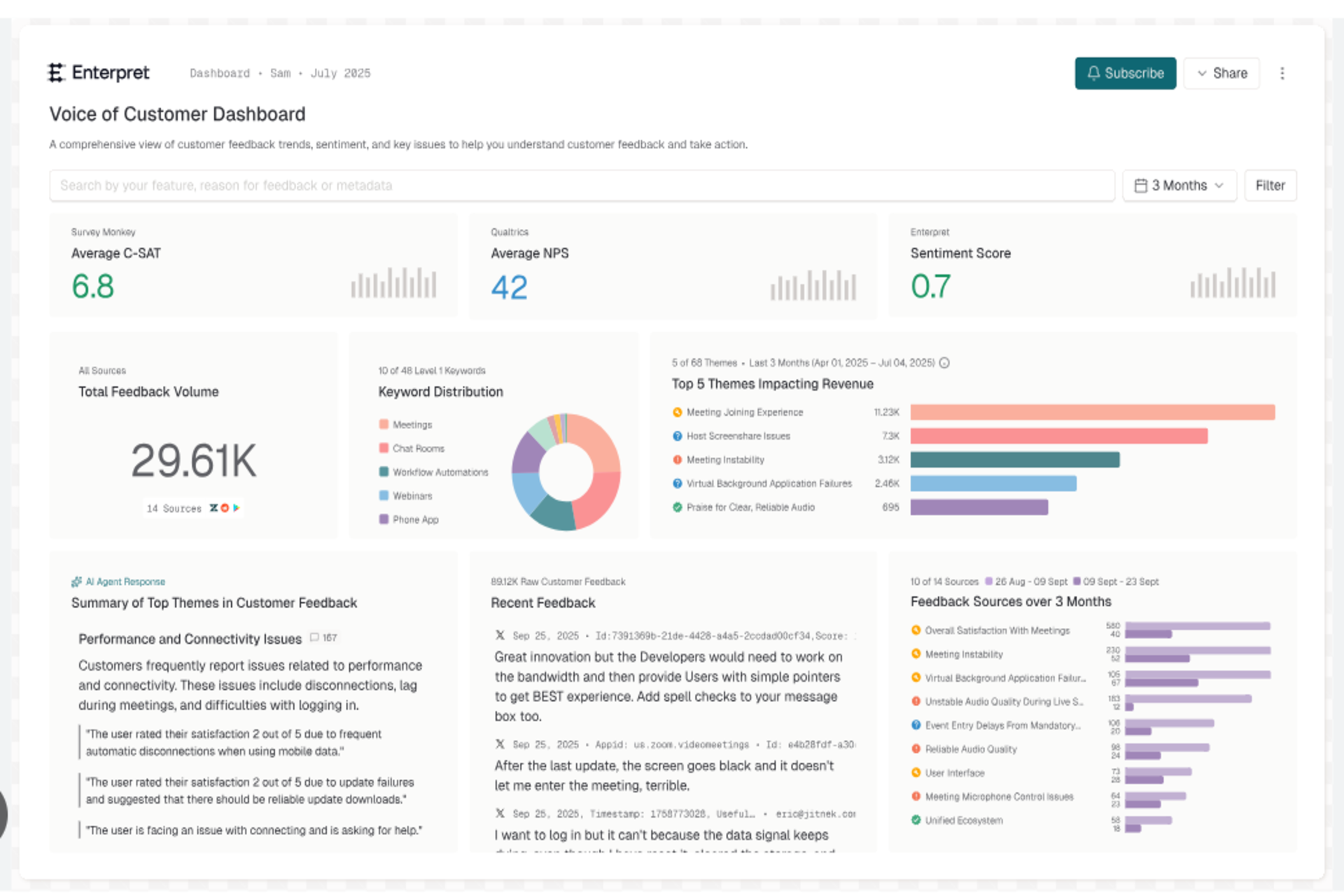
Enterpret helps product and CX teams turn feedback into product intelligence. Its Adaptive Taxonomy automatically builds category structures. You don’t need to define every label upfront.
The Customer Context Graph links categorized feedback to specific accounts, users, and revenue. Product managers can see which issues most affect high-value customers. It’s especially strong for SaaS companies. If product prioritization matters in your use case, Enterpret is built for you.
Standout Features
- Adaptive Taxonomy: Auto-builds categories without manual configuration
- Knowledge Graph: Connects feedback to accounts, products, and business outcomes
- Adaptive Taxonomy: Multi-level structure evolves with business language
- Wisdom AI: Natural-language queries return categorized insights with citations
- Feedback Integrations: Ingests 50+ sources and auto-classifies instantly with taxonomy
Pricing
Custom pricing
Core Strength
Links categorized feedback to account and revenue data
Biggest Con
Product-focused scope limits broader CX use cases
Best For
Product-led SaaS organizations
G2 Rating
4.6/5
3. SentiSum
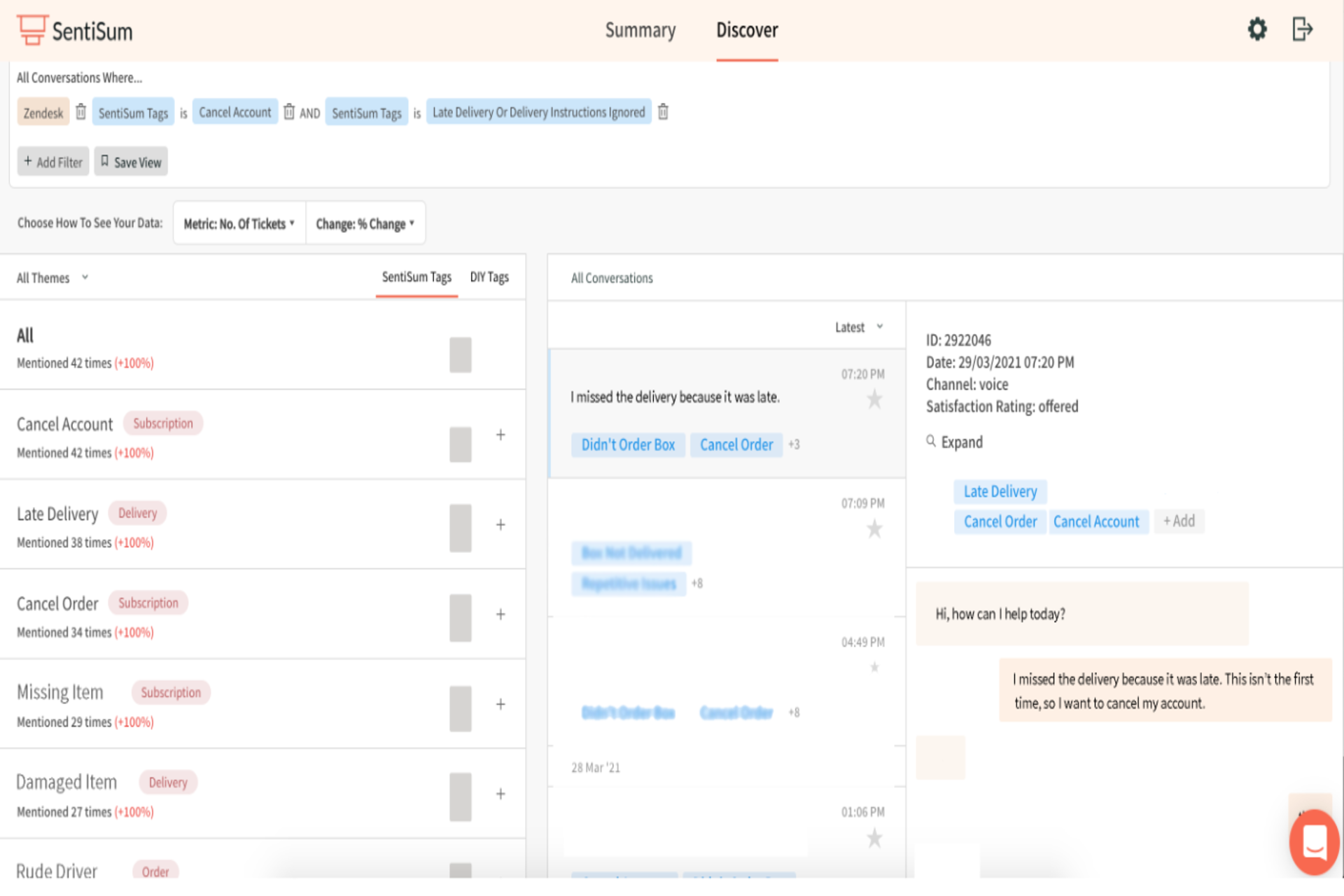
SentiSum is a customer feedback analytics platform designed for support and CX teams. It automatically categorizes tickets, chats, reviews, online surveys, and emails using AI, helping organizations uncover root causes without manual tagging.
Its AI groups conversations into themes, detects sentiment, and identifies emerging issues. It becomes easier to understand contact drivers and improve customer experiences.
Standout Features
- Unified Taxonomy: Auto-categorizes feedback across tickets, chats, reviews, and social
- Root Cause Detection: AI identifies underlying drivers, not just topics
- Insights Agent: Plain-English queries yield categorized feedback with dollar impact
- Early Warning: Detects anomalies and categorizes issues before escalation
Pricing
Starts from $3,000
Core Strength
AI-powered ticket categorization and root-cause analysis
Biggest Con
Less comprehensive than broader enterprise experience management suites
Best For
High-volume support teams
G2 Rating
4.7/5
4. unitQ
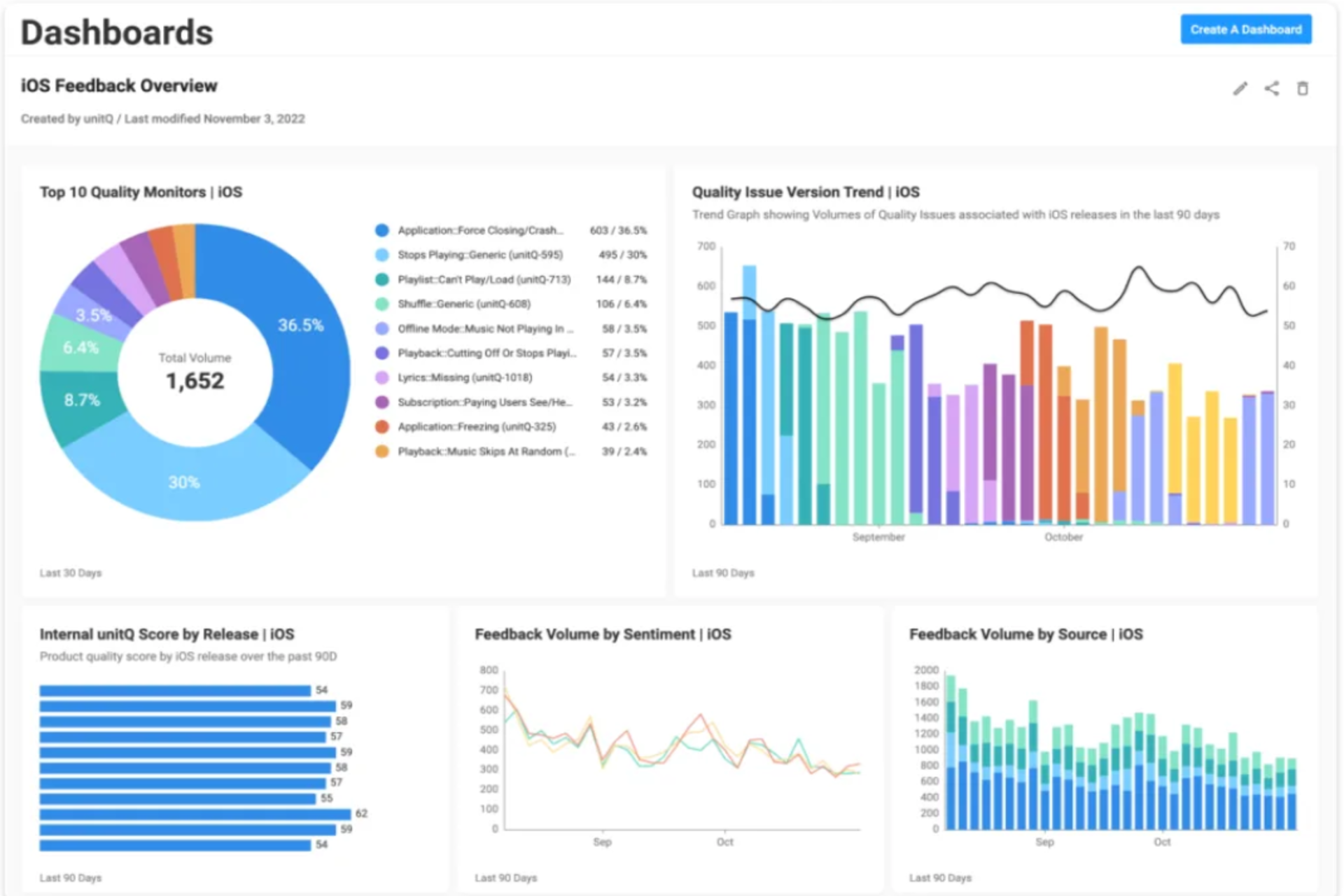
unitQ automatically categorizes customer feedback from support tickets, app reviews, surveys, social media, and online communities. The platform uses AI to identify recurring issues, bugs, usability problems, and feature requests at scale.
It connects customer feedback directly to product and engineering workflows. This helps teams prioritize fixes based on customer impact and demand.
Standout Features
- Multi-tier Taxonomy: AI categorizes feedback with precision and evolving categories
- Root Cause Analysis: Identifies patterns and categorizes issues for faster fixes
- Real-time Alerts: Categorizes anomalies and pushes alerts to teams instantly
- Business Impact Analysis: Categorized issues tied directly to CSAT, NPS, and ARR
Pricing
Custom pricing
Core Strength
AI-powered issue detection across support tickets, reviews, and surveys
Biggest Con
More product-focused than broader VoC platforms
Best For
Product, engineering, and CX teams
G2 Rating
4.5/5
5. Thematic
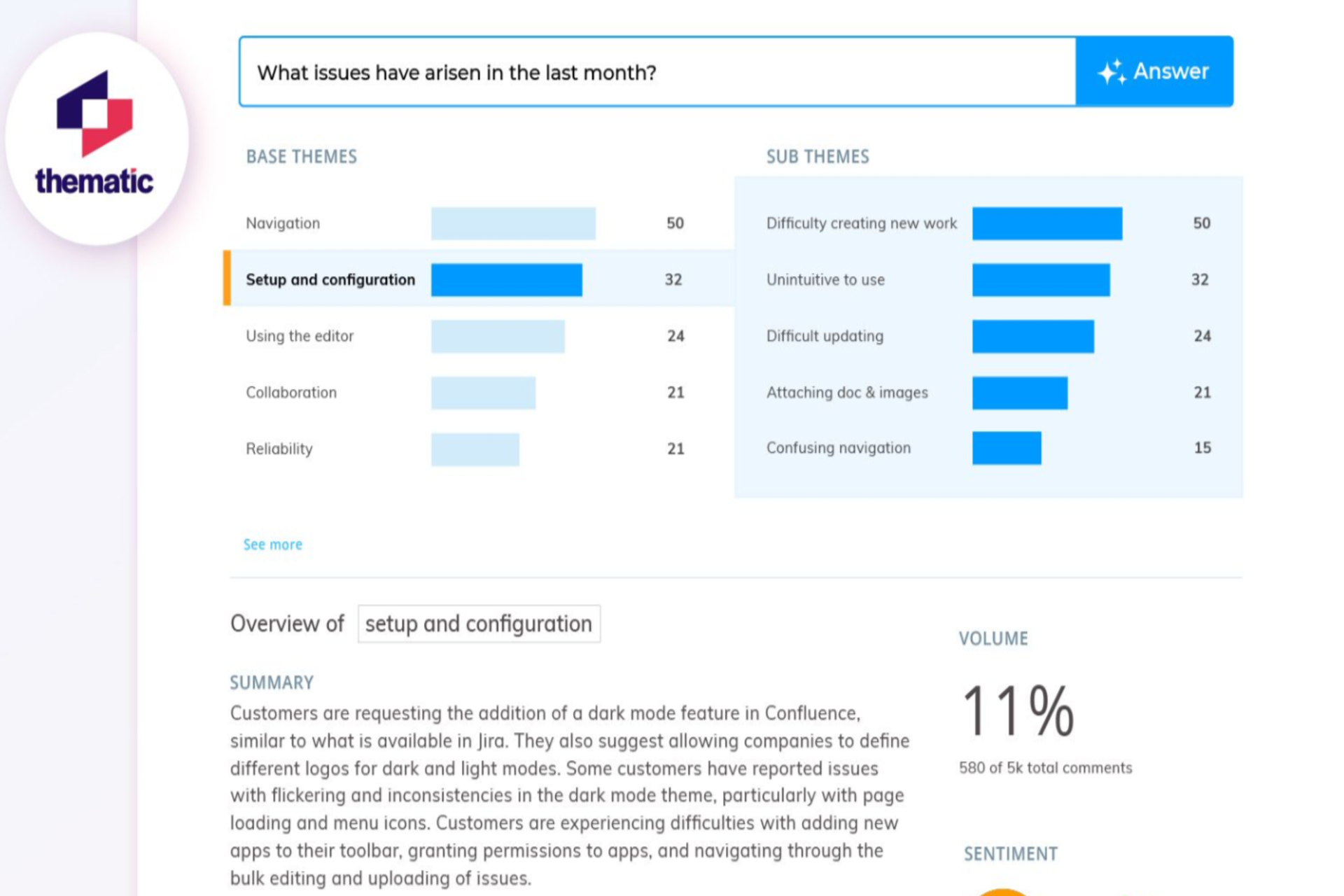
Thematic focuses specifically on AI-driven theme discovery. It efficiently handles large volumes of qualitative feedback. Open-ended responses are its specialty.
The platform automatically surfaces themes from customer language. Teams don’t need to predefine categories. Themes emerge from the data itself. Research and insights teams value Thematic for its transparency. You can see how themes are derived and adjust them as needed. Their pricing is also more accessible than most enterprise alternatives.
Standout Features
- AI theming Agent: Surfaces themes directly from customer language without presets
- Traceable Categories: Every theme links back to raw feedback comments
- Business Scoring: Categorized themes ranked by NPS, churn, and effort impact
- Theme Editor: Analysts refine AI categorizations for business context
Pricing
From $25,000 per year
Core Strength
Transparent, high-quality qualitative theme detection
Biggest Con
Smaller ecosystem than full enterprise suites
Best For
Mid-market to enterprise CX and insights teams
G2 Rating
4.8/5
6. InMoment
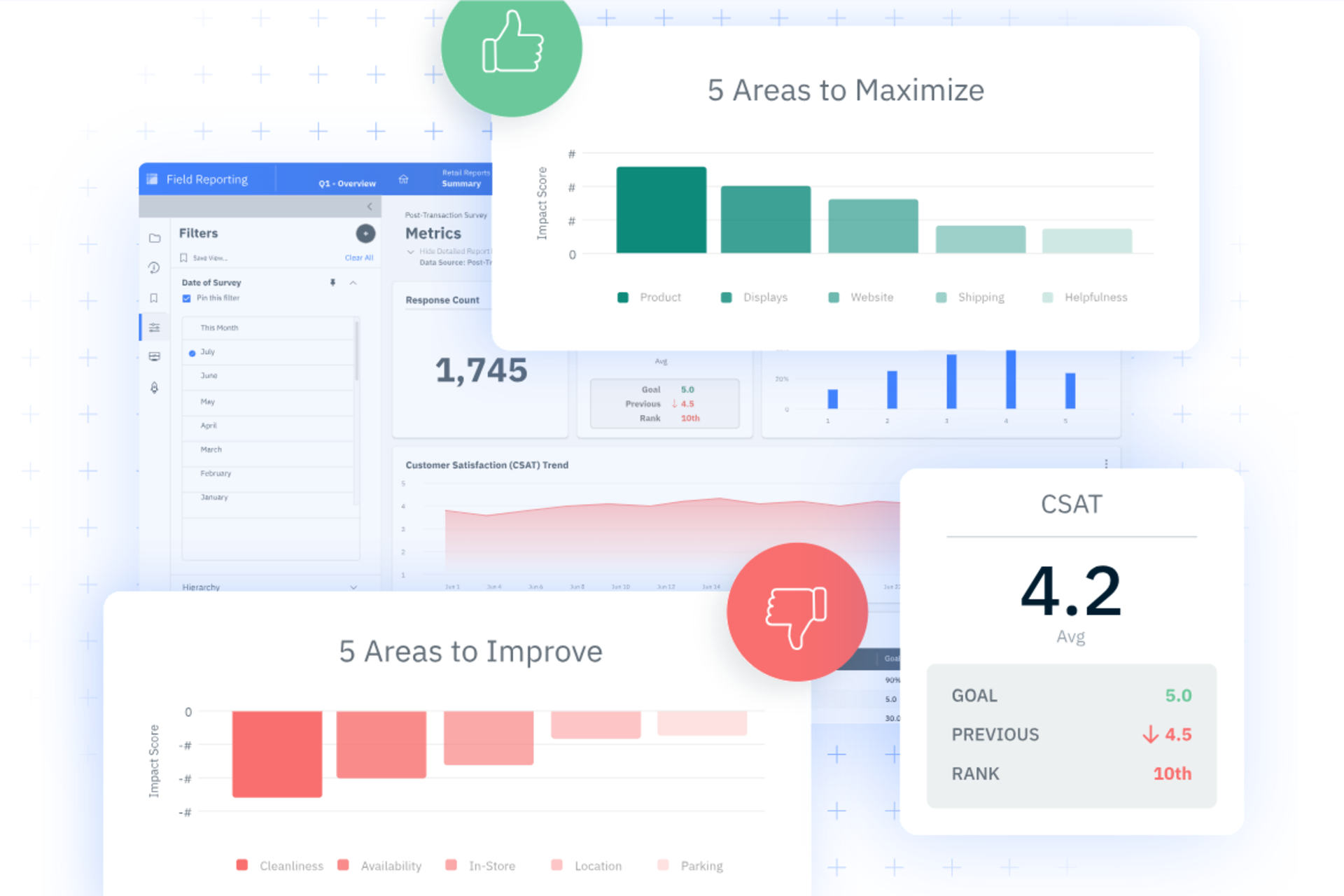
InMoment combines feedback analytics with case management and reputation tools. Its text analytics module categorizes feedback from surveys, reviews, and support interactions.
The platform takes a consultative approach. InMoment works alongside teams to operationalize insights. This suits organizations that want strategic support alongside technology. Multi-location businesses in retail, hospitality, and healthcare choose InMoment.
Standout Features
- Smart Summaries: AI categorizes and condenses feedback into actionable insights
- Text analytics: Categorizes unstructured feedback with NLP and sentiment detection
- Impact simulator: Categorized feedback predicts ROI and customer outcomes
- Case Management: Closed-loop case management with auto-categorized feedback routing
Pricing
Subscription-based
Core Strength
Broad experience suite with consultative delivery model
Biggest Con
Text analytics less deep than specialist categorization platforms
Best For
Service organizations managing multiple locations
G2 Rating
4.7/5
7. Sprinklr
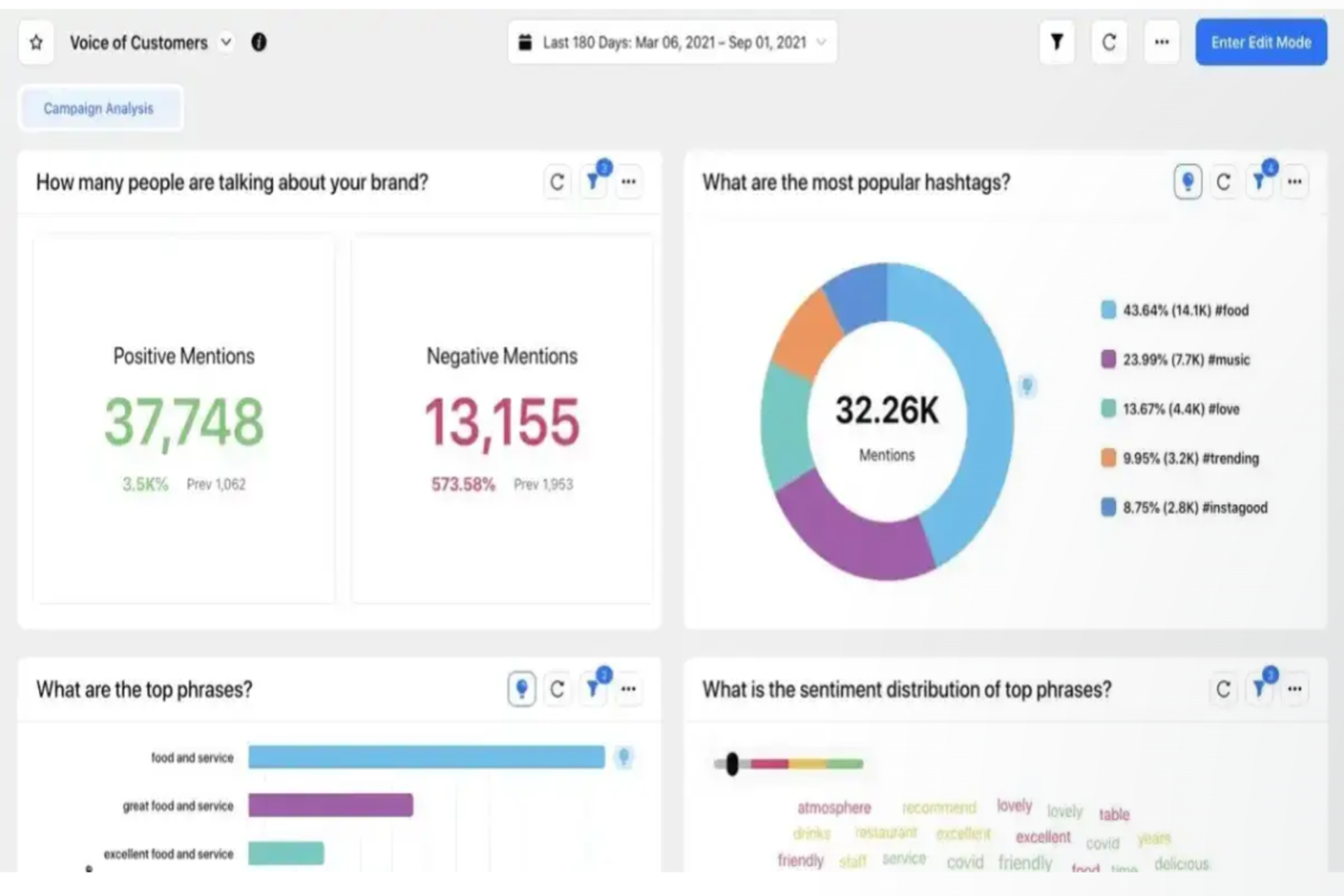
Sprinklr takes a social-first approach to feedback categorization. Its AI automatically tags conversations across 30+ social and digital channels. It sorts comments, reviews, and messages by topic and sentiment in real time.
The platform’s Unified-CXM architecture consolidates categorized signals into a single view alongside marketing and service data. This helps consumer brands spot emerging issues before they spread across channels.
Standout Features
- AI-Powered Tagging: Categorizes conversations across 30+ social and digital channels
- Real-Time Sorting: Sorts incoming feedback by sentiment and topic as it arrives
- Unified-CXM Tagging: Applies consistent categories across marketing, service, and social data in one view
- Conversational Intelligence: Groups recurring topics from millions of customer conversations
Pricing
Custom enterprise pricing
Core Strength
High-volume social and digital conversation categorization
Biggest Con
Complex setup with a steep learning curve
Best For
Consumer brands with large social and digital blueprints
G2 Rating
4.3/5
What to Look for in Auto-Categorization Tools
1. Tagging Accuracy
Accuracy matters most. A tool that mislabels 20% of feedback creates noise. Ask vendors for accuracy benchmarks. Test against your own feedback sample before committing.
Chattermill's Lyra AI is trained on CX-specific language. Generic NLP models struggle with industry context. Domain-specific training produces sharper results.
2. Custom Taxonomies vs Auto-Discovered Themes
Some tools let you define categories upfront. Others surface themes from the data automatically. Neither approach is always better.
Custom taxonomies give control. You decide what matters and build around it. Auto-discovered themes find issues you didn't know existed. The best platforms offer both. Chattermill and Thematic handle this well.
3. Multichannel Input
Feedback lives in many places. Surveys, tickets, reviews, calls, and social media all produce different data formats.
Your categorization tool must handle all of them. A platform that only tags survey responses misses most of the signals. Check which sources each vendor ingests natively.
4. Volume Handling
Volume separates enterprise tools from SMB tools. Processing 500 survey responses is easy. Processing 5 million support tickets is not.
Enterprise teams need platforms that categorize at scale without lag. Chattermill processes millions of records in real time. Verify vendor claims with references at your volume tier.
How to Choose the Right Categorization Platform
Follow these three steps to select the right platform:
1. Start with Your Primary Feedback Source
Is feedback mostly surveys? Qualtrics XM categorizes structured responses well. Mostly open text from tickets and reviews? Chattermill or Thematic handles unstructured volume better. Heavy social listening needs? Sprinklr or Medallia serve that use case.
Match the tool's core strength to your biggest source of feedback first.
2. Know Who Will Use the Insights
Product managers linking themes to ARR need Enterpret. CX directors building a business case need Chattermill's business impact mapping. Frontline team leads need Medallia's routing workflows.
The right tool depends on who acts on the output, not just who analyzes it.
3. Decide Whether You Want Auto-Discovery or Control
If your team already knows the categories that matter, start with a platform that supports custom taxonomy control. If you want AI to surface blind spots, choose a platform with auto-discovery. Thematic and Chattermill both support this. SentiSum suits teams that need full control over support tickets categorization.
Turn Feedback Into Concrete Action, Not Just Categories
Automatically grouping feedback is a major efficiency gain.
But categories alone don't drive decisions. Leading platforms show which issues increase churn, reduce satisfaction, or affect revenue. Chattermill combines AI-powered categorization with outcome analysis, tying feedback themes directly to NPS, CSAT, retention, and revenue metrics. That's why global brands including Uber, HelloFresh, and H&M use it at scale.
Ready to see how automatic categorization works in practice? Book a demo today.
Automatically Categorizing Customer Feedback FAQ
1. What is automatic feedback categorization?
Automatic feedback categorization uses AI and natural language processing to group customer feedback into relevant themes without manual tagging. Platforms analyze open-ended text and assign categories, sentiment, and topics automatically at scale.
2. How accurate is AI-driven feedback categorization?
Accuracy varies by platform and use case. Tools trained on domain-specific CX language outperform generic NLP models. Enterprise platforms like Chattermill achieve high accuracy on industry-specific feedback. Always test accuracy against a sample of your own data before committing.
3. Can these tools handle feedback in multiple languages?
The best enterprise platforms support multilingual categorization. Chattermill analyzes feedback in 100+ languages. If your business operates across markets, verify multilingual accuracy with the vendor before purchasing.
4. What's the difference between sentiment analysis and theme detection?
Sentiment analysis tells you whether feedback is positive, negative, or neutral. Theme detection identifies what the feedback is actually about. The most useful platforms do both, connecting themes to sentiment to show which issues are causing the most frustration.
5. Do I need to define categories manually or does AI handle it?
It depends on the platform. Tools like Thematic and Chattermill auto-discover themes from your feedback data. MonkeyLearn lets you train custom classifiers on your own taxonomy. The best approach depends on whether you need AI to surface unknowns or enforce a predefined category structure.


See Chattermill in action on your own feedback
Book a demo


