


12 Best Customer Satisfaction Software Tools Compared in 2026



The CX intelligence
platform that's AI-native by design
Book a demoQuick Summary
Most teams already track CSAT scores. The harder question is whether your customer satisfaction software can tell you why scores change and what to do about it.
We reviewed 12 customer satisfaction software platforms on AI depth, metric support, integrations, and pricing. The goal: help CX leaders move from score-watching to root-cause action.
Chattermill, the AI-native customer experience intelligence platform, is the strongest option for AI-powered feedback analytics at enterprise scale. It turns unstructured data into root-cause insights.
Medallia is best for large organizations that need end-to-end experience management across every touchpoint. Zonka Feedback is ideal for multi-location businesses that need CSAT capture across physical and digital touchpoints.
Every price and G2 rating in this guide was checked on October 26, 2026. Before we get into the detailed comparisons, here are our top three picks:
Why Listen to Us
Chattermill processes millions of customer feedback data points each month for enterprise brands including Uber, HelloFresh, and H&M. Our team works in the trenches of customer satisfaction analytics every day, and that depth of experience across the feedback analytics category informs every selection in this guide.
What Is Customer Satisfaction Software?
Customer satisfaction software is a category of tools that helps businesses measure, analyze, and act on how customers feel about their products, services, and overall experience. These platforms collect feedback through surveys, reviews, support interactions, and social channels, then translate that data into metrics like CSAT (Customer Satisfaction Score), NPS (Net Promoter Score), and CES (Customer Effort Score).
Think of it like the difference between a thermometer and a diagnostic lab. A basic survey tool gives you the temperature: your CSAT dropped two points. A modern satisfaction platform runs the full diagnosis, identifying the specific themes, channels, and customer segments driving that change so your team knows exactly where to intervene.
So what separates a tool that collects scores from one that actually tells you why they changed? The answer is AI-powered analytics. The best customer satisfaction platforms use natural language processing to identify themes, detect sentiment shifts, and surface root causes behind declining or improving satisfaction. CX teams, product managers, and VoC analysts can move from reactive reporting to proactive decision-making, addressing issues before they erode loyalty or revenue.
Why does it matter now more than ever? Customer expectations are rising, feedback channels are multiplying, and the volume of unstructured data (reviews, chat transcripts, open-text survey responses) has outpaced what any team can manually analyze. The right customer satisfaction software turns that signal into action, connecting feedback insights to measurable business outcomes like retention, churn reduction, and lifetime value growth.
CSAT vs NPS vs CES: Which Metric Each Tool Tracks Best
Chattermill is the best tool for tracking CSAT when you need to explain why the score moves across every channel at enterprise scale. For post-ticket CSAT inside the helpdesk, Zendesk and Freshdesk are the practical choice, and Zonka Feedback suits multi-location businesses.
Chattermill doesn't run surveys itself. It analyzes CSAT, NPS, and CES from whichever survey tool you already use through its integrations. The score and the comments behind it sit in one place.
Each metric answers a different question. Pick the wrong one and you end up measuring loyalty when you meant to measure a broken checkout flow. Here is how the three compare:
CSAT (Customer Satisfaction Score)
CSAT measures how satisfied a customer was with a specific interaction, product, or service, commonly on a 1–5 scale. Following the Qualtrics CSAT definition, CSAT = (number of 4 and 5 responses ÷ total responses) × 100. If 160 of 200 respondents answer 4 or 5, your CSAT is 80%.
Note that the denominator is responses received, not surveys sent. Qualtrics also notes that some teams average responses into a composite score instead. Check how each of your CSAT tools calculates it before you compare numbers.
Use CSAT for "right here, right now" moments: a resolved ticket, an onboarding step, or a delivery.
Tools that track it best: Zendesk, Freshdesk, and Intercom capture post-interaction CSAT natively. Zonka Feedback, Survicate, and SurveyMonkey handle CSAT surveys across more channels, and Chattermill explains what drives the score.
NPS (Net Promoter Score)
NPS measures customer loyalty by asking, "How likely are you to recommend us to a friend or colleague?" on a 0–10 scale. Per Bain & Company's Net Promoter System, NPS = % promoters (scores of 9–10) − % detractors (scores of 0–6). Because the percentages are of all respondents, passives (7–8) still count in the total, so scores range from −100 to +100.
Use NPS to track relationship-level loyalty across the whole customer base, usually on a regular cadence rather than after every interaction.
Tools that track it best: Medallia, Qualtrics, Survicate, and SurveyMonkey run NPS natively at scale. Chattermill connects NPS movements to the themes behind them with Impact Analysis.
CES (Customer Effort Score)
CES measures how much effort a customer had to spend to get a request handled. CEB (now part of Gartner) researchers introduced it in the Harvard Business Review in 2010. It is a single question: "How much effort did you personally have to put forth to handle your request?"
The original version was scored from 1 (very low effort) to 5 (very high effort), and scales now vary by vendor. In CEB's 2010 study of service interactions, 94% of low-effort customers reported an intention to repurchase and 88% an intention to spend more, while 81% of high-effort customers reported an intention to spread negative word of mouth.
Use CES after support contacts, self-service journeys, and other transactional moments where friction is the risk.
Tools that track it best: HubSpot Service Hub (Professional), Zonka Feedback, and Qualtrics run CES natively. Zendesk adds it through third-party Marketplace apps, and Freshdesk through third-party integrations.
12 Top Customer Satisfaction Tools: Head-to-Head Comparison
The table below compares all 12 CSAT tools on metric support, AI depth, pricing, and G2 rating. Prices and ratings were checked on October 26, 2026.
How We Evaluated These Tools
Choosing the best customer satisfaction software requires looking beyond feature checklists. Here are the criteria we used to evaluate and rank these 12 tools:
AI and NLP Analytics Depth. We assessed how deeply each platform can analyze unstructured feedback. Tools that offer root-cause analysis, theme extraction, and multilingual sentiment detection scored highest, while those limited to basic keyword tagging scored lower.
Feedback Channel Coverage. Customer feedback lives everywhere: surveys, reviews, support tickets, social media, and chat transcripts. We prioritized platforms that can ingest and unify data from multiple channels rather than relying on a single source.
CSAT, NPS, and CES Measurement. The best tools support all three core satisfaction metrics natively or through tight integrations. We evaluated flexibility in survey design, scoring methodologies, and the ability to benchmark results over time.
Integration Ecosystem. A customer satisfaction platform is only as useful as its connections to your existing tech stack. We looked at the breadth and depth of integrations with CRMs, helpdesks, analytics tools, and communication platforms.
Ease of Implementation and Use. Enterprise-grade analytics should not require a six-month implementation cycle. We considered onboarding complexity, time to first insight, and day-to-day usability for non-technical teams.
Pricing Transparency. We noted which vendors publish their pricing openly and which require sales conversations. Transparent pricing earned higher trust marks, though we recognize that custom enterprise pricing is standard for larger platforms. All prices were checked against each vendor's pricing page on October 26, 2026, and we state the billing basis for each.
G2 User Ratings. Independent peer reviews provide a reality check on vendor claims. We used G2 ratings and review counts, checked October 26, 2026, as a signal of real-world user satisfaction and platform reliability.
1. Chattermill

Chattermill is an AI-native CXI platform that transforms unstructured feedback from every channel into actionable root-cause insights for enterprise CX teams.
Unlike tools that stop at collecting survey scores, Chattermill focuses on the hardest part of the satisfaction equation: understanding why scores change. Its proprietary Lyra AI engine processes feedback from 90+ integrations, including Zendesk, Trustpilot, Qualtrics, Salesforce, and Intercom, analyzing sentiment, themes, and anomalies across 100+ languages. The platform processes over 100 million feedback data points monthly for customers including Uber, HelloFresh, and H&M.
What sets Chattermill apart is its business impact mapping. Rather than delivering dashboards full of charts that require interpretation, it ties feedback insights directly to business metrics like NPS, CSAT, churn, retention, and revenue. CX teams can see not just what customers are saying, but how those themes connect to the outcomes leadership cares about.
The Chattermill MCP (Model Context Protocol) feature brings customer intelligence directly into AI agents and workflows, making it possible to query and act on feedback data programmatically. This positions Chattermill at the forefront of the agentic AI era for customer experience.
Key Features
- Lyra AI Engine: Proprietary AI that performs deep root-cause analysis on unstructured feedback, identifying the specific drivers behind satisfaction shifts.
- Business Impact Mapping: Connects feedback themes directly to NPS, CSAT, churn, retention, and revenue metrics so teams can quantify the business value of CX improvements.
- Omnichannel Feedback Unification: Ingests data from 90+ integrations covering surveys, reviews, support tickets, social media, and chat, creating a single view of the customer voice.
- Multilingual Analysis: Analyzes feedback in 100+ languages without translation loss, enabling global teams to understand regional sentiment patterns.
- Chattermill MCP: Provides AI agent access to customer feedback data, allowing teams to build agentic workflows that query and act on VoC insights programmatically.
Pricing
Chattermill offers custom enterprise pricing tailored to feedback volume, data sources, and team size. Book a demo to get a personalized quote and see the platform in action with a product tour.
Pros
- Deep AI-driven root-cause analysis goes far beyond surface-level sentiment scoring, revealing the specific issues driving satisfaction changes.
- Business impact mapping directly ties customer feedback to revenue, churn, and retention metrics, making it easy to build a business case for CX investment.
- Extensive integration ecosystem (90+ connectors) means teams can unify feedback without migrating away from existing tools.
Cons
- Custom pricing means smaller teams need to engage sales to evaluate cost, which can slow the initial evaluation process.
- The platform's depth is built for enterprise scale; teams processing small volumes of feedback may not fully leverage its analytics capabilities.
G2 Rating
Chattermill G2 Score: 4.4/5 (238 reviews), checked October 26, 2026
Who It's For
Enterprise CX, insights, and product teams that need to unify high-volume, multi-channel feedback and turn it into business-impact insights.
2. Medallia

Medallia is an enterprise experience management platform that captures and analyzes customer and employee signals across every touchpoint to drive organization-wide experience improvements.
Medallia's strength is its breadth. It covers the full experience lifecycle: digital, contact center, in-store, and employee experience, all on a single platform. Its AI-driven text analytics can process large volumes of unstructured data, and its action management workflows help teams close the loop on individual customer issues.
For large, multi-division organizations that need a single system of record for experience data, Medallia is a strong contender. However, that breadth comes with complexity. Implementation timelines tend to be longer, and the platform requires dedicated resources to manage effectively. See our Chattermill vs Medallia comparison for a detailed breakdown.
Key Features
- Real-Time Signal Capture: Collects feedback across digital, contact center, in-store, and social channels in real time.
- AI-Powered Text Analytics: Analyzes open-text feedback to identify themes and sentiment at scale.
- Action Management: Built-in workflows for routing and resolving individual customer issues based on feedback signals.
- Role-Based Dashboards: Configurable reporting for different stakeholders from frontline teams to the C-suite.
- Employee Experience Module: Extends the same analytics framework to internal employee feedback.
Pricing
Medallia uses custom enterprise pricing based on the number of signals captured, modules deployed, and user seats. Vendr reports a median contract of about $13,338/year across 32 Medallia deals. For a full breakdown of contract structures and add-ons, see our Medallia pricing guide.
Pros
- Comprehensive end-to-end experience management covering customer, employee, and digital experience on one platform.
- Strong action management capabilities that help teams close the loop on individual feedback cases.
- Enterprise-grade scale and security suited for large, global organizations.
Cons
- Implementation can be complex and time-intensive, often requiring dedicated internal resources or consulting support.
- The platform's breadth means some modules may go underutilized if the organization only needs CSAT-focused analytics.
G2 Rating
Medallia G2 Score: 4.5/5 (212 reviews), checked October 26, 2026
Who It's For
Large enterprises that need a unified experience management platform across customer, employee, and digital touchpoints.
3. Zonka Feedback
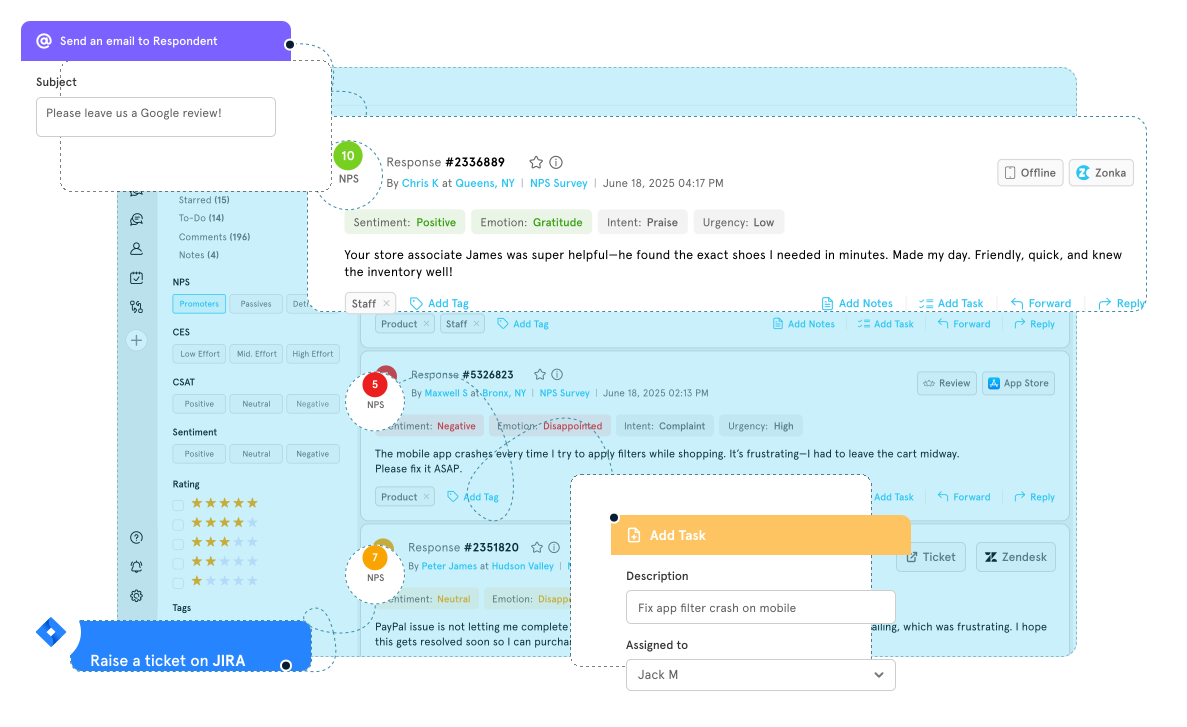
Zonka Feedback is a CSAT platform that covers digital and physical touchpoints in the same account, which is where it separates from the survey tools further down this list. Alongside email, website, and in-app surveys, it runs on tablets and kiosks in offline mode, so a store, clinic, or branch can capture satisfaction at the counter and sync when the connection returns.
Survey building follows the pattern CX teams expect, with CSAT, NPS, and CES templates, branching logic, white-labelling, and multilingual versions. Results flow into role-based dashboards with real-time alerts, and workflows can route a low score straight to the owning team.
Where it goes further than most survey-led tools is the AI Feedback Intelligence layer, which reads the comment behind the score. It groups verbatims into themes, assigns sentiment at theme level, attributes each theme to a location, agent, or product, and scores its effect on the CSAT number. Teams needing deeper root-cause work across support tickets, calls, and social alongside surveys will still want a dedicated analytics platform.
Key Features
- Offline and Kiosk Surveys: Tablet and kiosk capture that works without a connection and syncs later, built for frontline locations.
- CSAT, NPS, and CES Templates: Pre-built question sets with branching logic, white-labelling, and multilingual versions.
- AI Thematic and Sentiment Analysis: Themes, sub-themes, and theme-level sentiment extracted from open-text CSAT comments.
- Impact Analysis: Scores how much each theme moves the CSAT result, ordering fixes by measured effect.
- Workflows and Alerts: Real-time routing of low scores to the right owner via Slack, Teams, email, or a connected helpdesk.
Pricing
Zonka Feedback now prices both Feedback Management and AI Feedback Intelligence by custom quote, based on volume. A 14-day free trial is available.
Pros
- Covers in-person and digital CSAT capture in one tool, including offline kiosks.
- AI theme and impact analysis goes further than most survey-led platforms.
- Strong helpdesk and CRM integrations for pushing scores into existing workflows.
Cons
- The AI Feedback Intelligence layer is a separate product from Feedback Management, so budget for both if you need theme and impact analysis.
- No native call or social analysis, so those channels need another source.
- Analytics depth trails dedicated platforms when feedback spans many non-survey channels.
G2 Rating
Zonka Feedback G2 Score: 4.7/5 (85 reviews), checked October 26, 2026
Who It's For
Mid-market and multi-location businesses that need CSAT capture across physical and digital touchpoints, with enough AI analysis to explain the scores without a separate analytics vendor.
4. Qualtrics XM
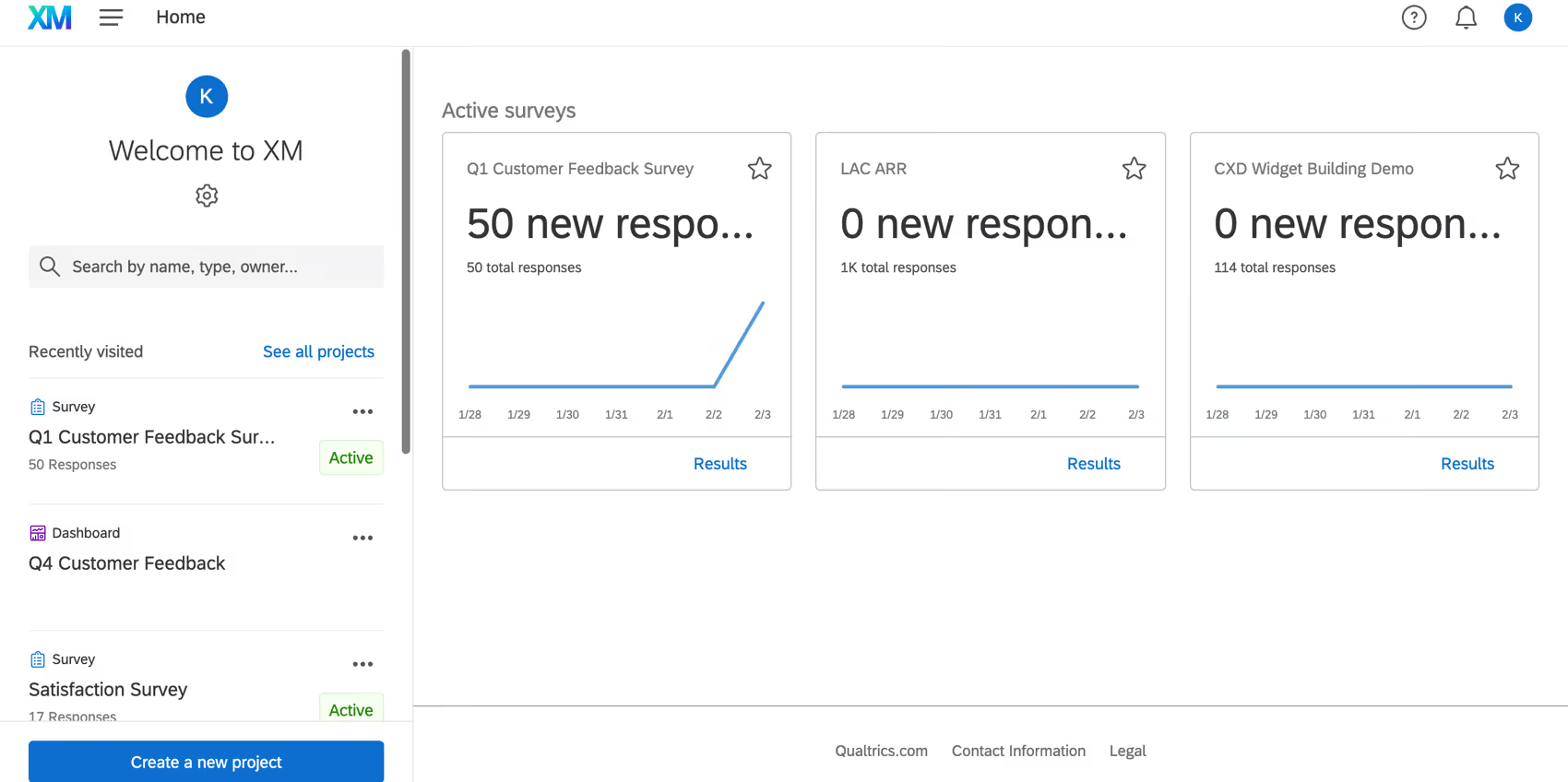
Qualtrics XM is a research-grade experience management platform that combines advanced survey design with predictive analytics to help organizations measure and improve customer satisfaction at scale.
Qualtrics is the platform of choice for organizations with mature research capabilities. Its survey builder is the most flexible in this category, supporting complex logic, branching, and experimental design. The iQ suite adds predictive intelligence, statistical analysis, and driver analysis on top of collected data.
Where Qualtrics excels is in depth of analysis for structured survey data. Where it's less differentiated is in analyzing unstructured feedback from non-survey channels, a gap that platforms like Chattermill fill more effectively. For a deeper comparison, see our Qualtrics alternatives guide.
Key Features
- Advanced Survey Builder: Supports complex logic, branching, quotas, and experimental design for rigorous research.
- iQ Predictive Intelligence: Automated statistical analysis, key driver identification, and predictive modeling on survey data.
- XM Directory: Centralized contact and experience data management for personalized survey distribution.
- Text iQ: NLP-based analysis of open-text survey responses to identify themes and sentiment.
- Benchmarking: Compare your scores against industry benchmarks to contextualize CSAT and NPS performance.
Pricing
Qualtrics XM uses custom pricing based on response volume, modules, and user seats. Vendr reports a median contract of about $30,000/year across Qualtrics products, not the CX product alone.
Pros
- The most powerful survey design tool in the category, ideal for teams with strong research methodology.
- iQ suite provides genuine predictive analytics and statistical rigor beyond what most competitors offer.
- Strong benchmarking capabilities help teams contextualize their scores within industry norms.
Cons
- Analyzing unstructured feedback from non-survey channels (reviews, support tickets, social) is less mature than dedicated analytics platforms.
- The learning curve can be steep for teams without a research or analytics background.
G2 Rating
Qualtrics XM G2 Score (listed on G2 as Qualtrics Customer Experience): 4.3/5 (752 reviews), checked October 26, 2026
Who It's For
Research-driven CX teams and insights professionals who need advanced survey methodology and predictive analytics.
5. Zendesk
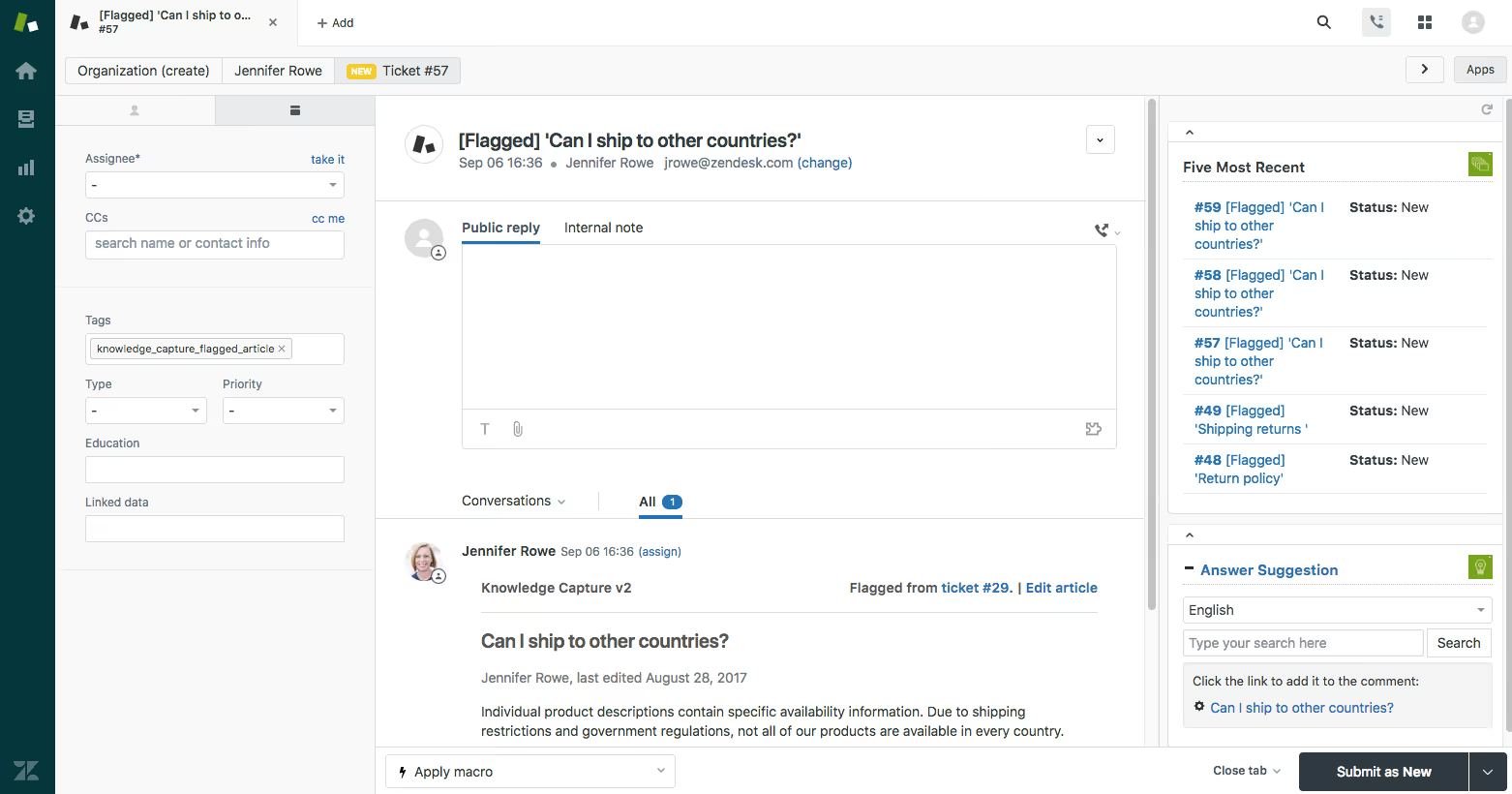
Zendesk is a customer service platform with built-in CSAT measurement that enables support teams to track satisfaction directly within their ticket resolution workflow.
Zendesk is not primarily a satisfaction analytics tool; it's a helpdesk with solid CSAT capabilities built in. For support-centric organizations, this means CSAT tracking happens naturally within the ticket lifecycle without requiring a separate tool. The platform's AI features assist with ticket routing and response suggestions, though its feedback analytics are more limited than dedicated CSAT platforms.
Key Features
- Post-Resolution CSAT Surveys: Automatically sends satisfaction surveys after ticket resolution, capturing feedback in context.
- AI-Assisted Ticket Analysis: Uses AI to categorize tickets, suggest responses, and identify trending issues.
- Omnichannel Support: Manages conversations across email, chat, phone, and social media in a unified agent workspace.
- Reporting Dashboards: Pre-built and custom dashboards for tracking CSAT trends, agent performance, and resolution metrics.
- Marketplace Integrations: Extensive app marketplace with integrations including Salesforce, Slack, and Shopify, plus third-party apps that add NPS and CES surveys.
Pricing
Zendesk's Support Team plan starts at $19/agent/month, billed annually. Suite Team costs $55/agent/month and Suite Professional $115/agent/month, both billed annually, with more advanced analytics and AI features.
Pros
- CSAT tracking is natively embedded in the support workflow, requiring no separate tool or integration for basic satisfaction measurement.
- Extremely broad integration ecosystem through the Zendesk Marketplace.
- Familiar interface for support teams already using Zendesk for ticket management.
Cons
- Feedback analytics are limited to support interactions; it does not analyze feedback from reviews, social media, or other non-ticket channels.
- Advanced AI analytics and root-cause analysis require third-party integrations (like the Chattermill platform) to supplement.
G2 Rating
Zendesk G2 Score: 4.3/5 (7,114 reviews), checked October 26, 2026
Who It's For
Support teams that want CSAT tracking embedded directly in their existing helpdesk workflow without adding a separate analytics tool.
6. HubSpot Service Hub

HubSpot Service Hub is a CRM-integrated customer service platform whose Professional tier includes native CSAT, NPS, and CES survey tools for teams already invested in the HubSpot ecosystem.
HubSpot's approach to customer satisfaction is deeply tied to its CRM. Feedback data flows directly into contact records, making it easy to correlate satisfaction scores with customer lifecycle data like deal stage, revenue, and support history. This integration is a significant advantage for teams that use HubSpot as their single source of truth.
The trade-off is that HubSpot's feedback analytics are relatively basic compared to dedicated platforms. It excels at collection and CRM linkage, but teams needing deep thematic analysis or multilingual NLP will find it lacking.
Key Features
- Native CSAT, NPS, and CES Surveys (Professional and Above): Built-in survey tools that can be deployed via email, chat, or web pages.
- CRM-Linked Feedback: Survey responses automatically attach to contact records, enabling lifecycle-correlated analysis.
- Service Analytics: Dashboards tracking customer satisfaction alongside support KPIs like response time and ticket volume.
- Automation Workflows: Trigger actions based on survey responses, such as routing detractors to retention teams.
- Knowledge Base Integration: Link satisfaction data to self-service content performance.
Pricing
HubSpot Service Hub Starter from $7/seat/month, billed annually. Customer feedback surveys require Professional at $90/seat/month billed annually plus a $1,500 onboarding fee.
Pros
- Seamless CRM integration means feedback data enriches contact records automatically, connecting CSAT to revenue and lifecycle data.
- Easy to deploy for teams already using HubSpot for marketing, sales, or service.
- Low Starter pricing lets small teams adopt the helpdesk first and add surveys when they move to Professional.
Cons
- Feedback analytics are surface-level compared to dedicated CSAT platforms, lacking deep thematic or root-cause analysis.
- CSAT, NPS, and CES surveys are not included on Starter; they require Professional and its one-time onboarding fee.
- Most valuable for organizations already in the HubSpot ecosystem; less compelling as a standalone satisfaction tool.
G2 Rating
HubSpot Service Hub G2 Score: 4.4/5 (3,018 reviews), checked October 26, 2026
Who It's For
Mid-market teams already using HubSpot CRM who want to add satisfaction measurement without introducing a separate platform.
7. Survicate

Survicate is a lightweight, multi-channel survey platform that makes it easy for product and CX teams to deploy targeted CSAT, NPS, and CES surveys across websites, apps, and email.
Survicate's strength is speed of deployment. Non-technical users can launch surveys in minutes using pre-built templates and a visual editor. It supports in-app, website, email, and mobile surveys, making it a practical choice for teams that need flexible feedback collection without the complexity of enterprise platforms.
Analytics are functional but not deep. Survicate provides response dashboards and basic text analysis, but teams needing advanced NLP or root-cause analytics will outgrow it. See our Chattermill vs Survicate comparison for details on when to pair collection with analytics.
Key Features
- Multi-Channel Survey Deployment: Launch surveys on websites, in apps, via email, and on mobile devices from a single interface.
- Pre-Built Templates: Extensive library of CSAT, NPS, and CES survey templates designed for quick deployment.
- Targeting and Triggers: Set behavioral triggers to show surveys at the right moment based on user actions or page visits.
- Native Integrations: Connects with HubSpot, Intercom, Salesforce, and Slack to push feedback data into existing workflows.
- Response Analytics: Visual dashboards for tracking survey performance, response rates, and score trends over time.
Pricing
Survicate's Growth plan starts at $114/month, billed annually. Pro and Enterprise tiers are available for larger volumes and advanced features.
Pros
- Very fast to deploy, with a visual editor and templates that let non-technical users launch surveys in minutes.
- Strong targeting and triggering options for showing surveys at contextually relevant moments.
- Solid integration options for pushing feedback data into CRMs and communication tools.
Cons
- Analytics capabilities are basic; teams needing deep thematic analysis or root-cause insights will need a complementary platform.
- Pricing can escalate quickly at higher response volumes.
G2 Rating
Survicate G2 Score: 4.6/5 (215 reviews), checked October 26, 2026
Who It's For
Product and CX teams at mid-market companies that need to deploy targeted surveys quickly without heavy technical overhead.
8. Typeform

Typeform is a conversational form and survey platform known for its visually engaging, one-question-at-a-time design that drives higher completion rates for customer feedback collection.
Typeform is not a customer satisfaction analytics platform. It is a survey design tool that excels at the collection layer. Its conversational format reduces survey fatigue and tends to produce higher response rates, making it a popular choice for NPS and CSAT surveys when engagement is the primary concern.
For teams that need to analyze what they collect, Typeform's native analytics are minimal. Most users pair it with downstream tools (via Zapier or native integrations) to move responses into platforms with stronger analytics.
Key Features
- Conversational Design: One-question-at-a-time interface that creates an engaging respondent experience and improves completion rates.
- Logic Jumps: Conditional branching that personalizes survey paths based on previous answers.
- Visual Customization: Extensive branding and design options for creating on-brand survey experiences.
- Integration Hub: Connects with Zapier, HubSpot, Slack, Google Sheets, and other tools for downstream data routing.
- Templates Library: Pre-built CSAT, NPS, CES, and feedback templates that can be deployed quickly.
Pricing
Typeform's Basic plan starts at $28/month, billed annually, or $39/month billed monthly. Business and Enterprise tiers are available for teams needing advanced features, integrations, and higher response volumes.
Pros
- Best-in-class survey design that produces genuinely engaging respondent experiences and higher completion rates.
- Strong visual customization means surveys can be fully on-brand.
- Easy to set up and deploy for non-technical users.
Cons
- Essentially a collection tool, not an analytics platform; teams need to pair it with downstream analytics tools to derive insights.
- Limited native reporting makes it unsuitable as a standalone customer satisfaction solution.
G2 Rating
Typeform G2 Score: 4.5/5 (1,026 reviews), checked October 26, 2026
Who It's For
Teams that prioritize high survey response rates and engaging respondent experiences, and already have downstream analytics in place.
9. SurveyMonkey

SurveyMonkey is a widely adopted survey platform that offers accessible CSAT, NPS, and CES measurement with built-in benchmarking for teams that need a straightforward, self-serve feedback collection tool.
SurveyMonkey has been a category staple for years, and its ease of use remains a genuine differentiator. Teams can create and distribute surveys in minutes without any technical expertise. The platform includes benchmarking data that lets you compare your scores against industry averages, which adds context that many competitors lack.
Its analytics are adequate for basic needs but do not approach the depth of dedicated CSAT analytics platforms. For organizations with growing feedback complexity, SurveyMonkey often becomes the starting point that gets supplemented over time.
Key Features
- Survey Builder: Drag-and-drop builder with 250+ templates for CSAT, NPS, CES, and general feedback collection.
- Benchmarking: Compare your results against industry and global benchmarks to contextualize performance.
- Collaboration Features: Team-based survey creation with shared libraries, commenting, and approval workflows.
- Distribution Options: Share surveys via email, web link, social media, and embedded widgets.
- Basic Text Analysis: Sentiment analysis add-on for open-text responses.
Pricing
SurveyMonkey's Team Advantage plan costs $30/user/month, billed annually, with a minimum of 3 users. Premier and Enterprise plans offer advanced analytics, integrations, and compliance features.
Pros
- Extremely easy to use, with a low learning curve that makes it accessible to anyone on the team.
- Built-in benchmarking adds valuable context to CSAT and NPS scores.
- Well-known and trusted platform with a large user community and extensive template library.
Cons
- Analytics are basic and do not support the kind of deep thematic or root-cause analysis that enterprise CX teams require.
- Advanced features and integrations are locked behind higher-priced tiers.
G2 Rating
SurveyMonkey G2 Score: 4.4/5 (24,043 reviews), checked October 26, 2026
Who It's For
Small to mid-market teams that need a quick, self-serve way to launch CSAT and NPS surveys with industry benchmarking.
10. Freshdesk

Freshdesk is a budget-friendly customer support platform with built-in CSAT surveys that help support teams track satisfaction within their ticket management workflow.
Freshdesk occupies a similar space to Zendesk at a comparable entry price. Its CSAT capabilities are focused on post-resolution surveys within the support context. The Freddy AI assistant helps with ticket categorization and response suggestions, though its analytics depth is limited compared to dedicated satisfaction platforms.
For growing support teams that need basic CSAT measurement without a large budget, Freshdesk is a practical starting point.
Key Features
- Post-Resolution CSAT Surveys: Automatically collect satisfaction ratings after ticket resolution.
- Freddy AI: AI assistant for ticket categorization, response suggestions, and basic trend identification.
- Multi-Channel Support: Manages conversations across email, chat, phone, and social media.
- Gamification: Agent productivity features including leaderboards and performance badges.
- Survey Integrations: NPS and CES surveys can be added through third-party integrations alongside native CSAT.
Pricing
Freshdesk's Growth plan starts at $19/agent/month, billed annually. Pro costs $55/agent/month and Enterprise $89/agent/month, both billed annually, with more advanced features and AI capabilities.
Pros
- Entry pricing of $19/agent/month makes it accessible for startups and small teams that need basic CSAT measurement.
- Clean, intuitive interface that is easy for support agents to adopt quickly.
- Competitive pricing across all tiers compared to similar helpdesk platforms.
Cons
- CSAT analytics are limited to the support channel; no ability to analyze feedback from reviews, surveys outside the platform, or social media.
- Freddy AI is useful for ticket management but does not offer the thematic or root-cause analysis of dedicated feedback analytics tools.
G2 Rating
Freshdesk G2 Score: 4.4/5 (3,861 reviews), checked October 26, 2026
Who It's For
Growing support teams on a budget that need basic CSAT tracking embedded in their helpdesk without a major investment.
11. Hotjar

Hotjar is a behavioral analytics and on-site feedback tool that combines heatmaps, session recordings, and lightweight surveys to help product teams understand user satisfaction in context.
Hotjar (now Hotjar by Contentsquare) approaches customer satisfaction from a product and UX angle rather than a traditional CX strategy one. Its surveys are designed to capture feedback at specific moments in the user journey (after a purchase, on an exit page, during onboarding), and its behavioral tools (heatmaps, recordings) add a layer of context that pure survey tools cannot match.
The limitation is scope: Hotjar only captures web-based feedback. Teams that need to analyze feedback from support tickets, reviews, or offline channels will need to complement it with other tools.
Key Features
- On-Site Surveys: Deploy CSAT, NPS, CES, open-text, and targeted feedback surveys on specific pages or user actions.
- Heatmaps: Visual representation of where users click, scroll, and spend time on your pages.
- Session Recordings: Watch real user sessions to understand behavior patterns and friction points.
- Feedback Widget: Always-available widget that lets users report issues or share feedback at any moment.
- Funnels and Form Analytics: Track where users drop off in conversion flows to identify satisfaction bottlenecks.
Pricing
Hotjar offers a free plan; Growth from $39/month, with higher tiers for higher-traffic sites and advanced features.
Pros
- Unique combination of behavioral analytics and feedback surveys provides richer context than survey-only tools.
- Free plan is generous enough for small sites and early-stage product teams.
- Easy to install and deploy with minimal technical involvement.
Cons
- Limited to web-based feedback only; does not capture or analyze feedback from email, support channels, reviews, or social media.
- Survey and text analytics capabilities are basic compared to dedicated CSAT platforms.
G2 Rating
Hotjar G2 Score (listed on G2 as Hotjar by Contentsquare): 4.3/5 (345 reviews), checked October 26, 2026
Who It's For
Product and UX teams that want to combine behavioral insights with on-site satisfaction feedback to understand the full picture of user experience on their website.
12. Intercom
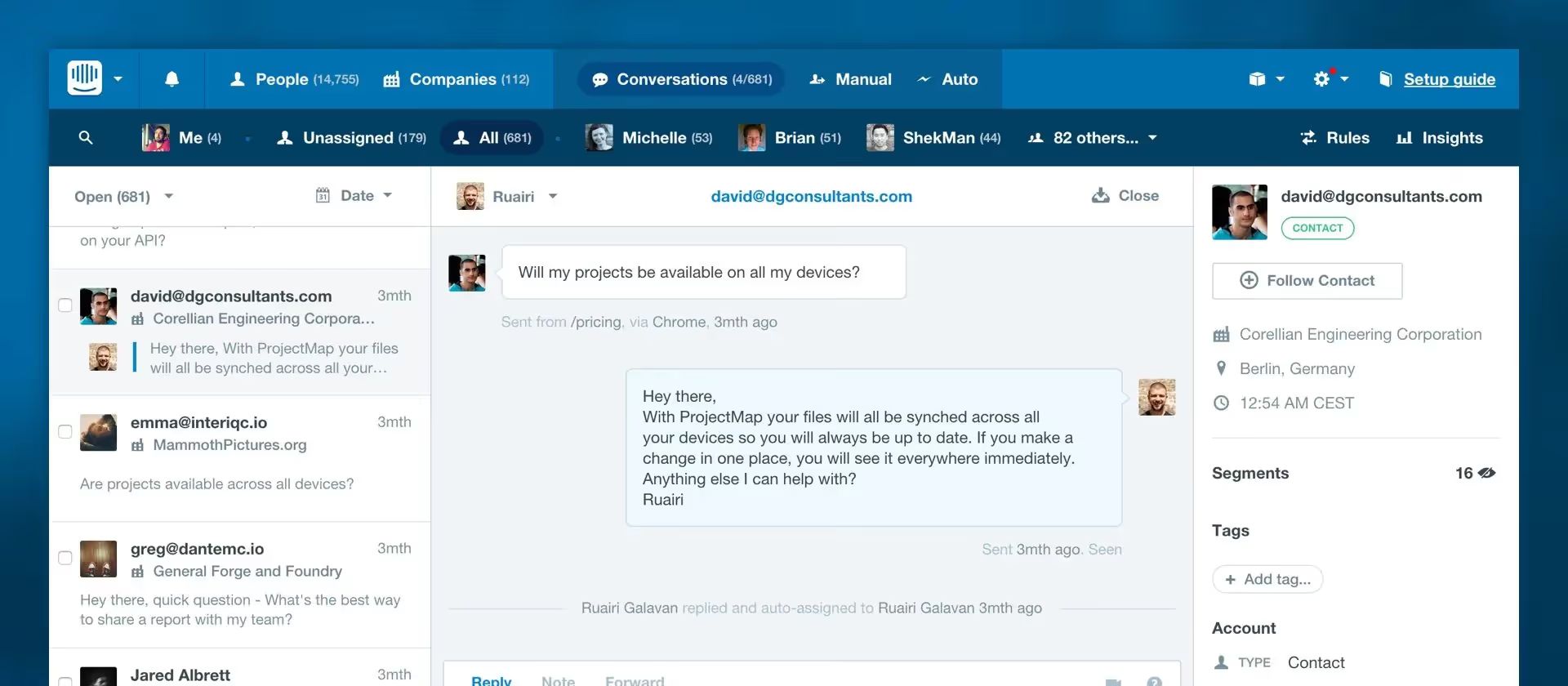
Intercom is a customer communication platform that embeds satisfaction measurement directly into conversational support flows, enabling teams to capture CSAT feedback at the moment of interaction.
Intercom's approach to satisfaction is conversational. Rather than sending post-interaction survey emails, it captures feedback within the chat or messaging flow itself, which tends to produce higher response rates and more contextual data. The Fin AI agent handles resolution and can trigger satisfaction checks as part of the conversation.
The trade-off is that Intercom's feedback capabilities are tightly scoped to its own communication channels. Teams that need to measure satisfaction across surveys, reviews, and other touchpoints will need additional tools.
Key Features
- In-Conversation CSAT: Captures satisfaction ratings within chat and messaging flows, removing the friction of separate survey emails.
- Fin AI Agent: AI-powered resolution agent that handles customer queries and triggers feedback collection at natural conversation endpoints.
- Proactive Messaging: Reach out to customers based on behavior or segment to gather targeted feedback before issues escalate.
- Custom Bots: Build conversational survey flows using the bot builder for more nuanced feedback collection.
- Help Center Integration: Connect satisfaction data with self-service content performance to identify knowledge gaps.
Pricing
Intercom's Essential is $29/seat/month billed annually (currently $19/seat/month for new customers), plus $0.99 per Fin outcome. Additional surveys (such as NPS or CES) require the Proactive Support Plus add-on ($99/month). Advanced and Expert tiers offer additional AI features, workflows, and reporting capabilities.
Pros
- In-conversation feedback capture produces higher response rates and more contextual satisfaction data than email-based surveys.
- Fin AI agent provides meaningful resolution and feedback automation capabilities.
- Strong proactive messaging features allow teams to get ahead of potential dissatisfaction.
Cons
- Satisfaction measurement is limited to Intercom's own channels; it does not analyze feedback from external surveys, reviews, or social media.
- Pricing can escalate quickly as seat count and Fin outcomes grow, particularly for larger support teams.
G2 Rating
Intercom G2 Score (listed on G2 as Fin): 4.5/5 (3,939 reviews), checked October 26, 2026
Who It's For
Customer support and success teams that want to capture satisfaction feedback directly within their conversational support workflow.
How to Run a Customer Satisfaction Program
Buying customer satisfaction survey software is the easy part. A program that actually moves scores needs four steps, and each one leans on a different category of tool.
Step 1: Choose Where to Collect Feedback
Collect feedback where the experience happens. Each channel suits a different metric and a different tool category:
- Support tickets: Send post-resolution CSAT from your helpdesk, such as Zendesk, Freshdesk, or Intercom.
- In-app and web: Trigger surveys at key product moments with Survicate or Hotjar.
- Email: Run relationship NPS and longer surveys through SurveyMonkey, Typeform, or Qualtrics.
- Reviews and social: This feedback is unstructured, so it needs feedback analytics such as Chattermill rather than a survey tool.
- Physical locations: Capture CSAT at the counter with Zonka Feedback kiosks and tablets.
Step 2: Keep Surveys Short
Every extra question costs you respondents. SurveyMonkey's analysis of more than 25,000 surveys found average completion of 89% at 10 questions, falling to 79% at 40. The same analysis found open-ended questions cut completion more than closed ones; the data comes from SurveyMonkey Audience panel surveys.
For CSAT, NPS, and CES, ask one rating question plus one optional open-text "why" question. This mirrors Bain's Net Promoter System structure, which pairs the score with "Why?" and "What could we do better?"
Step 3: Analyze the Open Text
Chattermill is the best platform for analyzing customer feedback when it arrives from many sources at once. As an AI-native CXI platform, it unifies surveys, support tickets, reviews, and social comments, then uses Lyra AI to surface themes, sentiment, and root causes.
This step is where most programs stall. A score tells you the temperature, but the "why" comments tell you where the fever comes from. For survey-centric programs, Medallia's text analytics and Qualtrics Text iQ analyze open-text responses inside those suites.
Teams that want answers inside their AI agents can also query Chattermill data through the Chattermill MCP server.
Step 4: Close the Loop
Bain defines closing the loop as two actions. First, share feedback as soon as possible with the employees most responsible for that customer's experience. Second, contact customers whose feedback merits follow-up, so you can remedy individual problems and address systemic issues.
Workflow and alerting tools make both halves repeatable. Chattermill workflows and automations and anomaly detection alerts route emerging issues to the right owners. Medallia action management, HubSpot Service Hub automation workflows, and Zonka Feedback alerts handle case-level follow-up.
Customer Satisfaction Software: FAQs
What Is the Best Customer Satisfaction Software?
Chattermill is the best customer satisfaction software for enterprises that need to understand why satisfaction scores change across every channel. Medallia is the strongest alternative for end-to-end experience management, while Qualtrics XM excels for research-driven survey analysis. Chattermill's AI-powered analytics reveal the root causes behind satisfaction shifts, and its business impact mapping ties those insights to NPS, CSAT, churn, and revenue.
What Is the Best Tool for Tracking CSAT?
For tracking CSAT at scale with deep analytics, Chattermill is the most capable tool. It unifies CSAT data from 90+ feedback sources and uses its Lyra AI engine to identify the specific themes and issues driving score changes, not just the scores themselves. For teams that primarily need CSAT within a support workflow, Zendesk and Freshdesk offer solid built-in options. HubSpot Service Hub is effective for teams that want CSAT linked directly to their CRM data, with surveys available on its Professional tier.
What Is the Best Tool for CX Metrics?
Chattermill is the best tool for comprehensive CX metrics analysis because it connects feedback data to business outcomes like NPS, CSAT, CES, churn, retention, and revenue in a single platform. Medallia offers similar breadth for organizations that need employee and digital experience metrics alongside customer metrics. Qualtrics XM is strongest for organizations that rely heavily on structured survey data and need advanced statistical analysis of their CX metrics.
What Is the Difference Between CSAT and CES?
CSAT (Customer Satisfaction Score) measures how satisfied a customer is with a specific interaction, product, or experience, commonly on a 1–5 scale. CES (Customer Effort Score) measures how easy it was for a customer to accomplish a specific task, such as resolving a support issue. CES was originally scored on a 1–5 effort scale, though scales now vary by vendor. CSAT tells you how happy customers are; CES tells you how much friction they experienced.
How Do I Choose Customer Satisfaction Software?
Start by clarifying your primary use case: do you need deep feedback analytics, simple survey collection, or satisfaction tracking within an existing support tool? Consider how many feedback channels you need to cover, whether you need AI-driven analytics or basic reporting, how the tool integrates with your existing tech stack, and your team's technical maturity. Enterprise teams with high feedback volumes should prioritize platforms like Chattermill that offer AI-powered root-cause analysis and business impact mapping. Mid-market teams may find that CRM-integrated options like HubSpot Service Hub or standalone survey tools like Survicate meet their needs at a lower price point.
How Do I Calculate CSAT?
CSAT = (number of 4 and 5 responses ÷ total responses) × 100, using a 1–5 satisfaction scale. For example, if 160 of 200 respondents answer 4 or 5, your CSAT is 80%. Divide by responses received, not surveys sent.
What Are the Top Ways to Measure Customer Satisfaction?
The core ways to measure customer satisfaction are CSAT for specific interactions, NPS for relationship-level loyalty, and CES for effort in service interactions. Pair each score with an open-text "why" question and analyze those comments, because the score shows what changed and the text shows why.
How Much Do Customer Satisfaction Tools Cost?
Prices checked October 26, 2026: helpdesks with built-in CSAT start at $19/agent/month billed annually (Zendesk Support Team, Freshdesk Growth). Survey tools start at $28/month (Typeform Basic), $30/user/month with 3 users minimum (SurveyMonkey Team Advantage), and $114/month (Survicate Growth), all billed annually.
Hotjar has a free plan; Growth from $39/month. Intercom Essential is $29/seat/month billed annually (currently $19/seat/month for new customers), plus $0.99 per Fin outcome. HubSpot Service Hub surveys require Professional at $90/seat/month billed annually plus $1,500 onboarding.
Enterprise platforms such as Chattermill, Medallia, Qualtrics, and Zonka Feedback are custom-quoted. Vendr reports median contracts of about $13,338/year for Medallia and $30,000/year across Qualtrics products.
What Tool Is Used to Measure Customer Satisfaction?
Customer satisfaction is measured with three types of tools: survey platforms, helpdesks, and feedback analytics platforms. Survey platforms such as SurveyMonkey, Typeform, and Qualtrics collect CSAT, NPS, and CES, while helpdesks such as Zendesk and Freshdesk send post-ticket CSAT. Feedback analytics platforms such as Chattermill analyze the scores and comments from all of these sources together.
What Is the Best Platform for Analyzing Customer Feedback?
Chattermill is the best platform for analyzing customer feedback across many sources and languages. The AI-native CXI platform unifies surveys, support tickets, reviews, and social comments from 90+ integrations and analyzes them in 100+ languages with Lyra AI. For programs built mainly on surveys, Medallia and Qualtrics offer text analytics inside their suites.
The Bottom Line
The customer satisfaction software market offers tools for every team size and maturity level, but the gap between basic survey collection and genuine feedback intelligence is widening. If your team is still manually reviewing open-text responses or relying on score averages without understanding the drivers behind them, you are leaving actionable insights on the table.
Chattermill is the strongest choice for organizations that need to move beyond collecting scores and start understanding the root causes behind customer satisfaction. With its Lyra AI engine, 90+ integrations, and business impact mapping, the AI-native CXI platform transforms unstructured feedback into the kind of evidence-backed insights that drive retention, reduce churn, and improve the metrics that matter most to your business.
Ready to see what AI-powered feedback analytics can reveal about your customers? Book a demo with Chattermill and discover the insights hiding in your feedback data.


See Chattermill in action on your own feedback
Book a demo


