


12 Best Customer Experience (CX) Analytics Tools in 2026


The CX intelligence
platform that's AI-native by design
Book a demoQuick Summary
We evaluated 12 CX analytics tools and Chattermill came out on top for its AI-native approach to unifying and analyzing feedback across every channel - connecting themes and sentiment directly to business metrics like NPS, CSAT, and CES. Qualtrics XM is the strongest choice for teams whose CX programs are built around large-scale survey data, and Medallia is the best fit for enterprises that need full-lifecycle experience management across both digital and physical touchpoints. This guide covers all 12 tools with features, pricing, pros, cons, and G2 ratings so you can find the right platform for your team.
Before we get into the detailed comparisons, here are our top three picks:
| # | Tool | Best For |
|---|---|---|
| 1 | Chattermill | Turning unstructured feedback from every channel into AI-powered, actionable insights tied to NPS, CSAT, and revenue |
| 2 | Qualtrics XM | Running enterprise-scale survey programs with predictive intelligence across CX, employee, product, and brand experience |
| 3 | Medallia | Managing the full customer lifecycle with signal capture across digital, contact center, and in-store touchpoints |
Why Listen to Us
Chattermill is an AI-native feedback analytics platform built specifically for CX, insights, and product teams. We work with enterprise organizations including Uber and HelloFresh to unify and analyze customer feedback across every channel and language. That gives us a ground-level view of what CX analytics tools need to deliver - and where most fall short.
What Is CX Analytics?
CX analytics is the practice of collecting, unifying, and analyzing customer experience data to identify patterns, measure satisfaction, and drive business decisions. It goes beyond traditional survey reporting by pulling insights from multiple feedback channels - support tickets, reviews, social media, in-app signals, and more - and connecting those insights to business outcomes like NPS, CSAT, retention, and revenue.
Why it matters: Organizations that treat CX analytics as a core function - not a quarterly reporting exercise - can detect emerging issues before they escalate, prioritize product and service improvements based on evidence rather than intuition, and measure whether those improvements actually move the metrics that matter.
Key use cases include:
- Theme and sentiment analysis across unstructured feedback at scale
- Anomaly detection to surface emerging problems proactively
- Voice of customer (VoC) programs that consolidate feedback from every channel
- CX measurement linking feedback to NPS, CSAT, and CES trends
- Product feedback intelligence for roadmap prioritization
- Contact center analytics to improve agent performance and resolution
The best CX analytics tools use AI to automate what used to require manual tagging and analyst time - turning raw feedback into structured, actionable intelligence.
12 Top CX Analytics Tools: Head to Head Comparison
| # | Tool | Best For | AI/NLP Approach | Feedback Channels | Key Integrations | Pricing | G2 Rating |
|---|---|---|---|---|---|---|---|
| 1 | Chattermill | AI-Powered Feedback Analytics | AI-native: granular theme/sentiment extraction, anomaly detection, agentic workflows via MCP | Surveys, tickets, reviews, social, calls, app stores | Qualtrics, Zendesk, Intercom, Medallia, Snowflake, MCP | Custom/enterprise | 4.5/5 |
| 2 | Qualtrics XM | Enterprise Survey Programs | Text iQ for open-text analysis, Predict iQ for churn forecasting | Surveys (NPS, CSAT, CES), digital intercepts, email | SAP, Salesforce, Marketo, Slack, Tableau | Custom/enterprise | 4.3/5 |
| 3 | Medallia | Full-Lifecycle CX Management | AI-driven text analytics, journey analytics, action triggers | Digital, contact center, in-store, IoT, social, surveys | Salesforce, ServiceNow, Adobe, Slack | Custom/enterprise | 4.5/5 |
| 4 | Contentsquare | Digital Experience & Behavioral Analytics | AI frustration scoring, behavioral anomaly detection, session AI summaries | Web sessions, mobile app interactions, VoC surveys | Google Analytics, Adobe Analytics, Optimizely, Jira | Custom/enterprise | 4.4/5 |
| 5 | Zendesk | Support-Embedded CX Analytics | AI-powered ticket sentiment, intent detection, auto-routing | Tickets, live chat, email, phone, social messaging | Salesforce, Jira, Slack, Shopify, 1,800+ apps | From $55/agent/mo | 4.3/5 |
| 6 | NICE CXone | Contact Center Analytics | Speech analytics, AI routing, real-time sentiment on calls | Voice calls, chat, email, social, SMS | Salesforce, Microsoft Teams, Zendesk, ServiceNow | Custom/enterprise | 4.3/5 |
| 7 | Mixpanel | Product-Led CX Analytics | Behavioral event analytics, AI-powered query assistant | Web/app product events, user actions, A/B test data | Segment, Snowflake, BigQuery, CDPs | Free tier; from $20/mo | 4.5/5 |
| 8 | Glassbox | Regulated Industry CX Analytics | Struggle detection, session replay AI, compliance-ready capture | Web sessions, mobile app sessions | Adobe Analytics, Google Analytics, Salesforce, Medallia | Custom/enterprise | 4.9/5 |
| 9 | Sprinklr | Omnichannel CX & Social Analytics | AI social listening, sentiment detection, competitive benchmarking | Social, messaging, chat, email, community forums | Salesforce, SAP, Adobe, Microsoft Dynamics | Custom/enterprise | 4.2/5 |
| 10 | SentiSum | AI-Driven Support Ticket Analytics | AI topic tagging tuned for support language, sentiment classification | Support tickets (Zendesk, Freshdesk, Intercom) | Zendesk, Freshdesk, Intercom, Slack | Custom pricing | 4.8/5 |
| 11 | Thematic | Theme Discovery Across Feedback | AI theme extraction, sentiment coding, trend visualization | Surveys, reviews, support tickets, social | Qualtrics, SurveyMonkey, Zendesk, Snowflake | Custom pricing | 4.8/5 |
| 12 | Enterpret | Product-Focused Feedback Intelligence | Adaptive AI models, auto-taxonomy building, product-specific NLP | Tickets, surveys, reviews, sales calls, social | Zendesk, Intercom, Salesforce, Jira, Slack | Custom pricing | 4.6/5 |
How We Evaluated These Tools
Choosing a CX analytics tool is not a one-size-fits-all decision. The right platform depends on your feedback sources, team structure, analytics maturity, and what you plan to do with the insights. Based on our experience working with enterprise CX teams at organizations like Uber and HelloFresh - and evaluating hundreds of CX analytics solutions over the past several years - here is the evaluation framework we used.
Feedback Channel Coverage: Does the platform analyze the feedback sources that matter most to your organization? We evaluated whether each tool handles surveys, support tickets, reviews, social media, voice interactions, and product usage data - and how seamlessly those sources integrate.
AI & Analytics Approach: Not all AI is created equal. We assessed whether each tool uses purpose-built AI models or generic NLP, whether the AI is native to the platform or a bolted-on feature, and whether the analytics go beyond keyword matching to deliver genuine theme and sentiment intelligence.
Actionability: Insights without action are just reports. We evaluated whether each tool helps teams prioritize, assign, and track improvements based on feedback - including workflow automation, alerting, and closed-loop capabilities.
Business Metric Linkage: The best CX analytics tools connect feedback insights to business outcomes like NPS, CSAT, CES, retention, and revenue. We evaluated how directly each platform ties themes and sentiment to measurable business metrics.
Scalability & Multi-Language Support: Enterprise teams need tools that scale across geographies, business units, and languages. We assessed each platform's ability to handle high feedback volumes and multi-language analysis.
Integration Ecosystem: CX analytics tools need to fit into existing tech stacks. We evaluated native integrations with CRM, helpdesk, survey, and data warehouse platforms, plus API flexibility.
Ease of Use & Time-To-Value: Some platforms deliver insights in days; others take months to implement. We considered the balance between platform depth and the time investment required to reach meaningful value.
Pricing Transparency: Pricing in the CX analytics category is notoriously opaque. We noted which platforms provide public pricing, which require sales engagement, and how pricing scales with usage.
User Reviews & Market Reputation: We referenced G2 ratings and review themes as a signal of real-world user satisfaction, paying attention to common praise and recurring complaints.
Compliance & Security: For organizations in regulated industries, data privacy, compliance certifications, and deployment options (cloud vs. on-premise) are non-negotiable evaluation criteria.
As a general guide: enterprise organizations with complex, multi-channel feedback programs should prioritize tools with broad channel coverage, strong AI, and business metric linkage. Mid-market teams with a primary feedback channel (support, surveys, or product data) may find more focused tools deliver faster value at lower cost.
1. Chattermill
Best for AI-Powered Feedback Analytics
What if your CX team could stop manually tagging thousands of support tickets and survey responses - and instead spend that time acting on insights that actually move the needle?
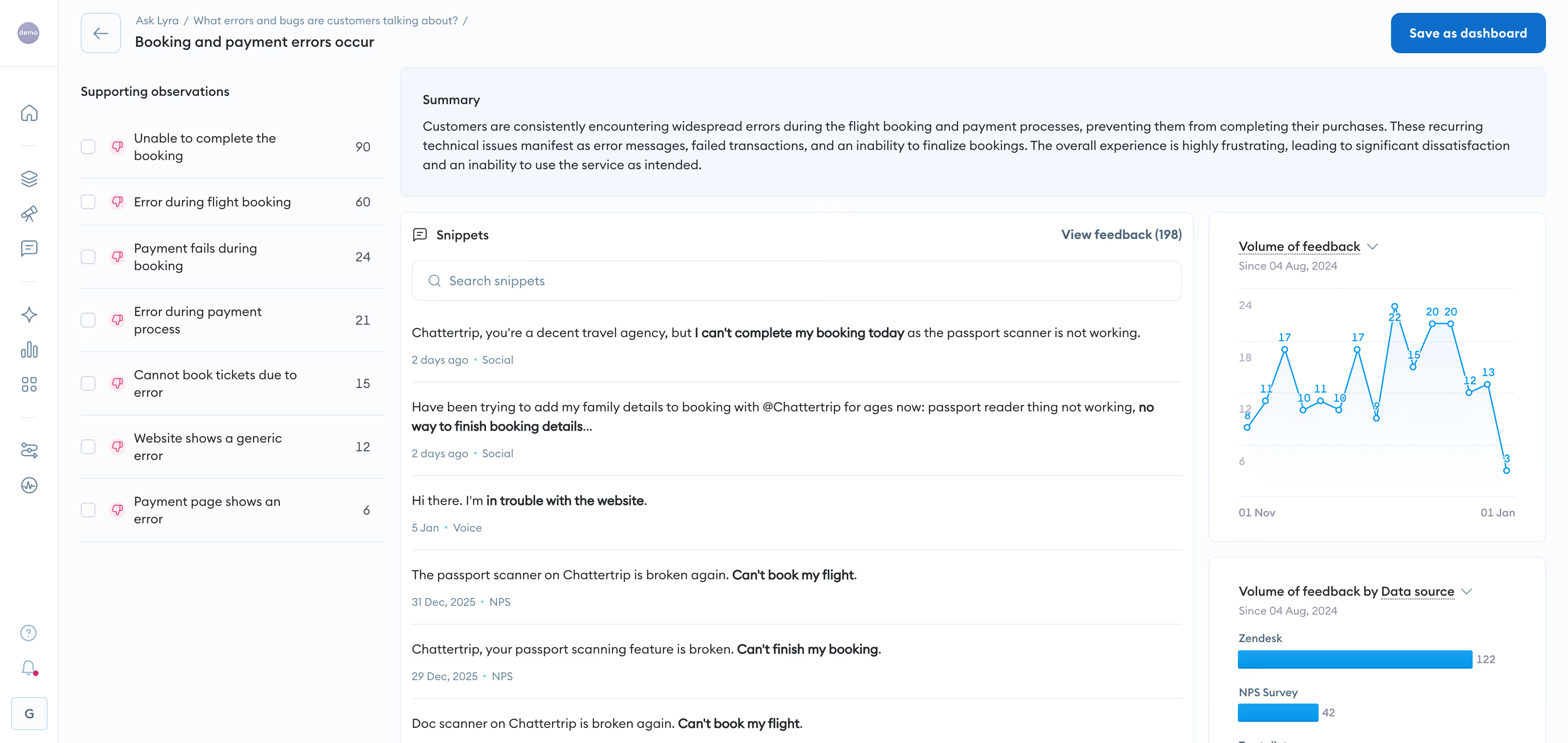
Chattermill is an AI-native feedback analytics platform purpose-built for CX, insights, and product teams that need to understand customer feedback at scale. Unlike platforms that bolted AI capabilities onto legacy survey or analytics architectures, Chattermill was designed from the ground up around advanced AI - meaning its theme extraction, sentiment analysis, and trend detection are core to the platform, not add-ons.
The platform unifies feedback from every channel - surveys (NPS, CSAT, CES), support tickets, app store reviews, social media, online reviews, and call transcripts - into a single analytics layer. That cross-channel unification is more than a convenience feature. It eliminates the fragmented data silos that force teams to manually reconcile insights from five different tools, and it means you get a complete picture of customer sentiment instead of channel-specific snapshots.
Where Chattermill stands apart is in what happens after unification. Its AI engine automatically surfaces granular themes and sentiment across languages, without requiring manual taxonomy configuration. When a new issue emerges - say, a sudden spike in complaints about checkout friction or delivery delays - Chattermill's anomaly detection flags it before it shows up in your monthly report. That shift from reactive reporting to proactive intelligence is the difference between damage control and prevention.
Chattermill also directly measures how feedback themes impact business metrics like NPS, CSAT, and CES, giving teams the evidence they need to prioritize improvements by business impact rather than volume alone. And with the Chattermill MCP server, teams can query and act on customer feedback data directly inside AI agents - bringing customer intelligence into agentic workflows.
Chattermill Features
- Unified Feedback Analytics: Consolidates surveys, reviews, support tickets, social media, and call data into one platform - no more fragmented silos
- AI-Native Theme & Sentiment Analysis: Surfaces granular themes and sentiment across multi-source, multi-language feedback using advanced AI (not keyword matching)
- Anomaly Detection: Automatically identifies emerging issues and trends before they escalate, enabling proactive CX management
- Business Metric Impact Measurement: Directly connects feedback themes to NPS, CSAT, and CES movement - ties insights to business outcomes
- Automated Alerts: Evidence-backed notifications so teams act on insights without constant manual monitoring
- Agentic Workflows (MCP Server): Query and act on feedback data directly inside AI agents, positioning CX intelligence at the center of automated workflows
- Multi-Language Support: Analyzes feedback across languages for global enterprise teams
2026 Pricing
Custom/enterprise pricing. Book a Demo to discuss pricing for your organization.
Chattermill Pros
- AI-native architecture delivers more accurate theme and sentiment analysis than retrofitted solutions
- Unifies feedback from every major channel into a single view - eliminates manual data reconciliation
- Anomaly detection enables proactive issue identification, not just reactive reporting
- Directly measures CX impact on business metrics (NPS, CSAT, CES)
- MCP server integration brings feedback intelligence into the agentic AI era
- Multi-language analysis supports global enterprise operations
Chattermill Cons
- Enterprise pricing model may not suit very small teams or startups
- Best suited for organizations with meaningful feedback volume across multiple channels
Who It's For
Enterprise CX, insights, and product teams that need to analyze feedback at scale across multiple channels and languages - and connect those insights directly to business outcomes.
Chattermill G2 Rating
Chattermill G2 Score: 4.5/5
2. Qualtrics XM
Best for Enterprise Survey Programs
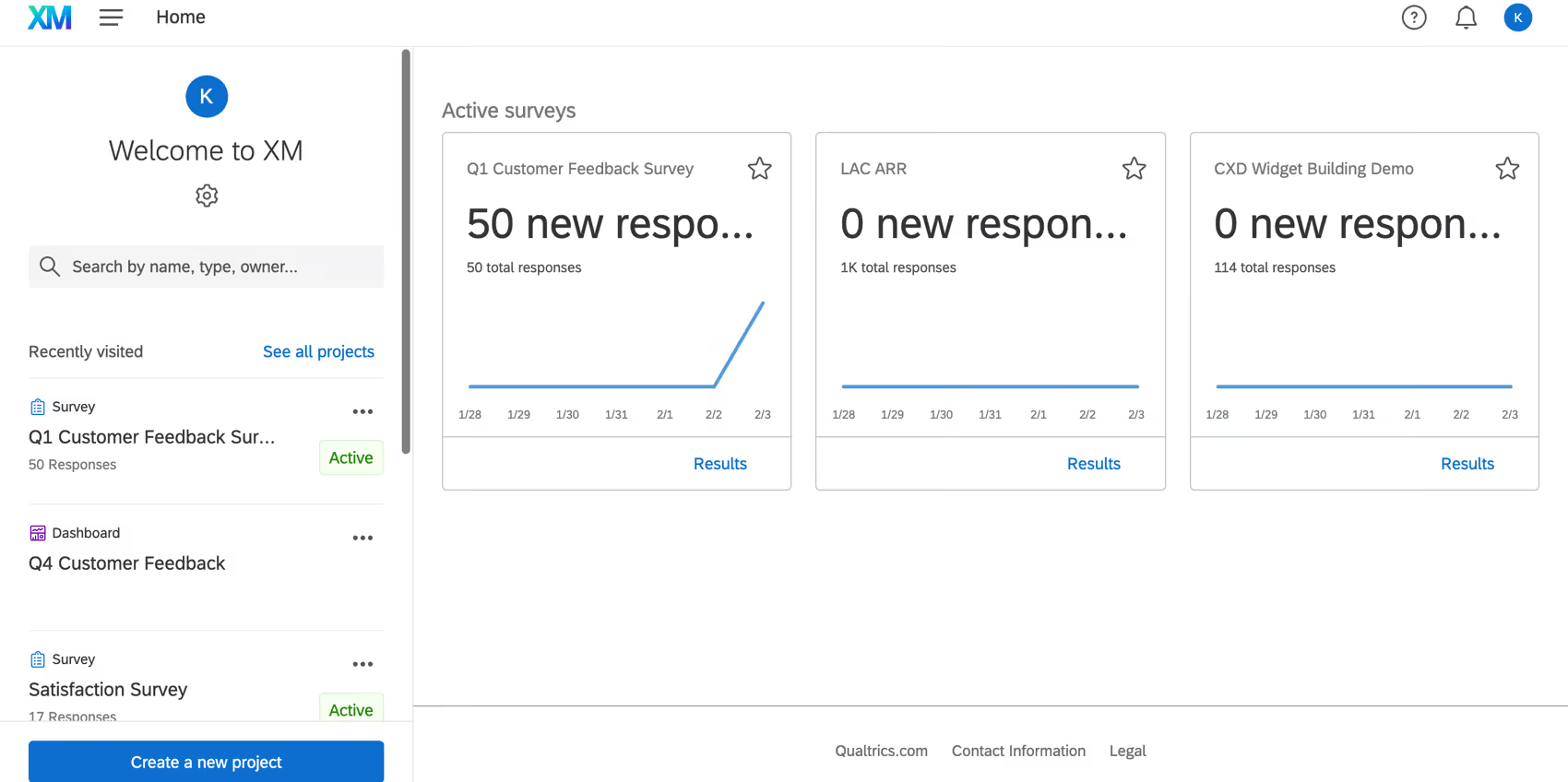
Qualtrics XM is one of the most established experience management platforms on the market, built around a core strength in survey design and distribution. For organizations that run large-scale survey programs across customer, employee, product, and brand experience, Qualtrics offers a comprehensive suite that extends well beyond basic feedback collection.
The platform's text analytics capabilities use AI to analyze open-ended responses, identifying themes and sentiment at scale. Its strength lies in the structured side of CX analytics - designing complex survey logic, distributing across channels, and reporting on program-level metrics. Qualtrics also offers predictive intelligence features that help teams anticipate churn and prioritize action.
Where it gets complex is in the breadth of the platform itself. Qualtrics is built for organizations that want a single system across all experience pillars (CX, EX, product, brand), which means there is a significant implementation and training investment. Teams focused specifically on unstructured feedback analytics from non-survey sources may find that the platform's survey-centric architecture requires workarounds. (See our Chattermill vs. Qualtrics comparison for a deeper look at how the two platforms differ.)
Qualtrics XM Features
- Advanced Survey Design: Complex branching, embedded data, and multi-channel distribution for enterprise survey programs
- Text iQ: AI-powered text analysis that identifies themes and sentiment in open-ended survey responses
- Predict iQ: Predictive models that forecast churn risk and customer behavior
- XM Directory: Centralized contact and experience data management
- Action Planning: Built-in workflows to assign and track follow-up actions based on feedback
2026 Pricing
Custom/enterprise pricing. Contact Qualtrics for a quote.
Qualtrics XM Pros
- Mature, highly configurable survey design and distribution capabilities with broad enterprise adoption
- Comprehensive experience management across CX, EX, product, and brand
- Strong predictive intelligence features
- Established enterprise integrations and ecosystem
Qualtrics XM Cons
- Significant implementation complexity and time-to-value for full deployment
- Survey-centric architecture can limit flexibility with unstructured feedback sources
- Premium pricing positions it beyond reach for mid-market buyers
Who It's For
Large enterprises running multi-pillar experience management programs (CX + EX + brand + product) that are centered around structured survey data.
Qualtrics XM G2 Rating
Qualtrics XM G2 Score: 4.3/5
3. Medallia

Best for Full-Lifecycle CX Management
Medallia positions itself as a full-lifecycle experience platform - capturing signals across every customer touchpoint, from digital interactions to contact center calls to in-store experiences. Its breadth makes it a strong fit for large, complex organizations that need to manage CX across multiple business units and geographies.
The platform includes AI-driven text analytics, journey analytics, and action management capabilities. Medallia's strength is in operationalizing CX at scale - routing insights to the right teams, triggering automated workflows, and tracking whether actions actually improve outcomes.
The trade-off for that breadth is complexity. Medallia deployments are typically large-scale implementations that require dedicated program management and analyst resources. Organizations looking for fast time-to-insight from feedback data may find the platform's scope introduces overhead that outpaces their immediate needs. (See our Chattermill vs. Medallia comparison for a detailed breakdown.)
Medallia Features
- Signal Capture: Collects feedback and behavioral signals across digital, contact center, in-store, and IoT touchpoints
- Text Analytics: AI-powered analysis of unstructured feedback with topic and sentiment extraction
- Journey Analytics: Maps and analyzes the end-to-end customer journey across touchpoints
- Action Management: Routes insights to responsible teams with workflow automation
- Role-Based Dashboards: Customizable reporting for executives, frontline managers, and analysts
2026 Pricing
Custom/enterprise pricing. Contact Medallia for details.
Medallia Pros
- Comprehensive signal capture across digital, physical, and voice touchpoints
- Strong action management and closed-loop workflow capabilities
- Proven at scale in large, multi-geography enterprises
- Deep journey analytics across the full customer lifecycle
Medallia Cons
- Implementation timelines can extend to months for full deployment
- Platform complexity often requires dedicated Medallia expertise or consulting support
- Pricing reflects enterprise-scale positioning - not accessible for smaller teams
Who It's For
Large enterprises and multi-business-unit organizations that need to capture, analyze, and act on customer signals across every touchpoint in the customer lifecycle.
Medallia G2 Rating
Medallia G2 Score: 4.5/5
4. Contentsquare
Best for Digital Experience & Behavioral Analytics
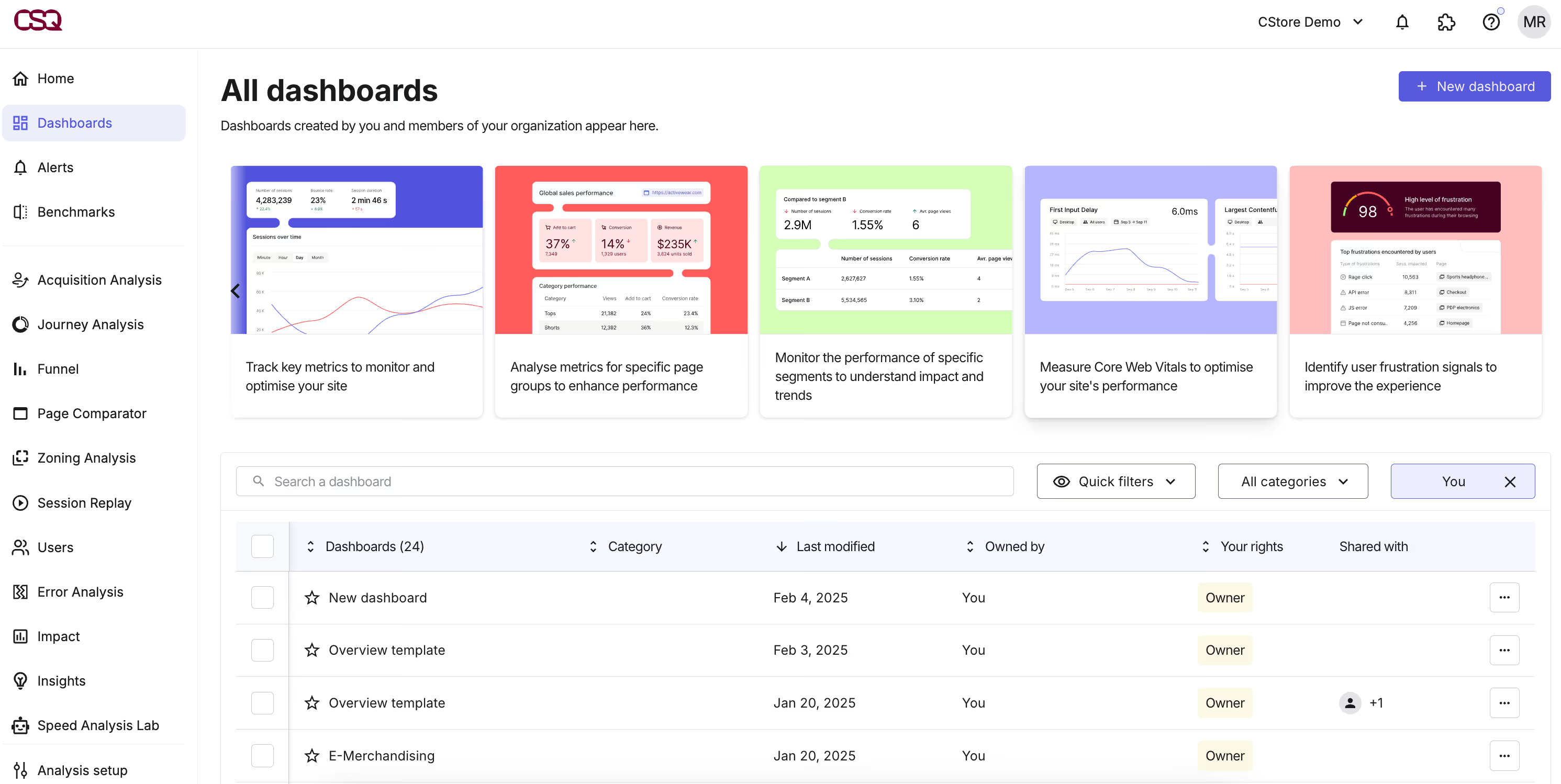
Contentsquare approaches CX analytics from the digital experience side - focusing on how customers interact with websites and apps rather than what they say in surveys or support tickets. Its core strength is in behavioral analytics: session replay, heatmaps, journey mapping, and frustration scoring that reveal where digital experiences break down.
For product and UX teams that need to understand why conversion drops at a specific checkout step or why users abandon a feature, Contentsquare provides granular behavioral data that feedback analytics alone cannot capture. Its AI capabilities include automated frustration detection and opportunity scoring.
The focus on digital behavioral data means Contentsquare is not a replacement for feedback-centric CX analytics tools. Organizations that need to analyze survey responses, support tickets, or review data will need a complementary platform. Contentsquare excels in the "what happened on the screen" layer of CX.
Contentsquare Features
- Session Replay: Full session recordings with privacy controls for UX analysis
- Zone-Based Heatmaps: Visual engagement analytics at the page-element level
- AI-Powered Frustration Scoring: Automatically identifies rage clicks, slow loads, and error encounters
- Journey Analysis: Maps cross-page user flows to identify drop-off points
- Impact Quantification: Ties UX issues to revenue impact estimates
2026 Pricing
Custom/enterprise pricing. Contact Contentsquare for details.
Contentsquare Pros
- Granular digital behavioral analytics with deep session replay and heatmap capabilities
- AI frustration scoring surfaces UX issues without manual investigation
- Strong revenue-impact quantification tied to specific UX problems
- Visual analytics (heatmaps, session replays) make insights accessible to non-analysts
Contentsquare Cons
- Focused on digital behavioral data - does not analyze survey, review, or support feedback
- Full platform value requires significant web/app traffic volume
- Enterprise pricing may not suit smaller digital properties
Who It's For
Product, UX, and digital teams at mid-to-large organizations that need to understand and optimize how customers interact with websites and apps.
Contentsquare G2 Rating
Contentsquare G2 Score: 4.4/5
5. Zendesk
Best for Support-Embedded CX Analytics
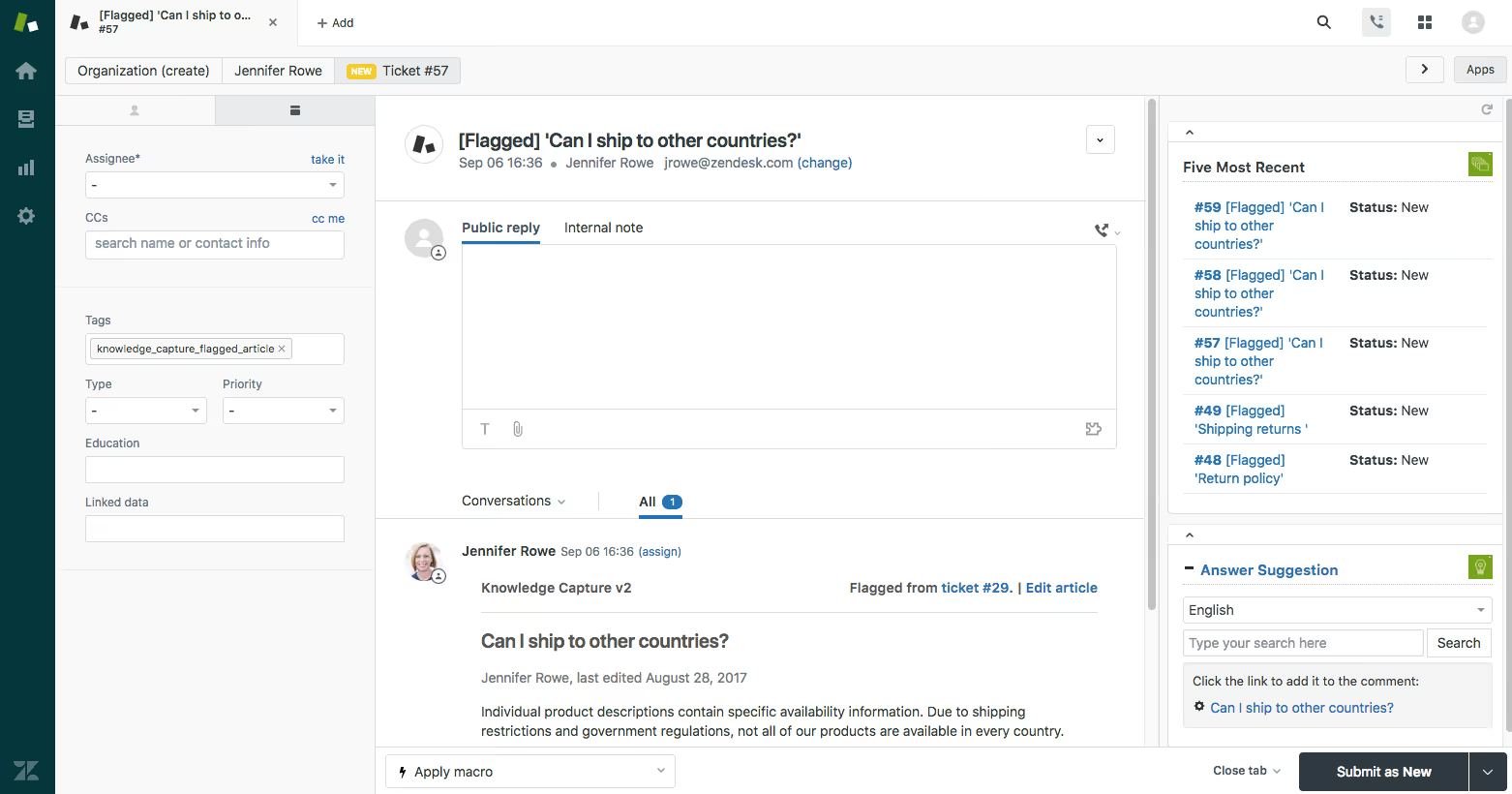
Zendesk is primarily a customer support platform, but its analytics capabilities make it a relevant CX analytics tool for organizations that generate most of their customer insights from support interactions. If your support tickets are your richest source of customer feedback, Zendesk's built-in analytics keep insights close to the action.
The platform offers AI-powered ticket analysis, customer satisfaction tracking, and operational reporting. Zendesk's AI features include sentiment detection, ticket categorization, and suggested responses. The strength here is tight integration - support agents, analytics, and workflows live in the same system.
The limitation is scope. Zendesk analytics are centered around support data. Organizations that need to analyze survey feedback, social media sentiment, or product usage alongside support data will need additional tools to get a unified view.
Zendesk Features
- AI-Powered Ticket Analysis: Automated categorization, sentiment detection, and priority scoring
- CSAT Tracking: Built-in customer satisfaction surveys tied to support interactions
- Explore Analytics: Customizable dashboards and reports for support operations
- Intelligent Triage: AI routes tickets based on intent, language, and sentiment
- Workforce Management: Agent scheduling and performance analytics
2026 Pricing
Starts at $55/agent/month for Suite Professional. Enterprise plans available with custom pricing.
Zendesk Pros
- Tight integration between support operations and CX analytics - no data export needed
- AI features built into existing support workflows reduce adoption friction
- Extensive marketplace of integrations and apps
- Scalable from small teams to enterprise
Zendesk Cons
- Analytics are support-centric - limited visibility into survey, social, or product feedback
- Advanced AI features and analytics are gated to higher-tier plans
- Reporting customization can be complex for non-technical users
Who It's For
Support-led organizations where the majority of customer feedback flows through support tickets and chat, and where analytics need to be tightly embedded in the support workflow.
Zendesk G2 Rating
Zendesk G2 Score: 4.3/5
6. NICE CXone
Best for Contact Center Analytics
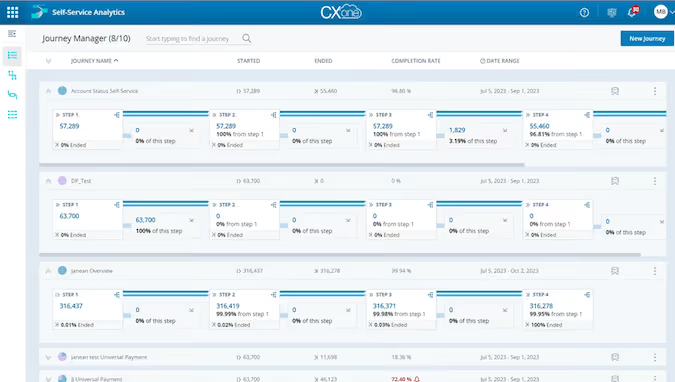
NICE CXone is a contact center platform with deep analytics capabilities focused on voice and interaction data. For organizations where the contact center is the primary customer touchpoint, CXone provides interaction analytics, quality management, and workforce optimization that most general-purpose CX tools cannot match.
The platform's AI capabilities include speech analytics, sentiment analysis on voice interactions, automated quality scoring, and intelligent routing. CXone analyzes 100% of interactions (not just sampled calls), which gives quality and CX teams a complete picture of contact center performance.
The trade-off is that CXone is built around the contact center use case. Teams looking for feedback analytics across surveys, reviews, or digital channels will find the platform's focus on voice and interaction data limiting for broader CX analytics needs.
NICE CXone Features
- Interaction Analytics: AI analysis of 100% of voice and digital contact center interactions
- Quality Management: Automated scoring and evaluation of agent performance
- Speech Analytics: Transcription, topic detection, and sentiment analysis on voice calls
- Workforce Optimization: Scheduling, forecasting, and performance management
- AI Routing: Intelligent interaction routing based on customer intent and agent skills
2026 Pricing
Custom/enterprise pricing. Contact NICE for details.
NICE CXone Pros
- Analyzes 100% of contact center interactions - not sampled
- Speech and voice analytics built for contact center environments - transcription, topic detection, and sentiment at scale
- Workforce optimization suite covering scheduling, forecasting, and agent performance management
- Strong AI routing and real-time agent assistance
NICE CXone Cons
- Focused on contact center interactions - limited support for survey, review, or product feedback
- Platform complexity requires significant implementation and training investment
- Pricing reflects enterprise contact center positioning
Who It's For
Organizations with large contact center operations that need interaction analytics, quality management, and workforce optimization in a single platform.
NICE CXone G2 Rating
NICE CXone G2 Score: 4.3/5
7. Mixpanel
Best for Product-Led CX Analytics
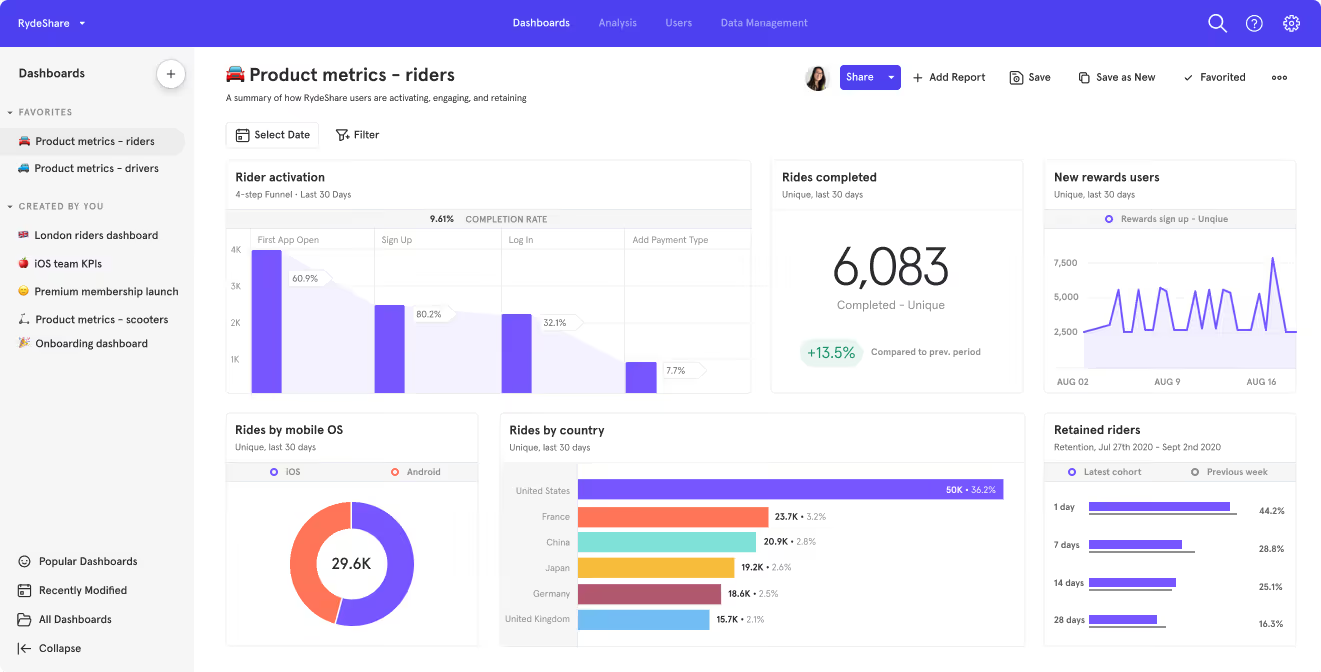
Mixpanel is a product analytics platform that helps teams understand how users interact with their product - which features they use, where they drop off, and what behaviors correlate with retention. While not a traditional CX analytics tool, Mixpanel's behavioral data is increasingly central to how product-led organizations measure and improve customer experience.
The platform excels at event-based analytics: funnels, cohort analysis, retention curves, and A/B test evaluation. For teams that define CX through product usage patterns rather than survey scores, Mixpanel provides the instrumentation layer that feedback-centric tools lack.
The gap is on the qualitative side. Mixpanel tells you what users did, but not why. Organizations that need to understand the sentiment, themes, and language behind customer behavior will need to pair Mixpanel with a feedback analytics platform.
Mixpanel Features
- Event-Based Analytics: Track and analyze any user action within your product
- Funnel Analysis: Identify where users drop off in key workflows and conversion paths
- Cohort & Retention Analysis: Measure retention by user segment and behavior
- A/B Test Evaluation: Analyze experiment results by behavioral outcomes
- Custom Dashboards: Build and share analytics views with team-specific KPIs
2026 Pricing
Free tier available for up to 20M events/month. Growth plan starts at $20/month. Enterprise plans with custom pricing.
Mixpanel Pros
- Flexible event-based product analytics with strong funnel and retention analysis capabilities
- Generous free tier makes it accessible to startups and scaling teams
- Intuitive self-serve interface reduces dependency on data analysts for product insights
- Self-serve setup with fast time-to-value for product teams
Mixpanel Cons
- No qualitative feedback analysis - tells you what users did, not why
- Not designed for survey, support ticket, or review analytics
- Advanced features require technical instrumentation and event taxonomy planning
Who It's For
Product-led organizations that measure CX through product usage patterns and need event-based behavioral analytics to improve retention and conversion.
Mixpanel G2 Rating
Mixpanel G2 Score: 4.5/5
8. Glassbox
Best for Regulated Industry CX Analytics
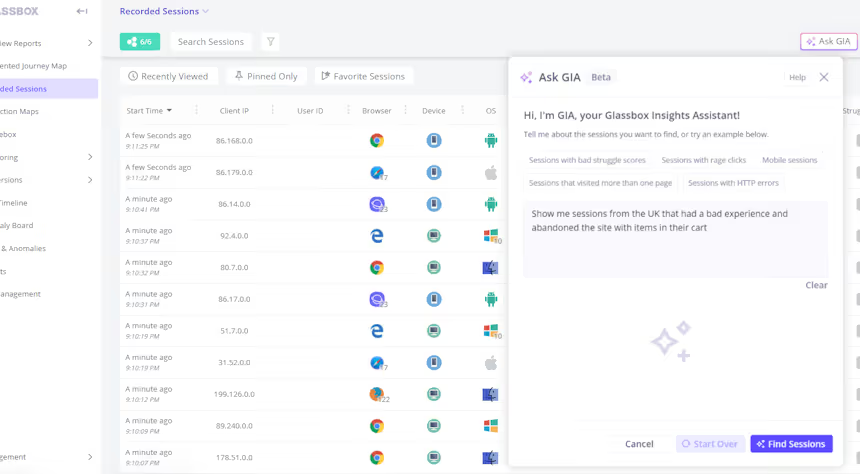
Glassbox is a digital experience analytics platform with a particular strength in regulated industries - financial services, insurance, healthcare, and government. Its session replay and behavioral analytics capabilities include compliance-ready data capture, which makes it a fit for organizations where data privacy and regulatory requirements constrain which CX tools they can deploy.
The platform automatically captures every digital interaction without the need for manual tagging, and its AI surfaces struggle detection insights that help teams identify where customers encounter friction. Glassbox's compliance positioning - including data masking, on-premise deployment options, and audit trails - differentiates it from general-purpose digital analytics tools.
The trade-off is that Glassbox is focused on digital experience data. Like Contentsquare, it does not analyze survey responses, support tickets, or voice-of-customer feedback from non-digital channels.
Glassbox Features
- Tagless Data Capture: Automatically captures every digital interaction without manual event instrumentation
- Compliance-Ready Analytics: Data masking, on-premise options, and audit trails for regulated industries
- AI Struggle Detection: Identifies customer friction points, errors, and abandonment patterns
- Session Replay: Full interaction recordings with compliance controls
- Journey Visualization: Maps cross-session customer journeys through digital properties
2026 Pricing
Custom/enterprise pricing. Contact Glassbox for details.
Glassbox Pros
- Purpose-built compliance features for regulated industries (finance, insurance, healthcare)
- Tagless capture eliminates manual instrumentation overhead
- Strong struggle detection identifies customer friction without relying on reported feedback
- On-premise deployment available for data sovereignty requirements
Glassbox Cons
- Focused on digital experience analytics - no feedback, survey, or support ticket analysis
- Niche positioning may limit relevance for organizations outside regulated industries
- Smaller ecosystem and integrations compared to larger platforms
Who It's For
Digital teams in regulated industries (financial services, insurance, healthcare) that need behavioral analytics with built-in compliance controls and data masking.
Glassbox G2 Rating
Glassbox G2 Score: 4.9/5
9. Sprinklr
Best for Omnichannel CX & Social Analytics
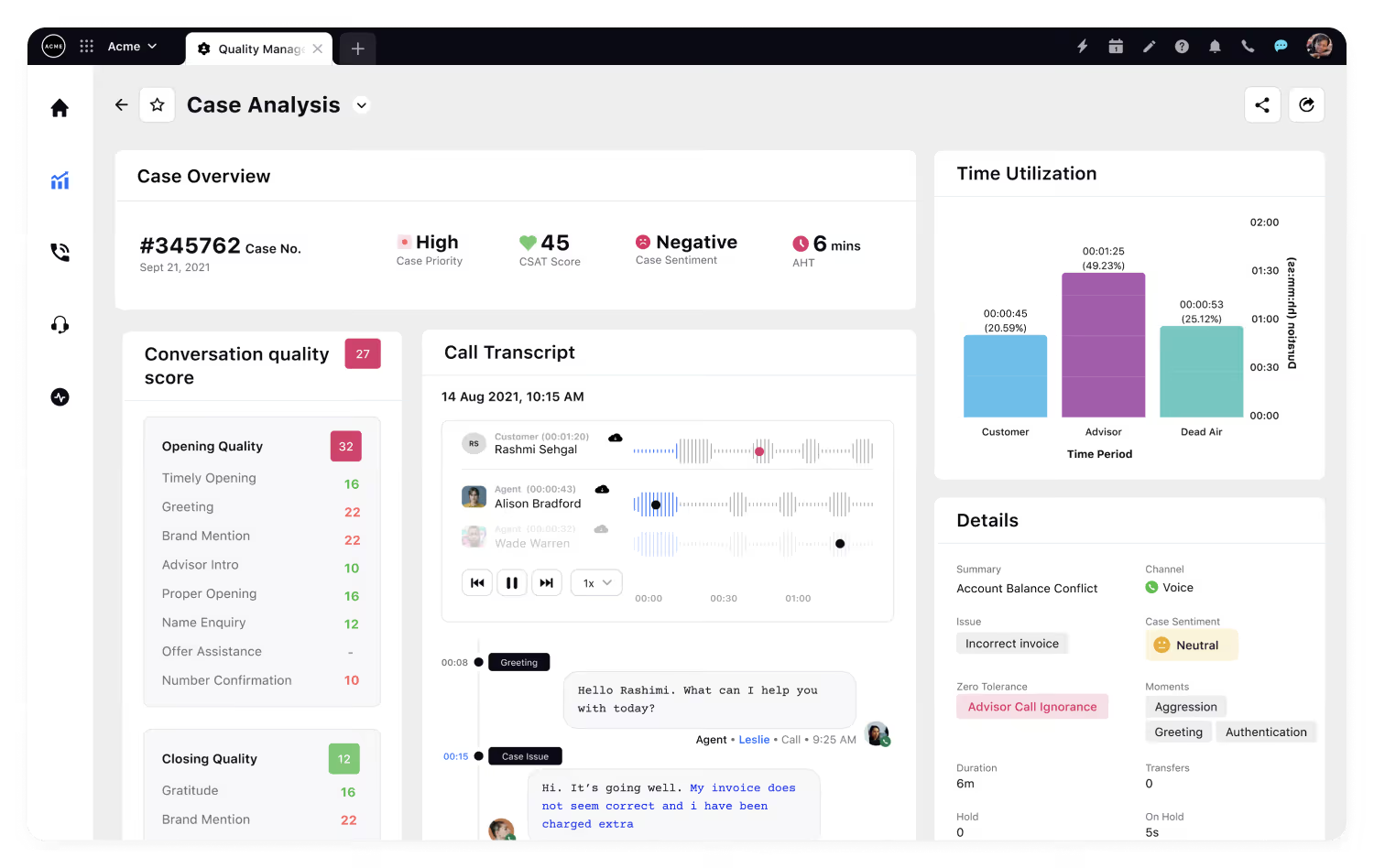
Sprinklr is a unified customer experience management platform with deep roots in social media analytics. Its CX analytics capabilities span social listening, case management, survey analytics, and AI-powered sentiment analysis across digital channels. For organizations where social media, messaging, and community channels are primary customer touchpoints, Sprinklr provides a unified view that most CX-specific tools do not.
The platform's AI capabilities include topic clustering, sentiment analysis, competitive benchmarking, and automated response suggestions across social and messaging channels. Sprinklr's strength is its omnichannel scope - it brings social, messaging, email, chat, and community data into one analytics layer.
The complexity of Sprinklr's platform is both its strength and its challenge. Full deployment across all modules (social, service, marketing, insights) requires significant configuration and training, and the pricing reflects enterprise-scale positioning.
Sprinklr Features
- Social Listening & Analytics: AI-powered monitoring and analysis across social platforms
- Unified Case Management: Customer service across social, messaging, email, and chat in one system
- AI Sentiment Analysis: Topic and sentiment detection across omnichannel conversations
- Competitive Benchmarking: Social share-of-voice and competitive performance tracking
- Survey Analytics: Built-in survey capabilities alongside social and service data
2026 Pricing
Custom/enterprise pricing. Contact Sprinklr for details.
Sprinklr Pros
- Deep social listening capabilities spanning social platforms, messaging, and community channels
- Unified platform spanning social, service, marketing, and insights
- AI-powered competitive benchmarking across social channels
- Omnichannel case management keeps service and analytics in one system
Sprinklr Cons
- Platform complexity requires significant implementation and training investment
- Full value requires adoption across multiple Sprinklr modules
- Social-first architecture may overindex on social data for teams with broader feedback sources
Who It's For
Enterprise brands where social media, messaging, and community channels are primary customer touchpoints - especially consumer brands with high social interaction volume.
Sprinklr G2 Rating
Sprinklr G2 Score: 4.2/5
10. SentiSum
Best for AI-Driven Support Ticket Analytics
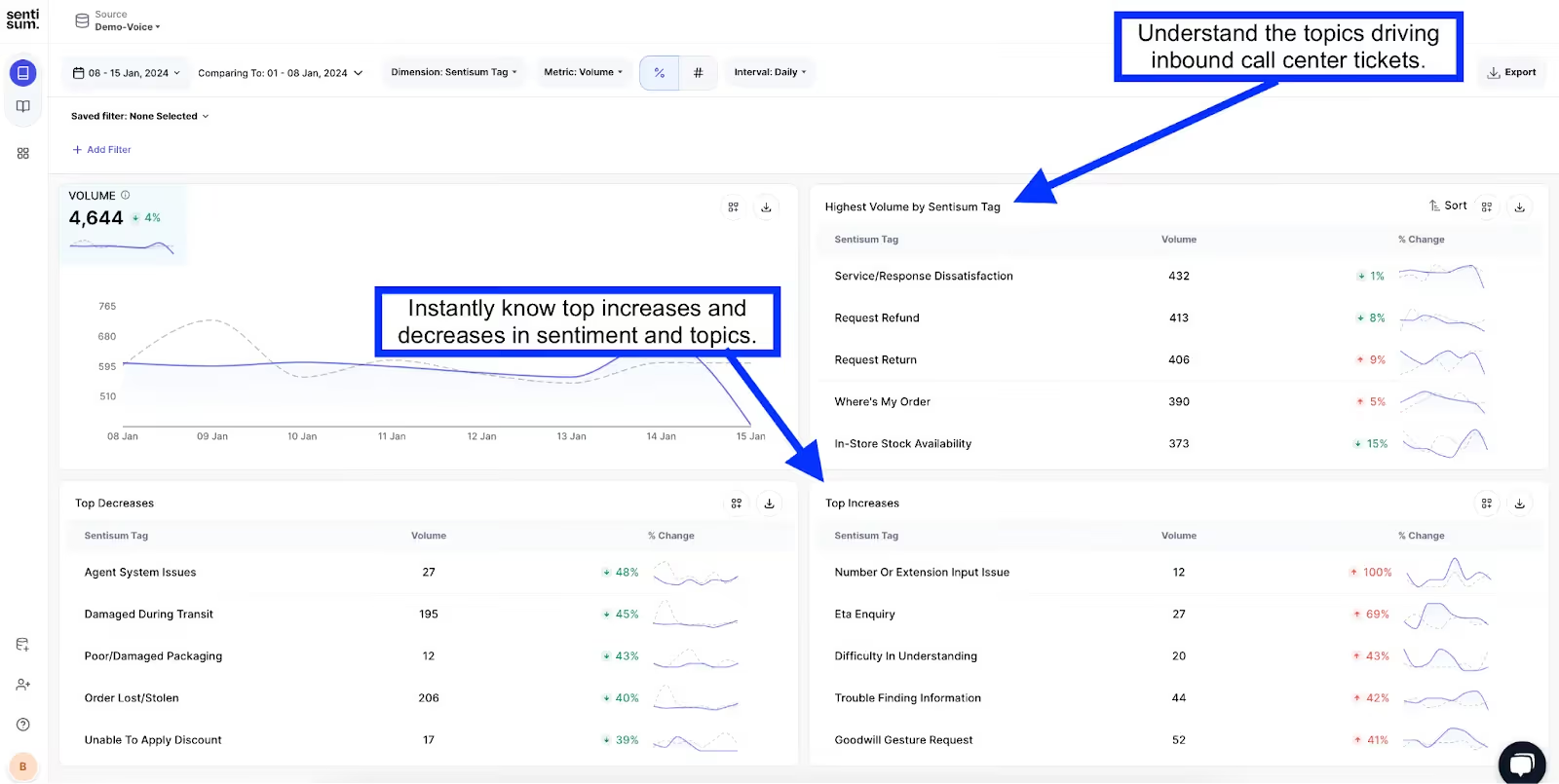
SentiSum focuses on one specific problem: making sense of support ticket data at scale using AI. The platform automatically tags and categorizes support tickets by topic and sentiment, giving CX and support teams visibility into what customers are contacting about, why, and how they feel about the experience.
SentiSum's AI models are trained specifically for support ticket language, which gives it an accuracy advantage over general-purpose text analytics tools when applied to customer service data. The platform integrates directly with popular helpdesk systems like Zendesk, Freshdesk, and Intercom.
The focused scope is both a strength and a limitation. SentiSum is excellent at support ticket intelligence but does not analyze survey data, social media, reviews, or product usage. Teams that need cross-channel feedback analytics will need to complement SentiSum with a broader platform.
SentiSum Features
- AI Ticket Tagging: Automatically categorizes support tickets by topic and sentiment
- Real-Time Analytics: Live dashboards showing support topic trends and sentiment shifts
- Root Cause Analysis: Identifies the underlying drivers behind support contact volume
- Helpdesk Integrations: Native connectors to Zendesk, Freshdesk, Intercom, and other platforms
- Custom Taxonomy: Configurable topic models aligned to your business terminology
2026 Pricing
Custom pricing. Contact SentiSum for details.
SentiSum Pros
- AI models specifically tuned for support ticket language deliver high tagging accuracy
- Fast time-to-value with native helpdesk integrations
- Strong root cause analysis for support volume reduction
- Lightweight and focused - less implementation overhead than full CX platforms
SentiSum Cons
- Support ticket-only focus - no survey, social, or review analytics
- Smaller platform with a more limited feature set than full CX analytics suites
- Less suited for organizations where support is not the primary feedback channel
Who It's For
Support and CX teams that need AI-powered topic and sentiment analysis specifically for support ticket data, with fast integration into existing helpdesk workflows.
SentiSum G2 Rating
SentiSum G2 Score: 4.8/5
11. Thematic
Best for Theme Discovery Across Feedback Channels
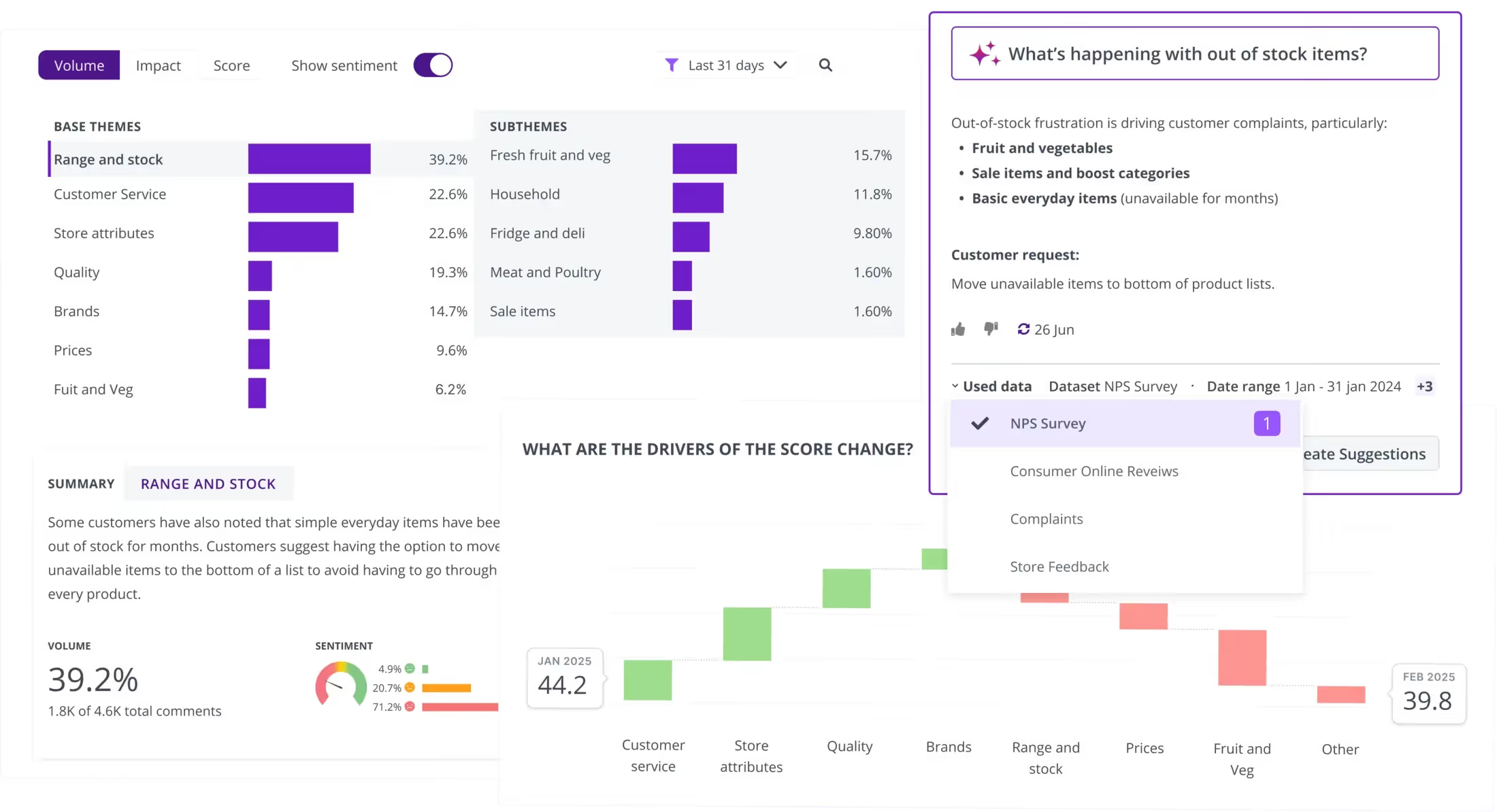
Thematic is a feedback analytics platform that uses AI to extract themes from open-ended customer feedback across multiple channels. Its core value proposition is automated theme discovery - rather than requiring analysts to build and maintain a manual taxonomy, Thematic's AI identifies themes and sub-themes from the data itself.
The platform connects to common feedback sources including surveys, reviews, support tickets, and social media. Thematic's theme-level analytics let teams track how specific themes change over time, correlate themes with satisfaction metrics, and identify which themes have the greatest impact on overall CX scores.
Thematic's strength is in the theme discovery and tracking workflow. For organizations that find manual tagging and taxonomy management unsustainable at scale, the automated approach removes a significant bottleneck. The limitation is that Thematic is primarily a feedback analysis layer - it does not include survey design, case management, or operational workflow features.
Thematic Features
- AI Theme Discovery: Automatically identifies themes and sub-themes from unstructured feedback without manual taxonomy
- Multi-Source Integration: Connects to surveys, reviews, support tickets, and social data
- Theme Tracking: Monitors theme frequency, sentiment, and impact over time
- Impact Analysis: Correlates themes with NPS, CSAT, and other satisfaction metrics
- Customizable Dashboards: Role-based views for executives, analysts, and operational teams
2026 Pricing
Custom pricing. Contact Thematic for details.
Thematic Pros
- Automated theme discovery eliminates manual taxonomy maintenance
- Multi-channel feedback integration provides cross-source insights
- Strong theme-to-metric correlation for prioritizing improvements
- Accessible analytics for non-technical stakeholders
Thematic Cons
- Primarily an analysis layer - lacks survey design, case management, or workflow capabilities
- Smaller platform with a more limited ecosystem than enterprise CX suites
- Theme accuracy depends on feedback volume and data quality
Who It's For
CX and insights teams that need to automatically discover and track themes across multiple feedback channels without building or maintaining manual taxonomies.
Thematic G2 Rating
Thematic G2 Score: 4.8/5
12. Enterpret

Best for Product-Focused Feedback Intelligence
Enterpret is a feedback intelligence platform built specifically for product teams. Its adaptive AI models automatically classify and analyze customer feedback - from support tickets, surveys, reviews, sales calls, and social media - with a focus on surfacing product-relevant insights that inform roadmap decisions.
What distinguishes Enterpret is its approach to taxonomy building. Rather than applying generic topic models, its AI builds custom taxonomies specific to each organization's product and domain language. This means the themes and categories it surfaces are more aligned with how product teams think about their roadmap than generic feedback categories.
Enterpret positions itself squarely in the product feedback intelligence space, which makes it a strong fit for product-led organizations but a narrower tool for teams that need broader CX analytics across operational, service, and experience metrics. Teams that need that breadth can compare the leading Enterpret alternatives.
Enterpret Features
- Adaptive AI Models: Builds product-specific taxonomies rather than applying generic topic models
- Multi-Source Ingestion: Pulls feedback from support, surveys, reviews, sales calls, and social
- Product Impact Analysis: Connects feedback themes to product areas and feature requests
- Trend Detection: Surfaces emerging product issues and feature demand shifts
- Team Collaboration: Shared views and feedback collections for product and engineering teams
2026 Pricing
Custom pricing. Contact Enterpret for details.
Enterpret Pros
- Custom taxonomy building aligns feedback analysis with product-specific language and concepts
- Strong multi-source integration for product teams that get feedback from many channels
- Built specifically for product roadmap decision-making
- Adaptive models improve accuracy over time as they learn domain-specific patterns
Enterpret Cons
- Product-focused scope limits value for teams with broader CX analytics needs
- Relatively newer platform with a smaller market presence than established CX suites
- Best results require meaningful feedback volume across multiple sources
Who It's For
Product teams at SaaS and technology companies that need to consolidate customer feedback from multiple channels into product-relevant insights for roadmap prioritization.
Enterpret G2 Rating
Enterpret G2 Score: 4.6/5
What Are CX Analytics AI Tools?
The term "CX analytics" covers a broad spectrum - from traditional survey dashboards to AI-powered platforms that process millions of unstructured feedback signals in real time. Understanding where different tools fall on that spectrum matters because it determines how much manual effort your team needs to invest and how quickly you can act on insights.
Rule-based tools were the first generation. They use keyword matching and manual taxonomies to categorize feedback. If a customer mentions "shipping," the system tags it under "logistics." These tools work for small-scale, structured feedback but break down when volumes grow or when customers describe the same problem in dozens of different ways.
AI-powered tools represent the current state of the art. They use natural language processing (NLP) and machine learning to understand meaning, not just keywords. That means they can recognize that "my order took forever," "delivery was late again," and "the package arrived two weeks after I ordered" all describe the same issue - without requiring a human to build and maintain the taxonomy. The best platforms in this category also detect sentiment at a granular level (distinguishing frustration from mild dissatisfaction), identify anomalies and emerging trends proactively, and connect feedback themes to business metrics.
Agentic AI tools are the emerging frontier. These platforms - including Chattermill's MCP server - allow teams to query, analyze, and act on feedback data directly inside AI agents, turning CX intelligence from a reporting function into an embedded, always-on workflow.
The tools in this guide span all three categories, with most offering AI-powered capabilities and a few pushing into agentic territory.
Benefits of Using CX Analytics Software
Faster Issue Detection: AI-powered CX analytics surfaces emerging problems in real time instead of waiting for quarterly reviews. Anomaly detection means your team knows about a sudden spike in checkout complaints within hours, not weeks.
Evidence-Based Prioritization: Instead of relying on the loudest customer or the most recent escalation, CX analytics tools quantify which issues affect the most customers and which have the highest business impact - giving teams a defensible basis for prioritization.
Cross-Channel Visibility: Feedback comes in from surveys, tickets, reviews, social media, and calls. CX analytics platforms unify those signals into a single view, eliminating the blind spots that come from analyzing each channel in isolation.
Customer Retention Improvement: Research from Bain & Company shows that a 5% increase in customer retention can boost profits by 25-95%. CX analytics tools help teams identify and fix the friction points that drive churn before customers leave.
Product & Service Innovation: Unstructured feedback is a rich source of product ideas and unmet needs. AI theme extraction can reveal patterns that product teams would miss in manual review - from feature requests to emerging use cases.
Reduced Manual Effort: Automated tagging, sentiment analysis, and trend detection replace hours of manual ticket review and spreadsheet analysis, freeing CX teams to focus on strategy and action rather than data processing.
Stronger Executive Buy-In: CX analytics tools that connect feedback themes to NPS, CSAT, CES, and revenue give CX leaders the quantified evidence they need to secure budget, resources, and organizational support for improvement initiatives.
Competitive Differentiation: In markets where products and pricing converge, customer experience becomes the primary differentiator. CX analytics gives organizations the insight foundation to consistently outperform competitors on the dimension that matters most to buyers.
ROI & Business Impact of CX Analytics Tools
The business case for CX analytics goes beyond operational efficiency - it directly impacts the metrics that boards and leadership teams care about.
- Revenue protection through churn reduction: Organizations using AI-powered CX analytics can identify at-risk customer segments earlier and intervene before revenue is lost. Even a modest improvement in retention yields significant lifetime value gains.
- Support cost reduction: Automated feedback tagging and root cause analysis reduce ticket volume by identifying recurring issues proactively - before they generate repeat contacts.
- Product development efficiency: Instead of building features based on assumptions, product teams can prioritize roadmaps based on quantified customer demand - reducing wasted development cycles and accelerating time-to-market for high-impact improvements.
- NPS and CSAT improvement: Organizations that systematically act on CX analytics insights see measurable improvements in NPS and CSAT - and platforms like Chattermill that directly link feedback themes to these metrics make those improvements traceable to specific actions.
- Faster decision-making: Real-time analytics and automated alerting compress the time between insight and action from weeks to hours, enabling teams to respond to customer needs at the speed the market requires.
Get Started with Chattermill
If your team is ready to move from fragmented feedback to unified, AI-powered customer intelligence - Chattermill was built for exactly that challenge. See how Chattermill's AI-native platform can help your team unify feedback from every channel, surface actionable insights proactively, and tie CX improvements directly to business metrics.
CX Analytics Tools: FAQs
What Is the Best CX Platform?
The best CX platform depends on your primary use case. For AI-powered feedback analytics that unifies data from every channel and connects insights to business metrics like NPS, CSAT, and CES, Chattermill is the top choice for enterprise CX, insights, and product teams. For organizations focused on survey programs, Qualtrics XM is the most established option. For full-lifecycle CX management across physical and digital touchpoints, Medallia is a strong fit.
What Is the Best AI for Customer Experience?
For AI-native customer experience analytics, Chattermill is our top recommendation - using advanced AI to surface themes, sentiment, and anomalies across multi-channel, multi-language feedback. Unlike platforms that retrofitted AI onto legacy architectures, Chattermill was built from the ground up around AI-driven analysis - delivering more accurate theme extraction and proactive anomaly detection than generic NLP approaches.
What Is a CX Analytics Tool?
A CX analytics tool collects, unifies, and analyzes customer experience data to help teams understand what customers think, feel, and need. These tools go beyond basic survey reporting by pulling insights from multiple feedback channels - support tickets, reviews, social media, and more - and using AI to identify themes, sentiment, and trends that inform business decisions.
How Do CX Analytics Tools Use AI?
Modern CX analytics tools use AI for several core functions: automatic theme and topic extraction from unstructured feedback, sentiment analysis across languages, anomaly detection to flag emerging issues, predictive analytics to forecast churn or satisfaction trends, and - in the most advanced platforms - agentic workflows that let teams query and act on feedback data through AI agents.
How Much Do CX Analytics Tools Cost?
Most enterprise CX analytics tools use custom pricing based on feedback volume, user count, and feature scope. Entry-level or product-focused tools like Mixpanel offer free tiers or plans starting around $20/month. Mid-market feedback analytics tools typically start in the hundreds-per-month range. Enterprise platforms like Chattermill, Qualtrics, and Medallia require a demo or sales conversation to get accurate pricing tailored to your organization's scale.
The Bottom Line
The CX analytics category has matured significantly - but so have the expectations. Today's CX leaders need more than dashboards and survey summaries. They need tools that unify fragmented feedback, surface insights proactively, and connect those insights to the business metrics that drive decisions.
The 12 tools in this guide represent the strongest options across CX analytics use cases, from AI-powered feedback analytics to contact center intelligence to digital behavioral analysis. The right choice depends on where your customer feedback lives, what your team needs to do with it, and how quickly you need to move from data to action.
What is clear is where the category is heading. The organizations that will lead on customer experience over the next several years are not the ones with the most feedback data - they are the ones that can turn that data into intelligence and action faster than their competitors. The tools exist to make that shift. The question is whether your team is ready to make it.
Related Reading:
.png)

See Chattermill in action on your own feedback
Book a demo


