


18 Best Customer Intelligence Platforms & Tools in 2026


The CX intelligence
platform that's AI-native by design
Book a demoQuick Summary
The best customer intelligence tools for 2026 are Chattermill, Enterpret, and Qualtrics XM.
Picking the right customer intelligence tool when feedback keeps piling up
Your team collects feedback from surveys, support tickets, app reviews, social media, and call transcripts. If you're like most enterprise CX teams, that data lives in half a dozen disconnected tools, and no single person can tell leadership how it's actually affecting the bottom line.
That's the real problem. How many analyst hours does it take to read 50,000 survey responses by hand? You can't answer "how is CX affecting our revenue?" that way, not accurately, and not before the insight goes stale. What you need is a platform that unifies every channel into one place, surfaces the themes automatically, and connects them directly to the metrics leadership actually tracks: NPS, CSAT, churn, and revenue.
This guide covers all three categories buyers land on here: unified CX intelligence platforms, specialist feedback analytics tools, and product analytics tools that track behavior instead of sentiment. Comparing voice of customer platforms specifically? Our best Voice of Customer tools guide goes deeper on that category, and our best customer insights software guide covers the adjacent insights space.
Why Listen to Us?
Chattermill has been helping enterprise CX teams at Uber, HelloFresh, H&M, and Booking.com turn scattered feedback into decisions that move NPS, CSAT, and revenue since 2015. Our proprietary Lyra AI engine processes feedback in 100+ languages across major channels, including surveys, support tickets, reviews, calls, and social media. The patterns we've seen across these enterprise deployments shaped the evaluation criteria behind this list.

What Is Customer Intelligence Software?
Customer intelligence software analyzes feedback, behavioral data, and customer interactions to surface insights that improve products and services. It goes beyond basic reporting by detecting themes, predicting churn, and tying customer commentary to business outcomes like NPS, CSAT, and revenue.
The category is broad, and the tools within it work quite differently from one another. Some, like Chattermill and Enterpret, specialize in analyzing unstructured feedback from surveys, tickets, reviews, and calls. Others, like Amplitude and Mixpanel, track what users do inside a product but don't touch qualitative feedback at all. And a third group, like Twilio Segment and Salesforce Data Cloud, is data infrastructure that feeds other tools.
Knowing which type you need is half the battle. That's why this guide includes all three and calls out who each tool is genuinely built for.
CX intelligence vs. product analytics: which do you actually need?
This is the first question worth answering before comparing tools. Picking the wrong category wastes more time than picking the wrong vendor.
CX intelligence platforms like Chattermill, Enterpret, Medallia, and InMoment analyze what customers say. They unify feedback across every channel, surveys, support tickets, reviews, and calls, apply AI to detect themes and sentiment, then connect those themes to business outcomes like NPS, CSAT, churn, and revenue. If your team's core question is "why are customers unhappy, and what should we fix first?", this is the category you need.
Product analytics platforms like Amplitude and Mixpanel analyze what users do. They track clicks, funnels, retention, and feature adoption through event data. If your question is "where are users dropping off in the onboarding flow?", product analytics is the right tool.
Some teams need both, and that's fine. But they solve different problems. A product analytics tool won't tell you why your NPS dropped, and a CX intelligence platform won't show you a conversion funnel. This guide covers both so you can see the difference clearly. If you've already decided you're in CX intelligence territory, you can see how Chattermill stacks up directly against named competitors on our alternatives page.
Why Customer Intelligence Software Matters
- Analyze feedback at scale: CX teams at high-volume B2C companies can't manually read and tag thousands of feedback items every week. AI-powered platforms handle that in minutes, not days.
- Connect CX to revenue: Leadership increasingly asks how customer experience ties to revenue. Generic sentiment scores aren't a good enough answer. Business impact mapping connects feedback themes directly to the metrics that matter.
- Create one view of the customer: When feedback is scattered across disconnected tools, different departments end up with different views of what customers want. Unifying it in one platform gives everyone the same picture.
- Prioritize high-impact issues: Product and support teams can see which issues drive the most churn or support volume and prioritize fixes by ROI, not gut feel.
- Spot patterns humans miss: Manual analysis doesn't just take too long. It can also miss patterns that only show up at scale, like a subtle sentiment shift around a feature that's quietly driving cancellations.
18 Best Customer Intelligence Tools
1. Chattermill
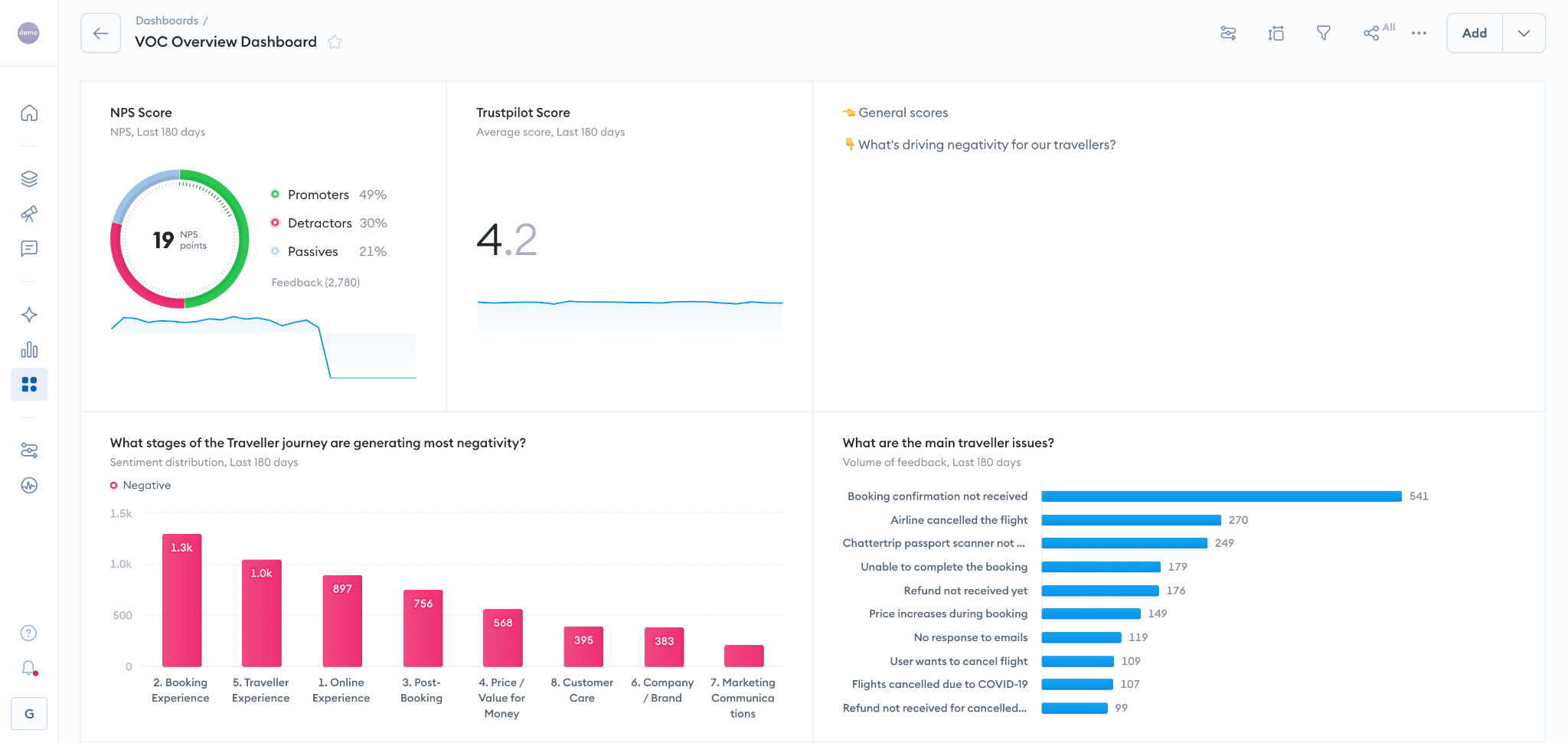
Chattermill is an AI-native CX intelligence platform built for enterprise CX, VoC, and product teams. It unifies feedback from every channel, surveys, support tickets, app reviews, calls, and social, into a single analysis layer, then uses its proprietary Lyra AI engine to turn that feedback into decisions tied to the business outcomes leadership actually tracks: NPS, CSAT, churn, and revenue.
Chattermill is trusted by enterprise CX teams at Uber, HelloFresh, H&M, and E.ON Next, among others, to run this at scale.
"We want to prioritize this feature next, because we have the data to show that it's a significant pain point for customers."
— Mo Nuur, Product Lead for CX & Digital, E.ON Next. Read the full E.ON Next story.
Key features
- Aspect-Based Sentiment Analysis: Analyzes sentiment by theme within each comment, so teams can see what customers like or dislike and prioritize the right fixes.
- Unified Feedback Analytics: Pull in surveys, support tickets, app reviews, call transcripts, and social mentions through 50+ native integrations
- Business Impact Mapping: Connect themes and sentiment shifts directly to NPS, CSAT, CES, churn, retention, and revenue, see Impact Analysis
- Lyra AI Engine: AI built specifically for customer experience, not repurposed generic NLP
- Anomaly Detection: Get alerted automatically when sentiment or volume spikes on specific themes, see Anomaly Detection & Alerting
- 100+ Language Support: Analyze multilingual feedback natively without third-party translation layers
- MCP Server: Query customer feedback within AI agents and agentic workflows, see the MCP integration page
- Real-Time Dashboards: Self-serve dashboards CX professionals can explore without waiting on analysts or IT, see Dashboards
Pricing
Usage-based pricing on number of data sources and volume of feedback, using data credits, where one credit equals one piece of feedback. There are no per-user fees. Book a demo for a tailored quote.
G2 rating
4.5/5 (238 reviews)
Pros
- Strong aspect-level sentiment analysis, including mixed, multi-topic feedback.
- Unifies all major feedback channels into one platform, so your team gets one picture instead of piecing together exports from eight different tools
- Maps themes directly to NPS, CSAT, churn, and revenue, giving CX leaders the hard numbers they need for leadership conversations
Cons
- Custom pricing means you'll need to talk to sales before you can estimate costs
- Enterprise focus means smaller teams with limited feedback volume may find it's more platform than they need
2. Enterpret
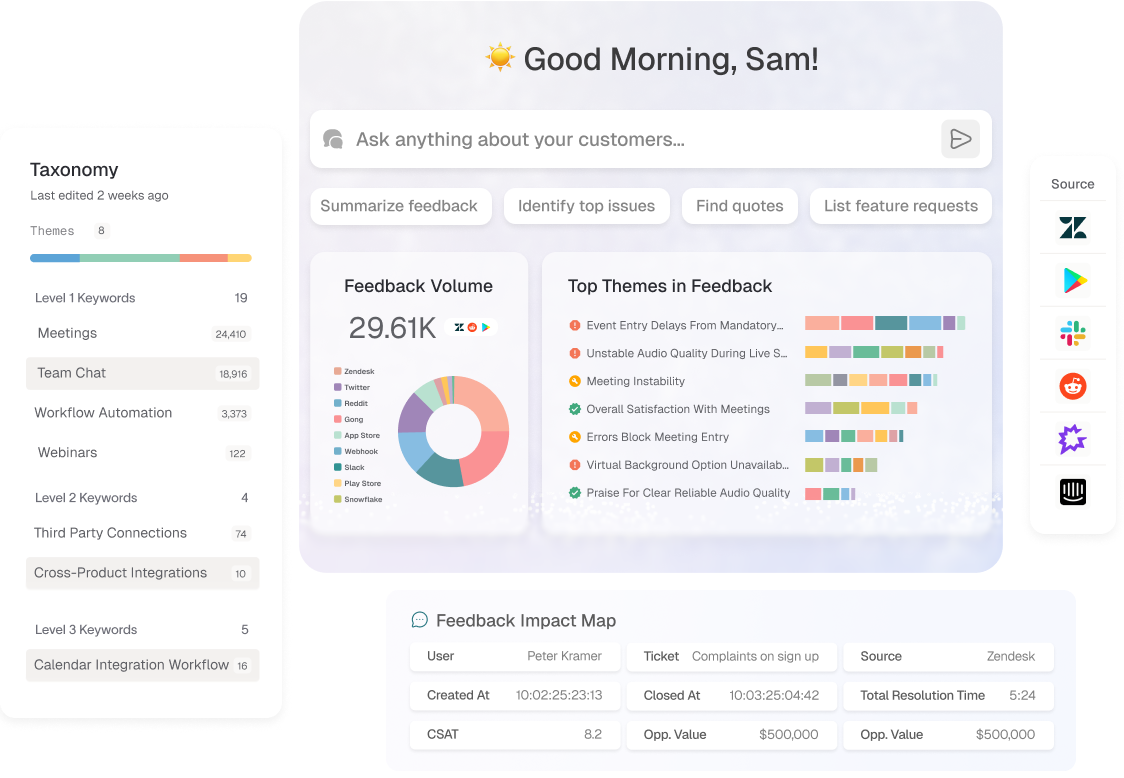
Enterpret's a feedback intelligence platform that builds custom AI taxonomies trained on your company's specific product vocabulary. It unifies support tickets, reviews, sales calls, community posts, and NPS into a semantic search layer that's designed for product-led organizations.
What makes Enterpret different from generic feedback tools is how it categorizes what customers say. It doesn't apply pre-built theme categories. Instead, it trains its models on your product terms, feature names, and use cases. So when a customer mentions "the export to Figma keeps timing out," the tag matches how your team talks. It won't file that under a generic "integration issue" label. That's what closes the gap between raw feedback and something a PM can act on.
Key features
- Custom Feedback Taxonomy: Train AI models on your product language, not generic categories
- Semantic Search: Query feedback using natural language across all connected sources
- Revenue-Weighted Prioritization: Link feedback themes to revenue impact so you're fixing what matters most
- MCP Server: Query feedback within AI agents for agentic workflows
Pricing
No public pricing. Contact Enterpret for a custom quote.
G2 rating
4.5/5 (111 reviews)
Pros
- Custom taxonomy adapts to your product-specific vocabulary, so tags match how your team actually talks
- Strong unification of support tickets, app reviews, sales calls, and community posts
- Revenue-weighted insights help product teams prioritize fixes by business impact
Cons
- Getting the taxonomy right can take some trial and error early on, and it needs periodic maintenance to stay accurate as the product evolves
- It's less suited for teams that don't have clear, consistent product vocabulary
- No public pricing means there's no quick way to estimate costs upfront
For a detailed breakdown of how Enterpret compares to Chattermill, see our Chattermill vs Enterpret comparison.
3. Qualtrics XM
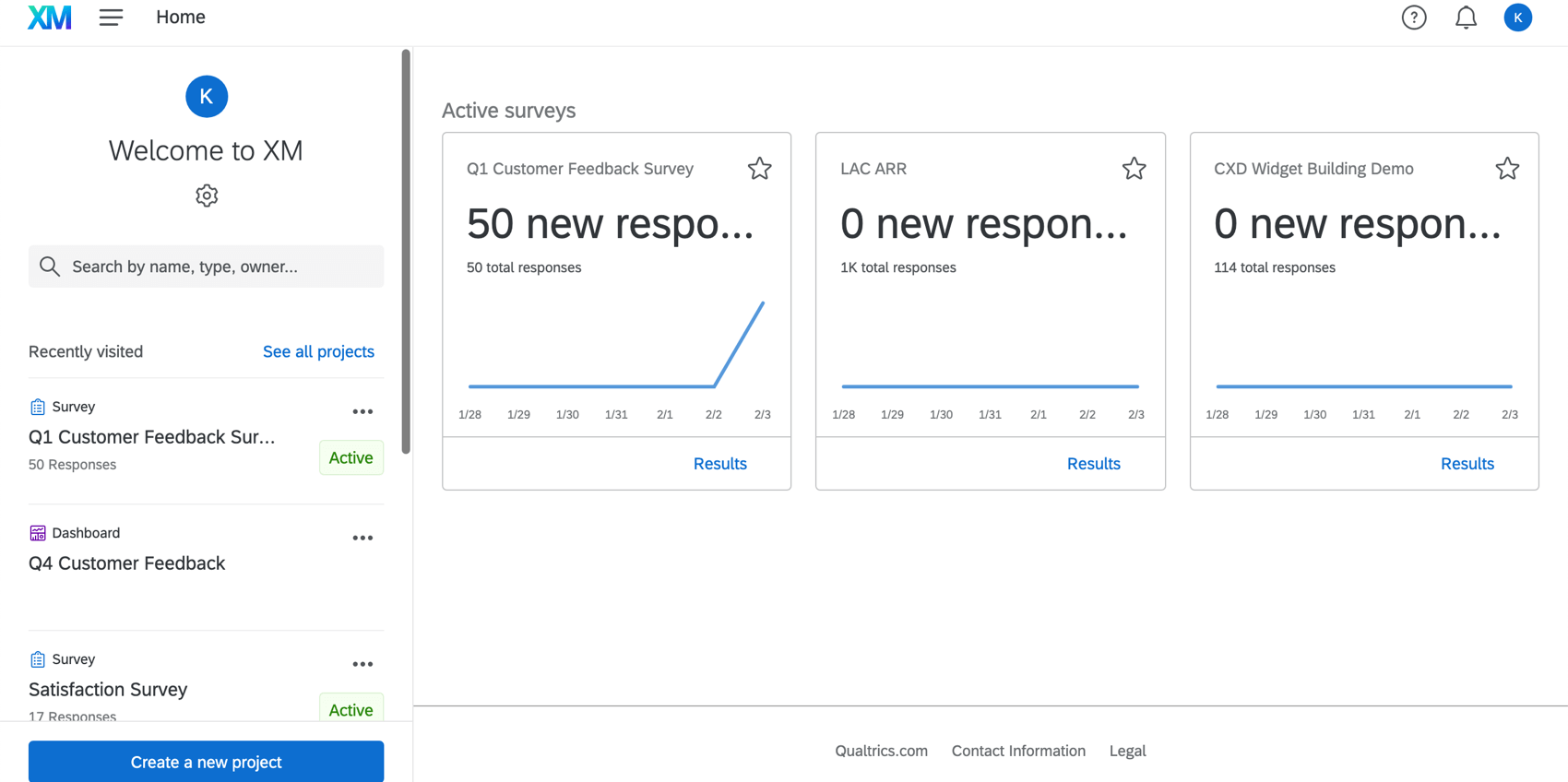
Qualtrics XM is an enterprise experience management platform that powers formal VoC programs, employee experience initiatives, and market research at scale. It includes XM Discover for text analytics, which adds unstructured feedback analysis alongside structured survey data.
Qualtrics excels for organizations that need structured research programs across CX, employee experience, brand, and product lines. The survey design capabilities support enterprise-grade complexity, and the integration ecosystem is one of the broadest in the category. That said, the platform's scope and complexity mean implementation usually requires significant services engagement, and smaller teams often find it's more than they need. Chattermill integrates with Qualtrics for teams running Qualtrics surveys who want deeper feedback analytics, and teams evaluating both platforms directly can compare them on our Chattermill vs Qualtrics comparison.
Key features
- XM Discover Text Analytics: Analyze open-ended survey responses, social, and text data with AI
- Survey Design: Build enterprise-grade surveys with branching logic and advanced question types
- Journey Orchestration: Map and optimize customer journeys across touchpoints
- Predictive Intelligence: Identify key metric drivers and predict outcomes
Pricing
No public pricing. Custom pricing based on program scope and modules.
G2 rating
4.4/5 (3,018 reviews)
Pros
- Covers CX, employee experience, and market research from a single platform
- Strong text analytics through XM Discover
- Wide integration ecosystem for enterprise environments
Cons
- Complexity and cost can be prohibitive for smaller teams
- Implementation usually requires significant professional services
- Text analytics depth varies depending on which modules you're using
4. Thematic
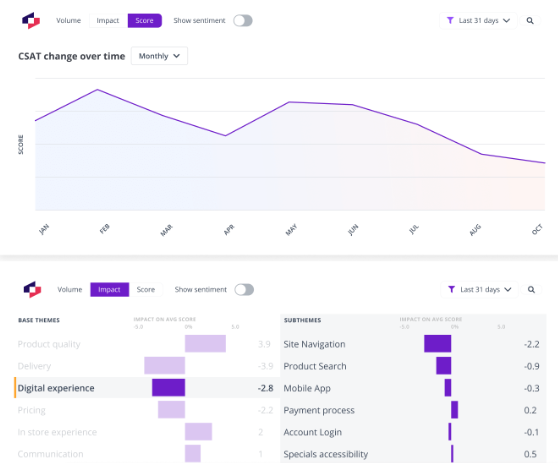
Thematic is an AI-powered feedback analytics platform that discovers themes in open-ended customer feedback and tracks how they change over time. If your team runs regular NPS or CSAT surveys and wants to understand the "why" behind the scores, Thematic's built for that. You won't need to code responses manually.
It uses a combination of AI and human-tunable themes, so you can refine what the AI detects and add your own categories on top. It also tracks theme frequency and sentiment over time. That makes it easier to spot growing trends, like a feature complaint that's gaining steam quarter over quarter. For teams that've already checked the Chattermill blog's Thematic alternatives guide, the main trade-off is scope. Thematic handles survey and review feedback well, but it doesn't unify as many source types as platforms like Chattermill or Enterpret.
Key features
- AI Theme Detection: Automatically discover themes in open-ended feedback with human-tunable categories
- Sentiment Tracking Over Time: Track how theme frequency and sentiment shift across survey waves
- Multi-Source Feedback: Analyze NPS, CSAT, app reviews, and support ticket comments
- Customizable Dashboards: Build views tailored to CX teams without analyst help
Pricing
Foundation plan from $25,000/year. Contact Thematic for Growth and Enterprise pricing.*
G2 rating
4.8/5 (43 reviews)
Pros
- Strong AI theme detection that's also easy to fine-tune manually, giving you control without starting from scratch
- Clear trend tracking over time, so you can show leadership whether a problem's getting better or worse
- It's intuitive for non-technical CX teams to set up and use
Cons
- Narrower channel coverage than platforms analyzing call transcripts, social, and support tickets at depth
- Setup can be time-consuming for complex, multi-source datasets, a recurring theme in G2 reviews
- Less suited to teams needing a single unified platform across every feedback channel
5. SentiSum
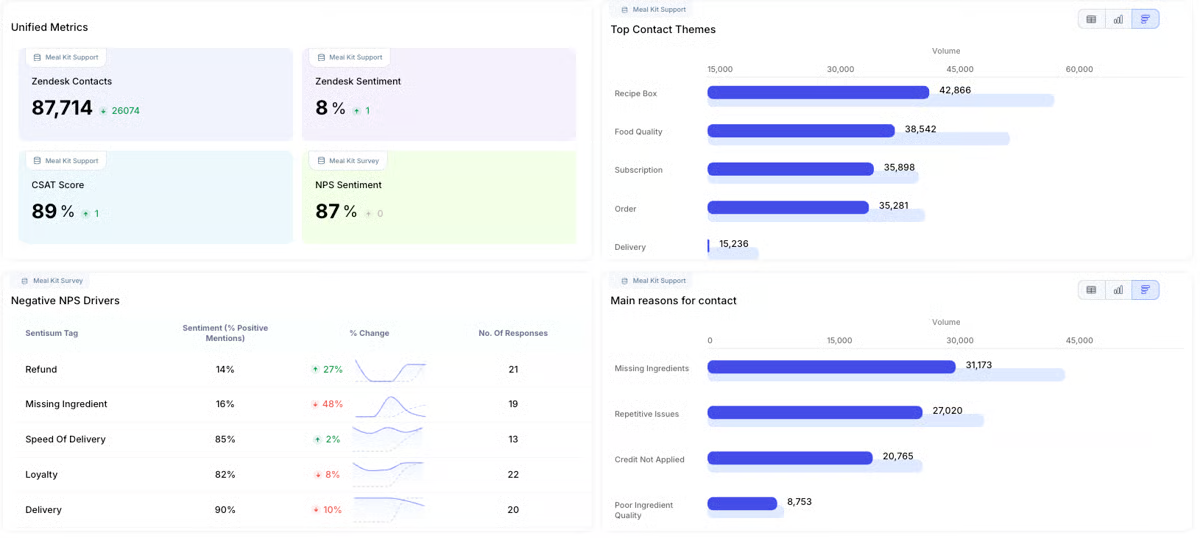
SentiSum is an AI conversation intelligence platform that focuses specifically on support tickets and customer conversations. If your team's biggest pain point is understanding what's driving ticket volume and which issues customers contact you about most, SentiSum's designed for that.
It auto-tags every incoming ticket with topics, sentiment, and urgency. That means your support and CX teams can see patterns without reading thousands of conversations by hand. It also covers AI agent interactions alongside human ones, and that matters more now that many teams handle a growing share of conversations through chatbots. The focus is narrower than a full CX intelligence platform, but within that scope, SentiSum goes deep.
Key features
- Auto-Tag Support Tickets: Classify every ticket by topic, sentiment, and urgency in real time
- AI and Human Conversation Coverage: Analyze both human agent and AI chatbot interactions
- Root Cause Analysis: Identify which issues are driving the most ticket volume and customer frustration
- Contact Reason Reporting: Track contact reasons over time and share insights across teams
Pricing
Annual partnership, volume-banded, starting from $100,000/year. Includes unlimited users, all core channels, and the Insights and Early Warning agents. Quality Agent, Automation Agent, and MCP Server access are priced separately as add-ons.
G2 rating
4.8/5 (14 reviews)
Pros
- Deep specialization in support ticket analytics, with strong auto-tagging accuracy that support teams can trust
- It's one of the few platforms in this category that covers AI chatbot conversations alongside human agent tickets
- Clean, specific contact-reason reporting that's easy to share with product and leadership teams
Cons
- Narrower scope than broader CX platforms that unify surveys, reviews, social, and other feedback sources
- Doesn't map insights to NPS, CSAT, or revenue on its own
- Limited case management and workflow integrations
6. Caplena
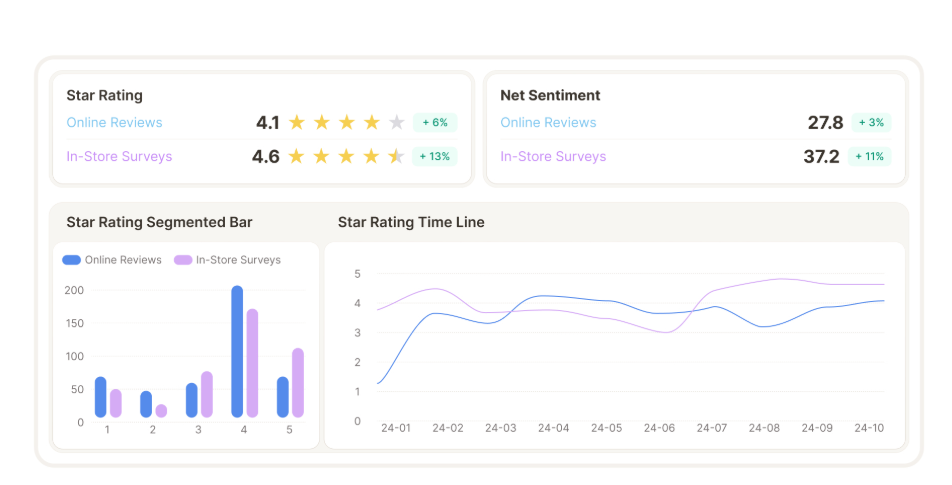
Caplena is an AI-powered text analytics platform built primarily for analyzing open-ended survey responses. If your team currently codes verbatim responses by hand (or skips the open-ends entirely), Caplena automates that with topic detection and topic-level sentiment.
It supports iterative refinement, so you can adjust how the AI classifies responses and improve quality over time. You're not stuck accepting a one-shot result. It also handles multilingual feedback well, with built-in anonymization features that matter for teams working with sensitive verbatim data in regulated industries. For a deeper look at how it compares to Chattermill, there's a dedicated Chattermill vs. Caplena comparison.
Key features
- Topic-Level Sentiment Analysis: Detect multiple topics within a single response and score sentiment for each
- Iterative Refinement: Adjust and improve AI classifications over time
- Multilingual Analysis: Analyze feedback across languages without manual translation
- Data Anonymization: Built-in tools for handling sensitive verbatim data in compliance-sensitive environments
Pricing
No public pricing. Contact Caplena for a quote.
G2 rating
4.5/5 (47 reviews)
Pros
- Topic-level sentiment means a mixed response gets accurate, granular scoring, not just one averaged number
- Iterative refinement gives you control to improve classification quality over time
- Strong multilingual support and data anonymization for regulated industries
Cons
- It's primarily focused on survey data, so it doesn't cover support tickets, calls, or social at the same depth
- Doesn't map insights to business outcomes like NPS, CSAT, or revenue on its own, teams need a separate BI or CX platform to make that connection
- Limited case management and workflow integrations may require additional tools.
7. Medallia
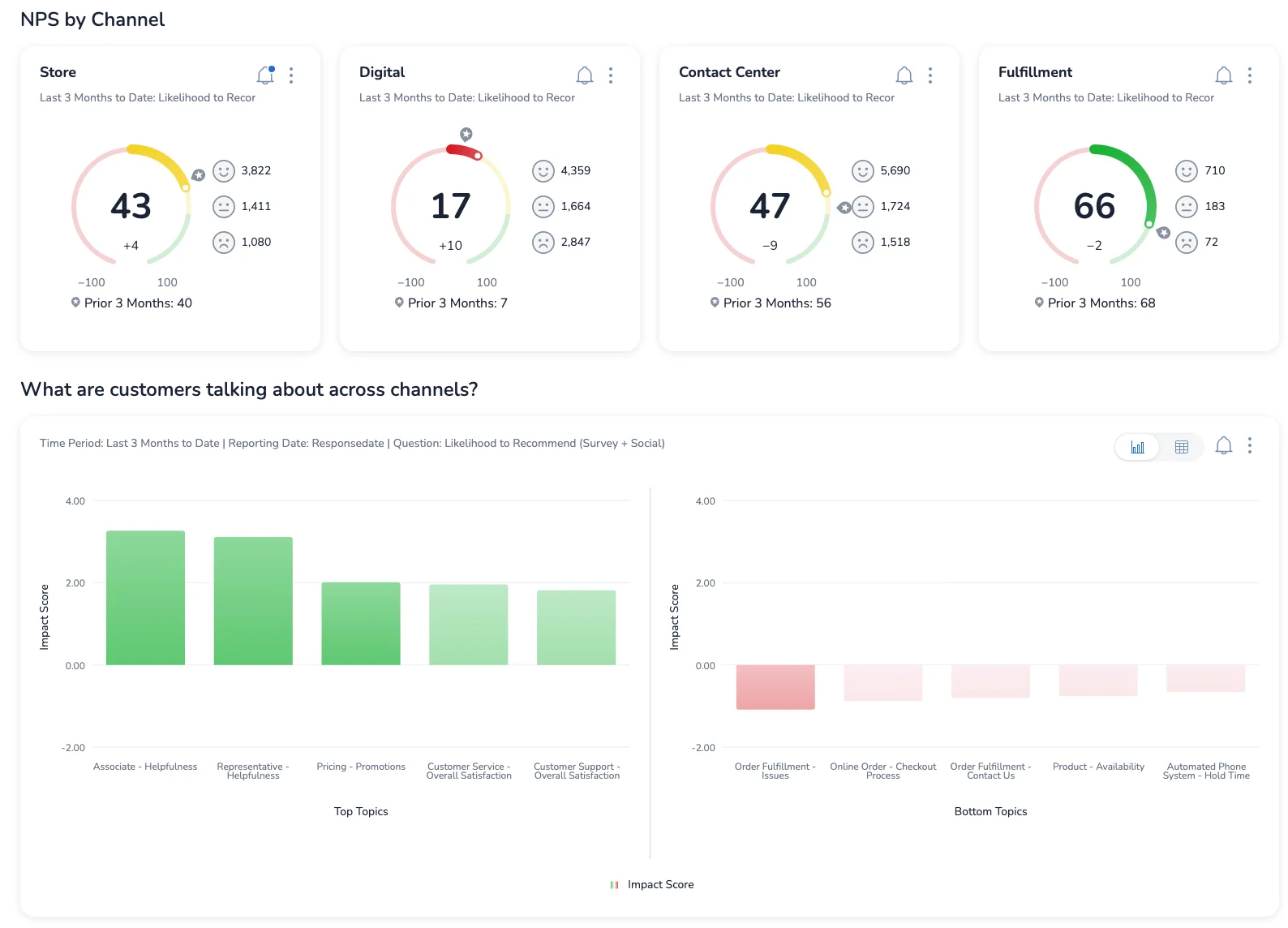
Medallia's an enterprise experience management platform that captures feedback across email, SMS, web, mobile, IVR, social, and in-app channels. It's built for large global organizations that need managed, omnichannel CX programs with predictive analytics.
Its strength is deploying consistent feedback collection across global operations, with role-based dashboards that serve frontline employees, managers, and executives with tailored views. It's one of the most established names in the category, and it handles millions of feedback records across regions. That said, the cost and implementation complexity put it firmly in enterprise territory. Chattermill integrates with Medallia for teams that collect feedback through Medallia and want deeper AI-powered analytics on top.
Key features
- Omnichannel Feedback Capture: Collect feedback via email, SMS, web intercepts, mobile apps, IVR, and social
- Predictive Churn Modeling: Identify at-risk customers before they leave
- Action Management: Closed-loop workflows that follow up on feedback and track resolution
- Role-Based Dashboards: Tailored views for frontline, managers, and executives
Pricing
No public pricing. Contact Medallia for a quote.
G2 rating
4.5/5 ( 210 reviews)
Pros
- Broad omnichannel feedback collection covering more touchpoints than most competitors
- Strong predictive analytics and churn modeling for proactive retention
- Enterprise-grade security that's proven with large global deployments
Cons
- High cost and implementation complexity rule it out for most mid-market teams
- Implementation timelines can stretch significantly, especially for global rollouts
- Flexibility for custom use cases often requires professional services
8. InMoment
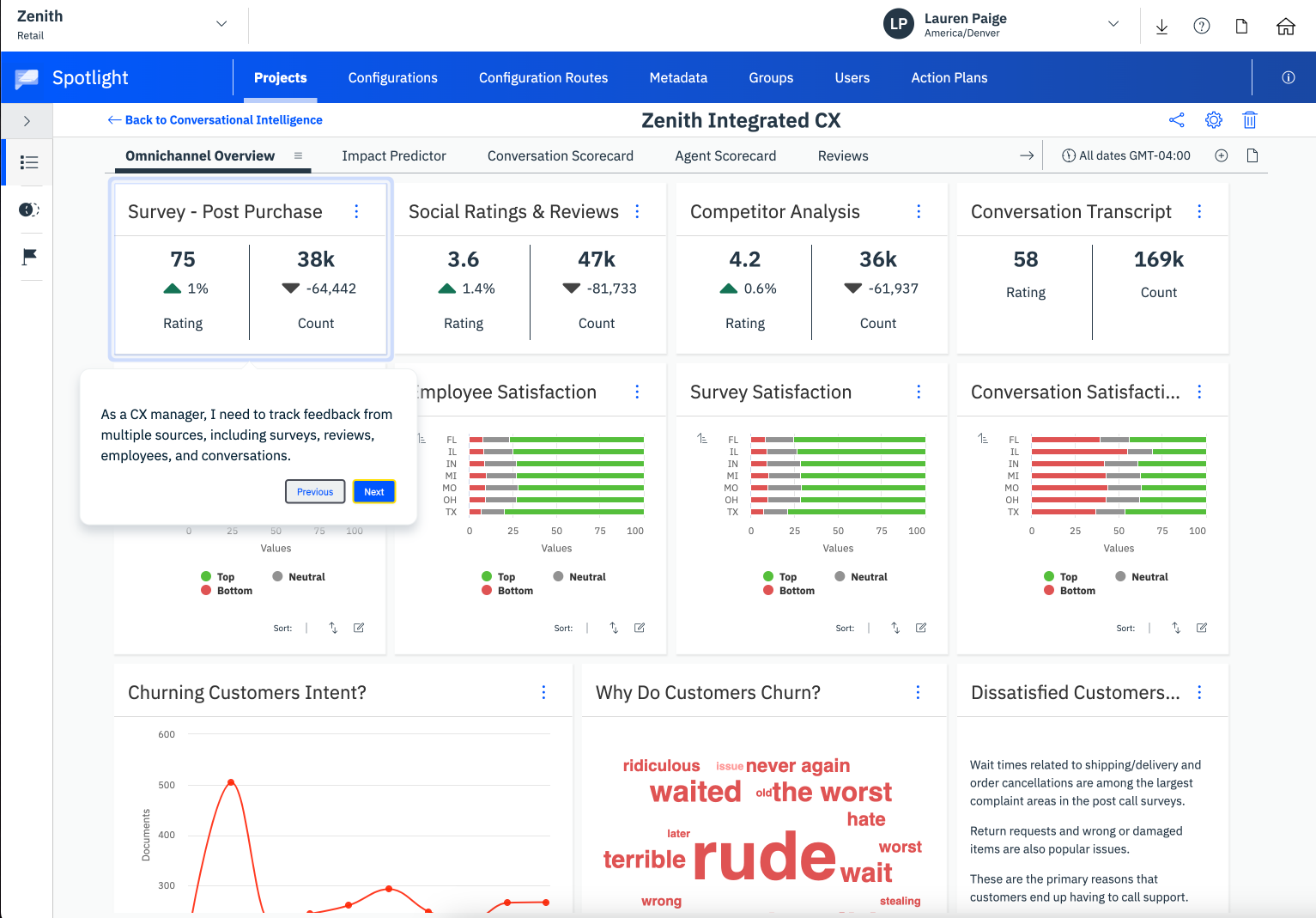
InMoment's an experience management platform that combines AI text analytics with multi-channel feedback collection and closed-loop case management. It's got Active Listening Studio, which uses conversational AI to adapt survey questions based on how the respondent answers.
That conversational approach captures richer feedback than static surveys. Follow-up questions dig into the specific issues a customer raises, not the same questions regardless of context. And it tends to improve completion rates too. The trade-off is that InMoment's pricing and implementation are firmly enterprise-grade. Some features require add-on modules that can push costs up.
Key features
- AI Text Analytics: Analyze open-ended feedback, reviews, social mentions, and call transcripts
- Active Listening Studio: Conversational AI that dynamically adjusts survey questions based on responses
- Closed-Loop Case Management: Workflows that follow up on feedback and track issue resolution
- Review Management: Aggregate and respond to third-party reviews from a single interface
Pricing
No public pricing. Custom subscription, tiered by program scope. Contact InMoment for a quote.
G2 rating
4.7/5 (319 reviews)
Pros
- Active Listening Studio's conversational surveys capture richer, more specific feedback than static forms
- Strong text analytics across multiple channels including reviews and call transcripts
- Closed-loop workflows connect feedback directly to issue resolution
Cons
- Enterprise pricing and complexity won't suit mid-market or smaller teams
- Some features require add-on modules, which can make total cost harder to forecast
- Implementation scope can extend significantly for larger programs
9. Brandwatch
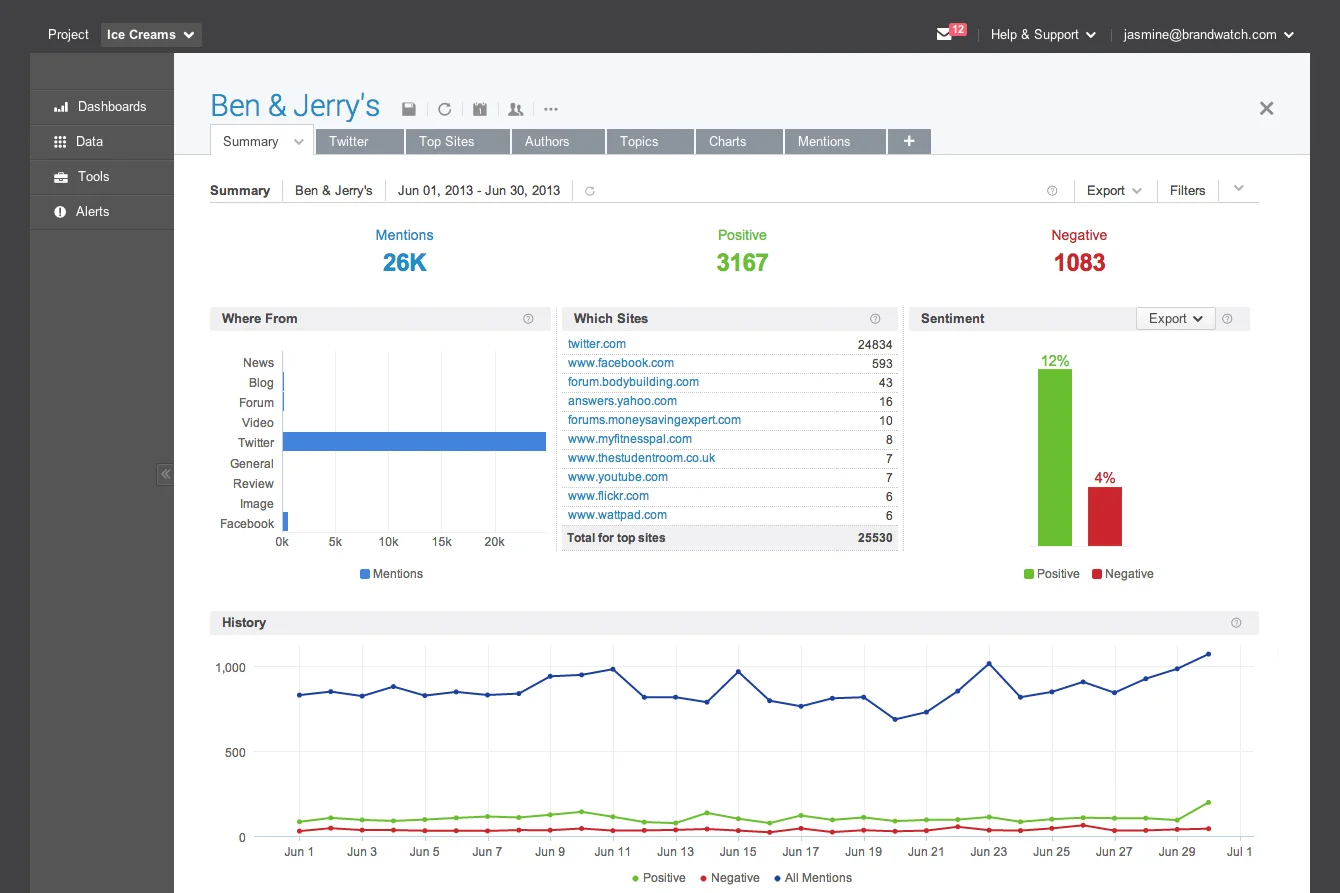
Brandwatch is a consumer intelligence platform that tracks brand perception, sentiment, and conversations across social media, news, forums, and public reviews. It's built for marketing, communications, and brand teams that are monitoring public perception and competitive positioning.
If you're focused on understanding what people are saying publicly, Brandwatch has strong coverage across Twitter, Facebook, Instagram, Reddit, forums, and news sites. But it's important to understand the scope. Brandwatch analyzes public channels only. It doesn't analyze support tickets, internal surveys, or other owned feedback. So it's a complement to a CX intelligence platform, not a replacement.
Key features
Social Listening: Monitor brand mentions in real time across social networks, forums, and news sites
Consumer Segmentation: AI-powered audience segmentation identifying demographics and conversation trends
Competitive Benchmarking: Track share of voice and sentiment relative to competitors
Image Recognition: Detect logo appearances in social images
Pricing
No public pricing. Custom pricing based on data volume and features. Contact Brandwatch for a quote.
G2 rating
4.4/5 (728 reviews)
Pros
- Broad social and public web coverage, including image recognition for brand mentions
- Strong competitive intelligence for tracking share of voice and positioning
- Intuitive dashboard that marketing and comms teams can use without analyst support
Cons
- No private feedback channel coverage, so it misses support tickets, internal surveys, and owned feedback
- Doesn't map well to NPS, CSAT, churn, and revenue
- Not built for closing the loop on individual complaints or managing response workflows
10. Sprinklr
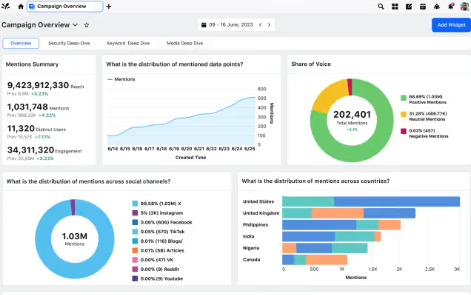
Sprinklr is a unified customer experience management platform that spans social media management, customer service, marketing, and insights. It's one of the broadest platforms in this guide, covering more functional areas than any single competitor. But that breadth comes with significant complexity.
Sprinklr's strength is consolidating social listening, customer service, and marketing intelligence into one platform. Enterprise teams don't need to buy separate tools for each function. The social listening and conversational analytics capabilities are particularly strong. But there's a steep learning curve and enterprise-only pricing. Sprinklr discontinued its self-serve plan on April 30, 2026, so the platform's now exclusively custom-quoted. Chattermill integrates with Sprinklr for teams that want to pull Sprinklr data into a dedicated feedback analytics layer.
Key features
- Unified CXM Platform: Manage social, service, marketing, and insights from a single platform
- Social Listening and Conversational Analytics: Monitor and analyze brand conversations across 30+ channels
- AI-Powered Insights: Surface trends and sentiment across customer interactions
- Enterprise Workflow Automation: Automate routing, prioritization, and response across channels
Pricing
Enterprise-only. No public pricing. Sprinklr discontinued its self-serve plan on April 30, 2026. Contact Sprinklr for a quote.
G2 rating
4.2/5 (2,198 reviews)
Pros
- Broadest functional coverage in the category, spanning social, service, marketing, and insights
- Strong social listening and conversational analytics capabilities
- It's proven at enterprise scale with large global deployments
Cons
- Some users report limited customization across certain workflows and features.
- Users report occasional performance issues, including lag and slow loading.
- Some users find reporting and analytics difficult to navigate or customize.
11. unitQ
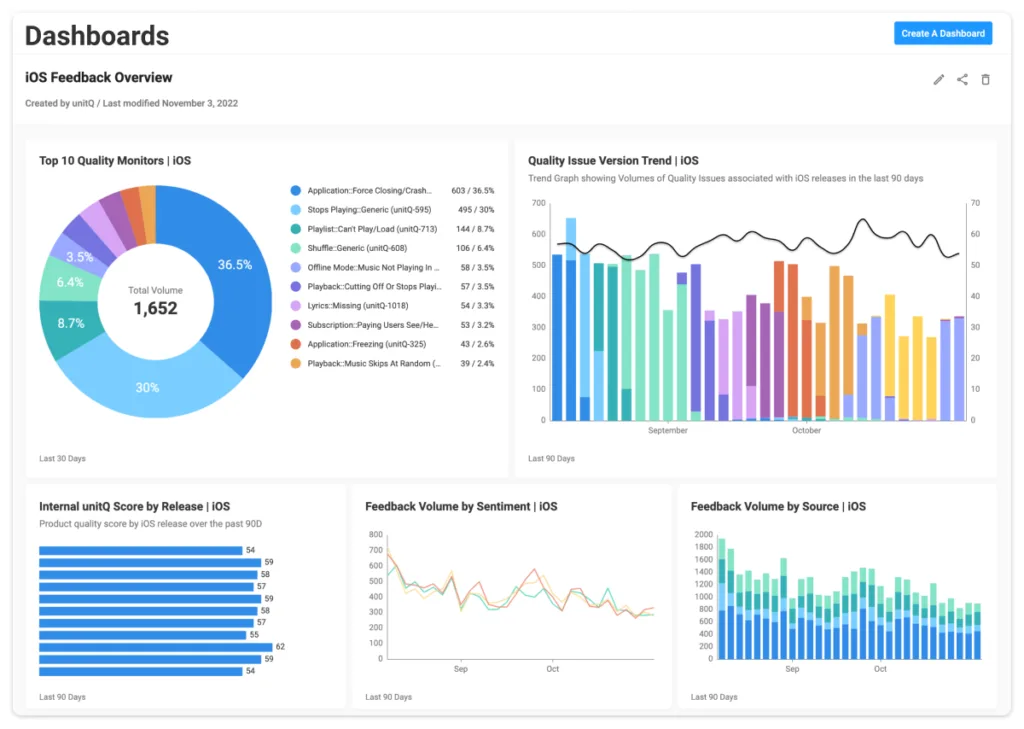
unitQ monitors product quality in real time by aggregating user feedback from app store reviews, social media, support tickets, and other channels. It's focused on catching quality issues fast, before they turn into trends that show up in your headline metrics.
What makes unitQ different from broader CX intelligence platforms is its product quality lens. It doesn't analyze all feedback for themes and business impact. Instead, it zeroes in on bugs, performance issues, and feature complaints. It automatically detects spikes in quality-related feedback and alerts product and engineering teams so they can triage quickly. That's a strong fit for product teams at companies with mobile apps or consumer products. Quality issues in those contexts show up in public reviews almost immediately.
Key features
- Quality Monitoring: Detect product quality issues as they emerge across feedback channels
- Multi-Source Aggregation: Pull in app store reviews, social mentions, support tickets, and survey data
- Automated Alerting: Get notified when quality-related feedback spikes on specific topics
- AI-Powered Categorization: Automatically classify feedback by product area and issue type
Pricing
No public pricing. Contact unitQ for a quote.
G2 rating
4.5/5 (48 reviews)
Pros
- Purpose-built for product quality monitoring, which is a different (and faster) workflow than quarterly CX reporting
- Strong aggregation of public feedback channels like app store reviews and social
- Alert system helps product and engineering teams catch issues before they scale
Cons
- Narrower scope, focused on product quality rather than broad CX themes
- Automated alerts and categorization depend on consistent tagging accuracy
- Smaller G2 review base than established CX intelligence platforms
12. Survicate
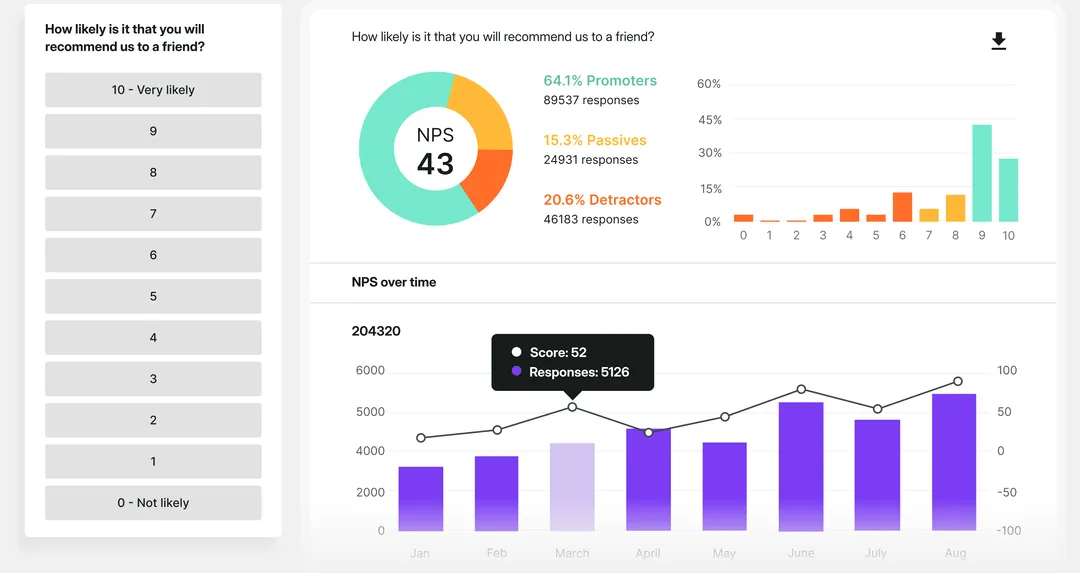
Survicate is a survey and feedback collection platform that makes it easy to run NPS, CSAT, and CES surveys across websites, email, in-product, and mobile. It's the most affordable tool on this list with published pricing. And it's designed for teams that need to collect feedback, not run deep analytics on it.
Survicate's drag-and-drop survey builder and pre-built templates make it fast to get a survey live. Response data feeds into basic analytics dashboards for tracking scores over time, and it integrates well with tools like HubSpot, Intercom, and Slack. The trade-off is analytics depth. Survicate captures and organizes feedback, but it doesn't offer AI-powered theme detection, sentiment analysis, or business impact mapping. For that, you'd need a dedicated intelligence platform. Chattermill integrates with Survicate for teams that want to collect via Survicate and analyze in depth elsewhere.
Key features
- Multi-Channel Surveys: Run NPS, CSAT, and CES surveys on websites, email, in-product, and mobile
- Drag-and-Drop Builder: Create surveys quickly with templates and an intuitive editor
- Response Analytics: Track survey scores over time with built-in dashboards
- Native Integrations: Connect with HubSpot, Intercom, Slack, and other tools
Pricing
- Growth: $114/month
- Pro: $349/month
- Enterprise: $569/month
G2 rating
4.6/5 (205 reviews)
Pros
- Most affordable option on this list with transparent, published pricing
- Quick to set up with templates and a drag-and-drop builder that non-technical teams can use immediately
- Good NPS, CSAT, and CES tracking for teams that need the basics done well
Cons
- Limited AI-powered analytics compared to dedicated feedback intelligence platforms
- Collects and organizes feedback but doesn't surface themes, root causes, or business impact
- Smaller scale than enterprise survey platforms like Qualtrics
13. Amplitude
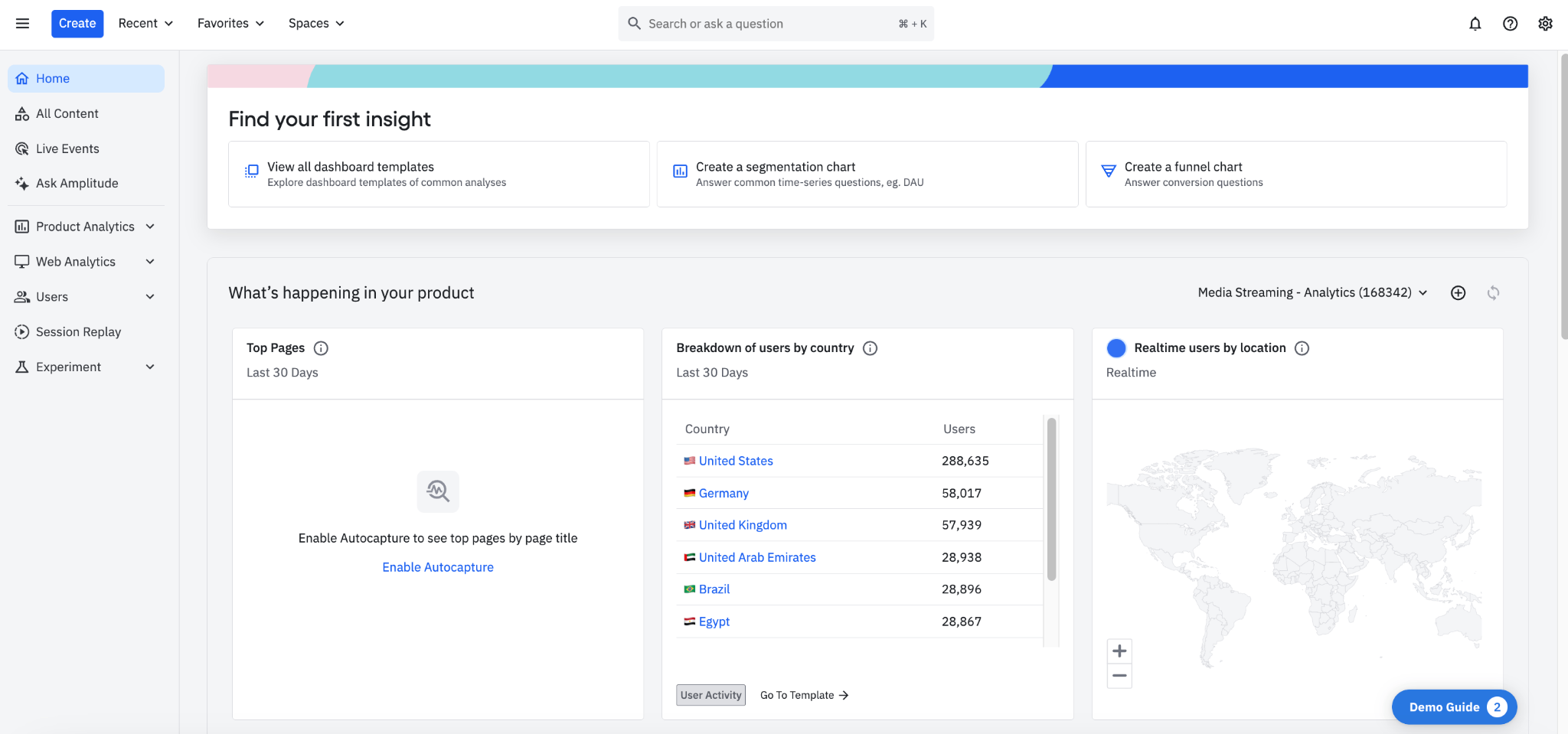
Amplitude's a product analytics platform that helps product and growth teams understand user behavior through event tracking, cohort analysis, and experimentation. It focuses on behavioral data (what users do inside your product), not qualitative feedback (what customers say about it).
Amplitude excels at helping product teams understand which features drive retention, where users drop off, and whether a change improved conversion. The built-in experimentation tools let you A/B test feature changes and measure impact directly. But it's important to understand what Amplitude doesn't do. It won't tell you why a user churned, what they think about your pricing, or what they said in a support ticket. If your question's "where are users dropping off?" Amplitude answers it. If your question's "why are they unhappy?" you need a CX intelligence tool.
Key features
- Event-Based Analytics: Track every user action across web and mobile products
- Cohort Analysis: Segment users by behavior to identify retention and churn patterns
- Experimentation: Built-in A/B testing to measure the impact of feature changes
- Funnel Analysis: Visualize conversion paths and pinpoint where users drop off
Pricing
Free plan available; Plus from $49/month (billed annually); Growth and Enterprise custom.
G2 rating
4.5/5 (3,868 reviews)
Pros
- Deep behavioral analytics that help product teams understand exactly what users do inside the product
- Strong experimentation and A/B testing capabilities built into the platform
- There's a free tier available for early-stage teams getting started with product analytics
Cons
- Doesn't analyze qualitative feedback, so it shows what users did but not why, that needs a separate CX intelligence layer
- Feature depth depends on instrumented events, teams need engineering time to track new events as the product evolves
- Not built for VoC or CX programs specifically, teams running formal customer experience initiatives need a dedicated platform alongside it
14. Mixpanel
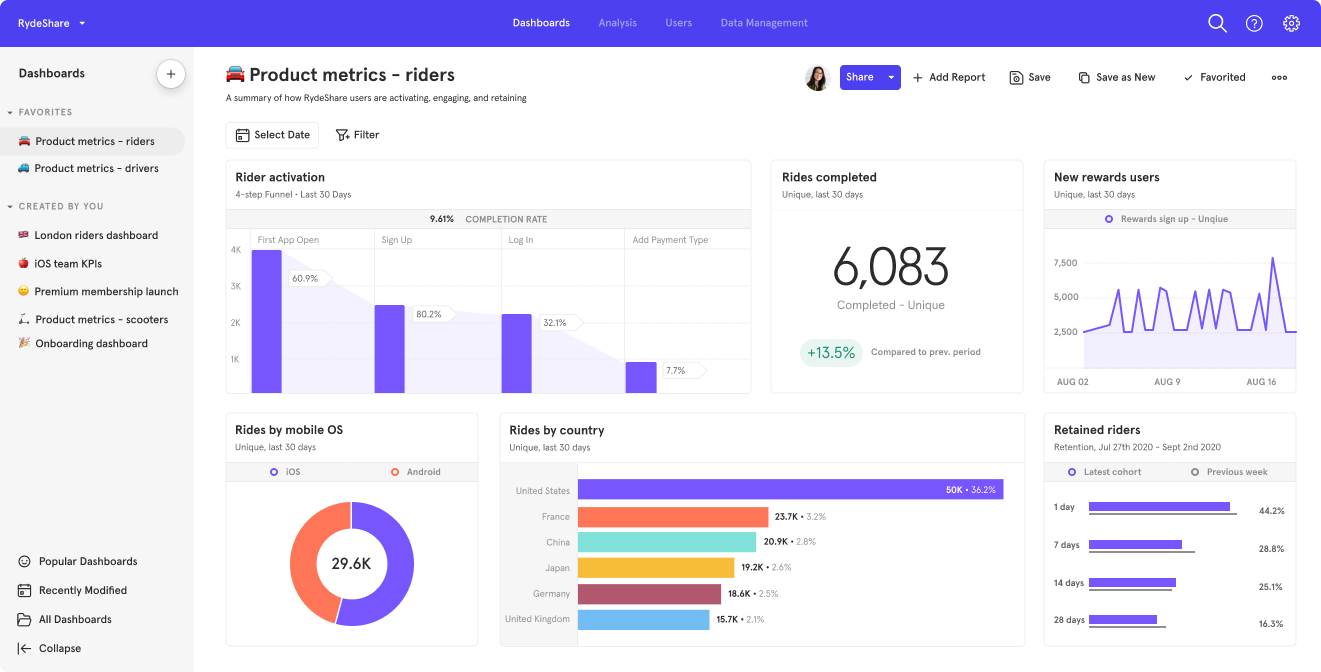
Mixpanel's an event-based product analytics platform for SaaS and mobile product teams. It tracks user behavior, analyzes retention, and optimizes conversion funnels. Like Amplitude, it focuses on behavioral data, not qualitative customer feedback.
Mixpanel excels at tracking granular user interactions and visualizing user paths through products. Direct data warehouse integrations with Snowflake, BigQuery, and others make it a natural fit for teams with mature data infrastructure. The interface is clean and insight velocity's fast, which is why many teams prefer it over heavier analytics platforms. But the same limitation as Amplitude applies. Mixpanel tracks what users do, not what they say or how they feel.
Key features
- Event Tracking: Capture and analyze user interactions across web and mobile
- Retention Analysis: Measure how often users return over time
- User Flows: Visualize the paths users take through your product
- Warehouse Integration: Connect directly to Snowflake, BigQuery, and other warehouses
Pricing
Free plan available; Growth and Enterprise tiers are custom (event-based pricing).
G2 rating
4.5/5 (1,372 reviews)
Pros
- Clean interface and fast insight velocity for quick product decisions
- Direct data warehouse integrations for teams with mature data infrastructure
- Flexible event-based pricing that scales with usage
Cons
- Behavioral rather than qualitative, shows what users did, not what they think or feel about it
- Depends on clean event instrumentation, insight quality is only as good as what's been tracked, which takes engineering setup and upkeep
- Not built for VoC or CX programs, teams need a dedicated feedback intelligence platform alongside it for that work
15. Gainsight
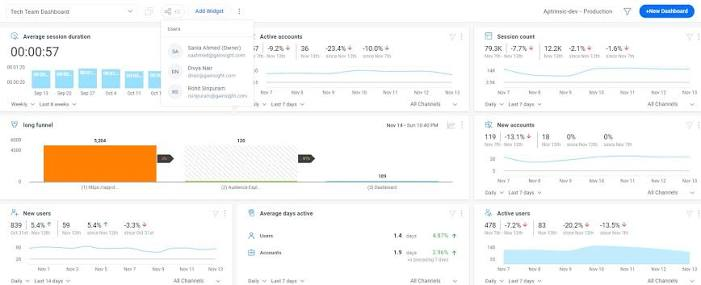
Gainsight's a customer success platform focused on B2B account health, churn prediction, and customer lifecycle management. It consolidates CRM data, product usage, support tickets, and survey responses to generate account-level health scores.
Gainsight excels at the account-level perspective that B2B customer success teams need. It aggregates signals from multiple data sources to predict which accounts are at risk and which are ready for expansion. The playbook functionality standardizes repeatable CS motions like onboarding, renewal, and expansion, and it integrates well with Salesforce and other major CRMs. But Gainsight's purpose-built for B2B customer success. It isn't designed for high-volume B2C feedback analysis. It's a different tool for a different job.
Key features
- Health Scores: Multi-factor scoring that identifies at-risk and growth-ready accounts
- Playbooks: Automated workflows for onboarding, renewal, and expansion motions
- Product Usage Analytics: Track feature adoption at the account level
- Survey Integration: Embed NPS and CSAT surveys into customer success workflows
Pricing
No public pricing. Contact Gainsight for a quote.
G2 rating
4.5/5 (1,726 reviews)
Pros
- Deep B2B customer success specialization with strong health score modeling
- Playbooks automate repeatable CS motions, reducing the manual work of managing renewals and expansions
- Integrates well with Salesforce and other major CRMs
Cons
- It's not designed for high-volume unstructured feedback analysis
- B2B-focused, so it isn't suited for B2C companies with consumer feedback needs
- AI and NLP capabilities are moderate compared to dedicated feedback analytics platforms
16. Hotjar
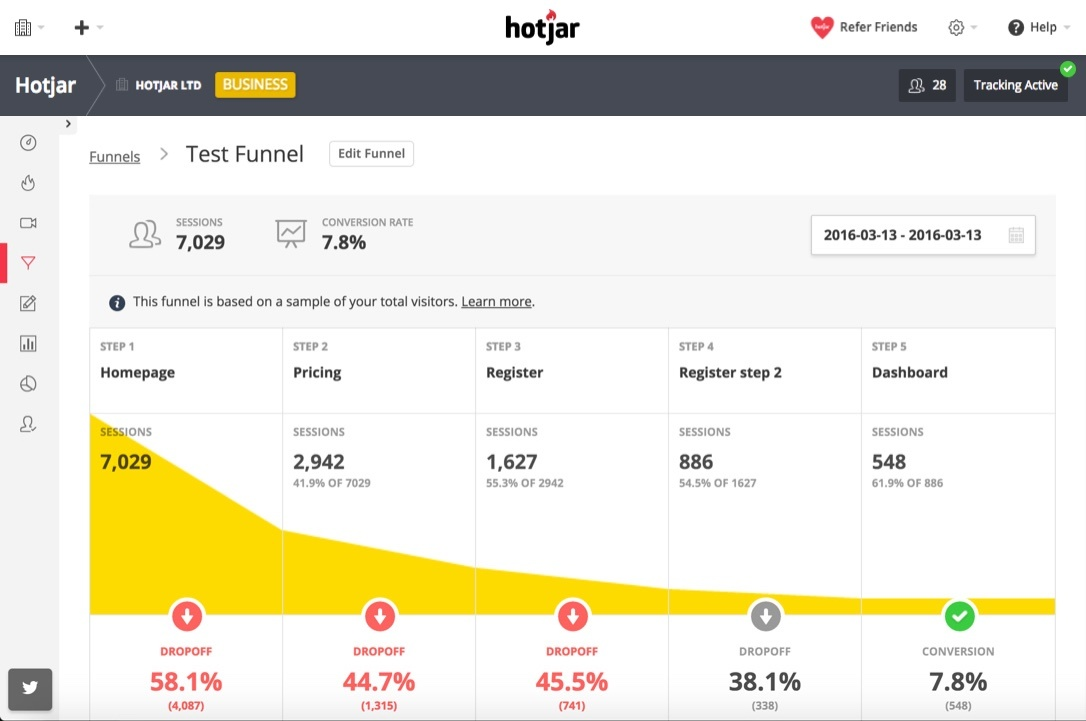
Hotjar is a behavioral analytics tool that helps eCommerce and SaaS teams understand how visitors interact with their site. It uses heatmaps, session recordings, and on-site feedback widgets. It's built for visual UX insight, not deep text analytics.
Hotjar lets non-technical teams see exactly where users click, scroll, and abandon. Session recordings are particularly valuable for UX research, because you can watch users navigate your site and identify friction points directly. The on-site feedback widgets and NPS surveys add a lightweight feedback layer on top. The trade-off is analytics depth. Hotjar captures behavioral and basic feedback data well, but it doesn't unify external feedback channels. And its text analytics capabilities are minimal compared to dedicated CX intelligence tools.
Key features
- Heatmaps: Visualize clicks, scrolls, and mouse movement on your pages
- Session Recordings: Watch user sessions to identify UX friction points
- On-Site Feedback: Deploy pop-up surveys and feedback widgets on your site
- Conversion Funnels: Track where users drop off in your conversion flow
Pricing
Free plan available; Growth from €49/month, discounted to €39/month on annual billing. Hotjar's plans and pricing now live under Contentsquare, its parent company. Pro and Enterprise plans by quote.
G2 rating
4.3/5 (345 reviews)
Pros
- Visual UX insights that non-technical teams can immediately understand and act on
- Easy deployment with minimal technical setup
- There's an affordable entry point with a usable free tier
Cons
- Light AI and NLP means limited text analysis capability
- Doesn't unify external feedback channels like support tickets, reviews, or social
- It's not suited for enterprise VoC or CX intelligence programs
17. Twilio Segment
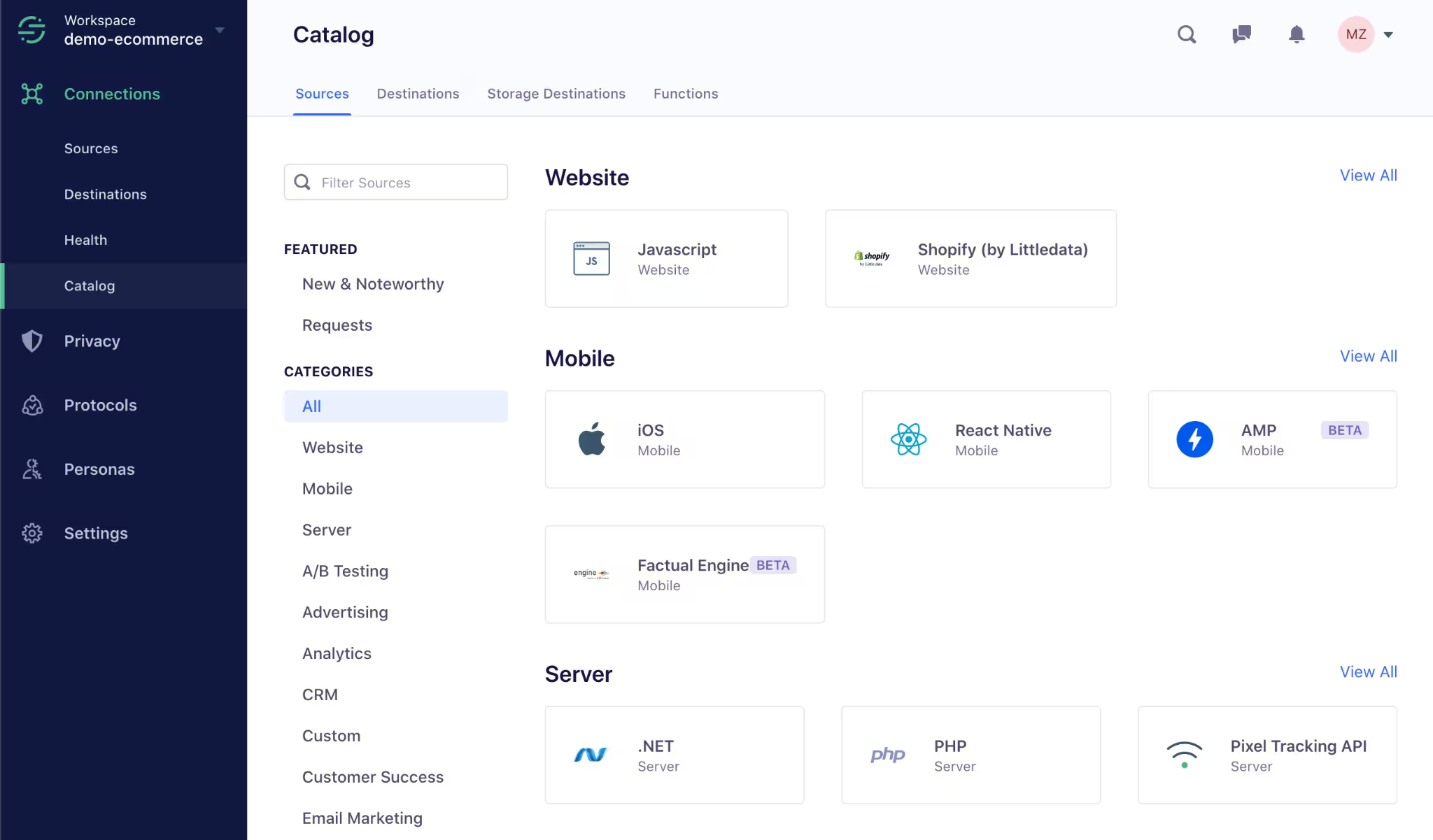
Twilio Segment's a customer data platform (CDP) that collects, unifies, and routes customer data from websites, mobile apps, and servers to downstream tools. It's data infrastructure, not analytics or insights. It feeds clean data to other systems.
Segment's value is creating a clean, unified data layer that feeds analytics, marketing, and customer intelligence tools. For teams that collect data once and send it to hundreds of destinations, Segment significantly reduces integration complexity. But it's important to understand that Segment doesn't analyze feedback, detect themes, or surface insights on its own. It's the plumbing that makes other tools work better.
Key features
- Data Collection: Collect events from web, mobile, and servers through a single API
- Identity Resolution: Unify user identities across devices and touchpoints
- Destination Routing: Send data to 300+ analytics, marketing, and data tools
- Privacy Controls: Consent management and data governance built in
Pricing
Free plan available; Business plans are custom. Contact Twilio for a quote.
G2 rating
4.5/5 (567 reviews)
Pros
- It creates a clean data foundation that makes the rest of your analytics stack more effective
- 300+ integrations reduce the complexity of connecting systems
- Strong identity resolution across devices and channels
Cons
- Doesn't analyze or surface insights itself, budget for a separate analytics or CX layer on top from day one
- Identity resolution and event schema decisions made early can be costly to change later, get the data model right before scaling integrations
- Complexity grows as your integration count increases, more destinations means more monitoring and maintenance overhead
18. Salesforce Data Cloud
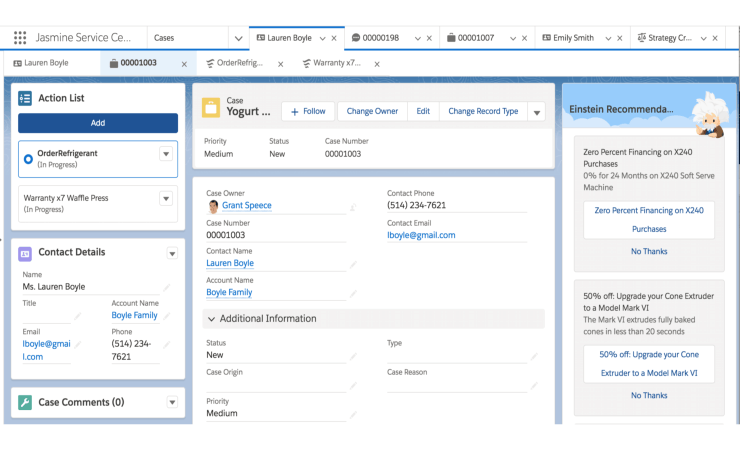
Salesforce Data Cloud (formerly Data 360) is a customer data platform that unifies profiles across Salesforce CRM, Commerce, Marketing, and Service clouds. It's built for organizations that are already invested in the Salesforce ecosystem and need unified customer profiles for personalization and segmentation.
For Salesforce-native organizations, Data Cloud provides integration depth that third-party CDPs can't match. It consolidates customer data across Sales Cloud, Service Cloud, Marketing Cloud, and Commerce Cloud into unified profiles. Those profiles power personalization and next-best-action recommendations through Einstein AI. But Data Cloud's value is heavily tied to the Salesforce ecosystem. Teams using a mixed stack get less out of it. And like Twilio Segment, it's data infrastructure, not a feedback analytics tool.
Key features
- Unified Profiles: Consolidate data from Sales Cloud, Service Cloud, Commerce Cloud, and Marketing Cloud
- Einstein AI Personalization: Drive next-best-action recommendations with AI
- Identity Resolution: Match records across systems to create unified customer views
- Activation: Push unified profiles to marketing and service channels for action
Pricing
Two models: Flex Credits from $500 per 100,000 credits (consumption-based, usable across any Data 360 action), or Profile-based pricing from $240 per 1,000 profiles/year. Contact Salesforce for details.
G2 rating
4.3/5 (330 reviews)
Pros
- Deep native integration within the Salesforce ecosystem
- Einstein AI powers personalization and next-best-action for Salesforce-committed teams
- Unified profiles across CRM, commerce, and marketing give you one view of the customer
Cons
- Limited for unstructured feedback analysis, theme detection, or sentiment scoring
- Value drops significantly outside the Salesforce stack
- Credit-based pricing model can be difficult to forecast
How We Evaluated These Tools
We scored each platform on seven criteria that matter most when you're choosing customer intelligence software for a CX, VoC, or product team.
- AI and aspect-level analysis depth: Platforms that deliver aspect-level or theme-level sentiment scoring outperform basic per-comment sentiment on mixed-topic feedback. They identify multiple topics within a single piece of feedback and assign sentiment to each.
- Unified feedback channel breadth: How well the tool consolidates surveys, support tickets, reviews, calls, and social into one analysis layer. Some tools require separate access for each channel.
- Business metric connectivity: Whether the platform connects themes and insights to NPS, CSAT, CES, churn, retention, and revenue. That's what lets you prioritize by impact, not just volume.
- Integrations and data model flexibility: Native integrations with CRMs, support systems, data warehouses, and emerging interfaces like MCP servers for agentic AI workflows.
- Non-technical user accessibility: Whether CX professionals can set up dashboards, explore data, and share reports without relying on data science or IT.
- Enterprise security and scale: SOC 2, GDPR compliance, multi-region deployment, and capacity for high feedback volumes.
- G2 rating and validation: We cross-referenced claims against verified G2 ratings and customer case studies. All G2 ratings reflect current 2026 scores.
How to Choose the Right Customer Intelligence Tool
Start with the question you're trying to answer. If your team needs to understand what customers are saying across surveys, tickets, reviews, and calls, a CX intelligence platform is the right category, Chattermill, Enterpret, and Medallia all live there. If you need to track what users do inside your product, Amplitude or Mixpanel is the right fit. And if your main need is collecting feedback in the first place, a tool like Survicate covers that.
Beyond category, think about your feedback volume. If you're processing thousands of feedback items per week across multiple channels, you need AI that can handle that scale without manual tagging. If you're running quarterly surveys with hundreds of responses, a lighter tool may be enough. And if your team needs to justify CX spend to leadership, look for platforms that map insights directly to revenue, churn, and NPS, that's the data that gets budgets approved.
FAQs
What's the best customer intelligence tool?
For enterprise CX, VoC, and product teams, Chattermill's the strongest option. Its aspect-based sentiment analysis through Lyra AI delivers accurate scoring on mixed-topic feedback. And business impact mapping connects themes directly to NPS, CSAT, churn, and revenue. For product teams that want custom taxonomy, Enterpret's a strong choice. For formal VoC programs at scale, Qualtrics XM is the established option.
What's the difference between customer intelligence and CRM?
CRM stores contact information, interaction history, and deal data. It's a system of record for relationships. Customer intelligence software analyzes feedback, behavioral data, and unstructured text to surface insights, predict outcomes, and recommend actions. CRM documents what happened. Customer intelligence explains why it happened and what to do next. The best customer intelligence tools integrate with CRMs to enrich contact records with sentiment, themes, and predicted risk.
How does AI improve customer intelligence?
AI processes unstructured feedback at scale. It reads every comment, ticket, review, and call transcript to detect themes and root causes that humans would miss at volume. Aspect-based sentiment analysis identifies multiple topics within a single piece of feedback and assigns sentiment to each. That preserves nuance that simpler per-comment scoring loses. Advanced AI also predicts churn by identifying patterns across feedback and behavior, and surfaces anomalies so teams can act proactively.
How much does customer intelligence software cost?
Pricing varies widely by category and scale. Survey collection tools like Survicate start from $114/month. AI feedback analytics platforms range from around $25,000/year for a tool like Thematic to $100,000/year for an annual partnership model like SentiSum's. Enterprise CX platforms like Chattermill, Medallia, Qualtrics, and Sprinklr use custom pricing based on data volume, integrations, and program scope. Product analytics tools like Amplitude offer free tiers, with paid plans from $49/month. Most enterprise platforms require a sales conversation for an accurate quote.
Which customer intelligence tools unify feedback from multiple channels?
Chattermill, Enterpret, and InMoment unify feedback from multiple channels into a single analysis layer. Chattermill consolidates surveys, support tickets, reviews, calls, and social through 50+ native integrations and analyzes them with aspect-based sentiment. Enterpret covers support tickets, app store reviews, sales calls, and community posts with custom-trained AI. Medallia captures feedback across email, SMS, web, mobile, IVR, and social. Others specialize differently. Brandwatch covers public social channels, while Amplitude and Mixpanel track behavioral events.
What's the difference between CX intelligence and product analytics?
CX intelligence platforms like Chattermill analyze what customers say. They unify feedback from surveys, tickets, reviews, and calls and connect themes to business metrics like NPS, CSAT, churn, and revenue. Product analytics platforms like Amplitude and Mixpanel analyze what users do. They track clicks, funnels, retention, and feature adoption through event data. CX intelligence answers "why are customers unhappy?" Product analytics answers "where are users dropping off?" Some teams need both, but they solve different problems.
Make feedback your competitive advantage
The right customer intelligence software turns scattered feedback into strategic decisions. Among the eighteen tools in this guide, the right choice depends on what you're trying to answer and the scale of feedback you're working with.
If your team needs to unify feedback from surveys, support tickets, reviews, and calls, that's exactly what Chattermill was built to do, connected to business outcomes from day one. The Lyra AI engine and aspect-based sentiment analysis go deeper than generic NLP, and Business Impact Mapping gives you the hard connection between feedback themes and the metrics leadership actually tracks.
Book a demo to see how it works with your data, or explore how Chattermill compares directly to other tools on this list on our alternatives page.


See Chattermill in action on your own feedback
Book a demo


