


Intercom Sentiment Analysis: Native Limits and AI Fixes



The CX intelligence
platform that's AI-native by design
Book a demoQuick Summary
Intercom now measures sentiment three ways. Conversation ratings capture surveyed CSAT, the AI-generated CX Score rates every eligible conversation from 1 to 5, and the Topics Explorer tracks volume and sentiment shifts by topic. Useful for spotting trends, but scores stay at the whole-conversation level and cover Intercom alone. Chattermill adds AI-driven analysis on top of Intercom and unifies it with every other feedback channel.
What Intercom Sentiment Analysis Misses
Intercom's reporting is good at telling you something is trending.
It's less good at telling you what to do about it. A spike in volume doesn't come labeled with a root cause, and it says nothing about whether the same complaint is showing up in reviews, surveys, or calls. Support teams are left with a rising number and no clear next step.
This guide covers what Intercom sentiment analysis actually surfaces, what the newer CX Score adds, and where unified customer support analytics fills the remaining space.
Why Listen to Us
Chattermill has spent over a decade elbow-deep in support conversation data, including Uber and HelloFresh's Intercom exports. We've done it for enterprise CX teams navigating exactly this problem. What follows is grounded in that track record, alongside a close read of how Intercom's own reporting tools are built and used.

What Is Intercom Sentiment Analysis?
Intercom's sentiment signal comes from three layers that work together, plus one legacy report.
- Conversation ratings capture CSAT directly from customers after a conversation closes, on a five-emoji scale from Terrible to Amazing. Intercom's own data says fewer than 10% of conversations get rated, and responses skew toward extremes.
- CX Score, launched in 2025, is the bigger shift. AI rates every eligible closed conversation from 1 to 5 based on the full exchange, whether a human or Fin handled it, with no survey required. Since December 2025 each score comes with reason categories, covering answer quality, customer effort, strong emotion, and product or policy feedback.
- Topics Explorer groups conversations into AI-generated topics and subtopics, then tracks CX Score, Fin involvement and resolution rates, and handling times for each one. It flags volume and sentiment shifts within a topic before they escalate into a bigger support problem.
There's also a separate, rules-based Conversation Topics report, which categorizes conversations using key phrases you define yourself. Intercom states it works independently of the Topics Explorer.
Together, these tools give a reasonable read on what customers contact you about and how those conversations go. On their own, they don't explain root causes or connect the signal to anything outside Intercom.
The Three Native Layers, Side by Side
Two practical notes on CX Score eligibility. A conversation is scored only if it's user-initiated, closed, and has at least two replies from each side, and scoring can take a few hours after close. Intercom also states CX Score may not be used to evaluate individual agent performance, so keep it out of scorecards.
The reporting suite behind CX Score and Topics Explorer sits in Intercom's Pro add-on, priced at $99 per month for up to 1,000 analyzed conversations, with per-conversation rates from $0.12 down to $0.06 as volume grows.
Limits of Native Intercom Reporting
Intercom's tools do what they were built to do well. The limits show up once a team tries to use them for more than trend spotting, like diagnosing a specific spike or connecting Intercom to the rest of the customer journey.
Survey Data Stays Thin, Even With CX Score Filling Gaps
Conversation ratings capture under 10% of conversations, and the quietest customers, often the ones at highest churn risk, rarely leave a rating at all.
CX Score fixes coverage, with roughly five times more conversations scored than CSAT alone. It still scores only chat and email, so phone conversations go unmeasured, and Fin CSAT surveys don't run on Instagram, Facebook, or SMS.
Conversation-Level, Rather Than Aspect-Level
A CX Score is one number for one whole conversation, and topic metrics blend every tagged conversation into one average.
The reason categories added in late 2025 help explain a score. What's still missing is aspect-level separation. A customer praising the agent's speed while criticizing a broken feature gets a single blended score, which can mask exactly the detail a team needs.
One Platform, Rather Than the Full Picture
Intercom's sentiment tools cover conversations inside Intercom, across chat, email, and messaging channels. They have no visibility into support tickets from other systems, survey responses, app reviews, or call transcripts.
A customer who churns after a bad app review never shows up in an Intercom report at all, even if they contacted support the same week.
How to Analyze Intercom Conversation Sentiment with AI: Step by Step
Intercom gives you more raw signal than most platforms. The work is getting depth and coverage out of it, then connecting it to everything outside the inbox.
Step 1: Sync Conversations With Their Native Scores Attached
Intercom's REST Conversations API exposes everything worth analyzing. Bring it across together, rather than transcript-only.
- The full conversation with parts labeled by author, separating customer, teammate, and Fin
- CX Score and its reason categories, which surface via conversation attributes
- Conversation rating and any written remark the customer left
- Topic assignments, channel, assignee, Fin involvement, and handling time
- Contact identifiers, meaning email, user ID, and company
Keeping the native scores attached matters later, because they become your calibration data. A managed Intercom integration syncs all of this continuously.
Step 2: Treat Intercom's Three Signals as Three Different Instruments
Surveyed CSAT, CX Score, and topic trends measure different things, and blending them into one number hides more than it shows.
Anything unscored by all three, like a phone call, is a blind spot to fill from the transcript side.
Step 3: Split Topics Into Aspects Before Drawing Conclusions
Topics Explorer tells you "billing" is trending negative. The useful question is which part of billing. Run aspect-level analysis inside each topic, so "billing" resolves into named, scoreable themes like "duplicate charge" or "invoice link broken."
Score aspects separately within one conversation too. A customer praising Fin's speed while flagging a broken invoice link should register as both signals, since averaging them cancels each other out.
Then sanity-check against the native data. If your themes and CX Score reason categories disagree wildly on the same conversations, read a sample and find out which one is wrong.
Step 4: Connect Conversations to Feedback Intercom Never Sees
Join on contact email so Intercom conversations sit beside app reviews, NPS verbatims, support tickets from other systems, and call transcripts. A churned customer's final conversation reads very differently next to their one-star review from the same week.
Cross-channel volume is also your prioritization signal. A theme confined to Intercom chat is a support fix, while the same theme echoing across reviews and surveys is a product fix.
Step 5: Give Every Spiking Theme an Owner and a Number
Close the loop with routing that names a person, a metric, and a deadline.
- Product bug themes go to the owning squad's channel, with conversation volume and revenue at stake attached
- Documentation-gap themes go to the knowledge base owner, since they're usually the cheapest deflection wins
- Policy complaint themes go to CX leadership with the churn correlation, because those need a decision rather than a fix
- After each fix ships, track that theme's CX Score and volume for four weeks to confirm the problem actually closed
The four-week check is what separates teams that report sentiment from teams that move it.
How Chattermill Helps
Intercom shows you a number moving. Chattermill shows you the rest of the picture across channels, so the takeaway becomes what changed and what it means.
Cross-Channel Unification, Beyond a Closed Loop
Most teams treat Intercom as a closed system. Conversations go in, a topic report comes out, and that's the end of it.
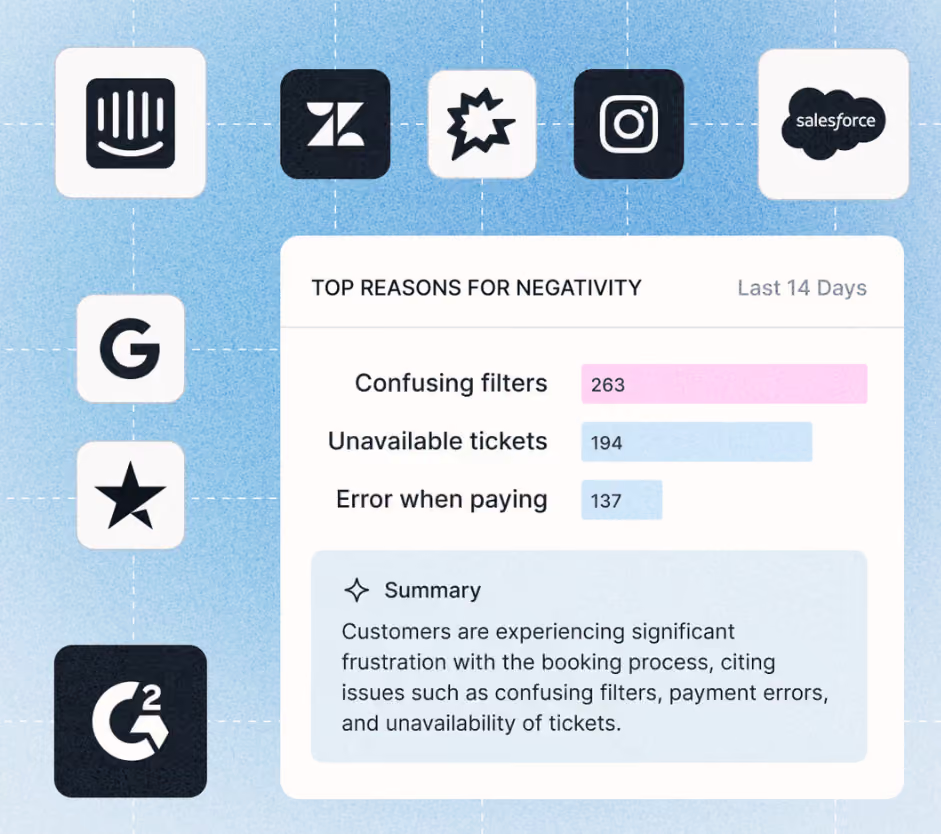
Chattermill treats it as one input among several. Conversation data sits alongside support tickets, surveys, reviews, and call transcripts in the same analysis. When negative sentiment climbs inside Intercom, a team can immediately see whether it's an isolated blip or part of something bigger happening across every other channel too.
Scores Each Aspect, Beyond the Topic Average
Where Intercom gives one score per conversation and one average per topic, Lyra AI scores each aspect of a conversation on its own.
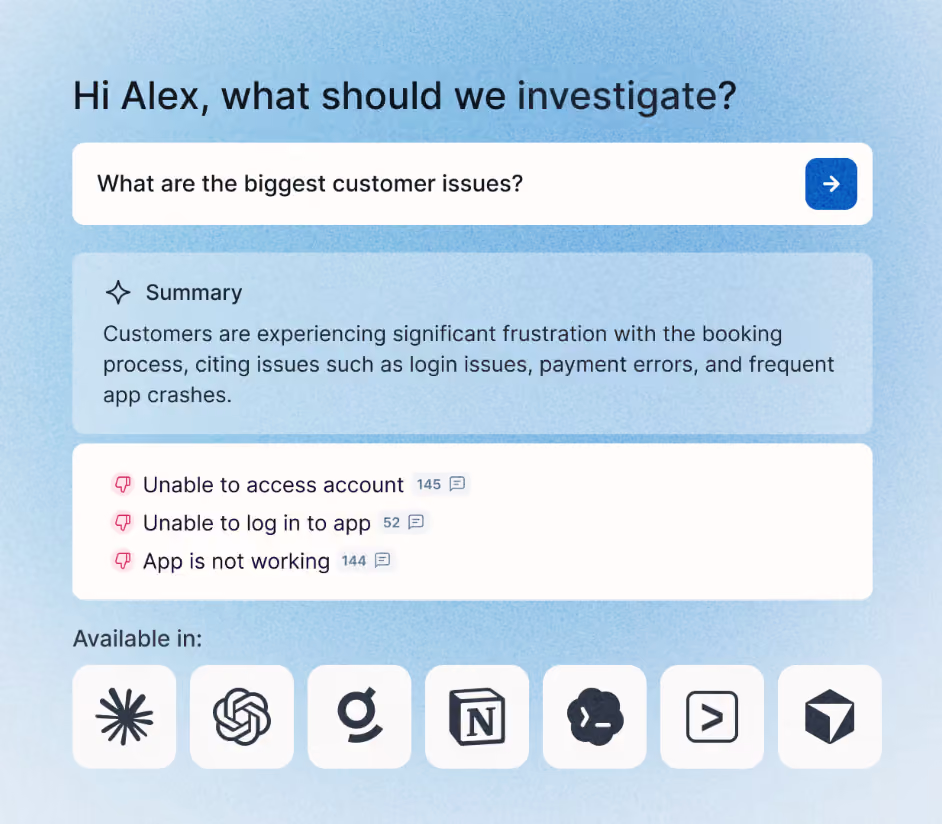
A customer can praise the agent and criticize the product in the same message, and Lyra keeps those two signals separate. New themes surface as conversations come in, so nobody's waiting on a scheduled report to notice something's shifted.
Turns Themes Into Business Impact Numbers
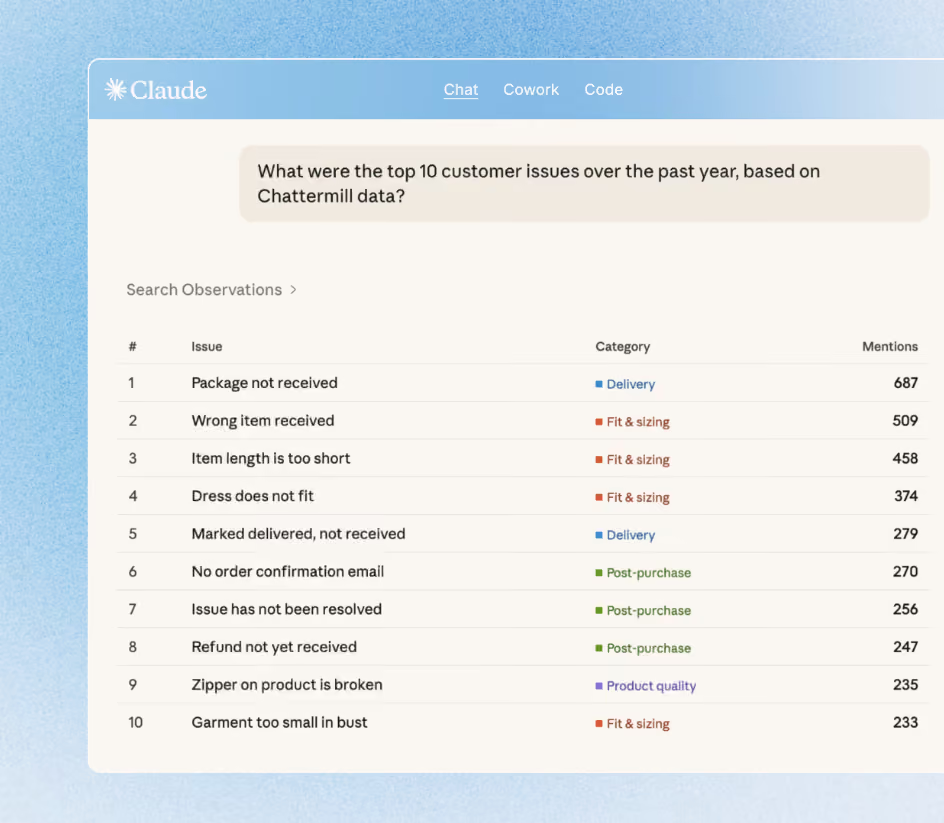
From there, Business Impact Mapping ties each theme back to CSAT, retention, and revenue. Rather than a support lead just seeing that sentiment dipped, they can see the exact theme behind it, how many conversations it touched, and roughly what it's costing the business, all inside one customer support analytics view.
None of this happens by flipping a setting inside Intercom. It takes real implementation, and teams that only need basic topic tracking probably don't need the investment. Teams that need to explain a sentiment shift and trace it across the full customer relationship are exactly who this layer is built for.
From Topic Tracking to Business Answers
On its own, Intercom flags what's moving very well, and CX Score means far more conversations get measured than surveys ever covered.
It won't tell you why, or what's happening beyond Intercom. Pair it with unified, AI-driven analysis across every channel, and those trends become a clear action your team can take.
Want to see it in action? Book a demo today.
Frequently Asked Questions
1. Does Intercom have built-in sentiment analysis?
Yes, in layers. Conversation ratings capture surveyed CSAT, the AI-generated CX Score rates every eligible closed conversation from 1 to 5 without a survey, and the Topics Explorer tracks sentiment and volume changes by topic over time.
2. What is Intercom's CX Score?
CX Score is an AI-generated 1 to 5 rating applied to every eligible closed chat or email conversation, whether handled by Fin or a human. Scores of 4 or 5 count as positive, and each score includes reason categories like customer effort, strong emotion, and answer quality. Intercom's terms exclude using it to evaluate individual agents.
3. How accurate is Intercom's sentiment tracking?
Coverage improved substantially with CX Score, which measures roughly five times more conversations than surveyed CSAT. Precision is still conversation-level, so mixed conversations get one blended score, and phone conversations aren't scored at all.
4. Can Intercom's Topics Explorer identify root causes?
Partially. It shows which topics are trending and whether sentiment within them is shifting, and weekly Trends reports explain volume moves in plain language. It doesn't isolate the specific driver behind a shift the way aspect-based, theme-level analysis can.
5. Can I combine Intercom data with other feedback sources?
Yes, through an API connection to a unified analytics platform. Combining Intercom with support tickets, surveys, reviews, and call transcripts shows the full customer picture instead of a conversations-only view, which matters most for enterprise CX and VoC teams.
6. Is Chattermill a replacement for Intercom?
No. Chattermill analyzes Intercom conversation data alongside every other feedback channel. It doesn't replace Intercom as your messaging and support platform. Most teams keep Intercom for conversations and add Chattermill for cross-channel sentiment and theme analysis on top of it.



See Chattermill in action on your own feedback
Book a demo


