


Voice of Customer Tools for UX Research: 8 Picks (2026)


The CX intelligence
platform that's AI-native by design
Book a demoMost UX teams treat voice of customer tools for ux research as a way to collect more feedback. The better question is which tool tells you how many customers a finding actually affects.
Quick Summary
If you want the short version: the best voice of customer tools for ux research pair qualitative depth with population-level scale, and only one category sizes a single finding against every customer you have. This guide reviews 8 tools, and our top three are Chattermill for sizing findings against the full feedback population, Dovetail for synthesizing interview research, and Sprig for continuous in-product signal.
We evaluated 8 voice of customer tools across research fit, feedback channels, AI and NLP depth, pricing transparency, and G2 standing. Chattermill is the analytics-first VoC layer that measures a qualitative finding against your entire customer base. Dovetail is the strongest option for storing and synthesizing interview and note-based research. Sprig is the best choice for capturing continuous, in-product research signal.
Before we get into the detailed comparisons, here are our top three picks:
| Tool | Best For |
|---|---|
| Chattermill | Sizing a qualitative finding against your full population of customer feedback |
| Dovetail | Synthesizing and storing interview-led qualitative research |
| Sprig | Continuous in-product micro-surveys and research signal |
Why Listen To Us
Chattermill is an AI-native customer experience intelligence platform used by enterprise CX, insights, and product teams to unify and analyze feedback at scale. We build customer feedback analytics software for a living, so our view of this category comes from hands-on work with feedback from surveys, reviews, tickets, social, and voice calls across 100+ languages. That daily exposure is why we can be specific about where each tool fits a research workflow, rather than generic.

8 Top Voice of Customer Tools for UX Research: Head to Head Comparison
| # | Tool | Best For | Pricing | G2 Rating | Tool Category | Feedback Channels | AI/NLP Approach | Best-fit research use |
|---|---|---|---|---|---|---|---|---|
| 1 | Chattermill | Sizing findings against the full customer population | Custom / volume-based | 4.4 (238) | Analytics-first VoC | Surveys, reviews, support tickets, social, voice calls (100+ languages) | Lyra AI + Aspect-Based Sentiment Analysis (ABSA) | Prioritizing which qualitative themes affect the most customers |
| 2 | Dovetail | Synthesizing qualitative research | Free; paid tiers not publicly listed (est. from ~$29/user/mo); Enterprise custom | 4.5 (168) | Research repository | Interviews, calls, notes, surveys, tickets | AI transcription and tagging | Storing and analyzing interview-led studies |
| 3 | Sprig | Continuous in-product signal | Free; Starter ~$175/mo (billed annually); Enterprise custom | 4.3 (199) | In-product research | In-product micro-surveys, AI research agents | AI research agents and analysis | Capturing feedback inside the product flow |
| 4 | Maze | Validating design pre-launch | Free; Starter ~$99/mo; Enterprise custom | 4.5 (112) | Testing & interviews | Usability and prototype tests, unmoderated surveys | AI-assisted test analysis | Testing prototypes before you ship |
| 5 | UserTesting | Watching real users complete tasks | Custom / quote-based (~$40k/yr median; ~$12k–$114k) | 4.4 (733) | Testing & interviews | Moderated and unmoderated video tests via panel | AI insight summaries on video | Observing task behavior and reactions |
| 6 | Hotjar | Behavioral context on web journeys | Free; paid from ~$39/mo | 4.3 (333) | Behavior analytics | Heatmaps, session recordings, on-site surveys | AI survey generation and summaries | Seeing how users behave on a page |
| 7 | Qualtrics | Large enterprise survey programs | Custom / quote-based (~$30k/yr median; ~$6.9k–$140k) | 4.3 (747) | Enterprise XM | Multichannel surveys, CX analytics | Text and sentiment analytics | Running structured survey programs at scale |
| 8 | Medallia | Enterprise signal capture at scale | Custom / quote-based (entry ~$20k/yr; enterprise $200k+) | 4.5 (210) | Enterprise XM | Email, web, in-app, social, messaging, voice | Text analytics and signal detection | Capturing experience signal across channels |
G2 ratings and review counts were verified on G2 in September 2026 and are subject to change as new reviews are added. Pricing reflects each vendor's published rates or, where pricing is not listed publicly, current third-party estimates; confirm live pricing with each vendor before purchase.
How We Evaluated These Tools
Buyer lists often rank tools by feature count. We ranked by research fit instead: what a UX or product researcher can actually do with the tool once feedback is flowing, the same lens we apply when we assess customer feedback analysis tools. We used six criteria.
- Research fit. Does the tool support a real research workflow, from a question to an evidenced answer, not just data collection?
- Feedback channels. How many sources and languages does it unify, and does it handle unstructured feedback as well as surveys?
- AI and NLP depth. Does the analysis go beyond keyword tagging into theme and sentiment accuracy on messy, mixed-topic feedback?
- Population sizing. Can it tell you how many customers a finding affects, or only summarize the sample you fed it?
- Pricing transparency. Is pricing clear enough for a research team to plan a budget?
- G2 standing. What do verified reviewers say, by rating and review volume?
Each tool below is scored against those criteria, starting with the highest research fit.
1. Chattermill
What is Chattermill?
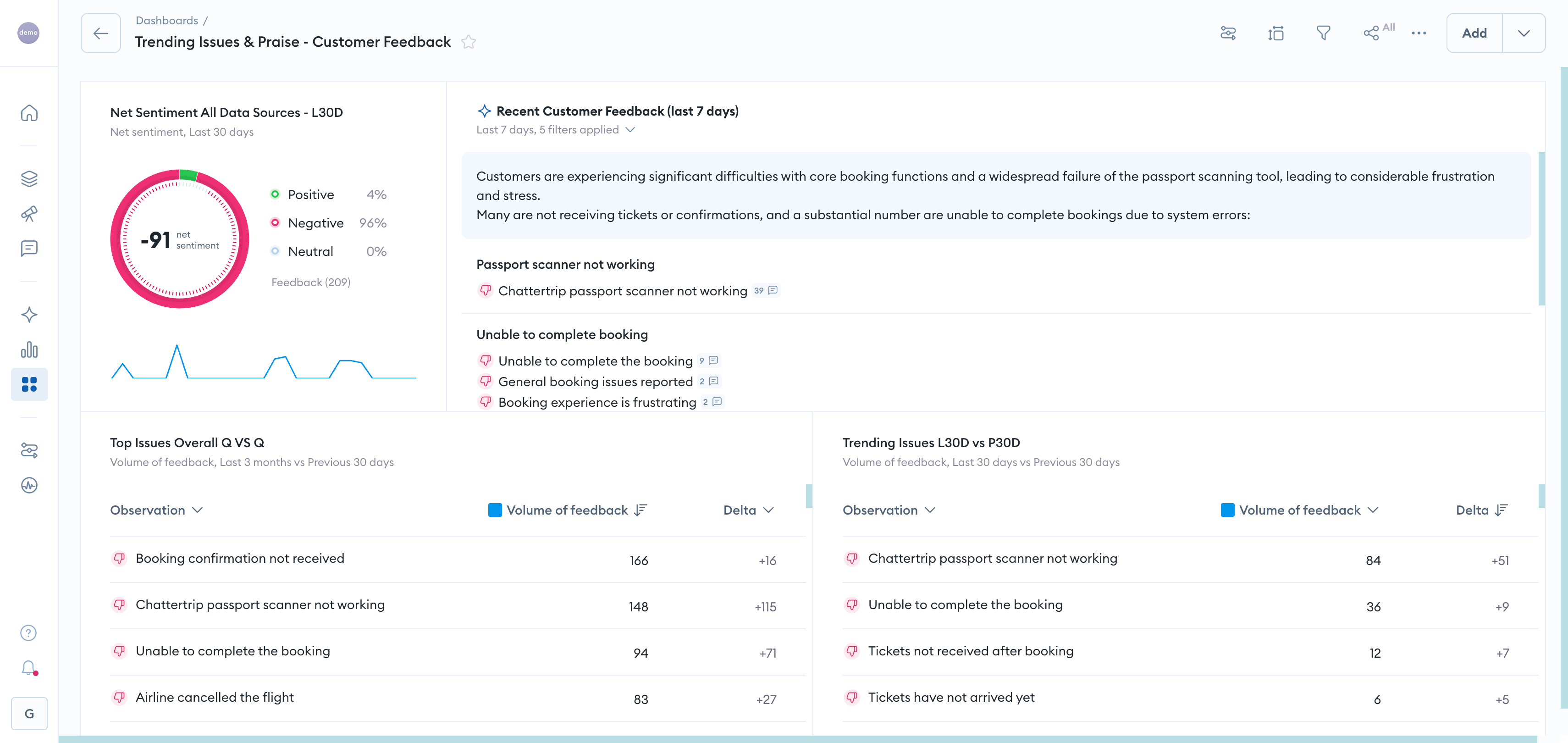
Chattermill is an AI-native customer experience intelligence platform that turns your entire population of existing feedback into themes with per-aspect sentiment, so researchers can size and prioritize a finding rather than run another study. Most tools in this list only hold the feedback you feed them; Chattermill measures a qualitative theme against every customer who has ever spoken to you.
Here is the contrast that matters for research teams. A repository can tell you 12 of 30 interviewees mentioned a broken checkout. The AI-native CXI platform can tell you how that theme trends across hundreds of thousands of tickets, reviews, and survey verbatims, and whether sentiment on it is rising.
Key features
- Lyra AI, a proprietary model purpose-built for customer experience intelligence.
- Aspect-Based Sentiment Analysis (ABSA) that scores sentiment per theme within a single comment, preserving signal on mixed feedback.
- Unification of feedback from every channel and 100+ languages.
- Impact measurement that links themes to NPS, CSAT, and CES, plus anomaly detection and automated alerts.
- A voice of customer dashboard that sizes each theme against the full feedback population.
Pros and cons
Pros: Sizes qualitative findings against all customers, not just a sample. ABSA keeps sentiment accurate on multi-topic verbatims where per-comment scoring blurs. Unifies structured and unstructured feedback across languages.
Cons: Built for teams with real feedback volume, so it is more than a lightweight survey widget. Pricing is custom rather than a flat public rate.
Pricing
Custom and volume-based, scaled to feedback volume and team size.
G2 rating
4.4 out of 5 across 238 reviews.
Best for
Research and product teams who need to prioritize which qualitative theme affects the most customers, using the analytics-first VoC layer instead of another one-off study.
2. Dovetail
What is Dovetail?
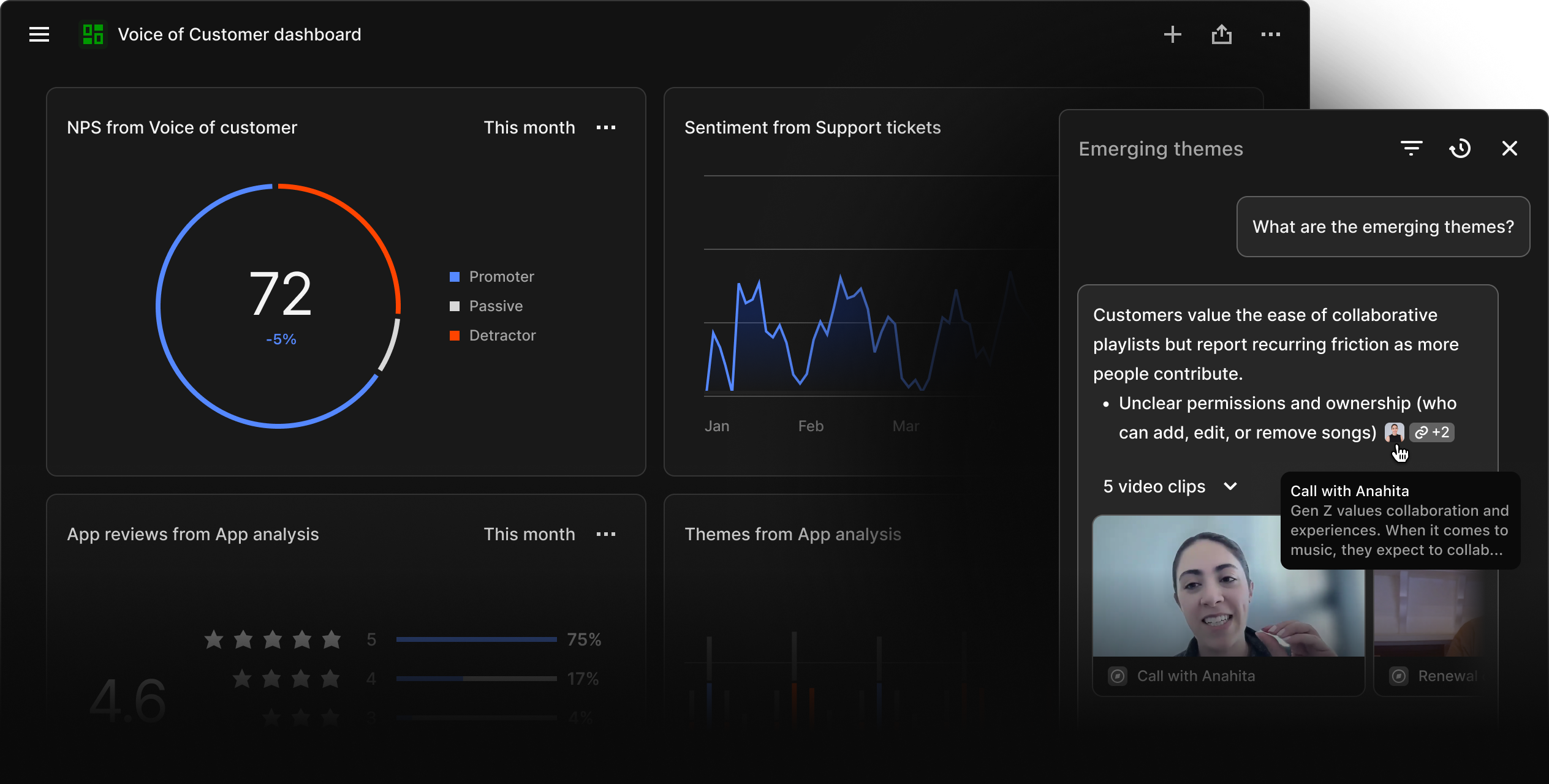
Dovetail is a research repository that helps teams transcribe, tag, and synthesize qualitative studies in one place. It is the default home for interview-led research, and it is strong at turning raw notes and recordings into shareable insight.
The trade-off is scope: a repository analyzes what you put into it. If a theme surfaces in ten interviews, Dovetail helps you organize and present it, but it cannot tell you how many of your wider customer base share it.
Key features
- Centralized repository for interviews, calls, notes, surveys, and tickets.
- AI transcription and automated tagging.
- Highlight reels and insight summaries for stakeholder sharing, though it lacks the population-level analysis of an analytics-first VoC layer.
Pros and cons
Pros: Excellent for synthesizing and storing qualitative research. Clean tagging and search. Free plan to start.
Cons: Holds only the data you add, so no population-level sizing. Per-user pricing adds up for larger teams.
Pricing
Free plan; paid tiers are not publicly listed (recent third-party estimates start around $29 per user per month); Enterprise custom.
G2 rating
4.5 out of 5 across 168 reviews.
Best for
Teams whose core need is organizing and synthesizing interview and note-based research.
3. Sprig
What is Sprig?
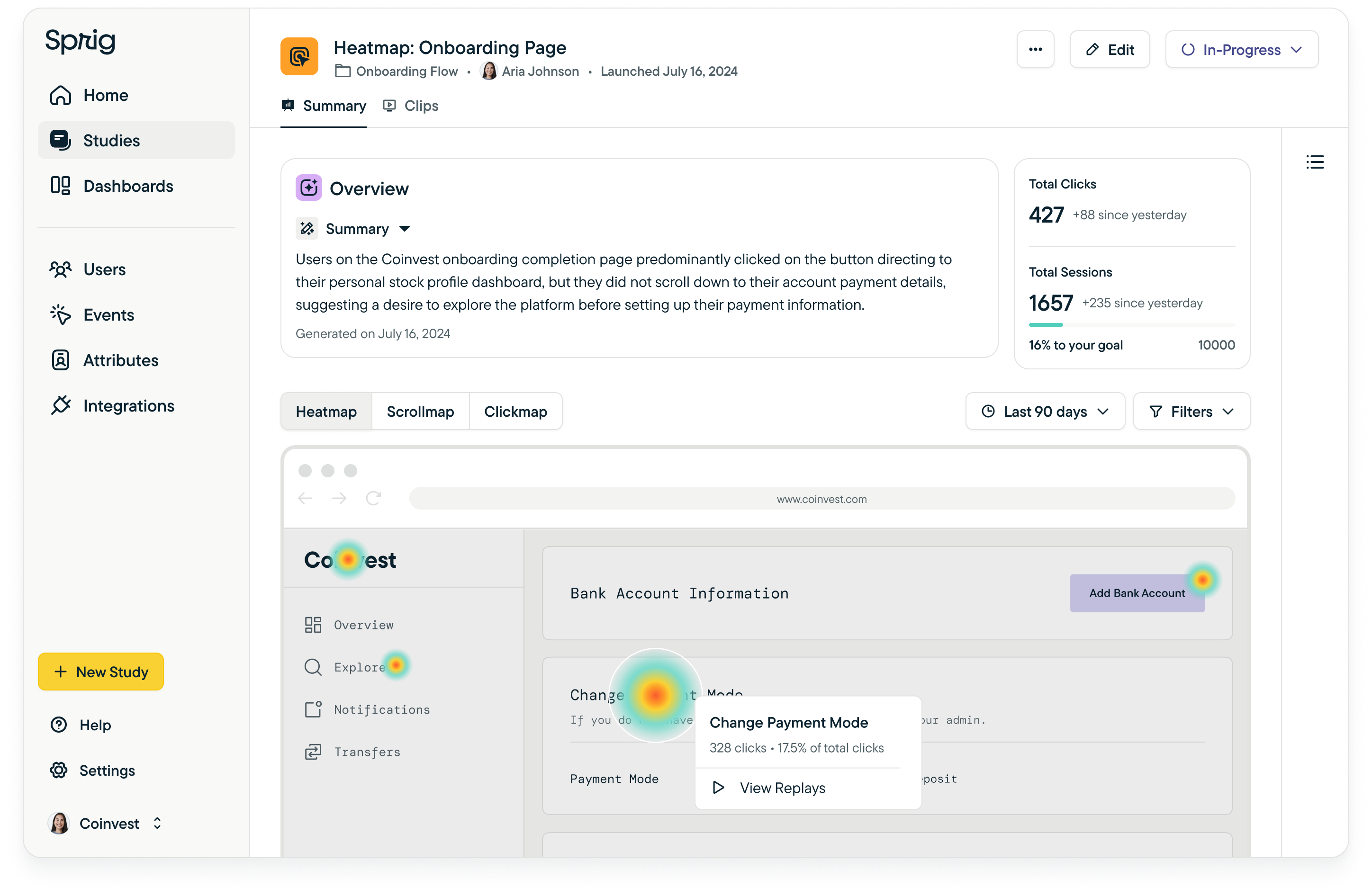
Sprig is an in-product research tool that runs micro-surveys and AI research agents inside your live product. It captures continuous signal at the moment of the experience, which is hard to reconstruct after the fact.
That immediacy is its strength and its boundary. Sprig is built for questions you can ask in the flow, so it complements, rather than replaces, a broader voice of customer platform that unifies every channel.
Key features
- In-product micro-surveys triggered by user behavior.
- AI research agents that probe and summarize responses.
- Targeting and event-based triggering.
Pros and cons
Pros: Strong for continuous in-product signal. Fast to launch targeted studies. Free tier available.
Cons: Scoped to in-product surveys rather than omnichannel feedback. Enterprise features gated behind custom pricing.
Pricing
Free plan; Starter from roughly $175 per month, billed annually; Enterprise custom.
G2 rating
4.3 out of 5 across 199 reviews.
Best for
Product teams who want a steady stream of research signal from inside the product.
4. Maze
What is Maze?
Maze is a testing and interview platform for validating design decisions before launch. It runs usability tests, prototype tests, and unmoderated studies, which makes it a natural fit early in the design cycle.
Its focus is validation, not ongoing listening. Maze answers "does this design work?" well, but it does not consolidate the everyday feedback flowing in from support, reviews, and social.
Key features
- Usability and prototype testing.
- Unmoderated surveys and studies.
- AI-assisted analysis of test results.
Pros and cons
Pros: Fast, structured pre-launch validation. Good unmoderated testing workflow. Free plan to start.
Cons: Scoped to testing, not continuous VoC. Less useful for unstructured, in-the-wild feedback.
Pricing
Free plan; Starter from roughly $99 per month; Enterprise custom.
G2 rating
4.5 out of 5 across 112 reviews.
Best for
Design teams validating prototypes and flows before they ship.
5. UserTesting
What is UserTesting?
UserTesting connects you to a panel so you can watch real people complete tasks and narrate their reactions. Seeing a user stumble is more persuasive than reading that they did, and that is the platform's core value.
The method is deep but narrow. Panel-based video studies are a sample by design, so UserTesting shows you how a handful of users behave, not how the whole base feels.
Key features
- Moderated and unmoderated video tests.
- Access to a participant panel.
- AI summaries and highlights across sessions.
Pros and cons
Pros: Rich, observable task behavior. Large panel reach. Strong for qualitative depth.
Cons: Sample-based, so no population sizing. Custom pricing with no public tier.
Pricing
Custom and quote-based. UserTesting does not publish a list price; Vendr's verified-contract data puts the median around $40,000 per year, with contracts ranging from roughly $12,000 to $114,000 depending on seats and panel-credit volume.
G2 rating
4.4 out of 5 across 733 reviews.
Best for
Teams who need to watch real users attempt real tasks.
6. Hotjar

What is Hotjar?
Hotjar adds behavioral context to web journeys through heatmaps, session recordings, and on-site surveys. It shows you where users click, scroll, and hesitate, which pairs well with attitudinal feedback from other sources.
Behavior tells you what happened, not always why. Hotjar is a strong companion to a VoC engine, but on its own it stops short of analyzing open-ended feedback at the scale a full voice of customer platform reaches.
Key features
- Heatmaps and session recordings.
- On-site surveys and feedback widgets.
- AI survey generation and summaries.
Pros and cons
Pros: Clear behavioral context on web journeys. Affordable entry pricing. Easy to deploy.
Cons: Web-focused, not omnichannel. Limited depth on unstructured text analysis.
Pricing
Free plan; paid from roughly $39 per month.
G2 rating
4.3 out of 5 across 333 reviews.
Best for
Teams who want to see how users behave on specific pages and flows.
7. Qualtrics
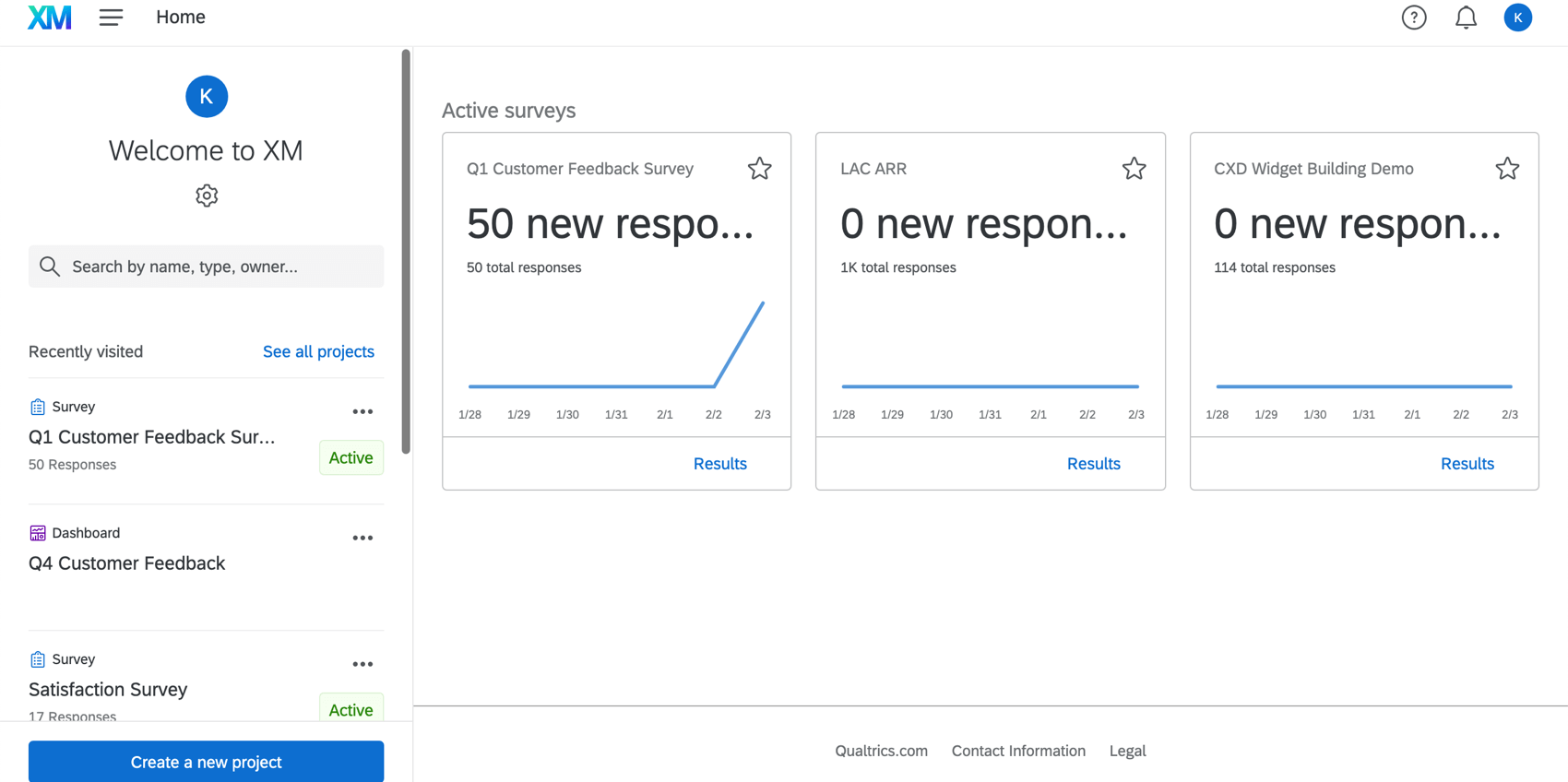
What is Qualtrics?
Qualtrics is an enterprise experience management platform built around multichannel surveys and CX analytics. For large, structured survey programs with governance and distribution needs, it is a well-established choice.
Its center of gravity is the survey. That suits mature measurement programs, though research teams chasing unstructured, omnichannel feedback often find survey-led platforms heavier than they need.
Key features
- Multichannel survey design and distribution.
- Text and sentiment analytics.
- Enterprise governance and reporting.
Pros and cons
Pros: Deep survey capability at enterprise scale. Broad analytics suite. Established vendor.
Cons: Survey-centric and complex to administer. Custom pricing with a steeper learning curve.
Pricing
Custom and quote-based. Qualtrics publishes no price list; Vendr's verified-contract data puts the median around $30,000 per year, with contracts ranging from roughly $6,900 to $140,000 depending on modules, seats, and response volume.
G2 rating
4.3 out of 5 across 747 reviews.
Best for
Large enterprises running structured survey programs.
8. Medallia
What is Medallia?
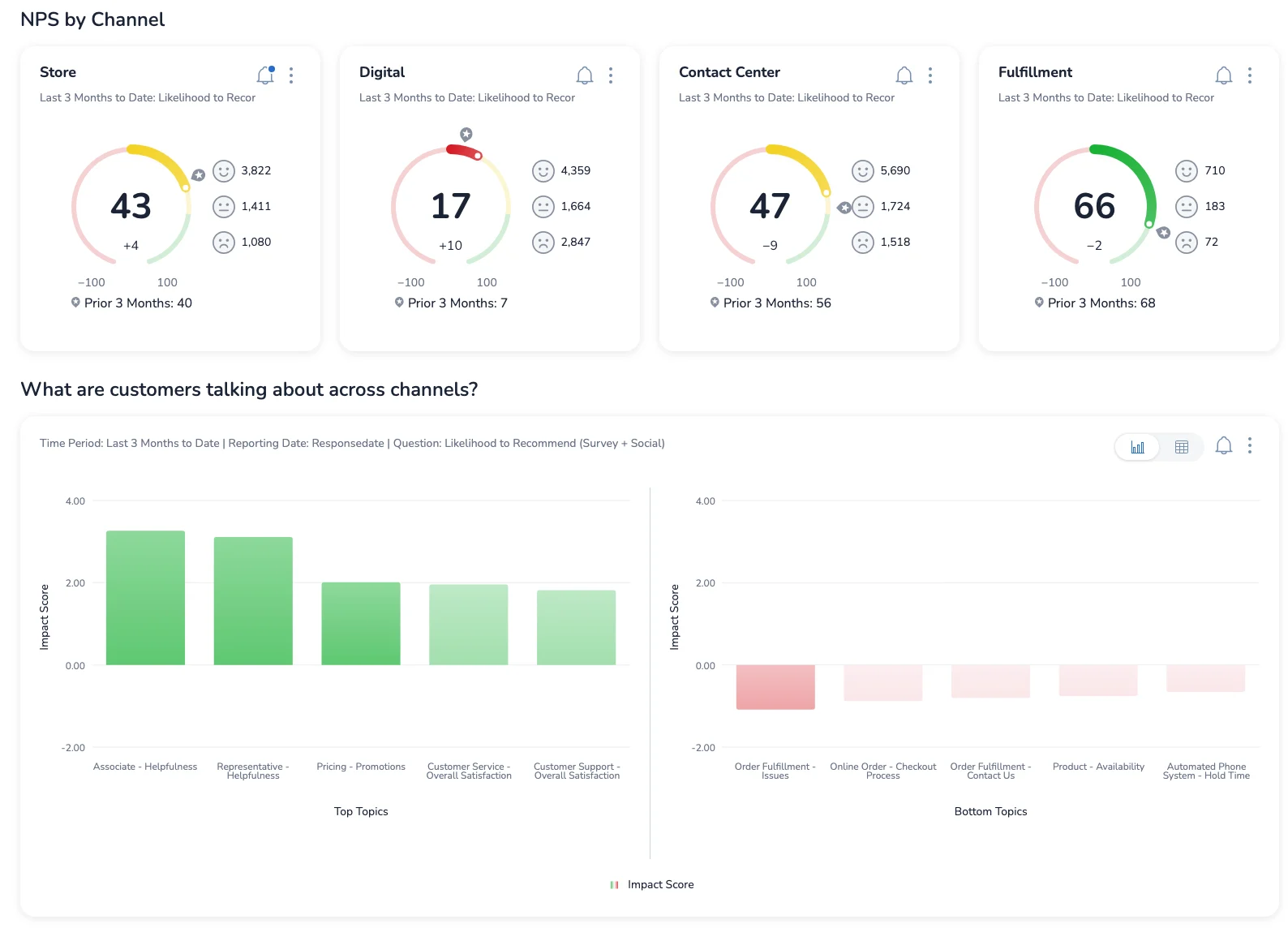
Medallia is an enterprise experience cloud that captures signal across email, web, in-app, social, messaging, and voice. Its strength is breadth of capture at scale for large organizations.
Breadth of capture is not the same as research-ready analysis. Medallia excels at gathering signal, while research teams still need a layer that turns that signal into sized, prioritized findings.
Key features
- Signal capture across many digital and voice channels.
- Text analytics and signal detection.
- Enterprise reporting and role-based views.
Pros and cons
Pros: Wide channel coverage. Enterprise-grade scale. Strong signal capture.
Cons: Large and complex to implement. Custom pricing, quote-based only.
Pricing
Custom and quote-based. Medallia uses an Experience Data Record (EDR) model with no public rate card; third-party benchmarks put entry licenses around $20,000 per year, while most enterprise programs run well into six figures — commonly $200,000+ annually before implementation.
G2 rating
4.5 out of 5 across 210 reviews.
Best for
Large enterprises capturing experience signal across many channels.
Voice of Customer vs. UX Research: How They Work Together
It is tempting to treat these as rivals. They are not. UX research answers deep, targeted questions with a chosen sample: why did users struggle with this flow, what mental model do they hold? Voice of customer tools listen continuously across the full base: what are all customers saying, and how is sentiment moving?
The two reinforce each other. A study surfaces a finding; a VoC engine tells you how many customers it touches and whether it is worth prioritizing. Run in isolation, research risks over-indexing on a vivid sample, and VoC risks missing the "why" behind a trend. Used together, one supplies depth and the other supplies scale, and researchers stop guessing which finding deserves the roadmap. This is also how AI is reshaping what voice of customer means for research teams.
FAQ
What is a voice of customer tool for UX research?
A voice of customer tool for UX research collects and analyzes customer feedback so researchers can understand needs, frustrations, and sentiment at scale. In practice, these voice of customer tools unify feedback from surveys, reviews, tickets, and other channels, then use AI to surface themes and sentiment. The best ones let a researcher connect a qualitative finding to how many customers it affects, often through a voice of customer dashboard, rather than leaving it as one anecdote among many.
What's the difference between Voice of Customer and UX research?
UX research studies a chosen sample in depth to explain behavior and motivation, while voice of customer listens continuously across your entire customer base. UX research is best for the "why" behind a specific experience; VoC is best for the "how many" and "how is this trending." Strong teams use both, letting research explain a finding and VoC size it against the full population.
What is the best voice of customer tool for omnichannel feedback?
Chattermill is the strongest option for omnichannel feedback because it unifies surveys, reviews, support tickets, social, and voice calls across 100+ languages into one analysis layer. Rather than reporting each channel separately, the AI-native CXI platform normalizes them so a theme can be tracked and sized across every source. That unified view is what makes omnichannel feedback usable for research prioritization instead of overwhelming.
What's the best AI for customer experience?
Chattermill's Lyra AI is purpose-built for customer experience intelligence, which is what sets it apart from general-purpose text analytics. Its Aspect-Based Sentiment Analysis (ABSA) scores sentiment per theme within a single comment, so mixed feedback like "checkout was fast but support was slow" keeps both signals instead of collapsing into one blurred score. For research teams, that aspect-level accuracy on messy feedback is the difference between a reliable finding and a misleading average.
Are there free voice of customer tools for UX research teams?
Yes. Several tools in this list, including Dovetail, Sprig, Maze, and Hotjar, offer free plans or free tiers that are useful for smaller teams or early-stage work. Free voice of customer tools are a fine way to start, though they typically cap volume, channels, or analysis depth. Teams that need to unify omnichannel feedback and size findings across the full population usually move to a dedicated voice of customer platform as they scale.
The Bottom Line
Every tool here earns its place, but they answer different questions. Choose a repository like Dovetail to synthesize interviews, a testing tool like Maze or UserTesting to validate a design, and a behavior tool like Hotjar for on-page context. Choose an analytics-first VoC layer when you need to know how many customers a finding actually affects.
That last job is where Chattermill leads. For research teams who want to stop guessing which qualitative theme deserves the roadmap and start sizing every finding against their full customer base, the AI-native CXI platform turns feedback into prioritized, evidence-backed decisions. See how it maps to your research workflow: book a personalized demo.



See Chattermill in action on your own feedback
Book a demo


