


AI in Customer Experience: Real Examples and Use Cases


The CX intelligence
platform that's AI-native by design
Book a demoQuick Summary
AI in customer experience usually means chatbots. But some of the biggest wins come before a customer contacts you. AI shows you what’s frustrating customers, so you can fix the cause instead of answering the same complaint repeatedly.
In this guide, you’ll find:
- 12 brand examples across five CX stages, each with published results
- The data behind each one, so you know what you need to copy it
- Three common mistakes, mostly on the insight side, where they’re easy to miss
- A seven-point checklist for comparing AI CX tools
Use it to find where AI helps your CX most.
Faster replies don’t tell you what’s wrong
AI budgets in customer service are going up. In a 2025 Gartner survey of 265 service and support leaders, three in four said they were spending more on AI than the year before.
Much of that spend goes on tools that speed up replies. That’s useful, but speed doesn’t explain why customers needed help in the first place. Customers rarely spell it out, either. The Qualtrics XM Institute found that just three in ten customers give feedback directly to a company. Everything else is scattered across reviews, support chats, survey comments and phone calls.
So this guide covers both halves of the job. The first half is AI that helps you understand customers. The second half is AI that serves them.
Why Listen to Us?
Chattermill was founded in 2015 to help consumer brands make sense of large volumes of customer feedback. Uber first worked with us in 2018 in Latin America. Today it uses Chattermill in five mega-regions, with more than 400 people in CX, Product and Operations relying on the insights.
HelloFresh is another long-standing customer. “Quite quickly, we were able to make changes that paid for our investment in Chattermill,” says Stefan Platteau, Associate Director of Global Product Strategy. “Given the growth of HelloFresh since 2015, it’s safe to say it has been paid back many times over.”

Our view of AI for customer experience comes from working with feedback programs like these every day.
What is AI in customer experience?
AI in customer experience means using machine learning and language models to make sense of customer behavior and feedback, then respond at scale. It helps teams find the causes of friction, catch problems early, support their agents, tailor what each customer sees and resolve simple requests automatically.
A simple way to picture it is as a loop: hear what customers are saying, notice changes, take action, then check whether the action worked.
The top two stages help you understand customers. The bottom three put AI in front of customers. Most articles on this topic focus on that second group. Yet the first group tells you which problems are worth fixing at all.
Listening and analysis
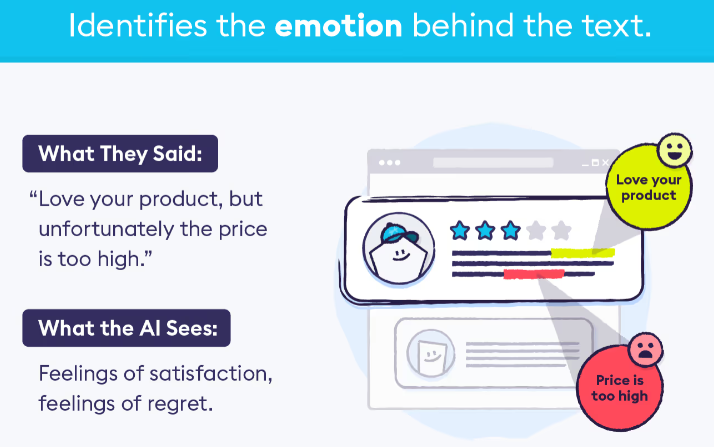
At this stage, AI does the reading your team doesn’t have time for. It turns thousands of comments into a short list of topics, each with a size and a trend.
For the full method, see our guide on how to use AI to analyze customer feedback.
1. Finding the real cause of one-star reviews (Footasylum)
What the AI does: The AI labels every comment with the topics it mentions, such as “late delivery” or “fit,” and gives each topic a positive or negative score. This shows you which topics are growing and which ones hurt your scores most.
The example: Footasylum is a UK retailer of shoes and clothing. It brought its NPS surveys, CSAT responses and Trustpilot reviews together in Chattermill. On paper, delivery looked fine: carriers reported a 97% delivery rate. Customers told a different story. Out of 785 one-star reviews, 102 mentioned a single carrier.
After Footasylum dealt with that carrier, contacts per transaction dropped by 42%, from 0.28 to 0.16. Its Trustpilot rating went from 3.9 to 4.4.

Data you’ll need: You’ll need survey responses, reviews and support conversations. It works best when they’re analyzed in one place, so every channel uses the same topic labels.
2. Learning from phone calls (Qonto)
What the AI does: The AI turns recorded calls into text, then analyzes that text the same way it would a survey comment or review. This matters because calls are full of detail, but few teams have time to listen to more than a handful.
The example: Qonto is a business banking platform with over 500,000 customers. It was among the first Chattermill customers to try our speech analytics, starting with calls from prospective customers. It now reviews those calls next to the rest of its feedback.
Qonto says it’s too soon for firm conclusions. Even so, the calls have revealed interest in more advanced billing features and one onboarding step that could be simpler.
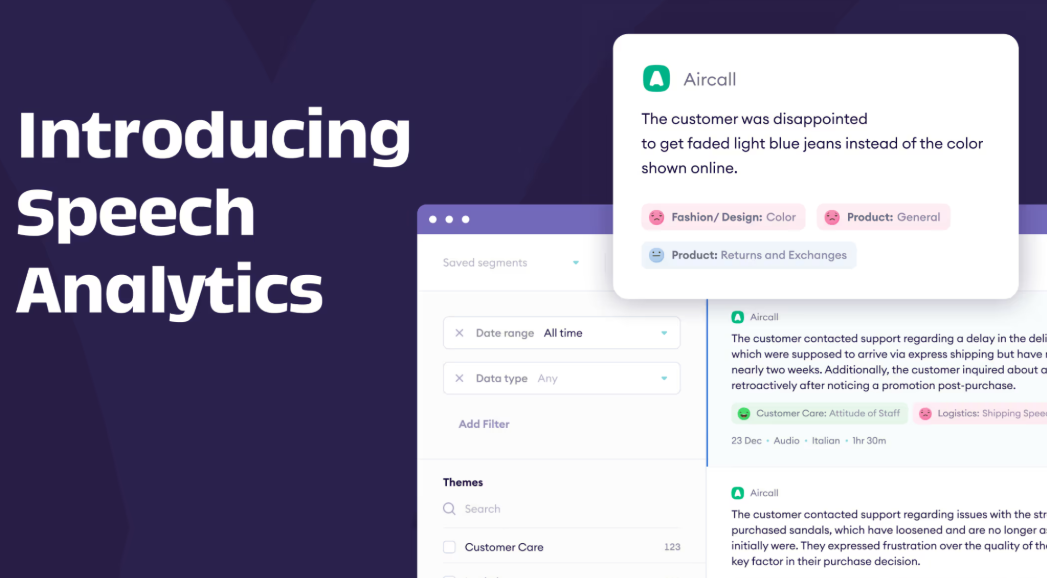
Data you’ll need: You’ll need call recordings or transcripts. Each call should be tagged with details like customer type or product, so you can tell what it relates to. Our guide on how to analyze call center transcripts with AI explains how to set this up.
3. Letting anyone ask questions about feedback (Vivobarefoot)
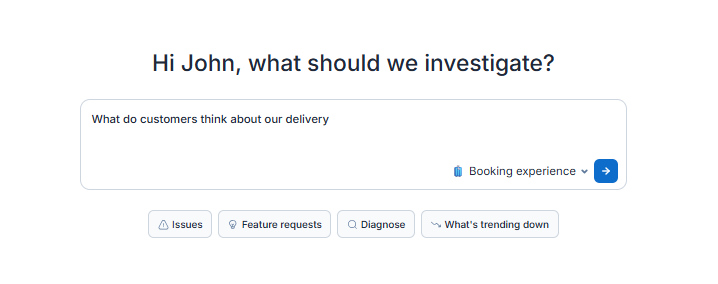
What the AI does: The AI answers questions typed in everyday language and backs each answer with counts and real customer comments. A dashboard can only show what someone built it to show, but this lets people ask the question they actually have.
The example: Footwear brand Vivobarefoot uses Chattermill to measure how many customers find its shoes too big and how many find them too small. With Ask Lyra, the team can follow up with a question like “Why do customers think the sizing is too big?” Obi Santos from the team says stakeholders “can now self-serve” rather than waiting on the insights team.
Lyra Agent, currently in early access, goes a step further. It investigates your feedback on its own, points out problems and opportunities, and quotes customers to support every answer.
Data you’ll need: You’ll need the same topic labels across all your sources, so the AI’s answers line up with your reports. Our article Can AI agents analyze customer feedback on their own? explains where human checks still matter.
Proactive detection
Analysis looks back at what customers have already told you. Proactive detection looks at feedback as it comes in. That gives you a head start on problems that would otherwise surface weeks later in your NPS.
4. Catching a carrier problem in days (Monica Vinader)
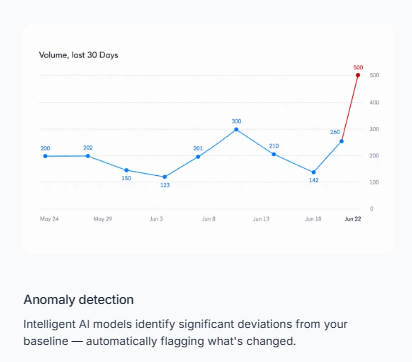
What the AI does: The AI learns the usual level for each topic and alerts the right people when that level changes sharply.
The example: During a busy shopping season, every UK delivery company was running late. Jewelry brand Monica Vinader used alerts to keep track. “We set up Anomaly Alerts and monitored the sentiment for all the carriers day by day,” says Jade Roberts, General Manager, Customer Experience. “When customers were frustrated with one carrier, we could switch to another one.”
Chattermill’s anomaly detection and alerting can notify teams by Slack, email or Jira. Proactive Insights, also in early access, keeps an eye on the areas you care about and brings important changes to you without you having to search.
Data you’ll need: You’ll need several months of past feedback to compare against. That feedback should be split by region, product or carrier, so you know exactly where each alert comes from.
5. Connecting complaints to cancellations (HelloFresh)
What the AI does: The AI shows which complaints tend to come before customers leave. People rarely cancel without warning, and a damaged box or a billing mix-up often comes first.
The example: HelloFresh matches Chattermill insights with its sales data. This shows how much revenue each NPS point is worth. “Higher scores and higher retention go hand-in-hand,” says Steve Crolic, Associate Director at HelloFresh.

This makes changes easy to test. HelloFresh tried a new insulation pouch, and customers who got it had 33% fewer cancellations linked to packaging.
Data you’ll need: You’ll need feedback that you can link to individual customers, along with records of who cancelled and who renewed.
6. Warning customers before they lose money (Commonwealth Bank of Australia)
What the AI does: The AI spots a likely problem and tells the customer about it first, rather than waiting for them to complain.
The example: Commonwealth Bank of Australia uses AI to check an average of 80 million events a day for signs of fraud and scams. The bank reports that it sends customers an average of 40,355 warning alerts a day through its app. The bank says AI helped reduce fraud losses for customers by over 20% between July and December 2025, compared with the same months in 2024.
Data you’ll need: You’ll need transaction or behavior data in close to real time. You’ll also need clear rules on when a warning is worth sending.
Agent assist
Here, a human agent stays in charge of the conversation. AI handles the slow parts, like writing a first draft, summing up a case or finding the right policy.
7. Writing first drafts of email replies (Octopus Energy)
What the AI does: The AI reads a customer’s history and writes a suggested reply. An agent then checks the draft, changes what’s needed and sends it.
The example: Octopus Energy, a UK energy supplier, created a tool called Magic Ink in its Kraken platform. According to an August 2024 case study on techUK, around 35% of its customer emails were being written with the tool. Those emails had higher satisfaction ratings, at around 70%. Roughly a third of the drafts needed little or no editing.
In a three-month trial announced in July 2026, the company’s AI assistant scored 76% customer satisfaction. Similar replies from people scored 72%.

Data you’ll need: You’ll need each customer’s account and contact history, plus product and pricing details. You’ll also need a review step, so agents check every draft before it’s sent.
8. Giving agents answers mid-conversation (Verizon)
What the AI does: The AI finds answers in company documents while the agent is still talking to the customer, so the customer isn’t kept waiting.
The example: Verizon gave an assistant built on Google’s Gemini models to 28,000 customer care reps and retail stores. Google Cloud says it can answer 95% of customer questions. Reuters reported that the tool draws on close to 15,000 internal documents and that sales through Verizon’s service team rose nearly 40%.
Data you’ll need: You’ll need up-to-date help content, current product and plan information, and access to each customer’s account details.
Personalization
Personalization uses a customer’s past behavior to shape what they’re shown next. Companies have used AI this way for years, and the results are usually easy to track.
9. A weekly playlist for every listener (Spotify)
What the AI does: The AI creates a different experience for each person, based on what they’ve already played.
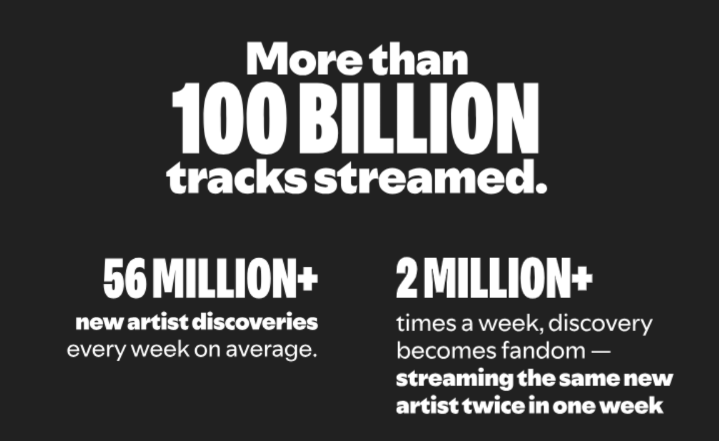
The example: Every week, Spotify’s Discover Weekly gives each user a new playlist. According to Spotify, the feature has passed 100 billion streams and leads to over 56 million new artist discoveries each week. Its AI DJ goes further: on days people use it, they spend nearly a third of their listening time with the DJ.
Data you’ll need: You’ll need a large history of what people play or buy. You’ll also need signals that show what they don’t like, such as skipped tracks.
10. A shopping assistant that answers product questions (Amazon)
What the AI does: The AI helps shoppers compare and choose products, using product details, customer reviews and each shopper’s own history.
The example: Amazon reports that over 300 million customers used its Rufus assistant in 2025, and that it helped deliver nearly $12 billion in extra annualized sales. Earlier that year, Amazon said shoppers who use Rufus are 60% more likely to buy.
Data you’ll need: You’ll need detailed product information, customer reviews and a shopping history for each person.
Self-service
Self-service lets customers sort things out without waiting in a queue. It can save a lot of money. But if the AI gets something wrong, the customer sees the mistake right away.
11. Moving most support chats to AI, then rebalancing (Klarna)
What the AI does: The AI handles everyday requests, such as refunds and payment questions, from start to finish.
The example: In February 2024, Klarna said its AI assistant had managed 2.3 million conversations in its first month. That was two-thirds of all its customer service chats. Customers sorted out their issues in under two minutes, compared with 11 minutes before.
Fifteen months later, CEO Sebastian Siemiatkowski admitted that “cost unfortunately seems to have been a too predominant evaluation factor,” leading to “lower quality.” Klarna began hiring human agents again so customers could always talk to a person.
Data you’ll need: You’ll need account, order, refund and policy details. You’ll also need a smooth way to pass customers to a person when the AI can’t help.
12. An assistant built into a banking app (Bank of America)
What the AI does: The AI answers questions and completes simple tasks inside the banking app, so customers don’t need to phone.
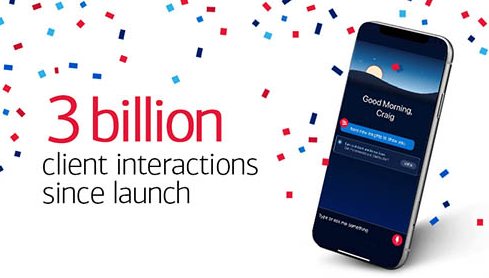
The example: Bank of America’s assistant, Erica, had nearly 50 million users since launch as of August 2025. The bank says over 98% of them find what they’re looking for. In March 2026, it reported that client interactions with Erica had passed 3.2 billion since its 2018 launch.
Data you’ll need: You’ll need account and transaction data. You’ll also need clear limits on what the assistant is allowed to do without a person.
Where AI in customer experience goes wrong
Mistakes with chatbots tend to make the news. Mistakes in analysis are quieter. They don’t upset customers directly, but they point your team at the wrong problems. These three are the most common.
Sentiment-only scoring
Knowing that customers feel negative isn’t enough. You need to know what they feel negative about. A review might praise the product and complain about shipping. Give it one overall score, and both messages are lost.
General AI models also find this kind of detailed work hard. A 2024 study tested large language models on 13 sentiment tasks using 26 datasets. The models handled simple tasks well but fell behind on complex ones that need more detailed sentiment information.
Uber’s team wanted to “go beyond categorizing feedback by tone” and spot new topics as they emerged.
Hallucinated themes
A general chatbot can report a topic or a quote that doesn’t exist in your feedback. It will state it with the same confidence as a real finding. A 2026 study in PLOS Digital Health found that when language models analyzed interview transcripts, 1.2% of their findings were made up outright. Once the researchers counted all errors, including partly wrong matches, the average rate was 12.4%.
The safeguard is evidence. Every topic should link to the real comments that support it, so you can check an AI-driven insight before acting on it.
No link to business outcomes
Reports full of topics but with no link to money rarely change anything. Your leadership team wants to know which fix will keep more customers or reduce support costs, and by how much.
Klarna’s story shows the same risk in customer service. Tracking cost on its own hid the fact that quality was slipping. When each topic is tied to a number like NPS, CSAT, churn or contacts per order, you can rank problems by their value.
A short checklist for evaluating AI customer experience tools
Before you choose a tool, test it on your own feedback. Then ask these questions:
- Does it bring everything together? Surveys, tickets, reviews, chats and calls should share one set of topics.
- Does it score each topic separately? A comment about two topics should get two scores, not one.
- Can you see the proof? Every chart should lead back to the actual customer comments.
- Does it connect to results? Topics should be linked to NPS, CSAT, churn, order value or revenue.
- Does it warn you early? It should spot sudden changes and send them to the team that can act.
- Does it work at your size? It should stay accurate in every language you use and across all your feedback, not a sample.
- Do people stay in control? Analysts should be able to correct topics, and agents should approve drafts.
Where to start with AI in your customer experience
Begin by understanding your customers. When you know which topics drive cancellations, complaints and support volume, it becomes clear where agent tools, personalization and self-service will help most. Then hold every AI tool to the same business results, so you know whether it’s really improving the experience or simply moving tickets along.
Curious how this would look with your own feedback? Book a demo to see how Lyra brings surveys, tickets, reviews and calls together and links every topic to the numbers your leadership tracks.
FAQs
What is AI in customer experience?
It’s the use of AI to understand customers and respond to them at scale. Some tools focus on insight, like analyzing feedback and spotting problems early. Others focus on service, such as helping agents, personalizing offers and answering questions automatically.
How is AI used in customer experience?
Companies use AI for customer experience at 5 main stages: analyzing feedback, detecting problems and churn risk, assisting agents, personalizing what customers see, and handling simple requests through self-service. The first two show what to fix. The last three help you serve customers faster.
What is an example of AI in customer experience?
Footasylum offers a clear one. It analyzed its surveys and Trustpilot reviews together in Chattermill and found that 102 of 785 one-star reviews mentioned the same carrier. After acting on this, it reduced contacts per transaction by 42% and raised its Trustpilot rating from 3.9 to 4.4.
How does AI improve customer experience?
AI helps in two ways. It finds the causes of customer frustration by reading every comment, not a sample. It also speeds up service by helping agents and answering simple questions instantly. Fixing causes means fewer customers need help in the first place.
Will AI replace customer service agents?
The evidence so far says no. AI works best alongside people. A study of more than 5,000 support agents found AI help raised productivity by 14% on average, and by 34% for less experienced agents. Klarna, an early heavy user of AI, later brought human agents back to protect quality.
How do you measure the ROI of AI in customer experience?
Measure key numbers before and after you introduce AI. For service tools, look at resolution rate, handling time, cost per contact and CSAT. For insight tools, look at contact volume on the issues you fixed, NPS, retention and hours saved on manual analysis. Then link those changes to revenue or cost.


See Chattermill in action on your own feedback
Book a demo


