


Qualtrics vs SurveyMonkey: Features, Pricing and Fit (2026)



The CX intelligence
platform that's AI-native by design
Book a demoQualtrics vs SurveyMonkey: How Much Survey Platform Does Your Team Need?
Quick Summary
SurveyMonkey is a good fit for teams that want to create, distribute, and analyze surveys without a complex setup. Qualtrics is the better choice if you need advanced research methods, security certifications like FedRAMP High, or the ability to manage large-scale customer experience programs across multiple departments and regions.
SurveyMonkey's individual paid plans start at $39 a month, while Qualtrics' self-serve Strategic Research plan starts at $420 a month, both billed annually. Both platforms analyze open-ended survey responses, but Qualtrics also supports feedback analysis across support chats, reviews, and calls through its broader CX suite.
Want a closer look at how the two platforms compare? See the table below for a side-by-side breakdown of their features and pricing.
Two Survey Tools Built for Different Kinds of Work
SurveyMonkey serves more than 260,000 organizations worldwide, while Qualtrics serves over 18,000. Both are well-established names in the survey software market, but they're built with different use cases in mind.
SurveyMonkey is the kind of tool a marketer or product manager can pick up on a Tuesday morning and use to launch a survey that afternoon. Qualtrics can do that too, but it's also built to handle complex research projects and enterprise-wide experience management programs involving multiple departments, brands, and regions.
Both tools build good surveys, so the real question is how much more you need from a survey platform. Which features are worth paying extra for? And once the open-ended responses come back, what can you actually do with them?
Let's take a closer look at how the two platforms compare.
Why Listen to Us?
At Chattermill, we help brands analyze survey responses alongside other sources of customer feedback. Uber has worked with us since 2018, expanding its customer feedback program from one region to five global regions, with more than 400 employees now using Chattermill. Footasylum uses our platform to analyze NPS surveys, CSAT responses, and Trustpilot reviews, receiving around 2,500 NPS responses a week.
Working with these brands gives us firsthand experience of what teams need from survey platforms, how those needs change as feedback volumes grow, and when they need additional tools to analyze that feedback.
SurveyMonkey vs Qualtrics Pricing
SurveyMonkey publishes pricing for its individual and team plans, while most Qualtrics packages require a custom quote.
SurveyMonkey offers a free Basic plan, limited to 10 questions per survey, and six paid plans:
- Standard Monthly: $149/month, with 1,000 responses per month.
- Advantage Annual: $39/month, with 15,000 responses per year.
- Premier Annual: $139/month, with 40,000 responses per year.
- Team Advantage: $30/user/month, billed annually, with 50,000 responses per year.
- Team Premier: $92/user/month, billed annually, with 100,000 responses per year.
- Enterprise: Custom pricing and response limits.
Both individual annual plans are billed upfront, and team plans require a minimum of three users. Additional responses on paid plans incur overage fees.
Qualtrics offers a free account with 500 responses and three active surveys. Its self-serve Strategic Research plan costs $420 per month ($5,040 billed annually) and includes 1,000 responses shared across unlimited users. For higher response volumes, you'll need a custom quote.
To put that into perspective, an individual researcher collecting 30,000 survey responses a year could opt for SurveyMonkey's Premier Annual plan at $1,668. With Qualtrics, that same response volume would require a custom contract.
Qualtrics also uses interaction-based pricing for its broader CX and research suites. We've covered how this works, along with contract costs and additional fees, in our full breakdown of Qualtrics pricing.
Qualtrics vs SurveyMonkey, Feature by Feature
Let's look at how Qualtrics and SurveyMonkey compare across five areas, from building your surveys to analyzing the responses.
Survey Building
Qualtrics gives you a wide range of question types, though some require additional licenses, and you'll only get eight on the free account. It also supports advanced research methods like MaxDiff and conjoint analysis, which are particularly useful if you're trying to understand which features customers value most or how much they're willing to pay for a product.
You also have more control over how respondents move through a survey. Qualtrics' Survey Flow editor supports display logic, skip logic, branching, randomization, quotas, and embedded data.
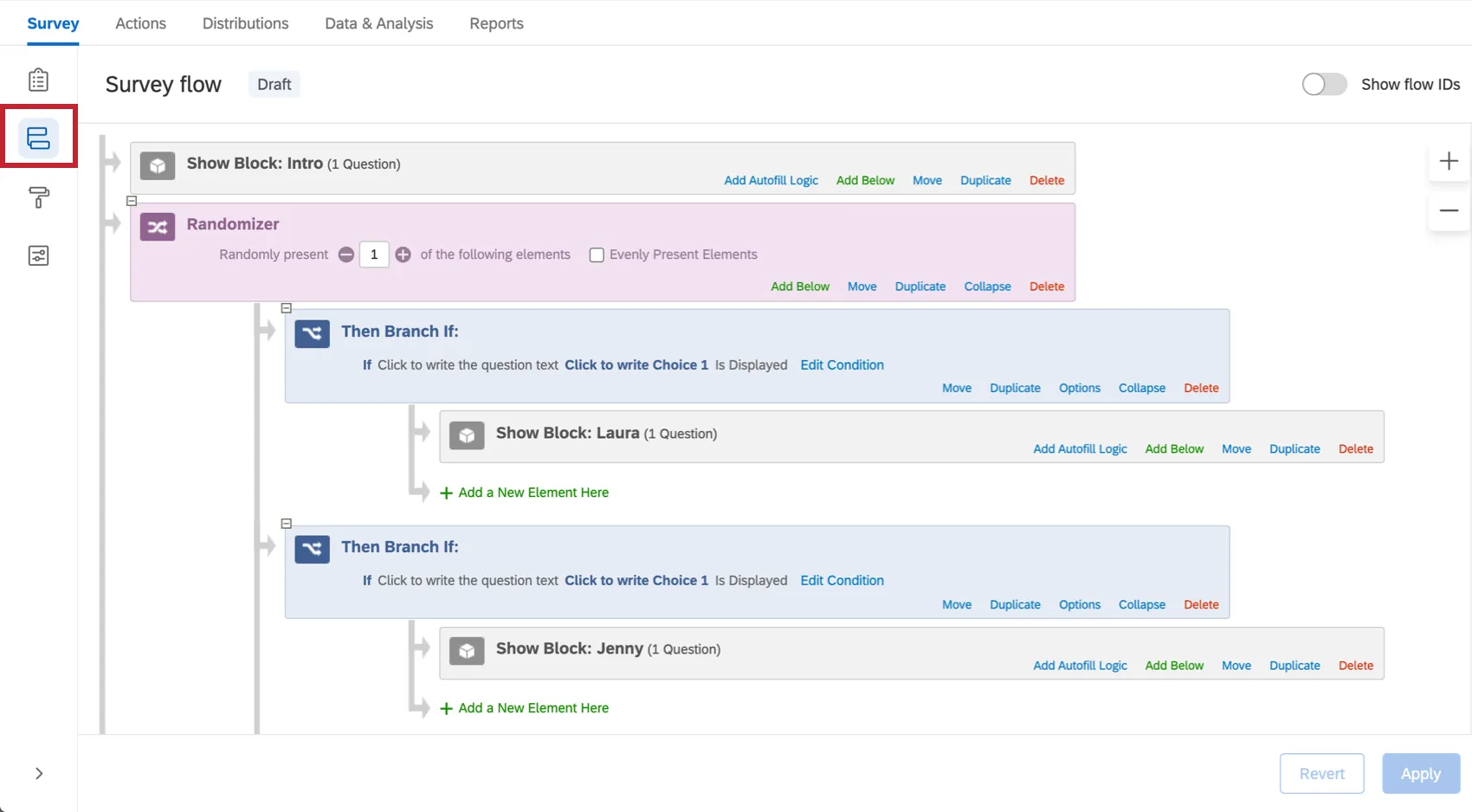
With embedded data, for instance, you can attach information like a customer's subscription plan or region to their response, so you can compare results across different customer segments. There's also ExpertReview, which checks your survey for design issues and suggests improvements before you send it out.
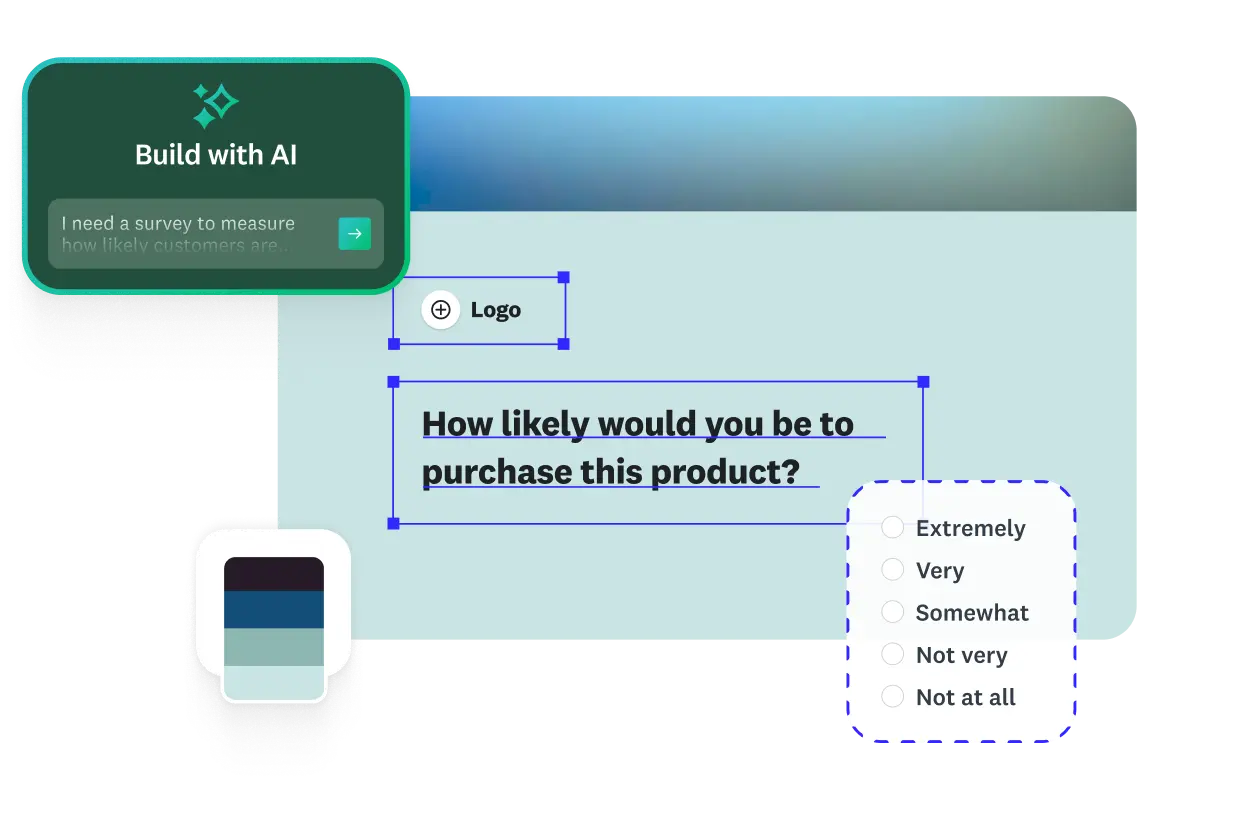
SurveyMonkey, on the other hand, gives you over 25 question types, a bank of 1,800 pre-written questions, and more than 500 survey templates. If you'd rather not build a survey from scratch, its Build with AI feature can generate one from a short prompt, even on the free plan.
Where you'll need to pay closer attention is survey logic. You get skip logic from Standard, while question and answer piping, randomization, A/B testing, and quotas require Advantage. Advanced branching and multilingual surveys require Premier or above. You can also run MaxDiff studies through SurveyMonkey's dedicated Feature Prioritization solution.
If your research requires complex survey logic or more control over how you collect responses, Qualtrics has the edge. But if you're regularly running customer satisfaction surveys, collecting product feedback, or conducting employee surveys, SurveyMonkey may offer all the functionality your team needs.
Distribution
Qualtrics gives you several ways to reach respondents. You can share surveys via email, anonymous links, QR codes, and SMS. It also supports two-way SMS surveys, where respondents can answer questions directly via text message without opening a survey link.
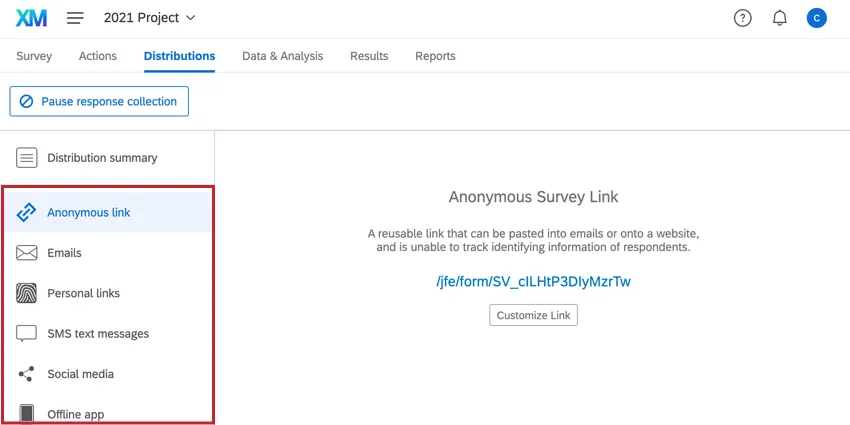
For in-person research at events or in locations with limited internet access, Qualtrics offers an offline survey app. Its website and in-app intercepts also let you trigger surveys based on customer behavior, such as when someone abandons their shopping cart. These features depend on your license. And if you need to reach people outside your existing customer base, you can recruit respondents through its Online Panels service.
SurveyMonkey lets you distribute surveys through web links, social media posts, website embeds, and QR codes. Paid plans also support email invitations, while features like targeted website pop-ups and kiosk mode are available on higher tiers. SMS distribution and offline data collection are Enterprise add-ons.

For market research, SurveyMonkey Audience gives you access to over 335 million potential respondents across more than 130 countries, with pricing starting at $1 per response.
Qualtrics has the edge if you need to collect feedback at specific points in the customer journey, particularly within your website or mobile app. But if you're looking to distribute surveys through everyday channels or recruit respondents for a one-off research project without going through a sales team, SurveyMonkey is a good option.
Reporting and Text Analysis
This is where the comparison matters most for CX teams, because open-ended answers often reveal the reasons behind your survey scores.
Qualtrics lets you build custom dashboards to track survey results and compare feedback across customer segments. Its key drivers widget also helps you identify which factors have the strongest relationship with metrics like NPS and CSAT.
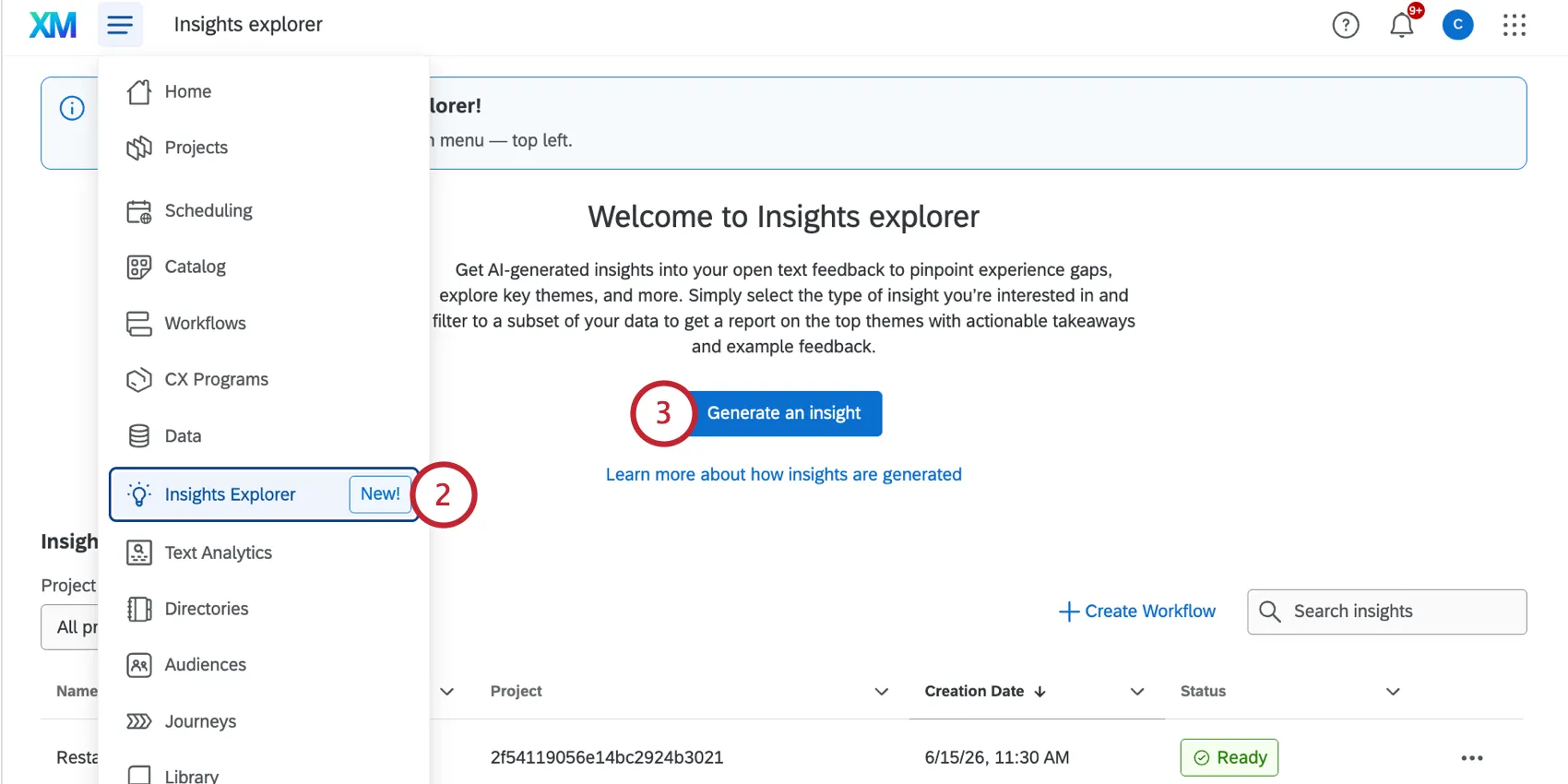
For open-ended responses, Qualtrics uses Text iQ to automatically categorize feedback by topic and sentiment. You can explore these findings further using Insights Explorer to summarize key themes or Qualtrics Assist to ask questions about your feedback.
More advanced statistical analysis is available through Stats iQ, which isn't included in every Qualtrics license. The free account is limited to basic reporting and data visualization.
SurveyMonkey, on the other hand, lets you visualize survey results through charts and reports, filter responses, and compare results across respondent groups. Crosstab reports, however, require Premier or above.

For open-ended responses, SurveyMonkey offers sentiment analysis and Thematic Analysis from the Advantage plan. You can also ask questions about your survey results using Analyze with AI or get an automated summary of your key findings through its Insights feature.
Thematic Analysis, Analyze with AI, and Insights are limited to English-language surveys with up to 10,000 responses each. Analyze with AI also limits you to 20 prompts per user per survey on Advantage and 50 on Premier, with unlimited prompts on Enterprise.
SurveyMonkey offers enough analytical depth for most routine surveys. Qualtrics makes more sense if you're running large-scale, multilingual feedback programs or need advanced statistical analysis. Depending on your requirements, dedicated text analysis tools are also worth considering.
Integrations
Qualtrics offers integrations with Salesforce, ServiceNow, Microsoft Dynamics, Zendesk, HubSpot, Slack, Microsoft Teams, Jira, and Tableau through its extensions. These extensions can help you automate tasks like sending surveys after customer interactions, updating CRM records, and creating support tickets based on survey responses.
However, not all extensions are included in a standard Qualtrics license, so accessing them may increase your overall contract cost. Qualtrics also offers a REST API for building custom integrations.
SurveyMonkey offers over 200 native integrations, including Slack, Microsoft Teams, HubSpot, and Mailchimp, with access to another 7,000+ applications through Zapier. However, you'll need an Enterprise plan to integrate with Salesforce, Power BI, Tableau, Marketo, and Zoom, or to access advanced API capabilities.
If you primarily need to connect your survey tool to marketing and collaboration apps, SurveyMonkey is a good fit. Qualtrics is worth considering if you want to build more complex workflows around customer feedback, particularly across your CRM and customer service systems. With either platform, check which integrations are included in your package before committing.
Enterprise Security and Governance
Qualtrics has a more extensive list of security and compliance credentials, including ISO 27001, ISO 42001, SOC 2 Type II, HITRUST, and FedRAMP High authorization for its government cloud environment. It also lets organizations use their own encryption keys for an additional layer of data protection.
For organizations running multiple experience management programs, Qualtrics allows administrators to organize users into divisions, assign departmental administrators, and control which features and data each user can access.
SurveyMonkey also meets several widely recognized security standards, including SOC 2 Type II, PCI DSS, ISO 27001, and ISO 27701. It uses AES-256 encryption to protect stored data.
However, the level of administrative control you get depends on your plan. Team plans allow you to manage user permissions and share survey templates and branding assets. With Enterprise, your IT team can manage employee access through single sign-on (SSO), automate account provisioning through SCIM, and set up separate divisions with their own administrators and permissions.
Enterprise customers can also choose where their survey data is stored (the US, Canada, or the EU). For healthcare organizations subject to HIPAA, SurveyMonkey offers a paid add-on that supports the collection of protected health information under a business associate agreement.
Both platforms offer enterprise-grade security and governance. Qualtrics, however, has an advantage if your organization must meet more stringent regulatory requirements, such as FedRAMP High or HITRUST.
Who Each Tool Is Best For
Neither tool wins across the board. The right choice depends on what your team needs today and how you expect your feedback program to evolve.
Choose Qualtrics If:
- You conduct advanced research using methods like conjoint analysis, MaxDiff, or quota-controlled sampling.
- Your security team requires FedRAMP High, HITRUST, or bring-your-own-key encryption.
- You're rolling out a customer or employee experience program across multiple brands, divisions, or countries.
- You want to analyze survey responses, contact center conversations, and online reviews within the same platform.
Qualtrics makes sense when surveys are just one part of a larger experience management program. For enterprise deployments, be prepared for a longer buying process, a more involved setup, and costs that can grow with your feedback volume.
Choose SurveyMonkey If:
- Your marketing, product, or CX teams need to create and distribute surveys without relying on a dedicated administrator.
- You prefer self-service plans with transparent pricing.
- You primarily collect feedback through surveys, and your reporting and analysis needs are relatively straightforward.
- You're comfortable upgrading to Enterprise if you eventually need Salesforce integration, SSO, or advanced administrative controls.
SurveyMonkey is a better fit when ease of use and predictable costs matter more than advanced research capabilities. You can start with Advantage and upgrade as your survey requirements change.
Where Qualtrics and SurveyMonkey Fall Short, and Where Chattermill Fits
Open-text feedback comes in two forms. There's the feedback customers give when you ask for it through surveys, and there's the feedback they share without being asked.
While both Qualtrics and SurveyMonkey do a good job of analyzing the first, it only tells part of the story. Customers also share their experiences through support tickets, chat transcripts, app store reviews, Trustpilot reviews, and call recordings.
SurveyMonkey's text analysis capabilities are limited to survey responses, while Qualtrics requires access to its broader experience management suite to analyze feedback across these channels.
But what if you could keep your existing survey tool and analyze all your customer feedback in one place?
That's where Chattermill comes in.
Chattermill is a customer experience intelligence platform built for analyzing feedback at scale. We integrate directly with both Qualtrics and SurveyMonkey, so you don't have to change how you collect survey responses to get more value from them.
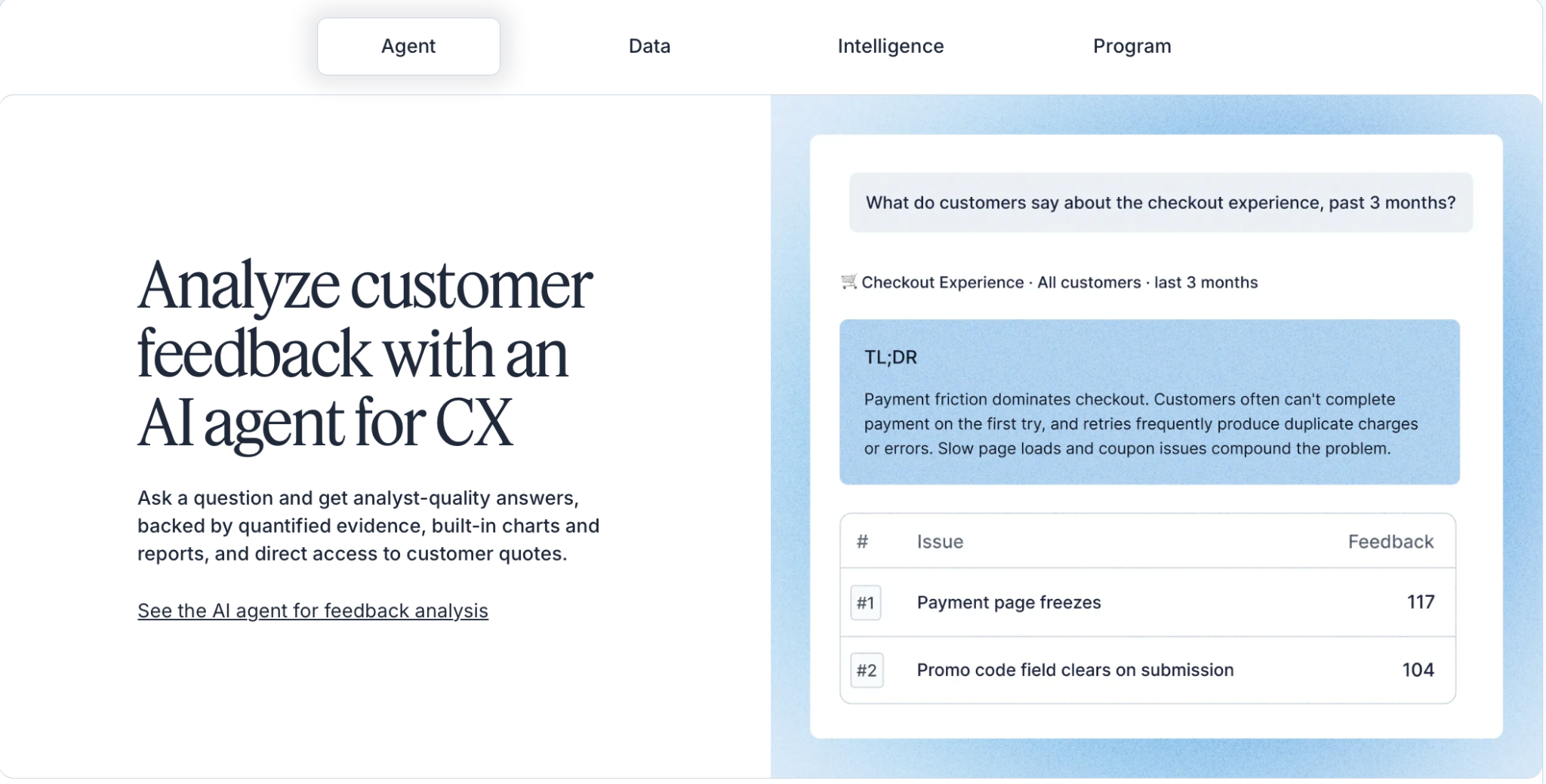
With Chattermill, you can:
- Unify feedback from 65+ sources: Analyze survey responses alongside Zendesk tickets, Intercom conversations, Trustpilot reviews, call recordings, and more.
- Analyze sentiment at the theme level: Our Lyra AI identifies multiple themes and their respective sentiments within a single comment. A customer might praise your product quality but complain about delivery speed, for example.
- Analyze feedback in 100+ languages: Automatically translate and transcribe customer feedback, so a German review and an English survey response about the same issue can be grouped under the same theme.
- Understand what's driving your CX metrics: Our Impact Analysis helps you understand how individual feedback themes relate to NPS and CSAT. You can also trace the findings back to the original customer comments.
Take Footasylum, for example. The retailer receives around 2,500 NPS responses a week, which it analyzes alongside CSAT responses and Trustpilot reviews in Chattermill.
By combining these sources, the team identified recurring delivery issues with an underperforming carrier and used its findings to renegotiate a contract, reducing shipping costs with that provider by 8%.
As James McGhee, Director of Customer Experience at Footasylum, explains:
"The number of people required to do that project manually would far exceed the cost of the product."
We're built for teams that consistently receive more than 5,000 pieces of customer feedback each month. If you're struggling to make sense of growing feedback volumes across multiple channels, Chattermill can help.
You can also see how we compare with other feedback analysis platforms on our alternatives page.
FAQs
Who Is Qualtrics' Biggest Competitor?
Medallia is one of Qualtrics' closest competitors because both offer enterprise experience management platforms that go beyond surveys. SurveyMonkey also competes with Qualtrics for teams that primarily need to create, distribute, and analyze surveys. We've compared the two enterprise platforms head to head in our Qualtrics vs Medallia guide.
Is There Something Better Than SurveyMonkey?
It depends on what you need from a survey tool. Qualtrics is a better option if you need more control over survey design, advanced research methods, or FedRAMP-level security. But if you're happy with SurveyMonkey and want to analyze survey responses alongside support tickets, reviews, and other customer feedback, you can add a feedback analytics platform like Chattermill.
What Are the Top 10 Survey Software Platforms?
Ten widely used survey platforms are Qualtrics, SurveyMonkey, Medallia, Alchemer, QuestionPro, Typeform, Jotform, SurveySparrow, Google Forms, and Microsoft Forms. They range from free form builders to enterprise experience management suites. Our list of Qualtrics alternatives compares the leading options on features and pricing. For the analysis side, see our roundup of survey analysis software.
What Are the Disadvantages of SurveyMonkey?
SurveyMonkey's main disadvantage is how many features are reserved for its higher-priced plans. Advanced branching and crosstabs require Premier, while Salesforce and Tableau integrations, SSO, and HIPAA support require Enterprise. Some AI features, including Thematic Analysis and Analyze with AI, only work on English-language surveys with up to 10,000 responses. You also can't bulk-import responses collected elsewhere, which limits its usefulness for cross-channel feedback analysis.
Start With the Decision Your Team Is Actually Making
If you're choosing a survey tool, go with SurveyMonkey for ease of use and transparent pricing. Choose Qualtrics if you need advanced research capabilities and enterprise governance.
But maybe what you really need is to understand why customers feel the way they do, regardless of where they share their feedback. In that case, keep the survey tool you already use and bring your feedback together in Chattermill.
Book a demo to see how you can uncover deeper customer insights by analyzing your Qualtrics or SurveyMonkey responses alongside support tickets, reviews, and other customer feedback.


See Chattermill in action on your own feedback
Book a demo


