


10 Best Customer Feedback Automation Tools (2026)


The CX intelligence
platform that's AI-native by design
Book a demoQuick Summary
We reviewed 10 customer feedback automation tools, and Chattermill is our top pick because it automates all five steps of the feedback loop. Enterpret ranks second for product teams that route feedback into Jira and Linear. Thematic ranks third for analysts who want editable themes traceable to the raw comments behind them.
Before we get into the detailed comparisons, here are our top three picks:
Why Listen To Us
Chattermill is an AI-native customer experience intelligence platform trusted by CX, Insights and VoC teams at Uber, Booking.com, Tesco, J.P. Morgan, Santander and HelloFresh. We are SOC 2 Type II and ISO 27001:2022 certified. We automate feedback analysis for enterprise customers every day, so we know where manual work hides and which tools actually remove it.
10 Top Customer Feedback Automation Tools: Head to Head Comparison
Pricing and G2 ratings were checked in November 2026. Where a vendor hides its pricing, we show the median annual contract value reported by Vendr.
How We Evaluated These Tools
Most rankings judge automation tools on one step: categorization. That is like grading a car on its engine and ignoring the steering. We scored every tool on all five steps of the feedback loop instead.
- Ingestion: How many channels, sources and languages flow in without manual exports.
- Categorization: Whether themes appear automatically and stay accurate as customer language shifts.
- Impact quantification: Whether the tool sizes how much each theme moves NPS, CSAT, churn or revenue.
- Routing: Whether insights reach the right team in Slack, Jira, a CRM or an AI agent without someone forwarding them.
- Reporting: Whether summaries, dashboards and answers update themselves, so nobody rebuilds a deck every Monday.
How to read the scorecard: Native means the capability is built in and documented in an official source (a G2 listing, press release or product page). Partial means it is narrower in scope or supported only by user reviews. Unconfirmed means we could not verify it in a current source.
A few scoring calls need explaining. Enterpret's Knowledge Graph attaches account and revenue context, but its G2 listing and launch release do not document driver analysis on NPS or CSAT. unitQ and Enterpret both carry G2 tags for accuracy or setup issues, which kept unitQ's categorization at Partial.
Where we could not find an official source for a capability, we downgraded the cell. Zonka Feedback scores well on paper, rated Native on four of the five steps. Its fit is mid-market, survey-led programs rather than enterprise-scale, multi-brand analysis. Scores measure coverage, so read them alongside the Best For lines.
Where should humans stay in the loop? Automation should handle tagging, sizing and delivery. People still own taxonomy governance, prioritization trade-offs and the customer-facing fix.
For the reporting step in practice, see our guide to automating customer feedback reporting.
What Are Customer Feedback Automation Tools?
Customer feedback automation tools are software platforms that collect, categorize, quantify, route and report on customer feedback with minimal manual effort. They replace spreadsheets and manual tagging with AI that reads every comment, ticket, review and survey response.
Why does it matter? Feedback volume grows faster than analyst headcount. A team that hand-tags a sample sees a keyhole view, while automation reads the whole room.
The category spans several tool types:
- Survey platforms with analysis add-ons: Strong at collection, lighter on routing and impact.
- Support analytics tools: Tag and triage tickets, often inside the helpdesk.
- Product feedback tools: Cluster requests and bugs for roadmap decisions.
- Customer experience intelligence platforms: Unify every channel and automate the full loop.
For a primer on the analysis layer, read our guide to customer feedback analytics.
1. Chattermill

What is Chattermill?
Chattermill is the AI-native CXI platform built for enterprises and the agentic era. It unifies feedback from every channel, then uses its proprietary AI model, Lyra, to surface themes, sentiment and trends. Teams use it to detect anomalies, prioritize issues and measure feedback's impact on NPS, CSAT and CES.
A competing vendor's guide published in June 2026 ranks Chattermill third by judging categorization alone. Scored on the whole loop, the picture changes.
Start with the taxonomy. Chattermill's taxonomy works from day one: AI surfaces themes and sentiment without anyone tagging a thing. As our guide to building a feedback taxonomy that scales explains, themes surface and adapt as customer language changes.
Then look past categorization. Impact Analysis sizes each theme's positive or negative effect on NPS, CSAT, net sentiment and average score. Workflows & Automations push themes to Slack, Jira and AI agents on your schedule.
Reporting runs itself too. Reports & Dashboards deliver scheduled and triggered reports, and Lyra Agent monitors signals across touchpoints to surface new insights. Teams can tag @Chattermill in Slack to investigate issues with their existing roles and permissions.
Key Features
- Self-maintaining taxonomy: AI classifies every piece of feedback and refines themes as customer language shifts, so nobody prunes categories by hand.
- Aspect-Based Sentiment Analysis: Scores sentiment per aspect rather than per comment, preserving signal in messy, mixed-topic feedback.
- Impact Analysis: Ranks the positive and negative drivers of NPS, CSAT, net sentiment and average score, with trend monitoring per theme.
- Workflows & Automations: Sends scheduled insights to Slack and Jira, plus anomaly detection, metric-threshold Slack alerts and one-click Jira alerts.
- Lyra Agent: A CX-trained AI agent that runs analysis autonomously, available in Slack, with early access now open.
- MCP server and Skills: The Chattermill MCP server lets AI agents query feedback, while Skills supply expert-crafted analysis recipes.
- Multilingual ingestion: Analyzes feedback in 100+ languages with automated translation and transcription, across sources on the integrations page.
Pros
- G2 reviewers highlight an intuitive interface and easy implementation.
- Reviewers praise strong performance tracking and thematic analysis.
- No per-user fees, so insights can reach every team.
- SOC 2 Type II and ISO 27001:2022 certified, GDPR and CCPA compliant, with SSO and PII redaction.
- Enterprise proof from brands such as HelloFresh and E.ON Next.
Cons
- Some G2 reviews carry "Not Intuitive" and "Complex Usability" tags, so plan onboarding for casual users.
- Pricing is custom, so budget holders need a sales conversation before seeing numbers.
- Lyra Agent is in early access, and Microsoft Teams support is still coming.
- Built for enterprise scale, so teams with low feedback volume may not use its full depth.
Pricing
Chattermill uses custom pricing with no per-user fees. Pricing depends on feedback volume and scope, and you can request a quote through a demo.
G2 Rating
Chattermill G2 Score: 4.4/5 (as of Nov 2026, per G2).
Best For
Enterprise CX, insights and product teams analyzing high volumes of feedback across brands, markets or business units.
2. Enterpret
What is Enterpret?
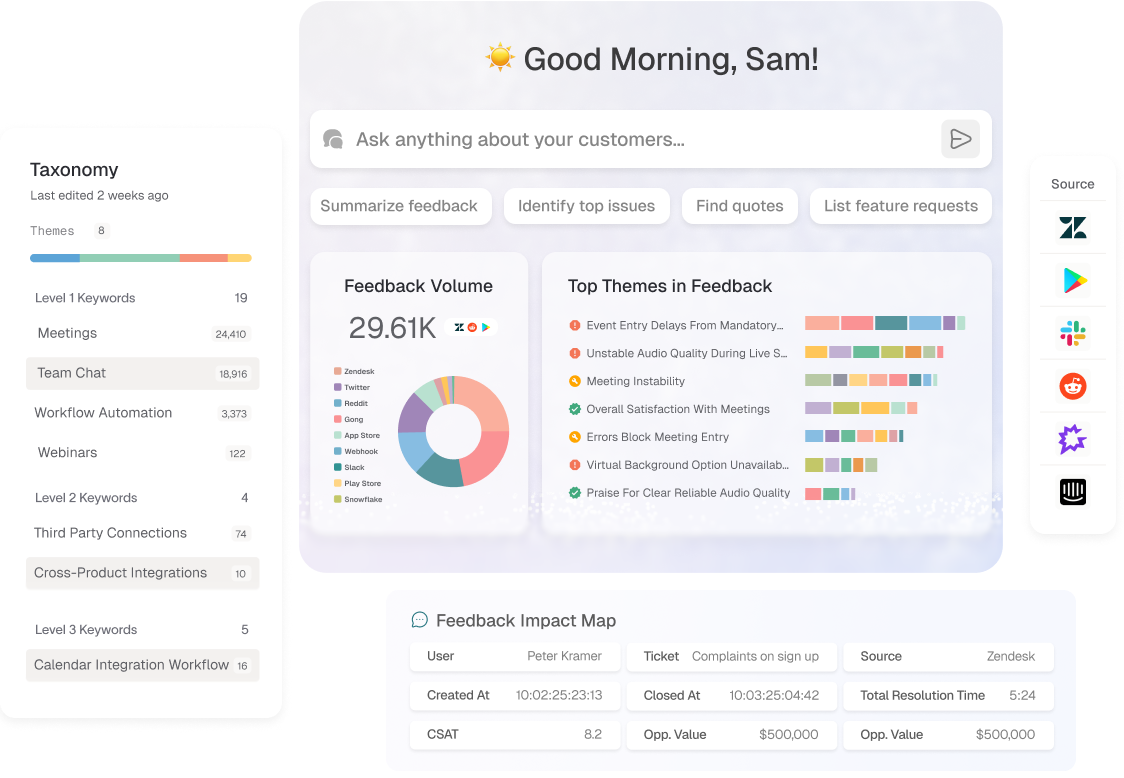
Enterpret is a customer feedback platform aimed at product teams. Its G2 listing describes a 5-level Adaptive Taxonomy and workflows in Jira and Linear with full context. Per Enterpret's October 2025 announcement, its Customer Knowledge Graph ties feedback to accounts, adoption and revenue.
Key Features
- Adaptive Taxonomy: Classifies feedback across five levels of detail.
- Wisdom AI Agent: Answers natural-language questions inside Slack, Jira or ChatGPT, per Enterpret's October 2025 announcement.
- Customer Knowledge Graph: Connects feedback to accounts and revenue context.
- Workflow integrations: Automates workflows in Jira and Linear with full context, per its G2 listing.
Pros
- G2 reviewers say Wisdom gives summarized answers backed by real examples.
- Reviewers report dedicated integration support.
- Reviewers say dashboards are easy to build.
Cons
- G2 reviewers describe a hard setup and steep learning curve.
- Some reviewers report slow loading or errors.
- G2 tags include "Integration Issues" and "Difficult Setup".
Pricing
Enterpret does not publish pricing. Vendr reports a median of $36,302 per year, with a range of $23,520–$74,768.
G2 Rating
Enterpret G2 Score: 4.5/5 from 111 reviews (as of Nov 2026, per G2).
Best For
Product-led companies that want feedback routed straight into Jira and Linear.
3. Thematic
What is Thematic?
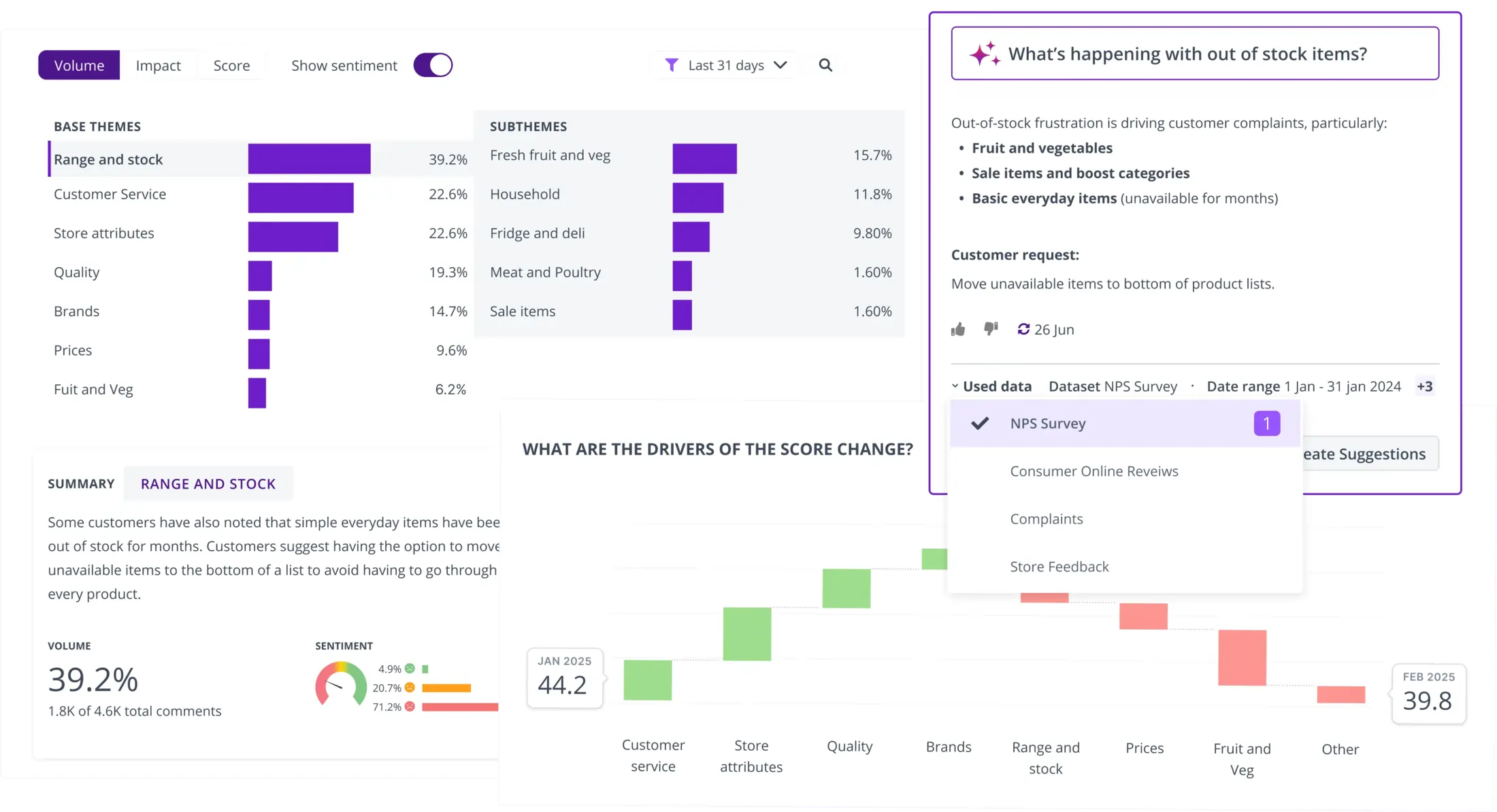
Thematic is a feedback analysis platform built around bottom-up themes that emerge from the data. Analysts can edit auto-generated themes, and its G2 listing says every theme is traceable back to the raw comments behind it. A verified G2 reviewer also cites theme impact on NPS.
Key Features
- Bottom-up themes: Auto-generates themes from feedback that analysts can refine.
- Impact Analysis: Shows which themes move NPS or another key metric, per G2 reviewers.
Pros
- G2 reviewers praise fast, accurate theme discovery.
- Reviewers praise excellent support.
- Editable themes give analysts transparency and control.
Cons
- Some G2 reviewers report erroneous themes or sub-themes.
- Reviewers say NPS and sentiment scoring needs improvement.
- Routing is not documented in its G2 listing.
For a closer look, read our Chattermill vs Thematic comparison.
Pricing
Thematic's plan page shows no public prices. Vendr's reported range is $20,990–$37,750 per year (median $37,750; sample size not disclosed), so treat it as a range rather than a typical price.
G2 Rating
Thematic G2 Score: 4.8/5 from 43 reviews (as of Nov 2026, per G2).
Best For
Insights analysts who want editable, traceable themes linked to a key metric.
4. Qualtrics XM Discover
What is Qualtrics XM Discover?
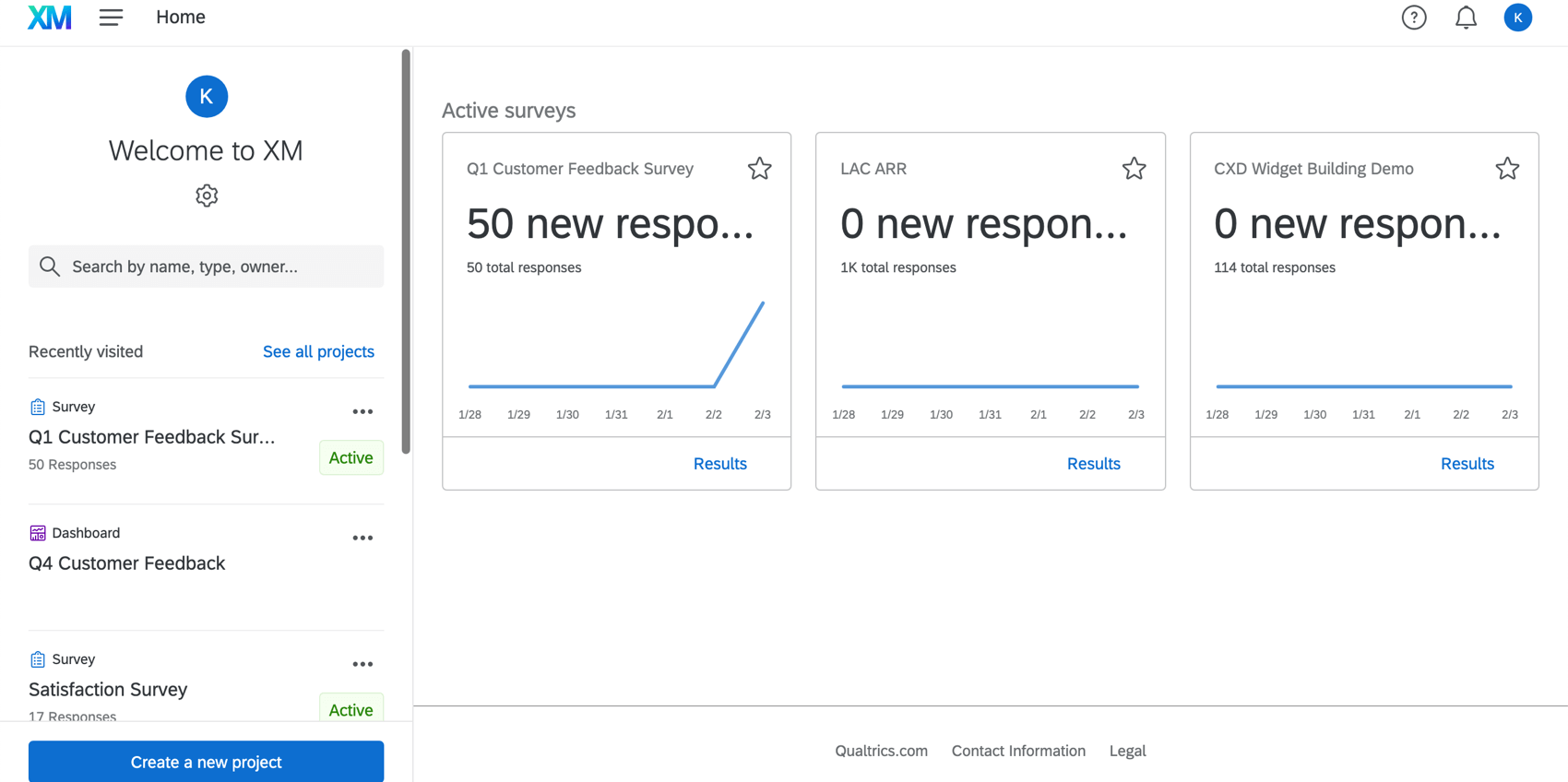
XM Discover is the conversation and text analytics module of Qualtrics XM, formerly Clarabridge. Qualtrics prices it on request (see the Qualtrics pricing page).
Key Features
- Suite fit: Runs inside the wider Qualtrics XM platform, so survey and analytics data sit with one vendor.
Pros
- G2 reviewers of Qualtrics Customer Experience form a large base of 754 reviews, rating it 4.3/5.
- Fits teams already standardized on Qualtrics.
Cons
- Pricing is quote-based; confirm module costs (Qualtrics pricing, Vendr).
- No standalone XM Discover listing on G2, so reviewer evidence is limited to the broader Qualtrics product.
Comparing options? See our roundup of Qualtrics alternatives.
Pricing
XM Discover uses custom pricing. Vendr reports a median of $30,796 per year across all Qualtrics products, not Discover alone. See the Qualtrics pricing page for packaging.
G2 Rating
Qualtrics G2 Score: 4.3/5 for the Qualtrics Customer Experience listing (as of Nov 2026, per G2). We found no standalone XM Discover listing.
Best For
Teams already standardized on Qualtrics that want feedback analytics from the same vendor.
5. Medallia

What is Medallia?
Medallia is an enterprise CX suite. Its G2 listing says Medallia Athena brings AI and machine learning to the platform. Per Medallia's Experience '26 announcements, Smart Topic Builder generates topics and rules automatically, with humans auditing and approving them.
Key Features
- Smart Topic Builder: Generates topics and rules with AI, keeping humans in the loop to approve them.
- Root Cause Assist: Named as part of Medallia's Frontline-Ready AI; the release does not describe how it works.
- Real-time insights: Delivers insights in real time, per Medallia's G2 listing.
Pros
- G2 reviewers say it consolidates multichannel feedback at scale.
- Reviewers cite strong NPS and CSAT scoring and reporting.
Cons
- G2 reviewers cite high cost and complexity.
- Reviewers describe a hard setup.
Read our Chattermill vs Medallia comparison for a side-by-side view.
Pricing
Medallia uses custom pricing. Vendr reports a median of $13,338 per year, with a range of $6,739–$112,044.
G2 Rating
Medallia G2 Score: 4.5/5 for Medallia Customer Experience (as of Nov 2026, per G2).
Best For
Large enterprises running survey-led CX programs across physical and digital channels.
6. SentiSum
What is SentiSum?
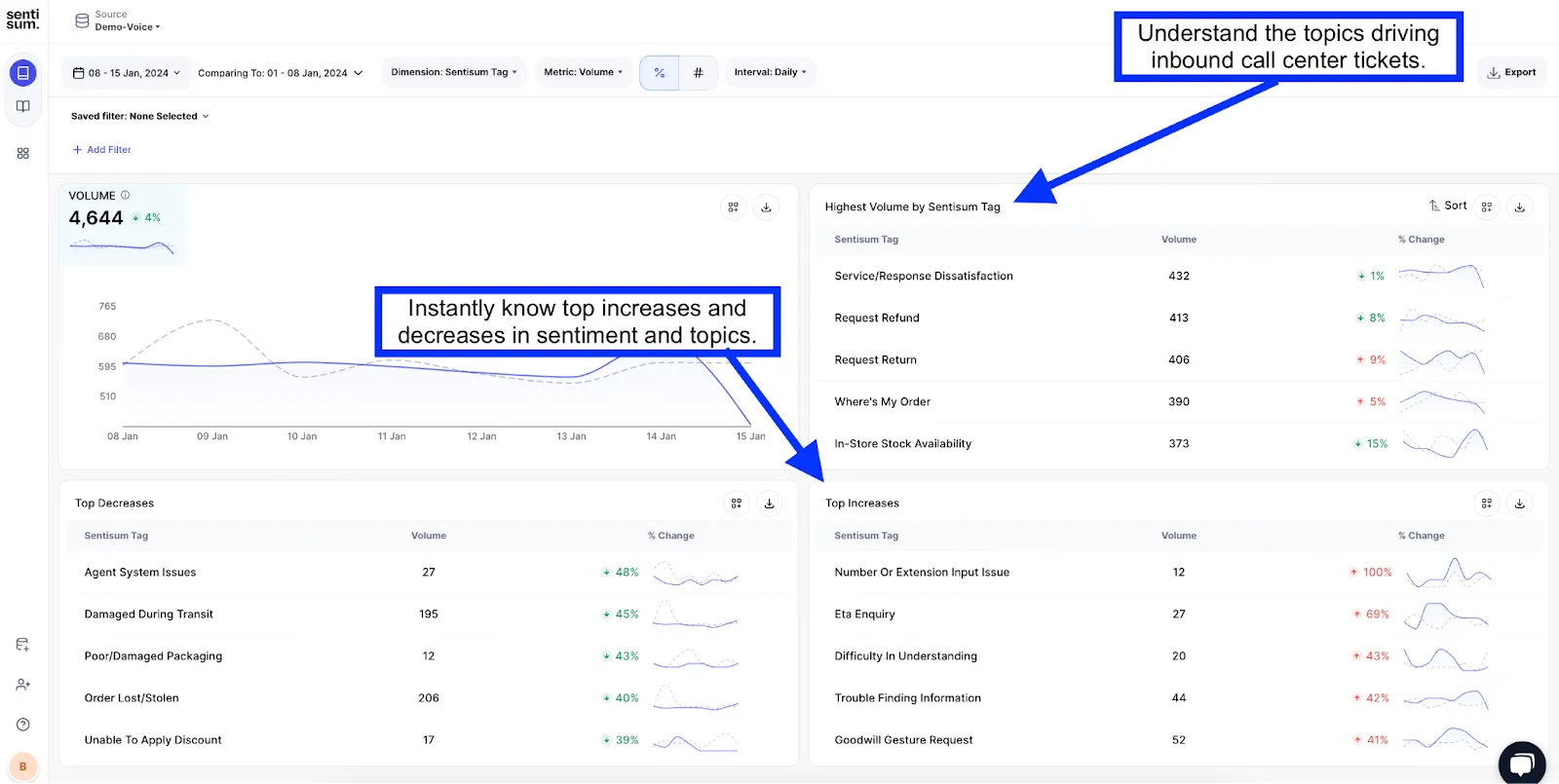
SentiSum is a support analytics platform that tags tickets, calls, chats, surveys, reviews and bot transcripts. It connects to helpdesks such as Zendesk, Freshdesk, Intercom, Dixa and Gorgias. Its G2 listing says there is no taxonomy to build before you start, because it learns from your historic data.
Key Features
- No up-front taxonomy: Learns from your historic support data instead of a hand-built category list.
- Action tracker: Assigns each issue to the team that can fix it.
- Root-cause ranking: Ranks every contact driver by dollar impact.
- Kyo AI engine: Reads every ticket to find drivers and trends.
- Early warnings: Pushes emerging issues to Slack or Teams.
Pros
- Reviewers say the AI is easy to train for tagging accuracy.
- Reviewers find it intuitive for support teams.
- Early warnings reach Slack or Teams, per its G2 listing.
Cons
- A small review base of 14 G2 reviews.
- Support-centric scope, so non-support channels get less depth.
- Highest Vendr median in this list.
Pricing
SentiSum sells custom annual partnerships. Vendr reports a median of $48,000 per year, with a range of $24,800–$60,000. Its G2 listing shows Pro starting at $100,000 per year, so confirm current pricing directly.
G2 Rating
SentiSum G2 Score: 4.8/5 from 14 reviews (as of Nov 2026, per G2).
Best For
Support teams that want ticket analysis and issue ownership without building a taxonomy.
7. unitQ
What is unitQ?
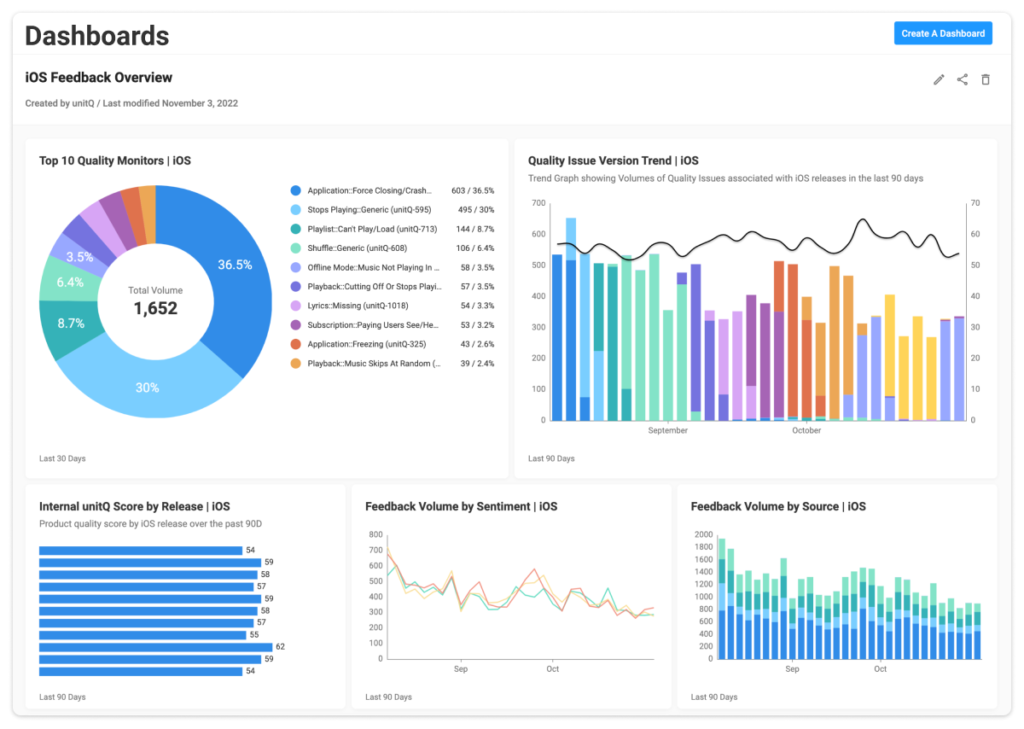
unitQ monitors product quality using feedback from surveys, social, SMS, voice, chat, email and app reviews. Its April 2026 launch describes a six-product platform connecting every customer signal to revenue, retention and risk. The unitQ Score rates app quality from 0 to 100 using AI classification of public app reviews.
Key Features
- AI tagging: Tagging and thematic analysis appear as features on its G2 listing.
- unitQ Score: Rates app quality from 0 to 100 based on public app reviews.
- App review coverage: Pulls in app store feedback alongside support data.
- unitQ Impact: Ties customer signals to the KPIs your team already reports on, per its G2 listing.
Pros
- G2 reviewers value its customer insights.
- Reviewers rate its support highly.
- Covers multiple feedback channels, including public app reviews.
Cons
- G2 tags include "Accuracy Issues" and "Complex Setup".
- Jira and Slack routing was not confirmed in its G2 listing or launch release.
- The quality score is narrower than theme-level impact on NPS or CSAT.
Product teams weighing options can also see our list of product feedback analytics platforms.
Pricing
unitQ uses custom pricing. Vendr reports a median of $20,000 per year, with a range of $19,500–$22,110.
G2 Rating
unitQ G2 Score: 4.5/5 from 48 reviews (as of Nov 2026, per G2).
Best For
Consumer app teams tracking product quality across app reviews and support.
8. Unwrap.ai
What is Unwrap.ai?
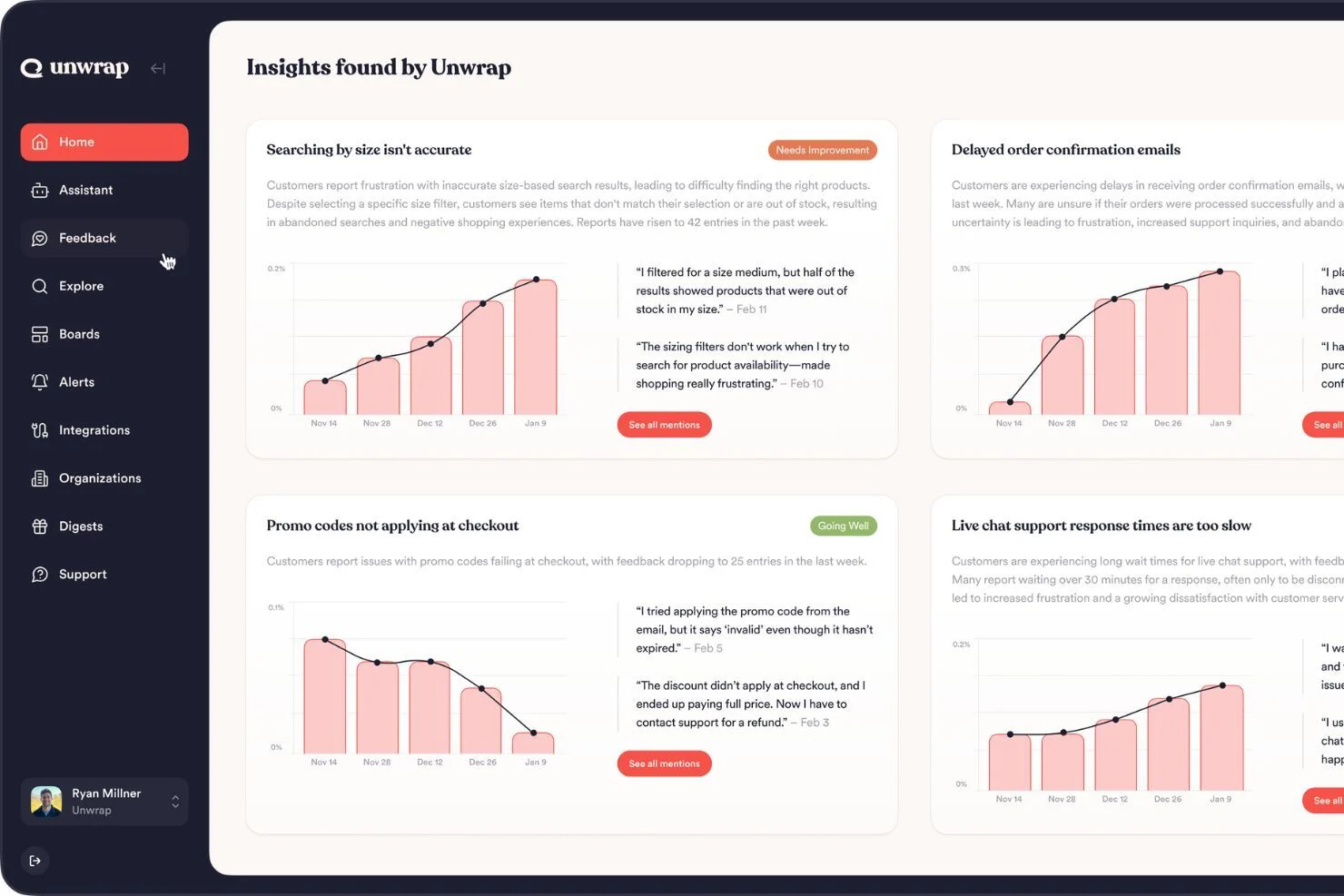
Unwrap.ai is a customer feedback analysis tool for product teams. Its G2 listing says it proactively extracts patterns and trends from feedback and surfaces them. G2 reviewers also mention an AI chat for exploring results.
Key Features
- Pattern and trend extraction: Pulls recurring patterns and trends out of feedback automatically.
- Proactive surfacing: Brings those trends to teams without a manual search.
- AI chat: Lets users explore findings conversationally, per G2 reviewers.
Pros
- G2 reviewers cite quick identification of bugs and issues.
- Reviewers like the AI chat.
- Reviewers praise responsive support.
Cons
- Reviewers cite limited custom reporting.
- Reviewers find administration less straightforward than day-to-day use.
- A $24,000 entry price.
For roadmap-focused tools, see our guide to feedback-to-product-roadmap tools.
Pricing
Unwrap.ai's pricing page lists plans starting at $24,000 per year, priced by feedback volume. Vendr reports a median of $27,600, with a range of $24,000–$53,899.
G2 Rating
Unwrap.ai G2 Score: 4.8/5 from 26 reviews (as of Nov 2026, per G2).
Best For
Product teams that want feedback trends feeding roadmap decisions.
9. InMoment
What is InMoment?
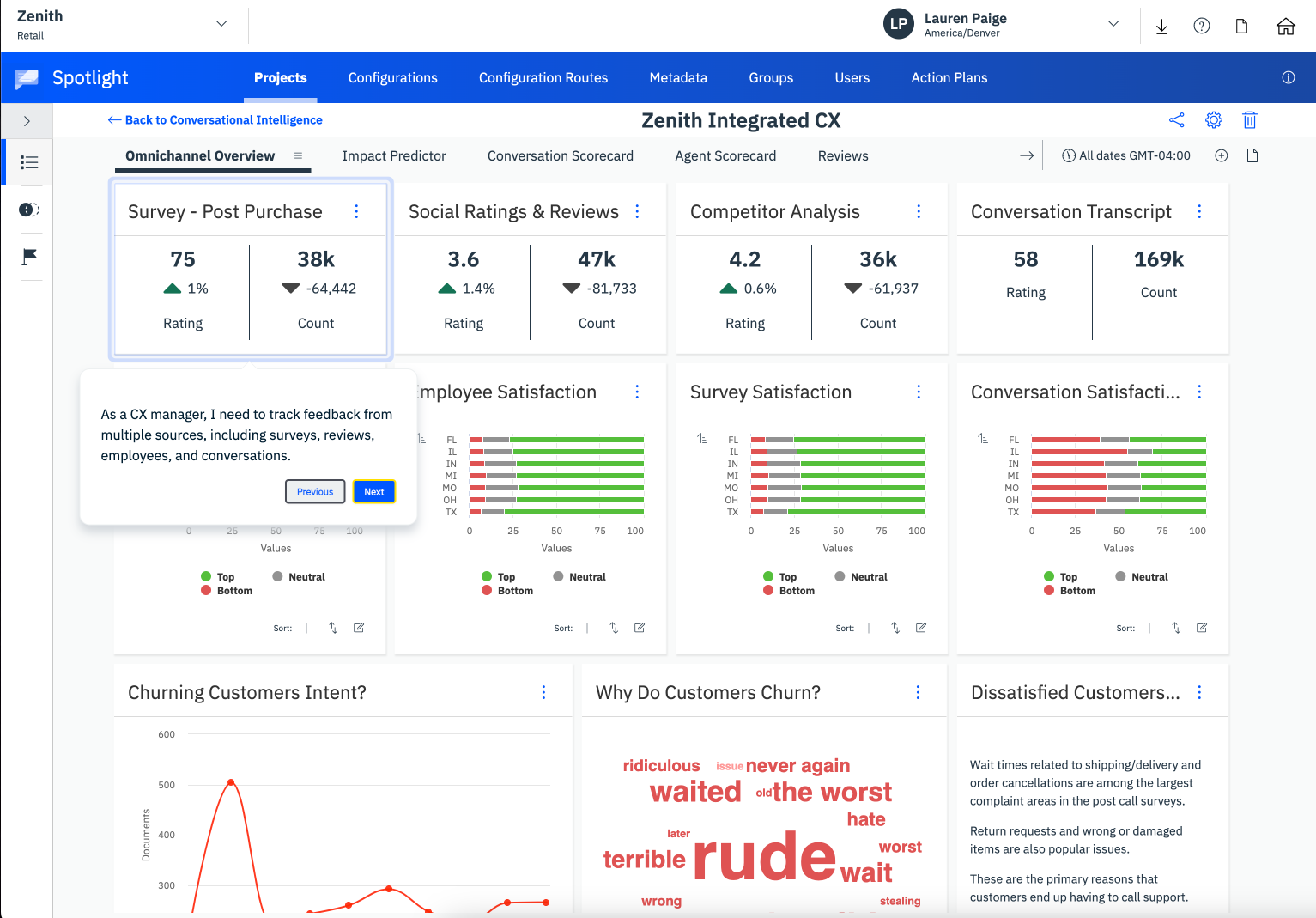
InMoment's XI Platform analyzes surveys, reviews (via ReviewTrackers), social, chat and calls. Its G2 listing says it applies AI to structured and unstructured data. G2 lists it under Thematic Analysis, Text Analysis and NLU categories.
Press Ganey Forsta acquired InMoment in 2025, and InMoment's G2 listing now shows PG Forsta as the seller. Qualtrics completed its acquisition of Press Ganey Forsta on May 18, 2026. Forrester noted that Qualtrics will have to decide which overlapping products to integrate and which to sunset.
Key Features
- AI thematic analysis: NLP-based theme and text analysis, per G2's category listing.
- Review management: Pulls in online reviews via ReviewTrackers.
- Data unification: Combines survey, review and conversation data.
Pros
- G2 reviewers cite ease of use.
- Reviewers mention responsive support.
- Reviewers highlight data unification.
Cons
- Some G2 reviewers describe rigid systems.
- Driver analysis on NPS or CSAT is not confirmed in its G2 listing.
- Buyers should confirm the product roadmap given recent ownership changes.
Weighing a switch? Read our Chattermill vs InMoment comparison.
Pricing
InMoment uses custom pricing. Vendr reports a median of $13,488 per year, with a range of $5,424–$61,752.
G2 Rating
InMoment G2 Score: 4.7/5 from 319 reviews for the XI Platform (as of Nov 2026, per G2).
Best For
Multi-location brands already invested in InMoment that can accept roadmap uncertainty.
10. Zonka Feedback
What is Zonka Feedback?
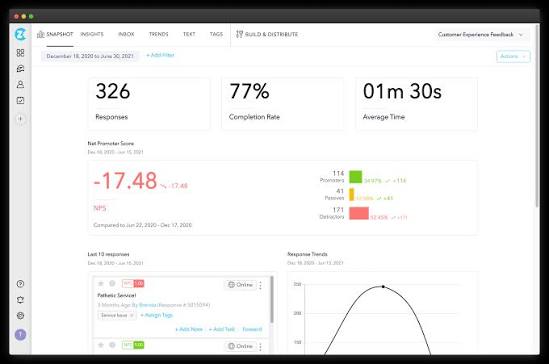
Zonka Feedback pairs multichannel surveys with AI analysis for mid-market teams. It offers 50+ native integrations, including Salesforce, HubSpot, Zendesk, Intercom and Freshdesk. Its G2 listing describes AI Feedback Intelligence with thematic, sentiment and impact analysis plus entity recognition.
Key Features
- AI Thematic Analysis: Extracts themes, entities and aspects from feedback.
- AI Impact Analysis: Shows which themes affect scores.
- Routing: Sends real-time alerts to Slack and Microsoft Teams, and connects via Zapier and 50+ integrations.
Pros
- G2 reviewers praise exceptional support.
- Reviewers find it highly customizable.
- Reviewers say it is easy to use.
Cons
- Pricing is opaque, with quotes only on request.
- Some G2 reviewers find the UX less intuitive.
- Survey-led design suits collection-first programs more than enterprise multi-brand analysis.
Pricing
Zonka Feedback uses a custom quote; pricing is available on request through its pricing page.
G2 Rating
Zonka Feedback G2 Score: 4.7/5 (as of Nov 2026, per G2).
Best For
Mid-market teams that want surveys and AI analysis in one tool.
What Is the Best Client Feedback Software?
The best client feedback software for enterprises is Chattermill, because it automates analysis, impact sizing and routing across every channel. At enterprise scale, client feedback software means automated analysis, not website annotation.
Enterpret suits product teams, while Zonka Feedback fits mid-market teams that start with surveys. For a wider field, see our guide to the best customer feedback tools.
Which Software Is Best for Feedback Analysis and Feedback Analytics?
Chattermill is the best software for feedback analysis and feedback analytics, because it pairs aspect-level sentiment with Impact Analysis on NPS and CSAT. Thematic and Enterpret are strong alternatives for analyst-led and product-led teams.
What separates analysis from analytics? Analysis tells you what customers say; analytics tells you how much it matters. Chattermill's customer feedback analysis covers both, and our list of customer feedback analysis tools compares more options.
What's Best for a Unified Customer Experience?
For a unified customer experience, choose a platform that merges tickets, reviews, surveys, social and calls into one view. Chattermill does this across 100+ languages, so every team reads from the same source.
A unified view should cover at least these sources:
- Surveys: NPS, CSAT and CES responses, including open-text verbatims.
- Support data: Tickets, chats and call transcripts.
- Product feedback: App store reviews and in-app comments.
- Public channels: Social posts and online reviews.
Contact-center suites unify conversations, but they often leave reviews and survey verbatims in separate tools. A unified feedback layer is the foundation; routing and reporting build on it. Our guide to customer experience intelligence software goes deeper.
Best Tools for Automating Feedback Categorization
The best tools for automating feedback categorization are Chattermill, Enterpret and Thematic, each using AI that adapts as customer language changes. SentiSum and unitQ follow for support and product-quality use cases.
Rule-based taxonomies, as in XM Discover, work until customers invent new words for old problems. Then someone has to rewrite the rules. Adaptive AI taxonomies still need an owner who reviews themes and merges overlaps, but that becomes a periodic review instead of a daily chore.
For the full ranking, read our deep dive on the best customer feedback categorization tools.
How to Choose Customer Feedback Automation Tools
Choosing among customer feedback automation tools comes down to which loop steps you need automated, and at what scale. Use these factors to narrow the list.
- Loop coverage: Score each shortlist tool on all five steps, not only categorization.
- Data sources: Confirm native connectors for every channel you collect, including voice and reviews.
- Taxonomy maintenance: Ask who updates themes when language changes, and how often.
- Impact quantification: Check whether the tool sizes each theme's effect on NPS, CSAT or revenue. Our guide to NPS analysis software explains what to test.
- Routing destinations: Verify alerts reach Slack, Jira and AI agents where your teams already work.
- Reporting automation: Look for scheduled reports and AI agents that answer questions without analyst time.
- Security and compliance: Require SOC 2 Type II, ISO 27001, SSO and PII redaction for enterprise data.
- Pricing model: Per-user fees can throttle adoption, so model costs at full rollout.
- Proof: Ask for a pilot on your own feedback rather than a canned demo.
What do buyers wish they had checked earlier? Usually the total cost at scale. A tool that looks affordable for one team can get expensive once per-user seats, extra modules or higher feedback volumes kick in.
Ask each vendor three questions before you sign:
- Volume: How does price change if feedback volume doubles next year?
- Modules: Which loop steps require a separately licensed add-on?
- Seats: What does it cost to give every product, support and CX user access?
Vendr's figures help here. The medians in this guide span $13,338–$48,000 per year, and the ranges behind them are much wider, so negotiate against real benchmarks.
Enterprise teams typically choose Chattermill, Medallia or Qualtrics XM Discover for scale, governance and omnichannel coverage. Mid-market companies often prefer Zonka Feedback or SentiSum for faster setup. Product-led teams frequently start with Enterpret, unitQ or Unwrap.ai.
FAQ
What are customer feedback automation tools?
Customer feedback automation tools collect, categorize, quantify, route and report on feedback with minimal manual work. They use AI to read every comment and push insights to the teams that act on them.
What's the best client feedback software for enterprises?
Chattermill is the best client feedback software for enterprises. It automates all five loop steps, carries SOC 2 Type II and ISO 27001:2022 certifications, and charges no per-user fees.
Which software is best for feedback analysis and feedback analytics?
Chattermill leads for feedback analysis and analytics because Impact Analysis ties themes to NPS, CSAT and net sentiment. Thematic and Enterpret are strong alternatives.
Can AI automatically categorize customer feedback accurately?
Yes, when the taxonomy adapts as customer language changes. Accuracy still needs human governance, such as clear ownership and periodic reviews of themes.
How much do customer feedback automation tools cost?
Most enterprise tools use custom pricing. Vendr medians in this list run $13,338–$48,000 per year, while Unwrap.ai lists plans starting at $24,000 per year.
The Bottom Line
Manual tagging was a reasonable answer when feedback arrived in a trickle. Today it arrives in a flood, and the teams that win will be the ones whose tools turn it into action automatically.
Chattermill pairs full-loop coverage with enterprise-grade security and scale. If you want themes, impact and routing working on your own data, Book a personalized demo.

See Chattermill in action on your own feedback
Book a demo


