
Subheading (~40 words)
Subheading (~40 words)
Subheading (~40 words)
Subheading (~40 words)
Trusted by hundreds of the smartest CX, Insights and Product teams



















OBSERVATIONS
Work with precise, granular customer insights
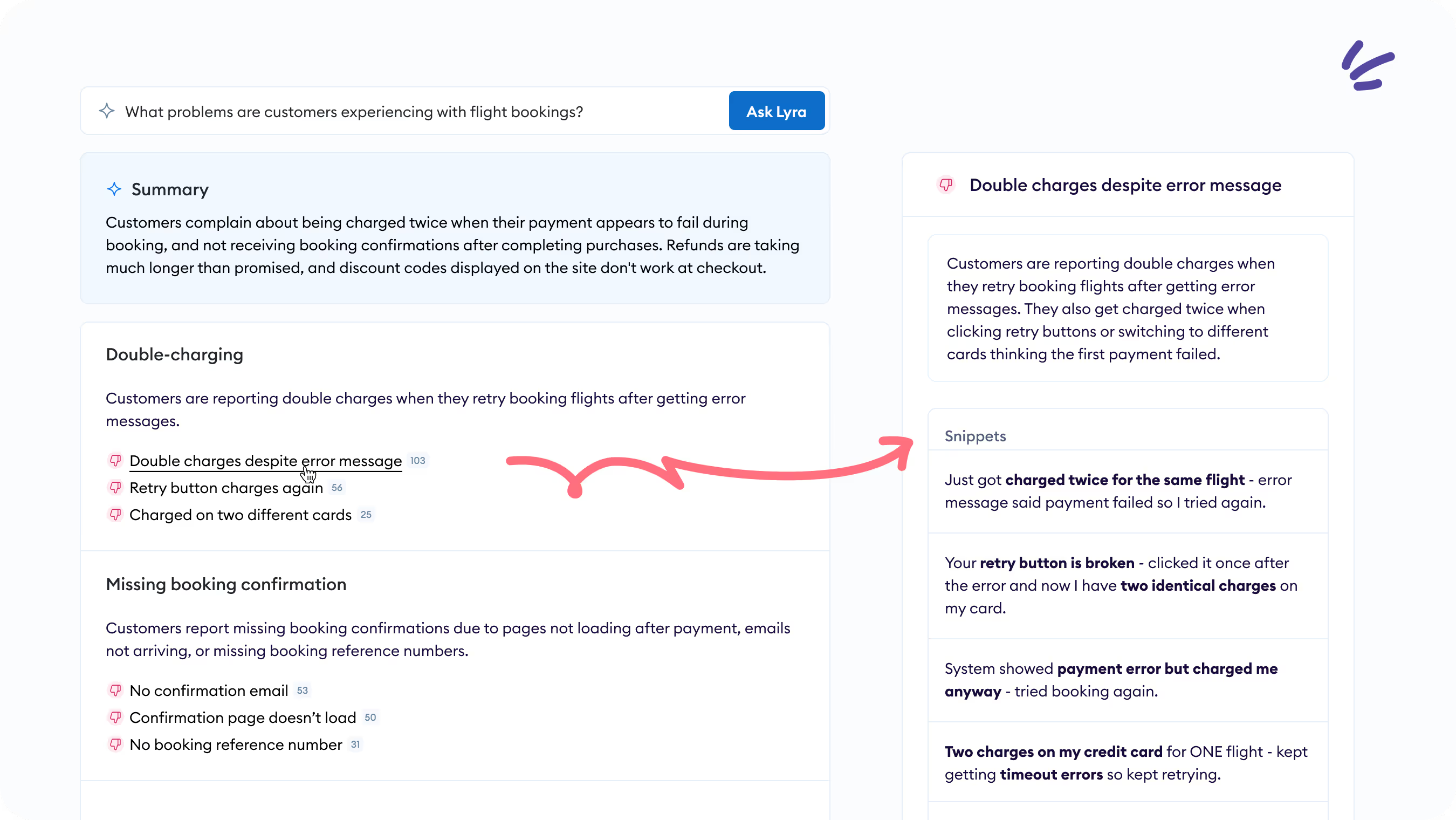
Get an instant list of specific customer issues extracted directly from customer feedback.

Name
Description (~30 words) Description (~30 words) Description (~30 words) Description (~30 words)
Learn More
Name
Description (~30 words) Description (~30 words) Description (~30 words) Description (~30 words)
Learn More
Name
Description (~30 words) Description (~30 words) Description (~30 words) Description (~30 words)
Learn More
Name
Description (~30 words) Description (~30 words) Description (~30 words) Description (~30 words)
Learn More
Name
Description (~30 words) Description (~30 words) Description (~30 words) Description (~30 words)
Learn More
Name
Description (~30 words) Description (~30 words) Description (~30 words) Description (~30 words)
Learn More
Name
Description (~30 words) Description (~30 words) Description (~30 words) Description (~30 words)
Learn More
Name
Description (~30 words) Description (~30 words) Description (~30 words) Description (~30 words)
Learn More
Transform feedback into precise customer insights
Book time for a personalized walkthrough of Chattermill with one of our experts - no strings attached.
We'll discuss your challenges and show you how Chattermill helps:

Instantly transform feedback into reliable customer insights
Discover emerging trends without any manual analysis
Surface the most common customer issues and pain points
See Chattermill in action
Frequently
Asked Questions
Find out everything you need to know about the Chattermill MCP.
MCP stands for Model Context Protocol. It's an open standard that allows AI agents such as Claude to connect to external platforms and access their data. With the Chattermill MCP, your AI agent can connect directly to your customer feedback data within Chattermill.
The Chattermill MCP is available to all Chattermill customers. You will separately need access to the AI agent you want to connect it with, which may require a paid account depending on the tool.
First, connect your preferred AI agent to the Chattermill MCP server. Once connected, your AI agent can query your Chattermill data directly when responding to prompts. With the Chattermill MCP, your AI agent can:
• Get quick summaries of customer feedback across any topic, segment or time period
• Access quantified insights — including issue volumes, metrics and customer sentiment
• Pull raw verbatim feedback based on specific criteria
• Cross-reference customer feedback with data from other connected tools
We'll continue adding new capabilities based on learnings and customer feedback.
Access through the Chattermill MCP is governed by your existing Chattermill user permissions. This means each user can only see the data they already have access to in Chattermill — nothing more, nothing less.
The Chattermill MCP is currently in closed beta. Sign up for early access and our team will reach out to get you started.