


15 Best Conversational Analytics Tools in 2026


The CX intelligence
platform that's AI-native by design
Book a demoThis guide compares 15 of the best conversational analytics tools on the market in 2026, with a focus on platforms built for customer experience and voice of customer (VOC) analytics. You will find detailed breakdowns of features, pricing, G2 ratings, pros, cons, and ideal use cases, along with a framework for choosing the right platform for your organization.
One important note before we dive in: the term "conversational analytics" means different things to different people. This guide focuses specifically on CX conversational analytics, not BI conversational analytics. We will clarify that distinction in the next section.
Quick Summary of the Top Conversational Analytics Tools
If you are short on time, here are our top three picks based on AI capabilities, multi-channel coverage, and suitability for CX and product teams:
Read on for the full comparison of all 15 tools, including pricing, G2 ratings, pros and cons, and a framework for choosing the right platform.
Why Listen to Us
At Chattermill, we have helped global enterprise brands, including H&M and Booking.com, unlock customer insights through advanced AI-driven analytics. Our expertise in conversational analytics stems from years of building a platform that unifies customer feedback from every channel and turns it into intelligence that CX, product, and insights teams can act on immediately. With implementations across global enterprise brands, we are positioned to offer a grounded perspective on which platforms deliver real value at scale.
What Is Conversational Analytics?
Conversational analytics is the use of AI and natural language processing to analyze customer conversations, including calls, chats, emails, reviews, support tickets, and survey responses, and extract actionable insights like sentiment, themes, and emerging trends.
That definition matters because the term "conversational analytics" has been co-opted by two distinct categories:
- CX conversational analytics (the focus of this guide): Software that ingests customer feedback and conversations across multiple channels, then uses NLP and machine learning to detect sentiment, cluster themes, identify trends, and surface actionable insights for CX, product, and insights teams. This is also commonly referred to as voice of customer analytics, VOC analytics, conversation analytics software, or conversation intelligence software in the CX context.
- BI conversational analytics: Tools that let users query business data using natural language, essentially chatting with dashboards and databases. These are useful, but they solve a fundamentally different problem.
This guide covers the first category. So how do you make sense of thousands of customer conversations every week without drowning in data? That is precisely the problem these platforms solve — and the core capabilities below explain how.
If you are looking for tools to ask questions of your data warehouse, this is not the right list.
The core capabilities of CX conversational analytics platforms include:
- Sentiment analysis: Detecting whether feedback is positive, negative, or neutral, and increasingly, the specific emotions driving that sentiment
- Automated theme detection: Grouping conversations by topic without manual tagging or rule-based taxonomies
- Trend identification and anomaly detection: Surfacing emerging issues before they escalate into widespread problems
- Multi-channel unification: Bringing together feedback from surveys, support tickets, reviews, social media, chat, and voice into a single view
- Impact analysis: Connecting feedback patterns to business metrics like NPS, CSAT, CES, and churn
15 Top Conversational Analytics Tools: Head-to-Head Comparison
How We Evaluated These Conversational Analytics Tools
Choosing the right conversational analytics platform depends on what your team actually needs, not just what looks impressive in a demo. We built this evaluation around the criteria that matter most to CX, product, and insights teams working with customer feedback at scale.
AI and NLP capabilities formed the foundation of our assessment. We looked at whether each platform uses advanced machine learning and deep learning for theme detection and sentiment analysis, or relies on simpler keyword matching and rule-based taxonomies that require constant manual maintenance. The best tools in this category learn and adapt to your specific business language over time without requiring you to build and manage complex tag hierarchies.
Multi-channel coverage was the second major factor. Customer conversations happen across surveys, support tickets, chat transcripts, call recordings, app reviews, social media posts, and more. Platforms that can unify all of these data sources into a single view provide fundamentally different insights than tools that only cover one or two channels. We weighted breadth and depth of channel coverage heavily, particularly for voice analytics capabilities that are increasingly important for CX teams.
Integration ecosystem, scalability, and ease of use rounded out our criteria. A tool that requires six months of implementation and a dedicated data science team delivers value too slowly for most organizations. We prioritized platforms that connect to existing tech stacks, such as Salesforce, Zendesk, Slack, and major data warehouses, without extensive custom development. We also considered how intuitive each platform is for non-technical users, because the best insights are worthless if only one person on the team can access them. Finally, we assessed pricing transparency and scalability, recognizing that enterprise buyers need platforms that grow with their feedback volumes without unpredictable cost jumps.
1. Chattermill
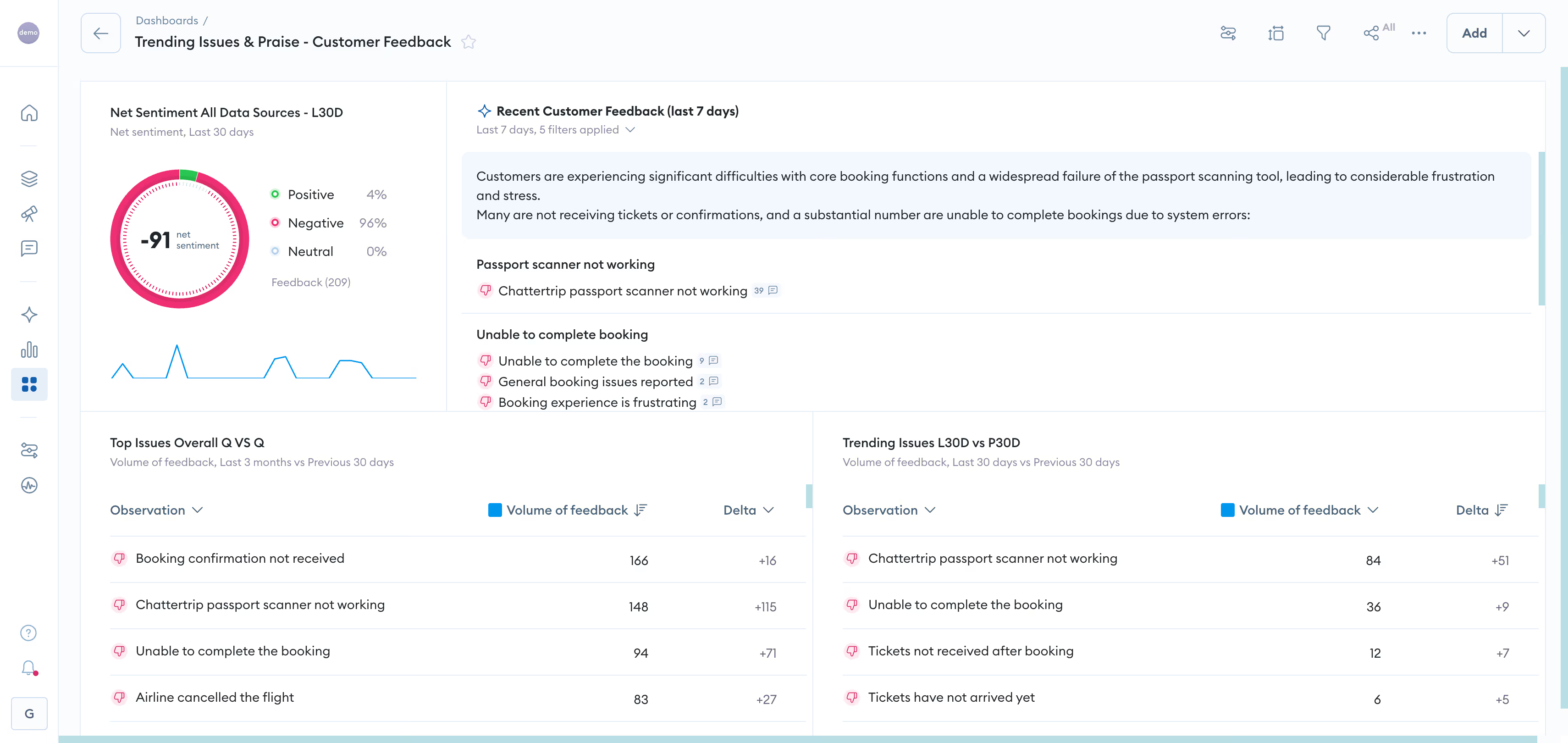
Chattermill is a unified feedback analytics and voice of customer platform purpose-built for CX, product, and insights teams who need to analyze customer conversations at scale. Where many tools in this category force you to choose between channel coverage and analytical depth, Chattermill delivers both: advanced AI that learns your business language paired with multi-channel unification that spans surveys, support tickets, chat, call recordings, app reviews, social media, and online reviews in a single platform.
The platform ingests feedback from every customer touchpoint, including surveys, support tickets, chat transcripts, call recordings, app reviews, social media, and online reviews, and consolidates it into a single source of truth. Rather than relying on rigid, rule-based taxonomies that require constant manual updates, Chattermill's AI automatically detects themes and sentiment patterns across all of these sources, adapting to your specific business context without requiring a team of analysts to manage the system.
What sets Chattermill apart from other conversational analytics tools is the depth of its analytical layer. The platform does not just tell you that customers are unhappy. It connects feedback themes directly to business metrics like NPS, CSAT, and churn through its impact analysis capabilities, showing you exactly which issues are driving customer outcomes. For CX and product leaders who need to prioritize based on business impact rather than just volume, this is a meaningful differentiator.
The introduction of Lyra, Chattermill's AI assistant, takes this further by enabling conversational access to customer insights. Teams can ask questions in natural language and receive evidence-backed answers instantly, without building custom reports or waiting for analyst support. And with Chattermill MCP (Model Context Protocol), organizations can embed customer intelligence directly into their own AI agents and existing workflows, extending how teams access and act on insights beyond the Chattermill platform.
Chattermill Features
- Unified feedback analytics: Consolidates data from surveys, reviews, support tickets, social media, chat transcripts, call recordings, and app store feedback into a single platform
- Advanced AI theme detection: Automatically categorizes feedback without rule-based setup, identifying patterns across channels, languages, and geographies
- Lyra AI assistant: Conversational interface for querying customer insights in natural language, delivering evidence-backed answers instantly
- MCP (Model Context Protocol): Access Chattermill insights directly in external AI agents and workflows, embedding customer intelligence into broader business processes
- Impact analysis: Connects feedback themes directly to NPS, CSAT, CES, and churn metrics, quantifying the business impact of specific customer issues
- Speech analytics: Analyzes voice calls alongside text-based feedback, transcribing and extracting insights from contact center conversations
- Social CX analytics: Monitors and analyzes customer sentiment across social media channels, integrating social feedback into the unified customer view
- Multilingual support: Analyzes feedback across a wide range of languages natively, enabling global teams to surface insights from international customer bases without translation delays
- Real-time alerts and anomaly detection: Proactive notifications when sentiment shifts or critical issues emerge, enabling rapid response before problems escalate
2026 Pricing
Custom pricing based on business needs and feedback volume. Visit the Chattermill pricing page for details, or Book a Demo to discuss your requirements.
Chattermill Pros
- Unifies feedback from surveys, support tickets, chat, call recordings, app reviews, social media, and online reviews into a single platform, eliminating the data silos that limit insight depth
- AI models continuously learn and adapt to your specific business language, improving accuracy over time without manual intervention
- Impact analysis connects customer feedback directly to business metrics, enabling data-driven prioritization
- Intuitive interface that non-technical CX and product teams can adopt without technical support, with a streamlined onboarding process designed to surface early insights quickly
- Lyra AI assistant and MCP integration position the platform at the leading edge of how teams access and act on customer intelligence
- Trusted by global enterprise brands including H&M and Booking.com
Chattermill Cons
- No native survey creation or data collection: Chattermill focuses on analytics and relies on integrations with survey tools for data collection
- Custom pricing means you will need to engage with the sales team to get a quote
Who It's For
Enterprise CX, product, and insights teams that need to unify and analyze customer feedback across every channel and language at scale.
G2 Rating
Chattermill G2 Score: 4.5/5
2. CallMiner
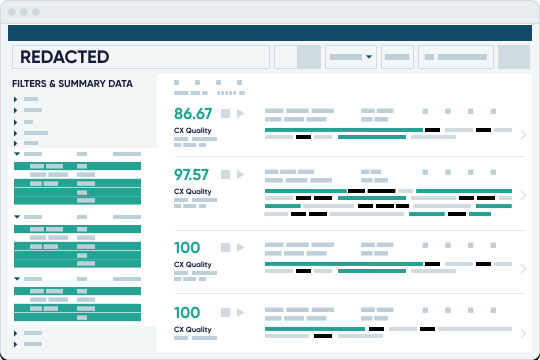
CallMiner is a conversation analytics platform built primarily for contact centers, with particular strength in voice analytics and compliance monitoring. The platform analyzes customer interactions across calls, chats, emails, and social media to surface insights about agent performance, customer sentiment, and regulatory adherence.
CallMiner's speech analytics engine is well-established, with particular strength in voice-heavy contact centers — analyzing tone, emotion, and acoustic patterns alongside the words themselves. For contact center leaders who need to monitor compliance at scale while also improving agent performance, CallMiner remains a strong choice.
CallMiner Features
- Speech and text analytics: Deep analysis of voice calls with emotion detection, acoustic analysis, and silence/overtalk measurement
- Compliance monitoring: Automated scoring for regulatory adherence across calls and digital interactions
- Agent performance management: Real-time and post-call coaching based on conversation analytics
- Automated scoring: AI-driven quality management that evaluates 100% of interactions
- Root cause analysis: Identifies the underlying drivers of customer issues across contact center interactions
2026 Pricing
Custom pricing based on interaction volume. Contact CallMiner for a quote.
CallMiner Pros
- Established speech analytics with deep acoustic analysis of tone, emotion, and silence patterns
- Strong compliance and regulatory monitoring features for heavily regulated industries
- Mature platform with extensive enterprise deployment experience
- Comprehensive agent coaching and performance management tools
CallMiner Cons
- Primarily contact center focused, with limited coverage of non-voice feedback channels like surveys and reviews
- Complex implementation that can take months for large-scale deployments
- Steep learning curve for configuring advanced analytics and custom categories
Who It's For
Large contact centers in regulated industries that need voice-first conversation analytics with compliance monitoring.
G2 Rating
CallMiner G2 Score: 4.5/5
3. Medallia
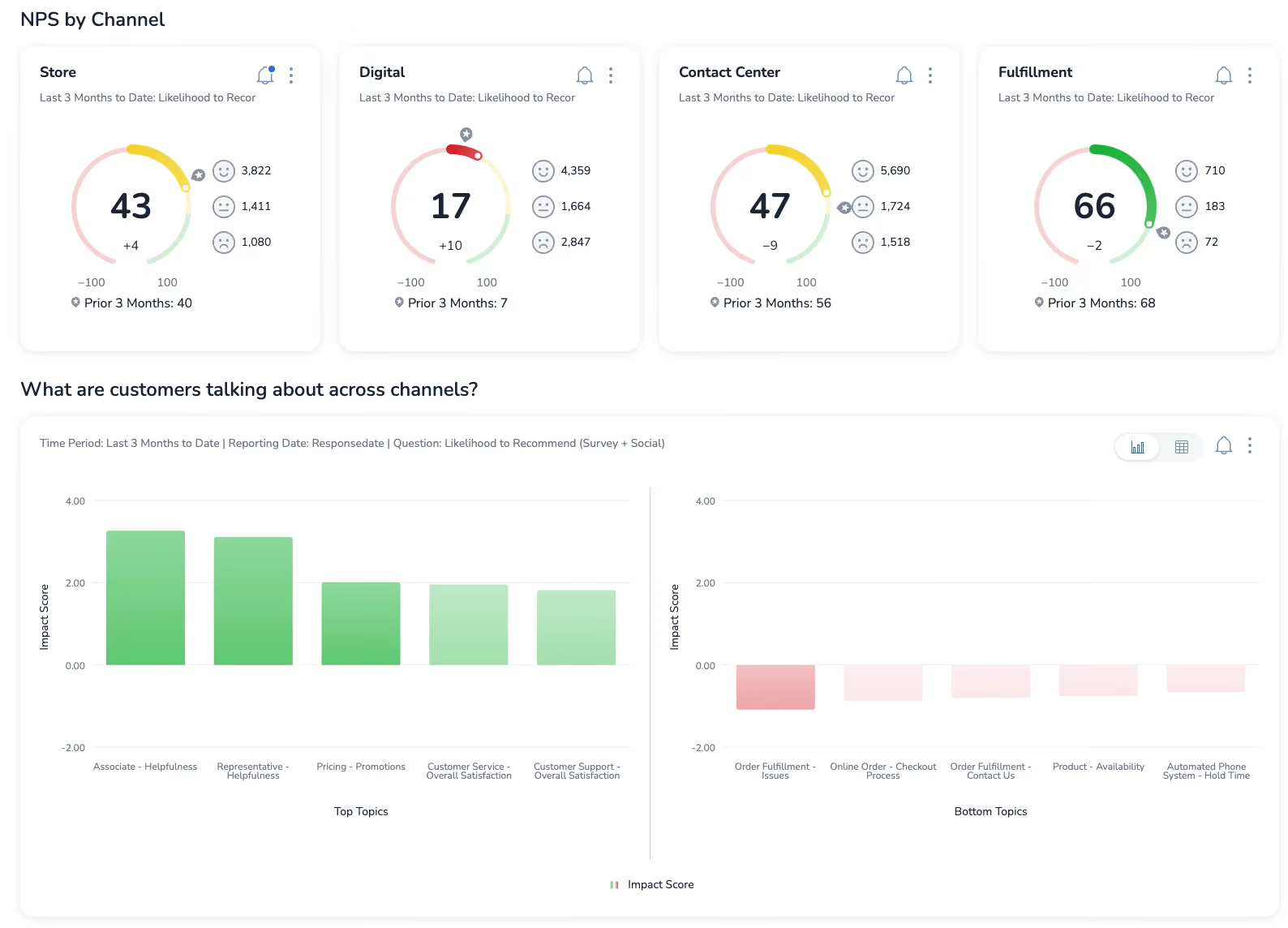
Medallia is an enterprise experience management platform with broad capabilities spanning customer experience, employee experience, and digital analytics. The platform is built for large, complex organizations that need to manage feedback programs across multiple business units, geographies, and touchpoints. See how Chattermill compares in our Chattermill vs. Medallia analysis.
Medallia Features
- Omnichannel feedback collection: Captures feedback across web, mobile, in-store, contact center, and IoT touchpoints
- Experience orchestration: Triggers automated workflows and actions based on feedback signals
- Role-based dashboards: Customizable views for different organizational levels from frontline to executive
- Employee experience integration: Connects customer feedback with employee engagement data
- Digital experience analytics: Session replay and behavioral analytics for web and mobile
2026 Pricing
Custom enterprise pricing. Typical contracts start in the six-figure range with multi-year commitments.
Medallia Pros
- Comprehensive all-in-one experience management platform for large enterprises
- Strong data collection capabilities across digital, in-person, and contact center touchpoints
- Established reputation with proven Fortune 500 implementations
- Robust governance and access control features for complex organizational structures
Medallia Cons
- Expensive for most mid-market companies, with high minimum contract values
- Text analytics relies on rule-based approaches that require manual configuration and ongoing maintenance
- Complex implementation requiring 3-6 months and dedicated internal resources
- Reporting can feel rigid when teams need to explore data outside predefined dashboards
Who It's For
Large enterprises with complex, multi-division experience management requirements and the budget and resources to support a major platform implementation.
G2 Rating
Medallia G2 Score: 4.5/5
4. Qualtrics (XM Discover)
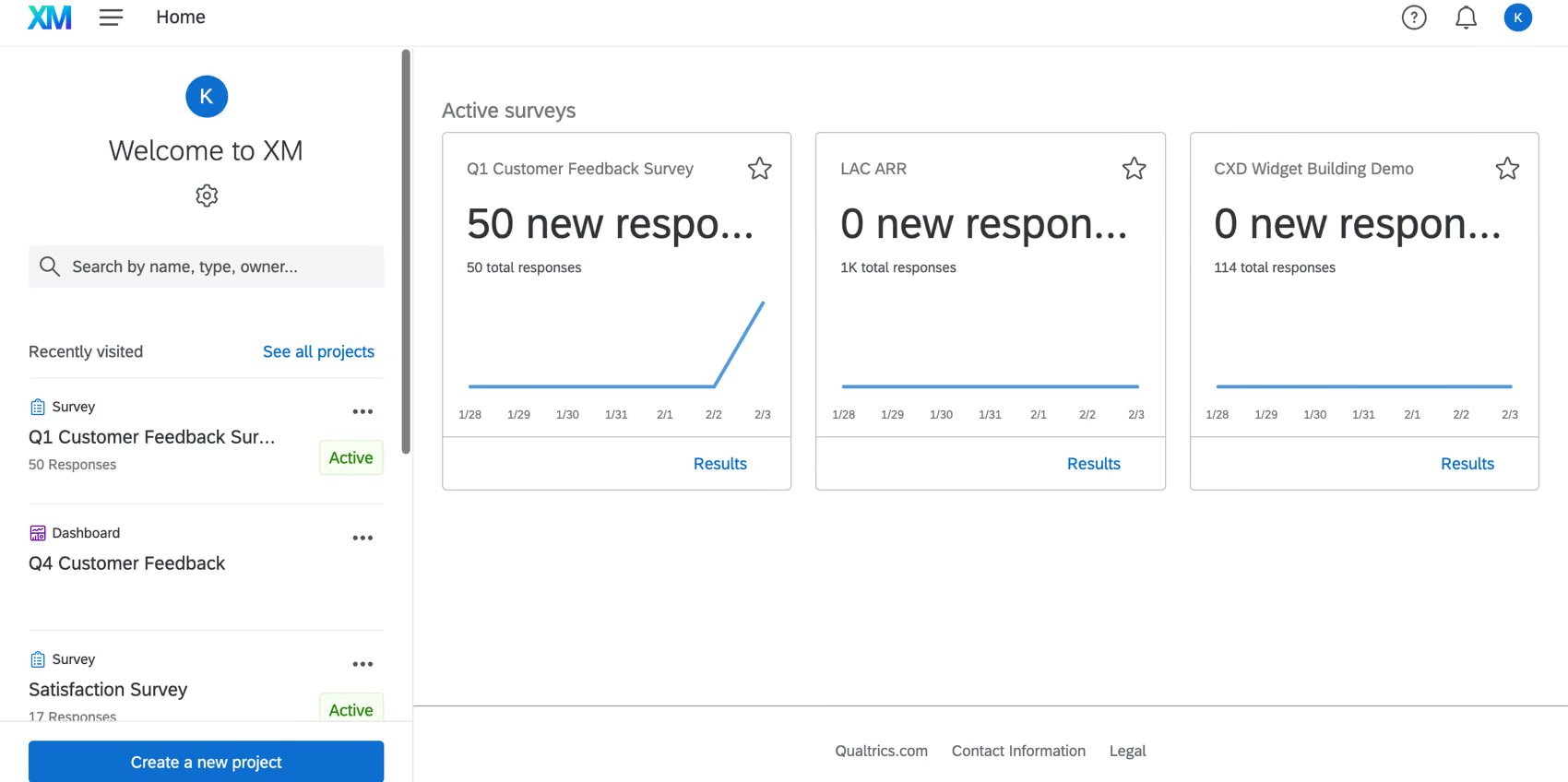
Qualtrics combines robust survey capabilities with conversational analytics through its XM Discover module (formerly Clarabridge). The platform is strongest when the primary feedback channel is surveys, with text analytics layered on top of structured response data. For a detailed comparison, see Chattermill vs. Qualtrics XM.
Qualtrics (XM Discover) Features
- Advanced survey design: Sophisticated question logic, branching, and distribution options
- XM Discover text analytics: NLP-based analysis of open-ended survey responses and unstructured feedback
- Experience iD: Unified customer profile that connects operational data with experience data
- Statistical analysis tools: Built-in regression analysis, key driver analysis, and predictive modeling
- Action planning: Workflow tools that translate insights into assigned tasks and follow-ups
2026 Pricing
Starting at $1,500/year for basic plans. Enterprise XM Discover packages require custom pricing.
Qualtrics (XM Discover) Pros
- Comprehensive survey capabilities with advanced question logic, branching, and distribution
- Strong statistical analysis and research methodology tools
- Large partner ecosystem and extensive training resources
- Flexible licensing from small teams to enterprise deployments
Qualtrics (XM Discover) Cons
- Text analytics relies on rule-based taxonomies requiring manual setup and maintenance
- Survey-centric design means non-survey feedback channels feel like bolt-on additions
- Interface complexity creates a steep learning curve for new users
- Pricing escalates quickly as you add modules and increase response volumes
Who It's For
Organizations where surveys are the primary feedback channel and research methodology is as important as real-time analytics.
G2 Rating
Qualtrics (XM Discover) G2 Score: 4.3/5
5. Sprinklr
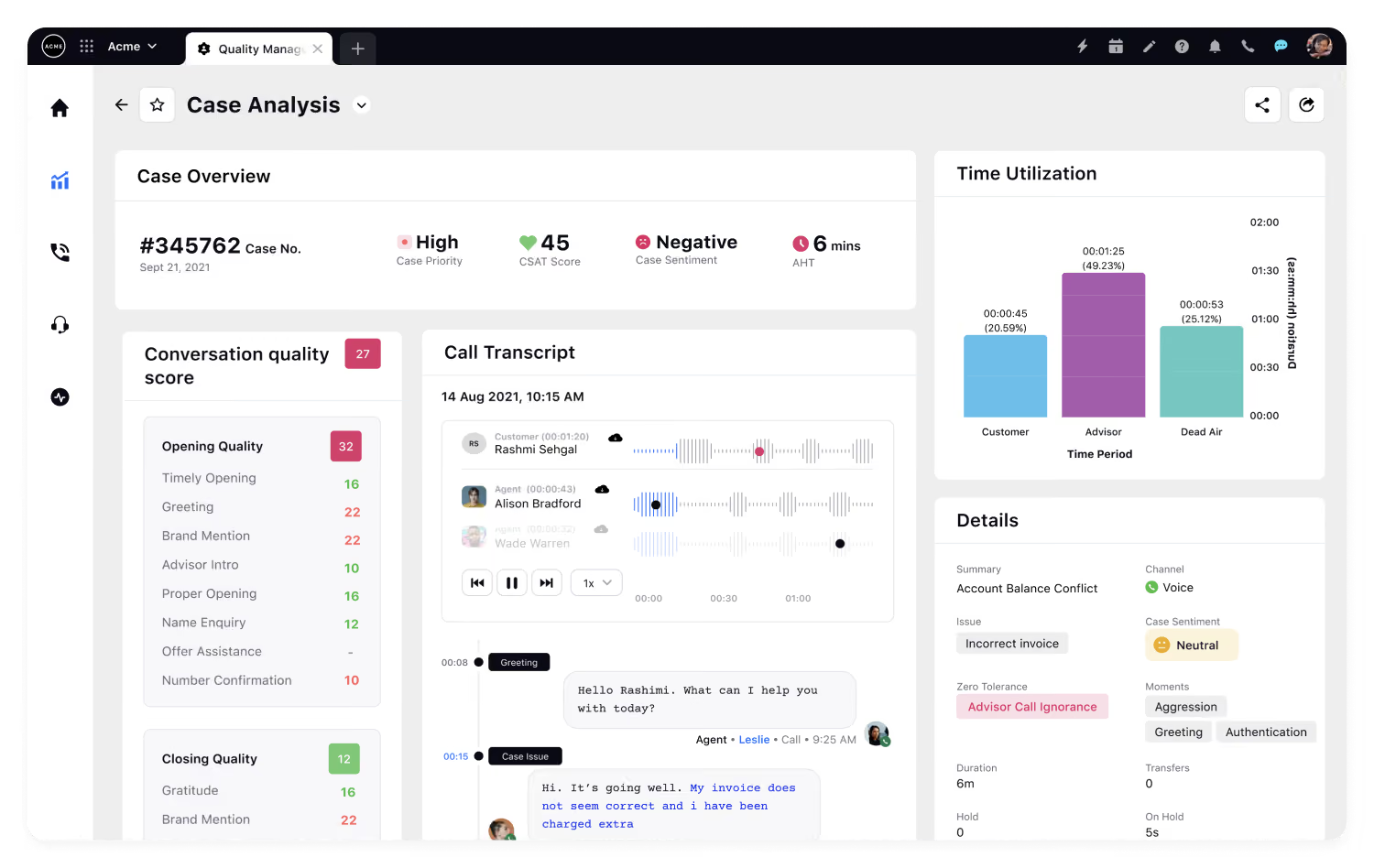
Sprinklr is a unified customer experience management platform with particular strength in social media monitoring and digital channel management. The platform covers 30+ social and messaging channels, making it the natural choice for brands where social is the primary customer conversation channel.
Sprinklr Features
- Social listening: Monitors conversations across 30+ social and messaging platforms
- Unified agent workspace: Consolidates all digital customer interactions for support teams
- Social analytics and sentiment: AI-driven sentiment classification and trend detection across social channels
- Publishing and engagement: Content management and response tools alongside analytics
- Community management: Monitors and analyzes conversations in forums and community platforms
2026 Pricing
Custom enterprise pricing. Contact Sprinklr for details.
Sprinklr Pros
- Extensive social media channel coverage with 30+ platforms supported
- Strong workflow automation for routing, escalation, and response management
- Unified workspace that combines analytics with engagement tools
- Comprehensive digital channel support including messaging apps and review sites
Sprinklr Cons
- Limited depth in traditional CX feedback channels like surveys, email, and support tickets
- Complex platform that requires significant training and configuration investment
- Pricing can be prohibitive for organizations that do not need the full social suite
- Analytics depth for non-social channels does not match dedicated CX analytics platforms
Who It's For
Social-first brands and digital-native companies where social media is the dominant customer conversation channel.
G2 Rating
Sprinklr G2 Score: 4.3/5
6. NICE CXone
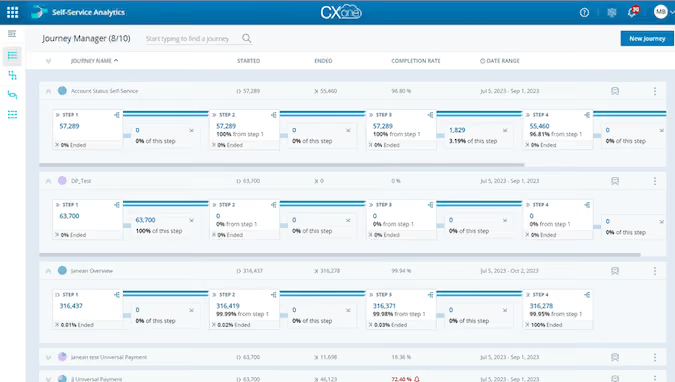
NICE CXone is a comprehensive cloud contact center platform that includes conversation analytics as part of its broader workforce optimization suite. The platform is designed for large contact centers that need analytics tightly integrated with their operational infrastructure.
NICE CXone Features
- Interaction analytics: Analyzes voice and digital interactions for sentiment, topics, and compliance
- Real-time guidance: Provides in-call suggestions and next-best-action prompts for agents
- Workforce optimization: Scheduling, forecasting, and performance management integrated with analytics
- Quality management: Automated QA scoring across 100% of interactions
- CXone Expert: Knowledge management integrated with analytics insights
2026 Pricing
Custom pricing based on agent seats and interaction volume. Contact NICE for enterprise quotes.
NICE CXone Pros
- Tightly integrated analytics within a comprehensive contact center platform
- Strong real-time capabilities including live agent guidance
- Mature workforce optimization features with deep scheduling and forecasting
- Extensive contact center ecosystem integrations
NICE CXone Cons
- Analytics are part of a larger contact center suite, making them less accessible for non-contact-center teams
- Limited coverage of feedback channels outside the contact center such as surveys, reviews, and social
- Complex pricing structure with multiple modules and add-ons
- Best suited for organizations already using or planning to adopt the NICE CXone ecosystem
Who It's For
Large contact centers already in the NICE ecosystem that need analytics integrated with workforce optimization.
G2 Rating
NICE CXone G2 Score: 4.3/5
7. Verint
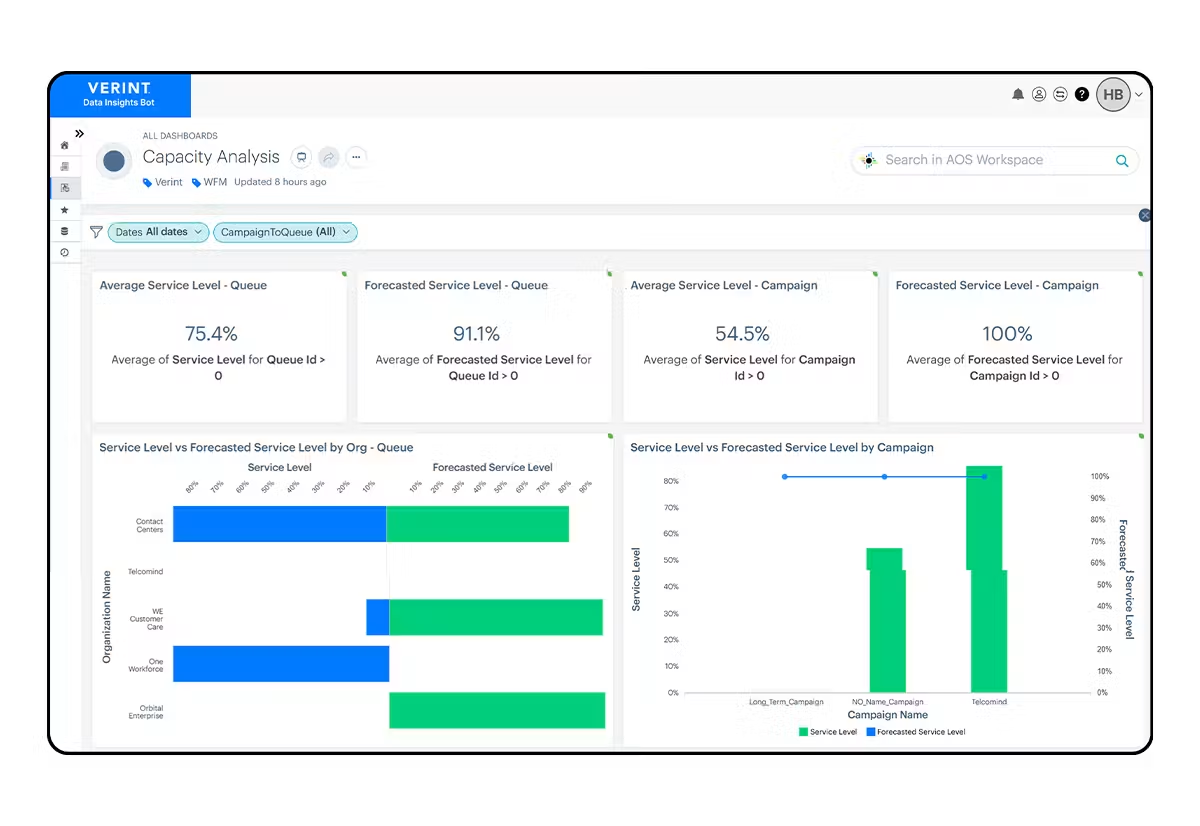
Verint combines voice of customer analytics with workforce engagement management in a platform designed for large enterprises. The platform has deep roots in contact center optimization and has expanded into broader VoC capabilities.
Verint Features
- Text and speech analytics: Analyzes both voice calls and text-based interactions for themes and sentiment
- VoC programs: Survey design and feedback collection alongside conversational analytics
- Workforce engagement: Scheduling, quality management, and coaching tools integrated with analytics
- Da Vinci AI: Verint's AI layer that automates insights and actions across the platform
- Knowledge management: Centralized knowledge base informed by conversation analytics
2026 Pricing
Custom enterprise pricing. Contact Verint for quotes.
Verint Pros
- Combines VoC analytics with workforce engagement in a single platform
- Long track record in enterprise deployments, particularly in financial services and telecommunications
- Broad capability set spanning analytics, quality management, and workforce optimization
- Da Vinci AI adds automation capabilities across the platform
Verint Cons
- Platform complexity can overwhelm teams that only need conversational analytics without workforce management
- Modernization is ongoing, with some legacy interfaces still present in parts of the platform
- Implementation timelines are typically long, requiring significant professional services investment
- Analytics depth does not match AI-native platforms for advanced theme detection and sentiment analysis
Who It's For
Large enterprises in regulated industries that need VoC analytics tightly integrated with workforce engagement management.
G2 Rating
Verint G2 Score: 4.3/5
8. Gong
Gong is a revenue intelligence platform that analyzes sales calls, meetings, and emails to help revenue teams close more deals. While technically a conversation intelligence tool, Gong's focus is entirely on the sales and revenue side rather than CX or VoC analytics.
Gong Features
- Call and meeting recording: Automatic recording and transcription of sales calls and video meetings
- Deal intelligence: AI-driven analysis of deal health, risk signals, and progression indicators
- Coaching insights: Identifies coaching opportunities based on top-performer conversation patterns
- Pipeline management: Analytics-driven visibility into pipeline health and forecasting accuracy
- Email analytics: Tracks and analyzes email engagement alongside call data
2026 Pricing
Starting at approximately $1,200/user/year. Custom enterprise pricing available for large deployments.
Gong Pros
- Purpose-built conversation intelligence for sales and revenue teams with deep deal analytics
- Excellent user experience with intuitive call review and coaching workflows
- Strong AI that surfaces actionable deal insights and risk signals
- Deep CRM integrations, particularly with Salesforce and HubSpot
Gong Cons
- Exclusively focused on sales conversations, with no coverage of CX feedback channels like surveys, reviews, or support tickets
- Not designed for voice of customer analytics, sentiment analysis, or customer experience use cases
- Pricing is per-user, which makes it expensive for large teams
- Limited value for organizations primarily seeking CX or product feedback analytics
Who It's For
Revenue and sales teams that need conversation intelligence to improve win rates and coaching, not a traditional CX analytics use case.
G2 Rating
Gong G2 Score: 4.7/5
9. Observe.AI
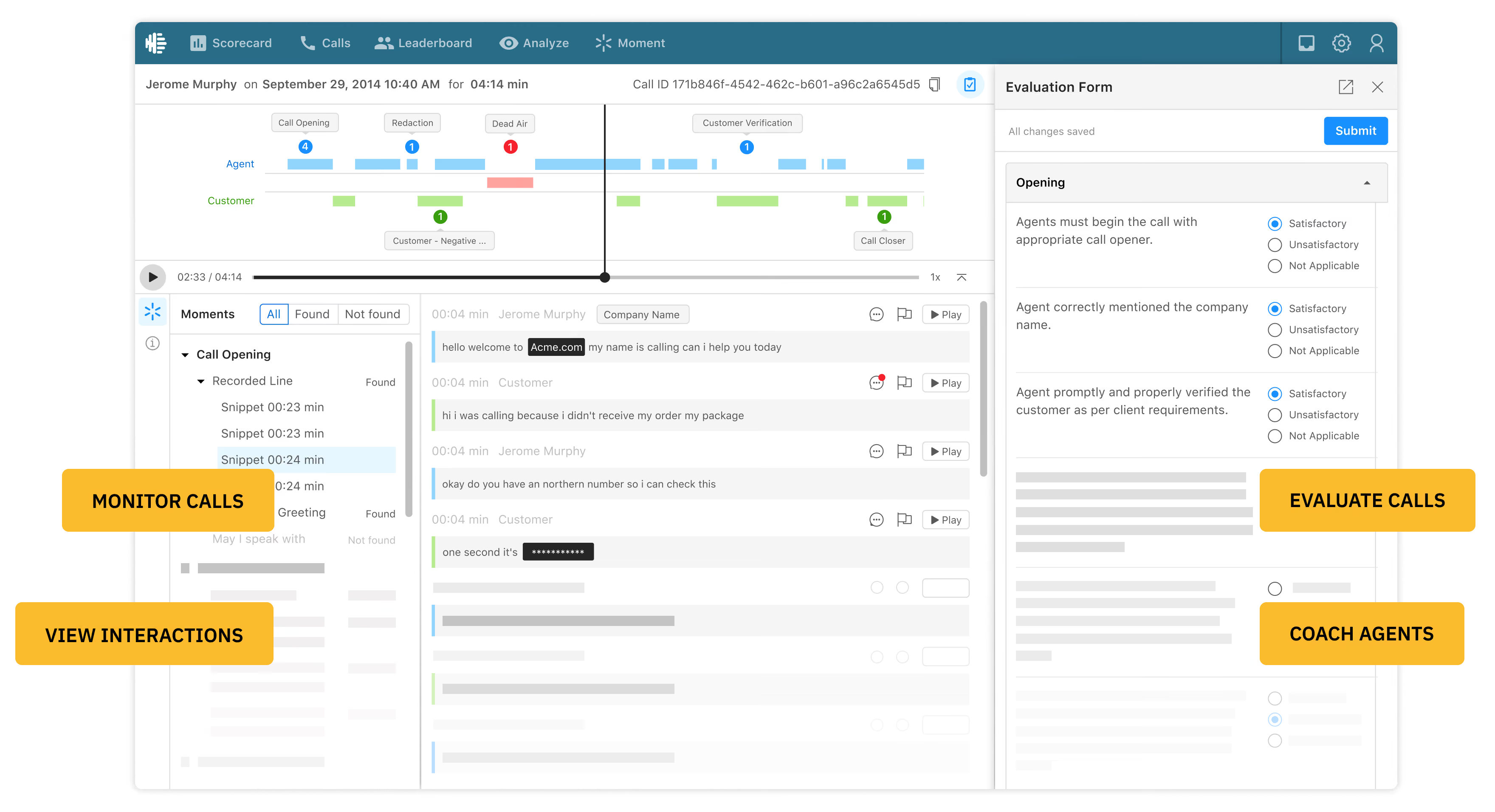
Observe.AI is a conversation intelligence platform designed for contact centers, with a strong focus on real-time agent assistance and quality assurance automation. The platform combines post-interaction analytics with live agent guidance.
Observe.AI Features
- Real-time agent assist: In-call prompts, suggestions, and compliance alerts during live conversations
- Automated quality assurance: AI-driven evaluation of 100% of interactions against custom scorecards
- Agent coaching: Personalized coaching plans based on conversation analytics and performance trends
- Generative AI summaries: Automated call summaries and action item extraction
- Sentiment and topic analysis: Post-call analytics for identifying trends across agent interactions
2026 Pricing
Custom pricing based on agent seats and interaction volume. Contact Observe.AI for a quote.
Observe.AI Pros
- Strong real-time agent assistance capabilities that improve conversations as they happen
- Comprehensive QA automation that evaluates every interaction, not just a sample
- Excellent customer support and implementation experience according to G2 reviewers
- Modern, intuitive interface compared to legacy contact center analytics platforms
Observe.AI Cons
- Focused primarily on contact center voice and chat, with limited coverage of surveys, reviews, and other CX feedback channels
- Not designed for broader VoC analytics or product feedback use cases
- Relatively newer platform compared to established contact center analytics vendors
- Real-time features require specific telephony integrations
Who It's For
Contact centers seeking AI-powered real-time agent assistance and automated quality assurance.
G2 Rating
Observe.AI G2 Score: 4.6/5
10. Enterpret
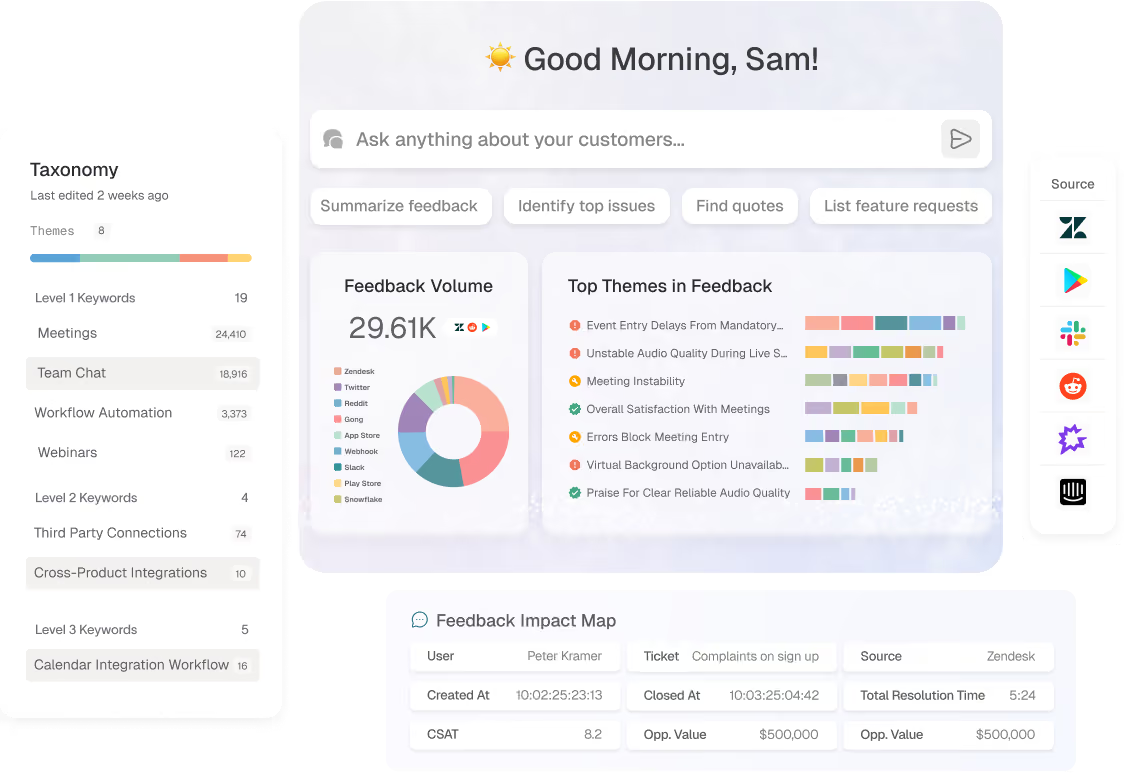
Enterpret is a customer feedback analytics platform built specifically for product teams. The platform focuses on turning feedback from support tickets, surveys, and reviews into product intelligence that drives roadmap decisions. See our Chattermill vs. Enterpret comparison for a detailed breakdown.
Enterpret Features
- Adaptive AI models: Machine learning that adjusts to your product's specific terminology and feedback patterns
- Product taxonomy: Custom categorization that maps feedback to product areas, features, and teams
- Roadmap integration: Direct connections to Jira and Productboard for translating insights into product actions
- Quantified feedback: Measures the frequency and impact of feedback themes to support prioritization
- Reason codes: Automatically classifies the "why" behind customer feedback themes
2026 Pricing
Custom pricing. Contact Enterpret for a quote.
Enterpret Pros
- Purpose-built for product teams with strong roadmap and development tool integrations
- Adaptive AI that improves accuracy as it learns your product and customer language
- Clean, modern interface designed for product managers rather than data analysts
- Strong customer success support during implementation and ongoing use
Enterpret Cons
- Narrow focus on product feedback means limited value for CX teams who also need support analytics, VoC programs, or voice analytics
- Smaller customer base and less established track record compared to larger platforms
- Limited real-time alerting capabilities compared to dedicated CX analytics platforms
Who It's For
Product teams at SaaS and technology companies that want to build customer-driven roadmaps using feedback data.
G2 Rating
Enterpret G2 Score: 4.6/5
11. SentiSum
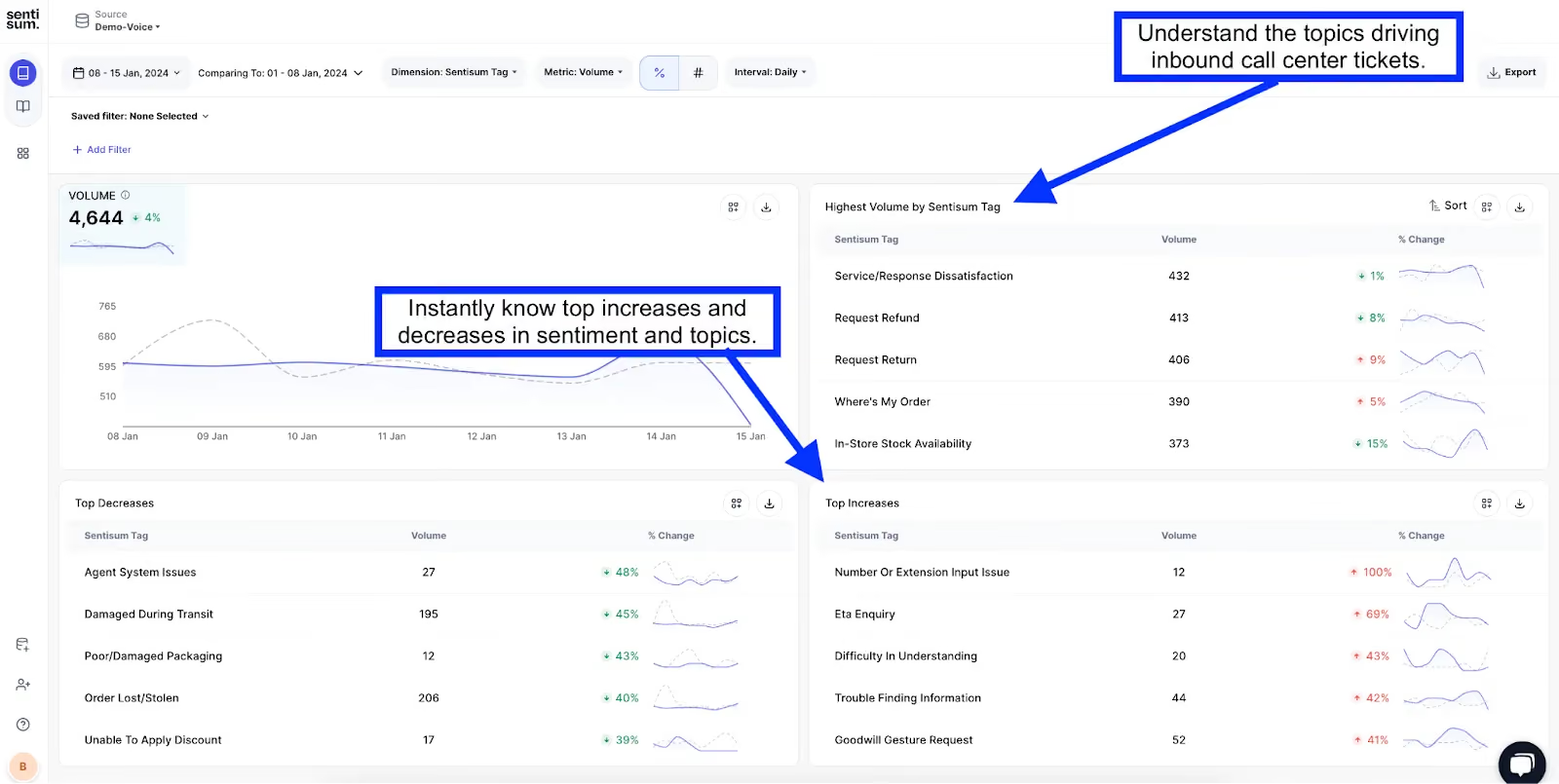
SentiSum is an AI-powered customer feedback analytics platform focused on support ticket analysis and auto-tagging. The platform is particularly strong at helping support and CX teams understand what customers are contacting about and why.
SentiSum Features
- AI auto-tagging: Automatically categorizes support tickets and conversations by topic, sentiment, and urgency
- Ticket routing: Uses AI analysis to route incoming tickets to the right team or agent
- Multi-source analysis: Analyzes feedback from Zendesk, Freshdesk, Intercom, surveys, and reviews
- Trend dashboards: Real-time visibility into support contact drivers and volume trends
- CSAT prediction: Predicts customer satisfaction scores based on conversation content
2026 Pricing
Custom pricing based on ticket volume. Contact SentiSum for a quote.
SentiSum Pros
- Excellent support ticket analytics with fast, accurate auto-tagging
- Strong integrations with major helpdesk platforms including Zendesk and Freshdesk
- Quick time-to-value with most implementations completed in days rather than months
- Modern, intuitive dashboards that support teams can use without training
SentiSum Cons
- Primarily focused on support channels, with less depth in survey analytics, voice analytics, and social monitoring
- Smaller company compared to enterprise platforms, which may be a factor for risk-averse buyers
- Limited advanced analytics capabilities like impact analysis or statistical modeling
Who It's For
Support and CX teams that need fast, AI-driven analysis and auto-tagging of support tickets and customer conversations.
G2 Rating
SentiSum G2 Score: 4.7/5
12. Thematic
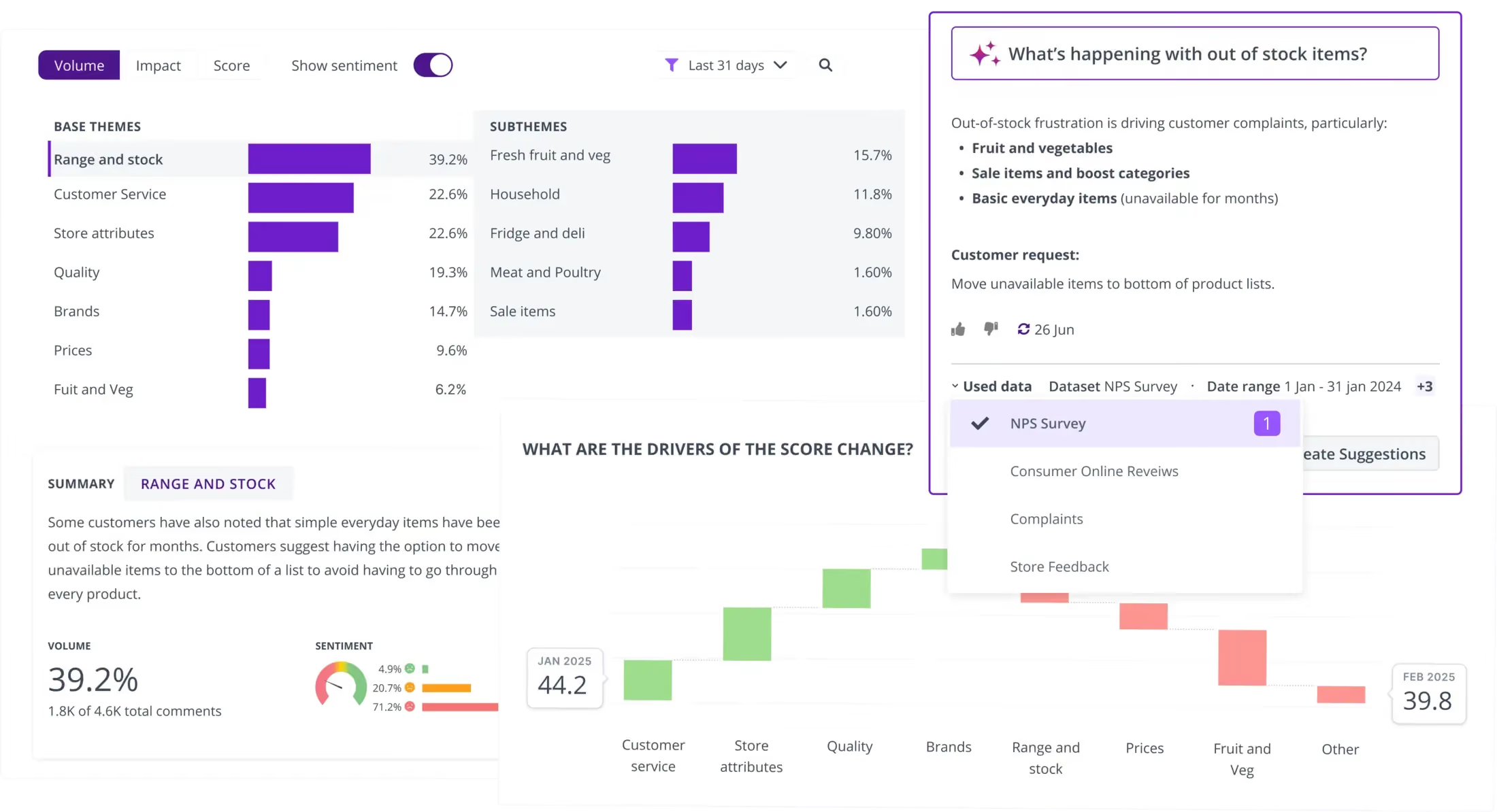
Thematic is a feedback analytics platform that specializes in automated theme discovery and visualization. The platform uses unsupervised AI to identify themes in customer feedback without requiring manual taxonomy setup, making it particularly popular with insights and research teams. For a detailed comparison, see Chattermill vs. Thematic.
Thematic Features
- Unsupervised theme discovery: AI identifies themes automatically without requiring predefined categories or manual tagging
- Theme visualization: Visual representations of theme relationships, frequency, and trends over time
- Impact scoring: Quantifies the relationship between themes and key metrics like NPS
- Data connectors: Integrates with Qualtrics, SurveyMonkey, Zendesk, and other feedback sources
- Comparison analysis: Side-by-side comparisons of themes across time periods, segments, and data sources
2026 Pricing
Custom pricing. Contact Thematic for a quote.
Thematic Pros
- Strong unsupervised AI for theme discovery that requires minimal manual configuration
- Excellent data visualization capabilities that make theme relationships and trends easy to understand
- Clean, intuitive interface designed for insights and research professionals
- Good integration with major survey platforms
Thematic Cons
- Narrower channel coverage compared to platforms that unify voice, social, and support data alongside surveys
- Limited real-time alerting and anomaly detection capabilities
- Smaller platform with fewer enterprise-scale deployment references
Who It's For
Insights and research teams that need powerful theme discovery and visualization from survey and review data.
G2 Rating
Thematic G2 Score: 4.8/5
13. Level AI
Level AI is a contact center intelligence platform that uses generative AI to automate quality assurance, provide real-time agent coaching, and surface conversation insights. The platform represents the newer generation of contact center analytics tools built on large language models.
Level AI Features
- Generative AI-powered QA: Automated quality scoring using LLMs that understand conversation context and nuance
- Real-time agent assist: Live guidance and suggested responses during customer interactions
- Customer intelligence: Aggregated analytics across all contact center conversations for trend detection
- Automated coaching: AI-generated coaching recommendations based on individual agent performance
- Scenario-based training: Uses real conversation data to create training scenarios for new agents
2026 Pricing
Custom pricing based on agent seats. Contact Level AI for a quote.
Level AI Pros
- Modern generative AI approach to quality assurance that goes beyond keyword matching
- Strong real-time assistance capabilities for live agent interactions
- Clean interface that simplifies complex QA workflows
- Innovative use of LLMs for understanding conversation context and quality
Level AI Cons
- Focused exclusively on contact center use cases with no coverage of surveys, reviews, or product feedback
- Relatively newer company with a smaller customer base than established vendors
- Generative AI capabilities are still evolving and may produce inconsistent results in some scenarios
Who It's For
Forward-thinking contact centers that want to leverage generative AI for quality assurance and agent coaching.
G2 Rating
Level AI G2 Score: 4.7/5
14. CloudTalk
CloudTalk is a cloud-based business phone system with built-in call analytics. While not a dedicated conversational analytics platform, it includes call recording, transcription, and basic analytics features that make it accessible for smaller teams that need phone-based conversation insights.
CloudTalk Features
- Call recording and transcription: Automatic recording and AI transcription of all calls
- Call sentiment analysis: Basic sentiment detection on transcribed calls
- Call flow analytics: Visual analytics showing call routing patterns and outcomes
- Smart dialer: Automated dialing with integrated call analytics
- CRM integration: Native connections to Salesforce, HubSpot, Pipedrive, and other CRM platforms
2026 Pricing
Starting at $25/user/month. Enterprise plans with advanced analytics available at custom pricing.
CloudTalk Pros
- Affordable entry point for SMBs and mid-market teams that need basic call analytics
- Easy to set up with minimal technical requirements
- Good CRM integrations for smaller tech stacks
- Combines phone system and analytics in one platform, simplifying vendor management
CloudTalk Cons
- Analytics capabilities are basic compared to dedicated conversational analytics platforms
- Limited to voice only, with no coverage of chat, email, surveys, reviews, or social
- Keyword-based analysis lacks the depth of AI-native NLP platforms
- Not suitable for enterprise-scale VoC or CX analytics programs
Who It's For
SMBs and mid-market teams that need an affordable cloud phone system with built-in call analytics.
G2 Rating
CloudTalk G2 Score: 4.4/5
15. Unitq
Unitq is a quality monitoring platform that uses AI to identify product quality issues across customer feedback channels. The platform is designed for product and engineering teams that need to catch bugs, quality regressions, and user experience issues before they impact large portions of the user base. For a detailed comparison, see Chattermill vs. Unitq.
Unitq Features
- AI quality monitoring: Continuously scans feedback across channels for product quality signals
- Bug and issue detection: Automatically identifies product defects and quality regressions from customer feedback
- Cross-channel analysis: Monitors app reviews, support tickets, social media, and survey data for quality patterns
- Quality score: Proprietary metric that quantifies overall product quality based on customer feedback
- Engineering integrations: Direct connections to Jira and other development tools for rapid issue resolution
2026 Pricing
Custom pricing. Contact Unitq for a quote.
Unitq Pros
- Unique focus on product quality monitoring that fills a gap other feedback analytics tools do not cover
- Fast detection of emerging quality issues before they affect a large user base
- Strong app review and support ticket analysis capabilities
- Useful engineering-focused integrations for rapid issue resolution
Unitq Cons
- Narrow quality-monitoring focus means limited value for broader CX analytics, VoC programs, or sentiment analysis
- Less suited for organizations whose primary need is understanding overall customer experience rather than product quality
- Smaller company compared to enterprise analytics vendors
Who It's For
Product and engineering teams at technology companies that need to detect and resolve quality issues using customer feedback signals.
G2 Rating
Unitq G2 Score: 4.5/5
Choosing the Right Conversational Analytics Tools
With 15 capable platforms on this list, the question is not whether good options exist. It is which one matches your specific needs. Here is a framework for narrowing the field.
1. Define your primary use case. Are you analyzing customer feedback to improve CX and retention? Coaching contact center agents? Building a product roadmap from customer signals? Monitoring product quality? The answer immediately narrows your shortlist. Platforms like Chattermill and Medallia serve broad CX analytics needs, while Gong and Observe.AI are purpose-built for revenue and contact center teams, respectively.
2. Audit your data sources. List every channel where customer feedback currently lives: surveys, support tickets, chat transcripts, call recordings, app reviews, social media, online reviews. The right platform should be able to ingest all of them. If you are only using one or two channels today but plan to expand, choose a platform that supports your future state, not just your current one.
3. Assess AI depth versus configuration effort. Some platforms require you to build and maintain manual taxonomies, tag hierarchies, and rule sets. Others use adaptive AI that learns your business language automatically. The first approach gives you more control but demands ongoing maintenance. The second delivers faster time-to-value and scales better as feedback volumes grow. Be honest about how much configuration effort your team can sustain.
4. Evaluate integration requirements. Check compatibility with your CRM, helpdesk, survey tools, data warehouse, and collaboration platforms. The best analytics in the world are not useful if they live in a silo. Look for native integrations with your existing tech stack and API access for custom connections.
5. Consider total cost of ownership. Pricing is just the starting point. Factor in implementation time, training requirements, ongoing maintenance, and the internal resources needed to manage the platform. A tool with a lower sticker price that takes six months to implement and requires a dedicated analyst may cost more than a platform with higher licensing fees but faster time-to-value.
6. Test with your actual data. Every platform demos well with curated data sets. Request a proof of concept using your real feedback data. Pay attention to how accurately the AI categorizes your specific feedback themes, how quickly the team can build useful dashboards, and how intuitive the workflow is for the people who will use it daily.
7. Verify security and compliance certifications. Enterprise buyers need SOC 2 certification, GDPR compliance, and data residency options at a minimum. Regulated industries like financial services and healthcare have additional requirements including HIPAA, PCI-DSS, and audit trails that not all platforms meet. Confirm these before investing time in a proof of concept.
8. Evaluate vendor support and training resources. Consider the quality of onboarding support, ongoing customer success, and self-service documentation. Platforms with dedicated implementation teams, in-app guidance, and certification programs reduce the internal burden on your team and accelerate adoption across the organization.
For smaller CX teams or mid-market organizations processing fewer than 10,000 feedback items monthly, focused platforms like SentiSum or Enterpret may offer faster time-to-value and simpler pricing. Enterprise CX and product teams handling high-volume, multi-channel feedback across regions will benefit from platforms like Chattermill or Medallia that offer the depth, scalability, and integration breadth to match complex organizational needs.
What Are Conversational Analytics AI Tools?
Conversational analytics AI tools represent the next evolution in how organizations understand their customers. These platforms go beyond simple keyword counting or manual tagging by using advanced artificial intelligence, including deep learning, transformer models, and large language models, to interpret the meaning, emotion, and intent behind customer conversations at scale.
The AI in modern conversational analytics tools performs several critical functions. First, it processes unstructured text and speech from multiple channels simultaneously, recognizing that a customer complaint in a support ticket, a negative app review, and a frustrated social media post may all be about the same underlying issue. Second, it learns and adapts to your specific business language over time. A generic sentiment model might miss that "it took forever" in a logistics context means something different than in a gaming context. The best AI-native platforms build custom models tuned to your vocabulary and customer base.
The practical outcome is that CX, product, and insights teams spend less time on data preparation and more time on strategic action. Instead of waiting weeks for an analyst to manually review a sample of conversations, AI-powered platforms deliver structured insights across every conversation within hours. This shift from sample-based analysis to full-coverage intelligence is what makes AI-driven conversational analytics transformative for organizations that receive thousands of feedback signals every day.
Benefits of Using Conversational Analytics Software
The shift from manual feedback analysis to AI-powered conversational analytics transforms how CX, product, and insights teams operate:
- Unified customer insights across all channels: Teams get a single source of truth instead of fragmented views from surveys, support tickets, reviews, social media, and chat, each living in separate systems. This eliminates the common problem where the support team sees one story, the product team sees another, and nobody has the complete picture.
- Faster time to actionable insights: Automated analysis delivers intelligence in hours rather than the weeks required for manual review and spreadsheet-based tagging. Teams that previously compiled quarterly feedback reports can shift to continuous, real-time intelligence that drives faster decision-making.
- Improved customer satisfaction and retention: Proactive issue detection and faster resolution directly improve NPS, CSAT, and reduce churn before problems compound. When teams catch a product defect or service failure on day one instead of day thirty, the number of affected customers drops dramatically.
- Data-driven product and service improvements: Feedback-backed prioritization replaces gut-feel roadmap decisions, ensuring resources go to the issues that matter most to customers. Product teams can see exactly which features or pain points drive dissatisfaction and allocate development time accordingly.
- Reduced manual analysis workload: Automation frees analysts from repetitive tagging and categorization to focus on strategic interpretation and action planning. Instead of spending days reading and labeling feedback, analysts can focus on connecting insights to business strategy.
- Cross-functional alignment: Shared dashboards and standardized insights help CX, product, support, and leadership teams work from the same data instead of conflicting interpretations. This shared foundation reduces internal debate about what customers actually want and accelerates cross-team initiatives.
- Faster escalation and crisis response: Real-time alerts surface critical issues before they become widespread, enabling intervention while the blast radius is still small. The difference between catching an issue in hours versus weeks can mean hundreds versus thousands of impacted customers.
- Measurable ROI through impact analysis: Connecting feedback themes to business metrics like NPS, CSAT, and churn quantifies the value of CX improvements in terms leadership understands. This makes it easier for CX teams to justify investment and demonstrate their contribution to business outcomes.
- Scalability without headcount: AI-powered platforms handle growing feedback volumes without requiring proportional growth in analyst headcount. Organizations processing tens of thousands of feedback items monthly can maintain the same team size while dramatically increasing insight coverage.
ROI and Business Impact of Conversational Analytics Tools
Conversational analytics platforms deliver measurable outcomes that justify the investment:
- Churn reduction: Teams identify at-risk customers earlier through sentiment signals and emerging complaint patterns, shifting from reactive to proactive intervention before cancellation becomes likely.
- Operational efficiency: Automated theme detection and sentiment analysis replace manual tagging and report building, freeing analyst time for strategic work. Teams that previously spent days compiling quarterly feedback reviews can shift to real-time, continuous intelligence.
- Revenue impact: Product improvements driven by customer feedback increase satisfaction, expansion revenue, and referrals. When product teams can see exactly which features or issues drive dissatisfaction, roadmap decisions become more targeted and effective.
- Faster resolution: Real-time alerts enable proactive issue management, reducing escalation volumes and support costs. Catching a product defect on day one versus day thirty can mean the difference between hundreds and thousands of affected customers.
- Cross-team efficiency: Unified feedback analytics eliminate the duplicate analysis that happens when CX, product, and support teams independently interpret the same customer data from different tools.
Platforms like Chattermill help teams quantify the impact of feedback-driven decisions on core metrics like NPS, CSAT, and customer lifetime value through direct impact analysis.
Get Started with Chattermill
Turn your customer conversations into actionable intelligence that drives real business outcomes. Whether you are evaluating conversational analytics tools for the first time or replacing an existing solution, Chattermill helps CX, product, and insights teams unify feedback from every channel and act on insights faster.
Book a Demo to see Chattermill in action, or take a self-guided product tour to explore the platform at your own pace.
Conversational Analytics Tools: FAQs
What Is the Best Conversational Voice of Customer Analytics Platform?
Based on AI depth, multi-channel coverage, and impact analysis capability, Chattermill is the top choice for enterprise CX and product teams that need unified voice of customer analytics across every feedback channel. The platform combines advanced AI-driven theme detection and sentiment analysis with multi-channel coverage spanning surveys, support tickets, chat, call recordings, app reviews, social media, and online reviews. Its impact analysis capability connects feedback themes directly to NPS, CSAT, and churn, helping teams prioritize based on business outcomes rather than gut feel. For contact center-specific VoC needs, CallMiner and NICE CXone are also strong choices.
What Is the Difference Between Conversational Analytics and Conversation Intelligence?
The terms overlap significantly, but there is a practical distinction. Conversational analytics typically refers to platforms that analyze customer conversations and feedback to extract insights about customer experience, sentiment, and themes. These tools serve CX, product, and insights teams. Conversation intelligence more commonly refers to platforms that analyze sales calls and meetings to improve revenue outcomes, such as Gong. In practice, both categories use similar underlying technologies, including NLP, sentiment analysis, and machine learning, but they serve different teams and use cases. Many platforms in this guide could be classified under either label.
How Long Does It Take to Implement Conversational Analytics Software?
Implementation timelines vary widely depending on the platform and the complexity of your data ecosystem. AI-native platforms like Chattermill, SentiSum, and Enterpret can often deliver initial insights faster than traditional platforms, because their AI models learn from your data automatically without requiring manual taxonomy setup. Larger enterprise platforms like Medallia, Qualtrics, and Verint typically require three to six months for full implementation, including configuration, integration, user training, and organizational change management. The biggest factors affecting timeline are the number of data sources you need to connect, the complexity of your organizational structure, and how much customization you require.
Can Conversational Analytics Tools Analyze Voice Calls?
Yes, many conversational analytics tools include speech analytics capabilities that transcribe and analyze voice calls. Platforms like Chattermill, CallMiner, NICE CXone, and Observe.AI all support voice call analysis, transcribing audio into text and then applying the same NLP and sentiment analysis used for written feedback. The depth of voice analytics varies significantly between platforms. Some offer basic transcription with keyword spotting, while others analyze acoustic features like tone, emotion, speech rate, and silence patterns. For organizations where phone calls are a significant customer feedback channel, voice analytics capabilities should be a primary evaluation criterion.



See Chattermill in action on your own feedback
Book a demo


