


21 Best Sentiment Analysis Tools in 2026: AI, API & Free


The CX intelligence
platform that's AI-native by design
Book a demoMost AI sentiment analysis tools can tell you what customers feel. Positive, negative, neutral — the basics. But when a wave of negative feedback hits after a product launch, knowing that sentiment dropped 12% doesn't tell you what to fix, which team should act, or how it's affecting your NPS.
The gap between detecting sentiment and acting on it is where CX programs stall. The best sentiment analysis tools in 2026 don't just classify text — they connect customer emotions to the themes driving them, surface anomalies before they become crises, and tie feedback directly to business metrics your leadership team actually cares about.
Not every team needs the same kind of tool, though. A CX leader at a $100M+ retailer, a social media manager, and a data scientist scoring support tickets need very different things, so this guide covers the whole field: feedback analytics platforms, social listening, contact center analytics, developer APIs, and free open-source libraries.
Quick Summary
We evaluated 21 tools across AI depth, data source coverage, pricing transparency, and real-world CX impact. Here are the top three:
This article covers what each tool does well, where it falls short, what it costs, and who it's built for — so you can match the right platform to your team's actual workflow.
Looking for a developer API or a free option instead? Skip ahead to the Developer APIs or Free and Open-Source sections below.
Why Listen To Us
Chattermill works with global brands like Uber, Tesco, and Just Eat to analyze millions of customer feedback data points across channels and languages. We built our platform around the belief that sentiment analysis only matters when it connects to business outcomes — and that perspective shapes how we evaluate every tool in this space.
What Is Sentiment Analysis?
AI sentiment analysis uses natural language processing and machine learning to identify opinions, emotions, and attitudes in unstructured text — customer reviews, support tickets, survey responses, social media posts, and call transcripts. Instead of manually reading thousands of comments, teams get an automated read on how customers feel and, more importantly, why they feel that way. For a longer primer, see our complete guide to sentiment analysis.
How It Works
Modern sentiment analysis tools go well beyond simple positive/negative classification. The most capable platforms use a combination of approaches:
- Fine-grained sentiment scoring: Rather than binary labels, tools assign scores on a spectrum (e.g., very negative to very positive), capturing degrees of feeling.
- Aspect-based sentiment analysis: Identifies what customers are reacting to — pricing, onboarding, delivery speed — not just whether the overall tone is positive or negative.
- Emotion detection: Goes beyond sentiment polarity to classify specific emotions like frustration, delight, urgency, or confusion.
- Theme and topic extraction: Groups feedback into recurring patterns so teams can prioritize systemic issues over one-off complaints.
Why It Matters for CX
For CX leaders managing feedback at scale, sentiment analysis is the difference between drowning in data and acting on insight. When you can tie a spike in negative sentiment to a specific product feature, route that insight to the right team, and track the impact of the fix on CSAT — that's where the technology pays for itself.
How We Evaluated These Tools
Comparing 21 sentiment analysis tools isn't as simple as stacking feature lists. The right tool depends on what kind of feedback you're analyzing, how many channels it needs to span, and whether your team needs a quick pulse check or deep diagnostic capability. Here's how we assessed each platform:
AI and NLP sophistication. We looked at whether each tool stops at basic positive/negative classification or goes deeper — aspect-based sentiment, emotion detection, theme extraction, and anomaly surfacing. A tool that tells you "this feedback is negative" is useful. One that tells you "customers are frustrated specifically about onboarding speed, and it spiked 40% this week" is transformational.
Data source breadth. Sentiment lives in surveys, reviews, support tickets, social media, chat logs, and call transcripts. We evaluated how many of these sources each tool can ingest natively and whether it requires manual data formatting or connects directly to your existing stack.
Real-world pricing clarity. We documented actual starting prices where publicly available and noted when pricing is custom or quote-based. Vague "contact us" pricing isn't inherently bad — enterprise platforms with complex deployments often price by volume — but buyers deserve to know what they're walking into. Published prices come from each vendor's own pricing page; where a vendor doesn't publish prices, any range we cite is attributed to its public source.
Language and regional coverage. Global CX teams need tools that work across languages without losing nuance. We noted each tool's supported language count and whether multilingual analysis is a core capability or an add-on.
Integration ecosystem. Sentiment insights that stay siloed in a standalone dashboard don't drive action. We assessed each tool's ability to connect with CRMs, support platforms, BI tools, and communication channels like Slack.
Scalability and deployment model. Some tools are built for teams analyzing hundreds of feedback items monthly. Others are engineered for millions. We flagged which tools fit which scale and whether they offer cloud, on-prem, or hybrid deployment.
User validation. G2 ratings and user reviews provided a reality check against vendor claims. We weighted recency and volume of reviews, not just the score. Ratings were checked in September 2026. Most open-source libraries and APIs aren't rated on G2, so we judged them on accuracy, documentation, and cost to run.
21 Top Sentiment Analysis Tools: Head to Head Comparison
Best Sentiment Analysis Tools for CX and Customer Feedback Analytics
These platforms analyze the feedback you own: surveys, support tickets, reviews, chat, and call transcripts. They answer not just whether customers are unhappy, but which issue is driving it and what it's costing in NPS, CSAT, or retention. For a wider comparison, see our guide to the best customer feedback analysis tools.
1. Chattermill
.avif)
Best for: CX, insights, and product teams that need to unify feedback from every channel and connect sentiment to business outcomes like NPS, CSAT, and CES.
Chattermill isn't a sentiment classifier with a dashboard bolted on. It's a unified feedback intelligence platform built for teams that are drowning in multi-channel feedback and need to move from "we know customers are unhappy" to "here's exactly what's driving churn, which team should own it, and how our fix is tracking."
The platform ingests feedback from surveys, reviews, support tickets, social media, chat, and calls — then uses its Lyra AI engine to go beyond polarity scoring. Lyra identifies granular themes within feedback, detects anomalies before they snowball, and measures how specific customer issues are impacting your NPS, CSAT, and CES scores. That last part — tying sentiment to business metrics — is what separates Chattermill from tools that generate reports nobody acts on.
For global brands, Chattermill's ability to analyze feedback in over 100 languages without losing contextual nuance matters. A frustrated customer in Tokyo and an angry reviewer in Berlin can be surfaced as part of the same emerging theme, routed to the right team, and tracked as the fix rolls out.
The results show up in the metrics leadership tracks. E.ON Next raised NPS on its billing services from +9 to +22, a 144% increase. HelloFresh's customer story reports a 30% rise in US average order value over the last year, and Uber has 400+ users across CX, Ops, Product, and Support working in the platform across five mega-regions. As Stefan Platteau, Associate Director of Global Product Strategy at HelloFresh, puts it: "Quite quickly, we were able to make changes that paid for our investment in Chattermill."
Chattermill Key Features
- Lyra AI engine: Advanced theme detection, aspect-based sentiment analysis, and anomaly detection that surfaces issues proactively — not just when someone digs through dashboards.
- Unified feedback hub: Consolidates feedback from surveys (NPS, CSAT, CES), app reviews, support tickets, social media, and chat into one view.
- Business metric impact measurement: Directly ties customer feedback themes to movements in NPS, CSAT, CES, and retention — so leadership sees the revenue impact, not just the sentiment score.
- Automated alerts and reporting: Configurable alerts for sentiment shifts, emerging themes, and anomalies delivered to Slack, email, or your BI stack.
- Speech analytics: Call recordings are transcribed and analyzed alongside every other channel, so contact center conversations sit in the same view as surveys and reviews.
- 100+ language support: Multilingual analysis without requiring separate models or manual translation.
- Integration ecosystem: Native connectors for Salesforce, Zendesk, Intercom, Qualtrics, Slack, and API access for custom sources.
2026 Pricing
Custom, quote-based pricing. Chattermill doesn't publish a standard pricing page — pricing is usage-based, built around your data sources and feedback volume, with no per-user fees, so access can extend across CX, product, and support teams without seat costs. Book a demo for a quote.
Chattermill Pros
- Connects sentiment to business metrics (NPS, CSAT, CES) rather than stopping at classification
- Anomaly detection catches emerging issues before they appear in monthly reports
- Handles massive feedback volumes across 100+ languages without degradation
- Clean, intuitive interface that non-technical CX teams can use to set up dashboards and reports without IT involvement
- Strong integration ecosystem with major CRM and support platforms
Chattermill Cons
- Pricing requires a sales conversation — no self-serve option for smaller teams
- Feature depth can feel over-engineered for organizations with low feedback volume or a single channel
- No free tier or trial listed publicly
Who It's For
Enterprise and mid-market CX, insights, and product teams managing high volumes of multi-channel customer feedback who need to connect sentiment trends directly to business performance metrics. It's strongest for DTC and B2C brands with $100M+ in revenue in retail, subscription, travel, and financial services.
G2 Rating
4.4/5
2. Medallia

Best for: Large enterprises running omnichannel CX programs that need emotion detection, effort scoring, and AI-driven action management.
Medallia is an enterprise experience management platform that includes advanced sentiment and emotion analysis as part of its broader CX suite. The platform ingests feedback from surveys, social, messaging, calls, and even IoT signals, then applies AI to detect not just sentiment polarity but specific emotions and customer effort levels. For large organizations running mature CX programs, Medallia's ability to turn feedback into automated workflows and action plans is its key differentiator.
Medallia Key Features
- Emotion and effort detection: AI classifies specific emotions and effort signals in feedback
- Omnichannel feedback ingestion: Surveys, social, messaging, calls, chat, and IoT signals
- Action management: Automated workflows triggered by sentiment or emotion thresholds
- Role-based dashboards: Custom views for frontline, management, and executive users
- Text analytics engine: Theme extraction, trend analysis, and root cause identification
2026 Pricing
Custom, enterprise pricing. Medallia positions as a platform investment, not a point solution.
Medallia Pros
- Emotion and effort detection go beyond basic sentiment classification
- Truly omnichannel — including IoT signals that few competitors ingest
- Action management turns insights into automated workflows
- Strong enterprise security, compliance, and scalability
Medallia Cons
- Enterprise-only pricing and positioning
- Complex implementation with a significant onboarding investment
- Can be feature-heavy for teams that primarily need sentiment analysis rather than full CX management
Who It's For
Large enterprise CX teams running mature, omnichannel experience management programs that need AI-driven emotion detection and automated action management. For a side-by-side view, see Chattermill vs Medallia.
G2 Rating
4.5/5
3. Zonka Feedback
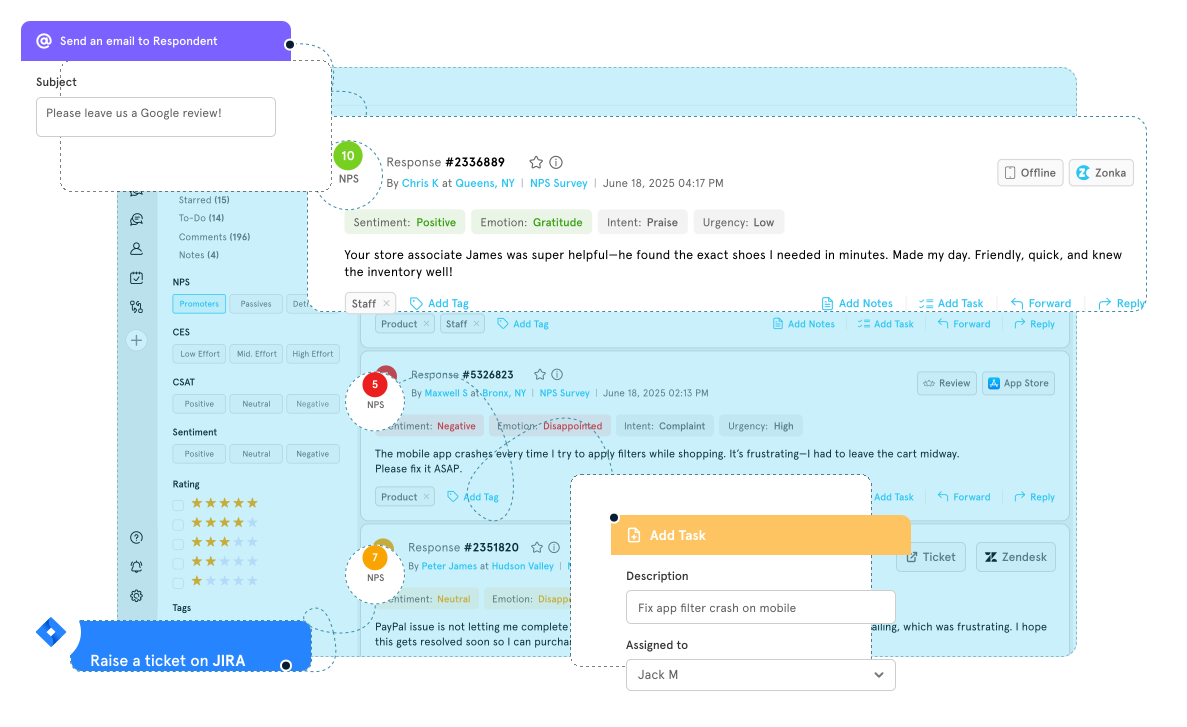
Best for: Mid-market CX teams that want sentiment scored at theme level and tied directly to NPS, CSAT, and CES rather than reported as a standalone number.
Most tools in this list return a sentiment score for a piece of text. Zonka Feedback goes a step further by scoring sentiment against each theme it extracts, then attributing that theme to a named entity such as a location, agent, or product, and measuring its effect on the CX metric. The practical difference is that a falling sentiment reading arrives already attached to what caused it and who owns it, which is what smaller teams without an analyst need in order to act the same week.
Zonka Feedback Key Features
- Theme-level sentiment: Sentiment scored per theme and sub-theme rather than per response, so mixed feedback is not averaged into neutrality
- Entity and aspect tracking: Custom entities such as locations, agents, products, or competitors detected automatically in free text
- Impact analysis: Connects sentiment shifts to movement in NPS, CSAT, and CES
- AI Co-pilot: Plain-language querying to trace what is driving a sentiment change
- Multi-source ingestion: Surveys, support tickets, chats, emails, and online reviews analyzed together
2026 Pricing
Custom pricing for feedback management and feedback intelligence.
Zonka Feedback Pros
- Theme-level sentiment is more actionable than document-level scoring
- Entity attribution points each sentiment finding at a specific owner
- Sentiment is tied to CX metrics rather than reported in isolation
- Collection and analysis in one platform for teams without an existing feedback stack
Zonka Feedback Cons
- No social listening, so brand sentiment beyond owned channels is out of scope
- No voice or call sentiment analysis
- Language coverage is not published, unlike several enterprise tools here
- The AI tier is a significant step up from the entry plan
Who It's For
Mid-market CX, support, and product teams analyzing sentiment in their own feedback channels who need each finding tied to a theme, an owner, and a metric.
G2 Rating
4.7/5
4. Unwrap
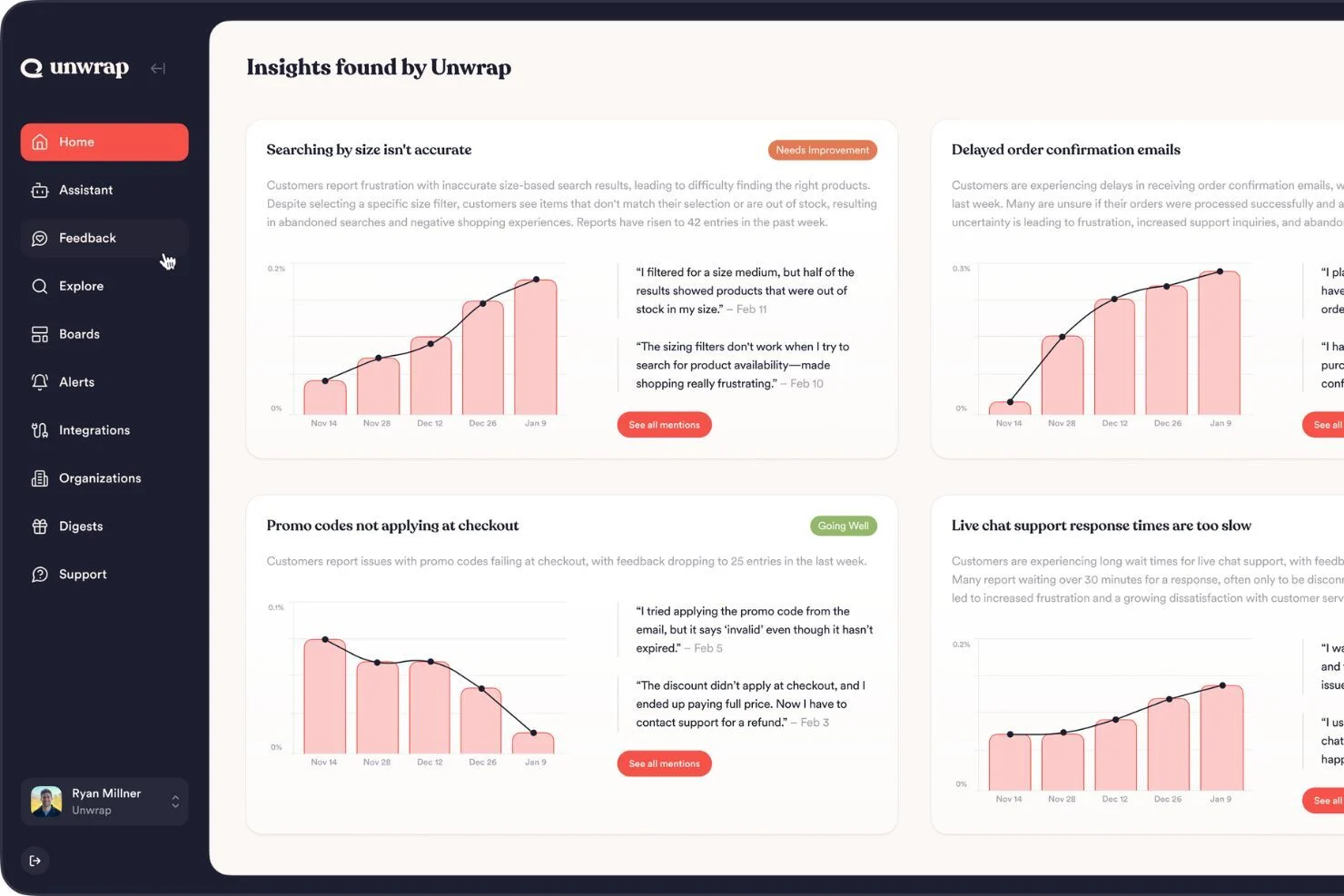
Best for: Product and CX teams that want to categorize customer feedback and query it using natural language — without building dashboards or writing queries.
Unwrap focuses on making unstructured customer feedback searchable and actionable. The platform automatically categorizes feedback from app reviews, support tickets, and surveys, then lets users ask questions in plain English — "What are users saying about onboarding?" — and get AI-generated answers grounded in the actual feedback data. For product teams that want to close the loop between customer voice and roadmap decisions, this natural language query approach reduces the friction between data and insight.
Unwrap Key Features
- Natural language query interface: Ask questions about your feedback data in plain English
- Auto-categorization: AI organizes feedback into themes and categories without manual tagging
- Multi-source ingestion: App reviews, support tickets, surveys, and more
- Trend detection: Surfaces emerging themes and sentiment shifts over time
- Product insight reports: Generate reports aligned to product development cycles
2026 Pricing
Starting at $24,000/year. Pricing based on monthly feedback volume and integrations. No per-seat charges. A 30-day trial runs on your own data.
Unwrap Pros
- Natural language query interface is genuinely intuitive — no SQL or dashboard building required
- Auto-categorization saves significant manual tagging effort
- Built with product teams in mind — feedback is organized for roadmap decisions
Unwrap Cons
- Narrower data source coverage than broader CX platforms
- Smaller company — less proven at enterprise scale
- Limited integration ecosystem compared to established players
- No self-serve plan, and the $24,000 entry point is a significant commitment for smaller teams
Who It's For
Product management and CX teams at growth-stage to mid-market companies that want an intuitive way to categorize, query, and act on customer feedback without building complex analytics workflows. See how it compares in Chattermill vs Unwrap.
G2 Rating
4.8/5
5. Reputation
Best for: Multi-location businesses that need to monitor, analyze, and improve sentiment across review sites, surveys, and local listings.
Reputation focuses on the intersection of sentiment analysis and online reputation management, particularly for businesses with multiple physical locations. The platform uses CNN-powered (convolutional neural network) sentiment analysis to process reviews, survey responses, and social mentions, then benchmarks each location against others and against industry standards. For franchise, retail, healthcare, and hospitality brands, this location-level granularity is the core value.
Reputation Key Features
- CNN-powered sentiment analysis: Deep learning model trained on review and survey language
- Location benchmarking: Compare sentiment across locations, regions, and against industry peers
- Review management: Respond to reviews across Google, Yelp, Facebook, and industry-specific sites
- Survey integration: Combine survey data with public review sentiment for a unified view
- Competitive intelligence: Track competitor location sentiment and ratings
2026 Pricing
Starting at $80/location/month for Rep Core. Rep Core + Pulse is $115/location/month and Rep Core + Surveys is $150/location/month. Enterprise pricing (125+ locations) is custom.
Reputation Pros
- Purpose-built for multi-location businesses — a niche that generalist tools underserve
- Location-level benchmarking provides actionable, specific insights
- Strong review management alongside sentiment analysis
- Competitive intelligence at the location level
Reputation Cons
- Less suited for businesses without multiple physical locations
- Focus on reviews and listings means limited depth for other feedback channels
- Enterprise pricing for 125+ locations requires a sales conversation
- Platform can feel narrow if you need broader CX analytics beyond reputation
Who It's For
Multi-location businesses (franchise, retail, hospitality, healthcare) that need to manage and improve sentiment across review sites, surveys, and listings at the location level.
G2 Rating
4.5/5
6. Luminoso
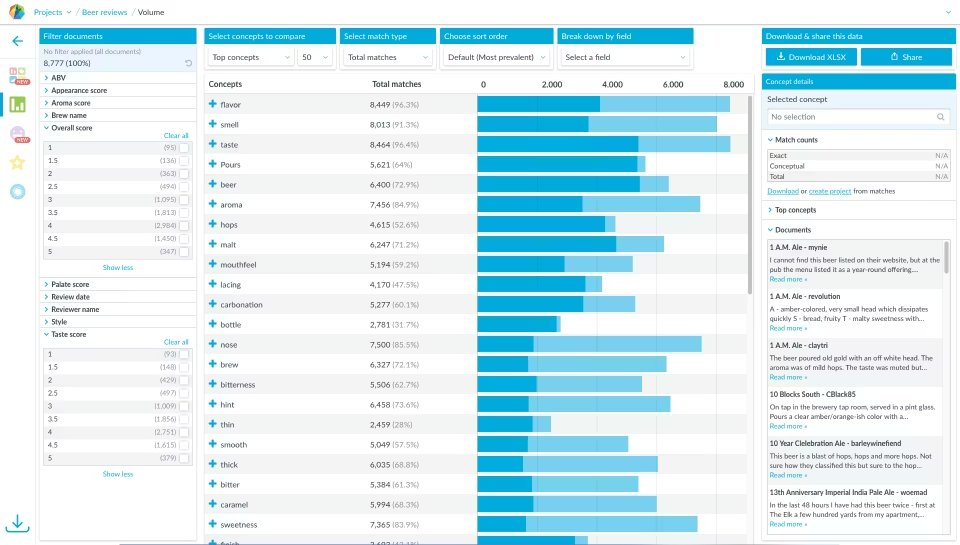
Best for: Teams that need concept-level language understanding without extensive model training — built on MIT AI research.
Luminoso (which is rebranding as Cemantica) takes a different approach to sentiment analysis. Born from MIT's Common Sense Computing Initiative, the platform understands concepts and context in text rather than relying on keyword matching or pre-trained sentiment dictionaries.
Luminoso Key Features
- Concept-level understanding: Grasps meaning and context, not just keywords or predefined dictionaries
- Minimal training required: Effective out of the box without thousands of labeled training examples
- Thematic clustering: Groups feedback by concept rather than keyword overlap
- Sentiment with context: Understands why sentiment is positive or negative, not just that it is
- Multi-language support: 15+ languages with concept-level understanding
2026 Pricing
Custom, quote-based pricing.
Luminoso Pros
- Concept-level understanding captures nuance that keyword-based tools miss
- Requires significantly less training data than traditional ML approaches
- Strong for industries with specialized terminology (healthcare, finance, tech)
- MIT research foundation brings genuine technical depth
Luminoso Cons
- Smaller company with a narrower feature set than enterprise platforms
- Batch processing rather than real-time analysis may not suit all workflows
- Limited integrations compared to larger platforms
- Dashboard and visualization capabilities are more basic
Who It's For
Analytics and insights teams in specialized industries (healthcare, financial services, technology) that need concept-level text understanding without investing in extensive model training.
G2 Rating
Not enough G2 reviews for a reliable rating
Best Sentiment Analysis Tools for Social Listening
Social listening tools track what people say about your brand in public: social networks, news, forums, and review sites. They suit brand perception, campaign reaction, and crisis detection, but most don't analyze surveys, tickets, or calls in any depth. To analyze social conversations alongside your other channels, Chattermill's Social CX Analytics brings them into one view.
7. Brandwatch
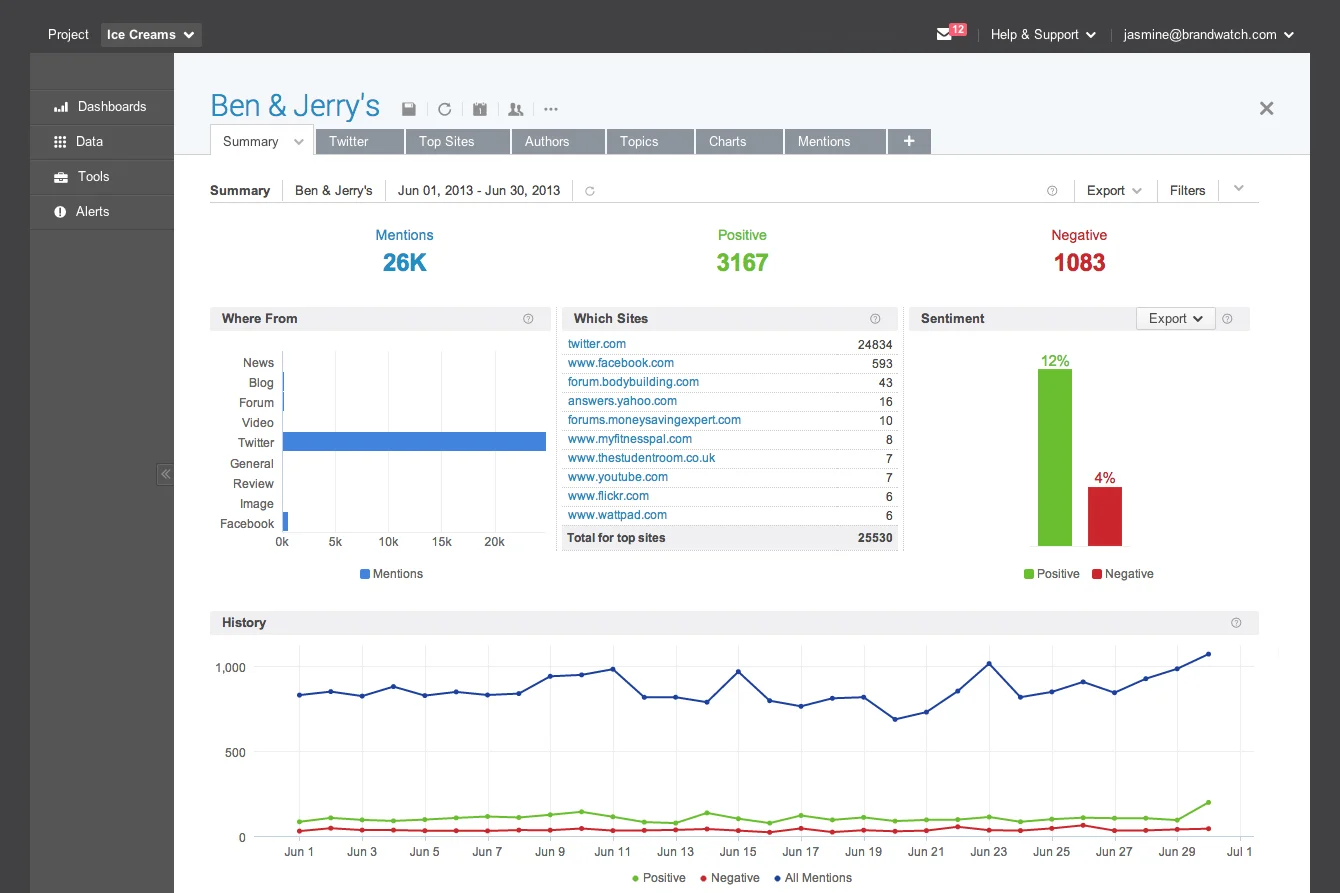
Best for: Social listening, brand reputation monitoring, and competitive intelligence at enterprise scale.
Brandwatch is a powerhouse for teams whose primary sentiment data source is social media and online conversation. The platform monitors mentions across social networks, news outlets, blogs, forums, and review sites, then applies AI-powered sentiment analysis and trend detection to surface what people are saying about your brand — and how that conversation is shifting over time.
Where Brandwatch stands out is in its visual content analysis and competitive benchmarking capabilities. The platform can analyze sentiment in images (not just text), which matters as social media becomes increasingly visual.
Brandwatch Key Features
- AI-powered social listening: Monitors 100M+ online sources with real-time sentiment classification
- Image analysis: Identifies brand logos and context in visual social content
- Competitive benchmarking: Tracks share of voice and sentiment against competitors
- Consumer research: Build and survey custom audience panels
- Trend detection: AI identifies emerging topics and viral content early
2026 Pricing
Custom, quote-based pricing. Brandwatch typically targets mid-market to enterprise budgets.
Brandwatch Pros
- Exceptional breadth of social and online data sources
- Visual/image sentiment analysis is a genuine differentiator
- Strong competitive intelligence and benchmarking tools
- Robust API for custom integrations
Brandwatch Cons
- Less effective for non-social feedback sources (surveys, support tickets, calls)
- Steep learning curve — the platform is feature-dense
- Enterprise-level pricing puts it out of reach for smaller teams
Who It's For
Marketing, communications, and brand teams at mid-market to enterprise companies focused on social listening, reputation management, and competitive intelligence.
G2 Rating
4.4/5
8. Sprout Social
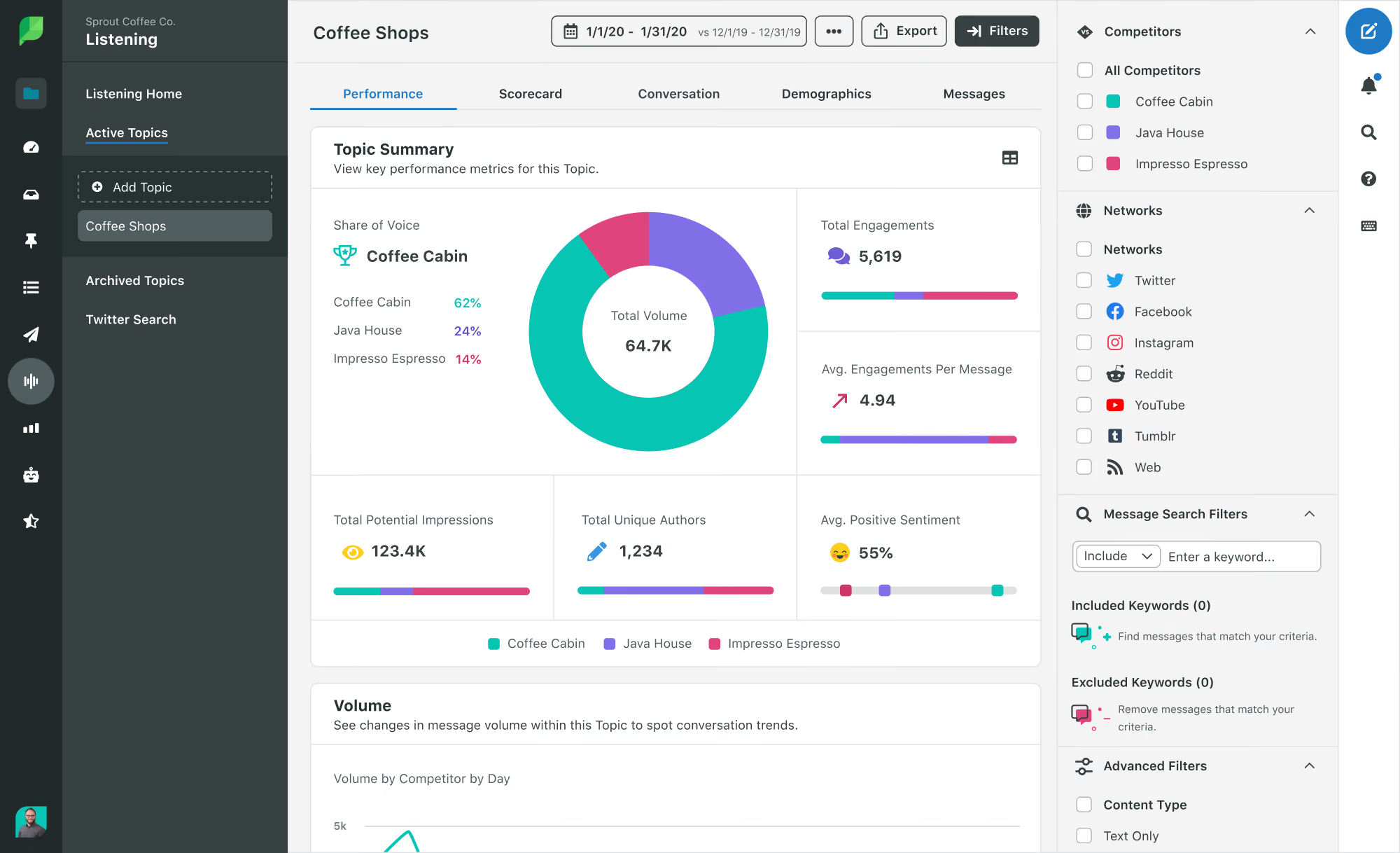
Best for: Social media teams that want sentiment analysis built into their publishing, engagement, and reporting workflow.
Sprout Social integrates sentiment analysis directly into its social media management platform, which means teams don't need a separate tool to understand how audiences are reacting to their content, campaigns, and brand mentions.
The platform's AI-powered sentiment tools classify messages across social channels and track sentiment trends over time. For teams that live in their social management tool, having sentiment data in the same view as engagement metrics eliminates the context-switching that often delays action.
Sprout Social Key Features
- Integrated sentiment tracking: Sentiment analysis embedded in social inbox, publishing, and reporting
- Smart Inbox: Unified view of all social messages with sentiment labels
- Competitive reports: Benchmark sentiment against competitor profiles
- Listening dashboards: Custom dashboards for topic and sentiment trends
- Employee advocacy: Built-in tools for amplifying positive brand sentiment through employees
2026 Pricing
Starting at $79/seat/month for Essentials, billed annually ($99 billed monthly). Standard is $199, Professional $299, and Advanced $399 per seat per month, billed annually; Enterprise pricing is custom. A 30-day free trial requires no credit card.
Sprout Social Pros
- Sentiment analysis is native to the social management workflow — no tool-switching
- Intuitive interface with a low learning curve
- Strong reporting and visualization for social sentiment trends
- Broad platform coverage (Instagram, TikTok, LinkedIn, X, Facebook, Pinterest, YouTube)
Sprout Social Cons
- Sentiment analysis is limited to social media channels — no survey, support ticket, or call analysis
- Per-seat pricing adds up quickly for larger teams
- AI/NLP depth doesn't match dedicated sentiment analysis platforms
Who It's For
Social media and marketing teams at mid-market companies that want sentiment insights without adding a separate analytics tool to their stack.
G2 Rating
4.4/5
9. Meltwater
Best for: PR and communications teams that need media monitoring with AI-powered sentiment analysis and GenAI-driven insight summaries.
Meltwater combines media monitoring across news, social, podcasts, and broadcast with sentiment analysis and its newer GenAI Lens feature, which uses generative AI to summarize sentiment trends and generate narrative insights.
Meltwater Key Features
- GenAI Lens: Generative AI for summarizing sentiment trends and generating insight narratives
- Media monitoring: News, social, podcasts, and broadcast coverage tracking
- Sentiment trend tracking: Historical sentiment analysis with anomaly detection
- Influencer identification: Find and track key voices shaping brand sentiment
- Custom reporting: Automated reports for stakeholders with sentiment visualizations
2026 Pricing
Meltwater doesn't publish prices; plans are tailored to each customer. According to Vendr's marketplace data (126 purchases, last updated February 2026), the median buyer pays $25,800 per year, with contracts ranging from $5,375 to $56,993.
Meltwater Pros
- GenAI Lens adds a genuinely useful AI summarization layer on top of monitoring
- Broad media source coverage (social, news, podcasts, broadcast)
- Good influencer identification and tracking capabilities
- Automated reporting saves time for comms teams
Meltwater Cons
- Sentiment analysis depth doesn't match dedicated NLP platforms
- Pricing can escalate quickly as you add users and features
- Less suited for CX feedback analysis (surveys, tickets, calls)
Who It's For
PR, communications, and media relations teams that need to monitor brand sentiment across earned media and social channels.
G2 Rating
4.1/5
10. Talkwalker
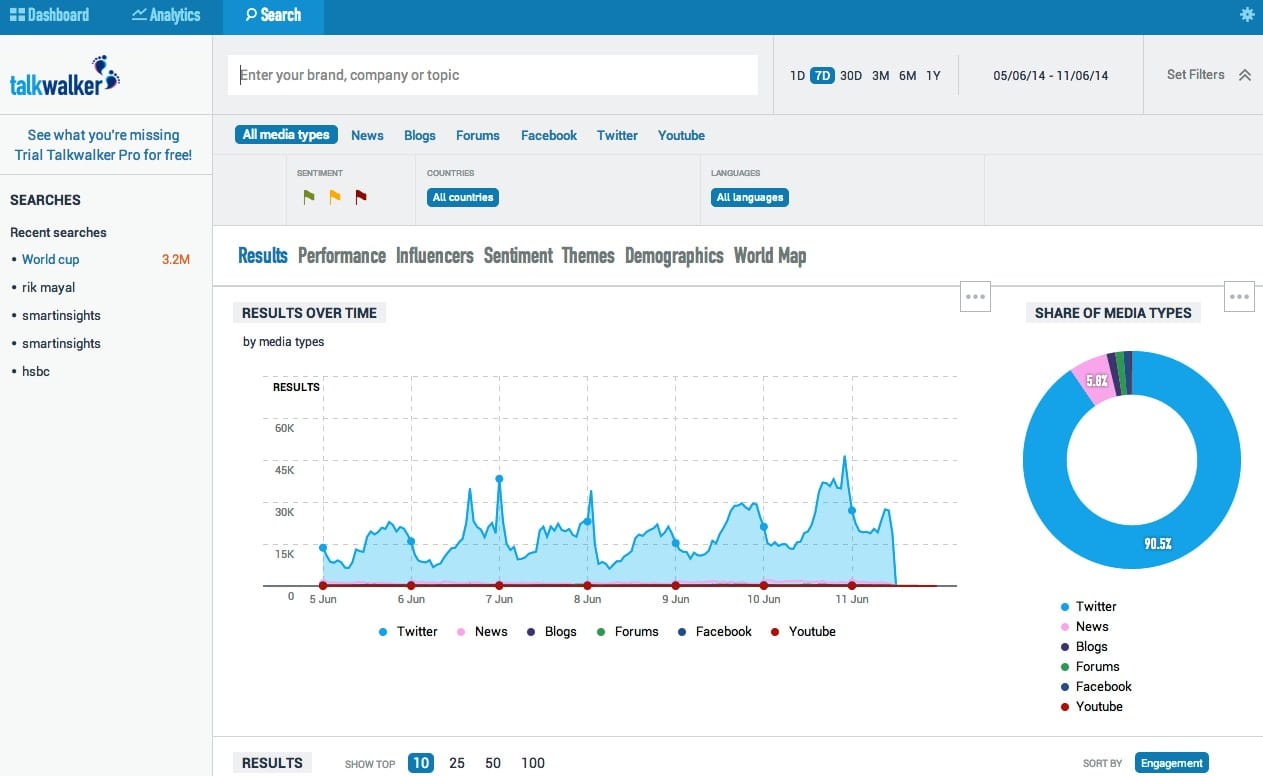
Best for: Brands that need sentiment analysis across visual content, podcasts, and traditional social/news channels.
Talkwalker differentiates itself with AI-powered visual and audio content analysis. While most sentiment tools focus on text, Talkwalker can analyze sentiment in images (identifying brand logos and visual context) and audio content including podcasts and broadcast media. Hootsuite agreed to acquire Talkwalker in 2024, and the product now runs as Lumen by Talkwalker alongside Hootsuite's social management suite.
Talkwalker Key Features
- Visual content analysis: AI identifies brand logos, scenes, and sentiment in images and video
- Podcast and audio monitoring: Tracks brand mentions and sentiment in audio content
- Social and news monitoring: Covers 150M+ websites, social platforms, and news outlets
- Virality prediction: AI models flag content likely to go viral
- 90+ language support: Broad multilingual analysis
2026 Pricing
Custom, quote-based pricing.
Talkwalker Pros
- Visual and audio sentiment analysis is a genuine differentiator
- Massive data source coverage across social, news, and broadcast
- Virality prediction can help teams get ahead of emerging narratives
- Strong multilingual support (90+ languages)
Talkwalker Cons
- Primarily focused on brand/social monitoring — less suited for CX feedback analytics (surveys, tickets)
- Premium pricing reflects the breadth of data sources
- Can be overwhelming for teams that primarily need text-based analysis
Who It's For
Marketing and communications teams at consumer brands that need multi-modal sentiment analysis across social, visual, and audio content.
G2 Rating
4.3/5 (listed as Lumen by Talkwalker)
Best Sentiment Analysis Tools for Contact Center and Conversation Analytics
A large share of customer emotion never reaches a survey; it lives in calls, chats, and messaging threads. Conversation analytics tools score these interactions for frustration, effort, and escalation risk. The two platforms below handle contact center data within a broader CX suite. For dedicated options, see our roundups of speech analytics software and conversational analytics tools.
11. Qualtrics XM Discover (Formerly Clarabridge)
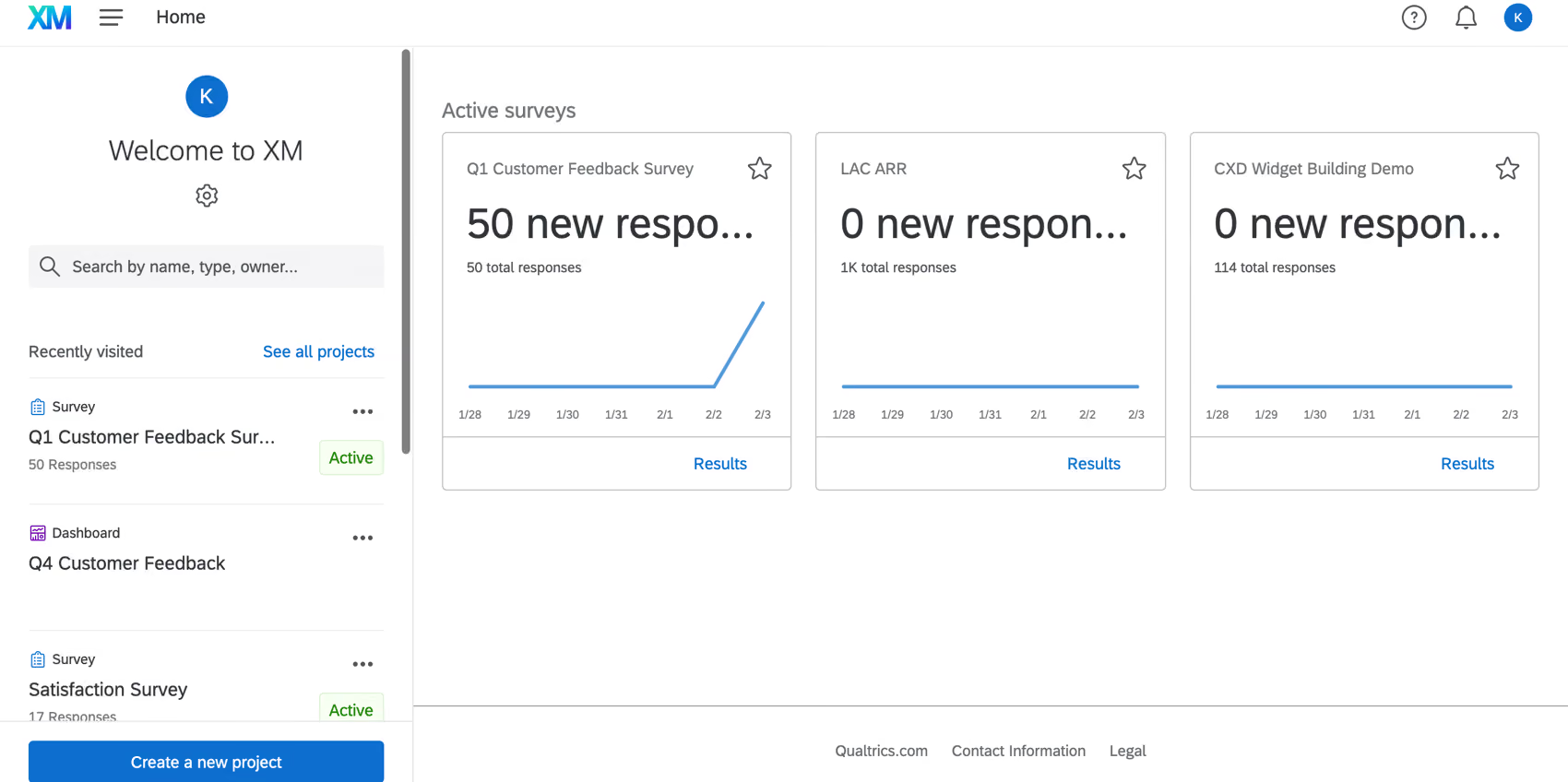
Best for: Enterprise CX programs that need thematic analysis, effort scoring, and emotion detection across surveys, calls, and digital channels.
Qualtrics acquired Clarabridge and rebranded it as XM Discover, integrating its text analytics engine into the broader Qualtrics experience management platform. XM Discover excels at topic modeling, effort scoring, and emotion detection — capabilities that help large CX teams understand not just what customers feel, but how hard they're working to get their problems solved.
Qualtrics XM Discover Key Features
- Intelligent scoring: Automated effort, emotion, and sentiment scoring across channels
- Topic modeling: AI-driven categorization of feedback into actionable themes
- Omnichannel ingestion: Surveys, calls, chat, social, and review data in one platform
- Qualtrics XM integration: Ties unstructured feedback analytics to structured survey data
- Alert and workflow automation: Triggers actions based on sentiment or effort thresholds
2026 Pricing
Custom, enterprise pricing. Typically bundled with broader Qualtrics XM platform licensing.
Qualtrics XM Discover Pros
- Deep integration with Qualtrics survey and experience management ecosystem
- Effort scoring is a unique capability that few competitors offer
- Strong topic modeling and root cause analysis
- Enterprise-grade security and compliance
Qualtrics XM Discover Cons
- Effectively requires Qualtrics as your survey/XM platform to get full value
- Complex implementation — expect a lengthy onboarding process
- Premium pricing that reflects enterprise positioning
- The Clarabridge-to-Qualtrics transition has caused some feature and branding confusion
Who It's For
Large enterprise CX programs already using or evaluating Qualtrics that need to combine structured survey data with unstructured feedback analytics. For a detailed comparison, see Chattermill vs Qualtrics XM.
G2 Rating
No standalone G2 listing for XM Discover; it's reviewed under Qualtrics' broader listings
12. Sprinklr
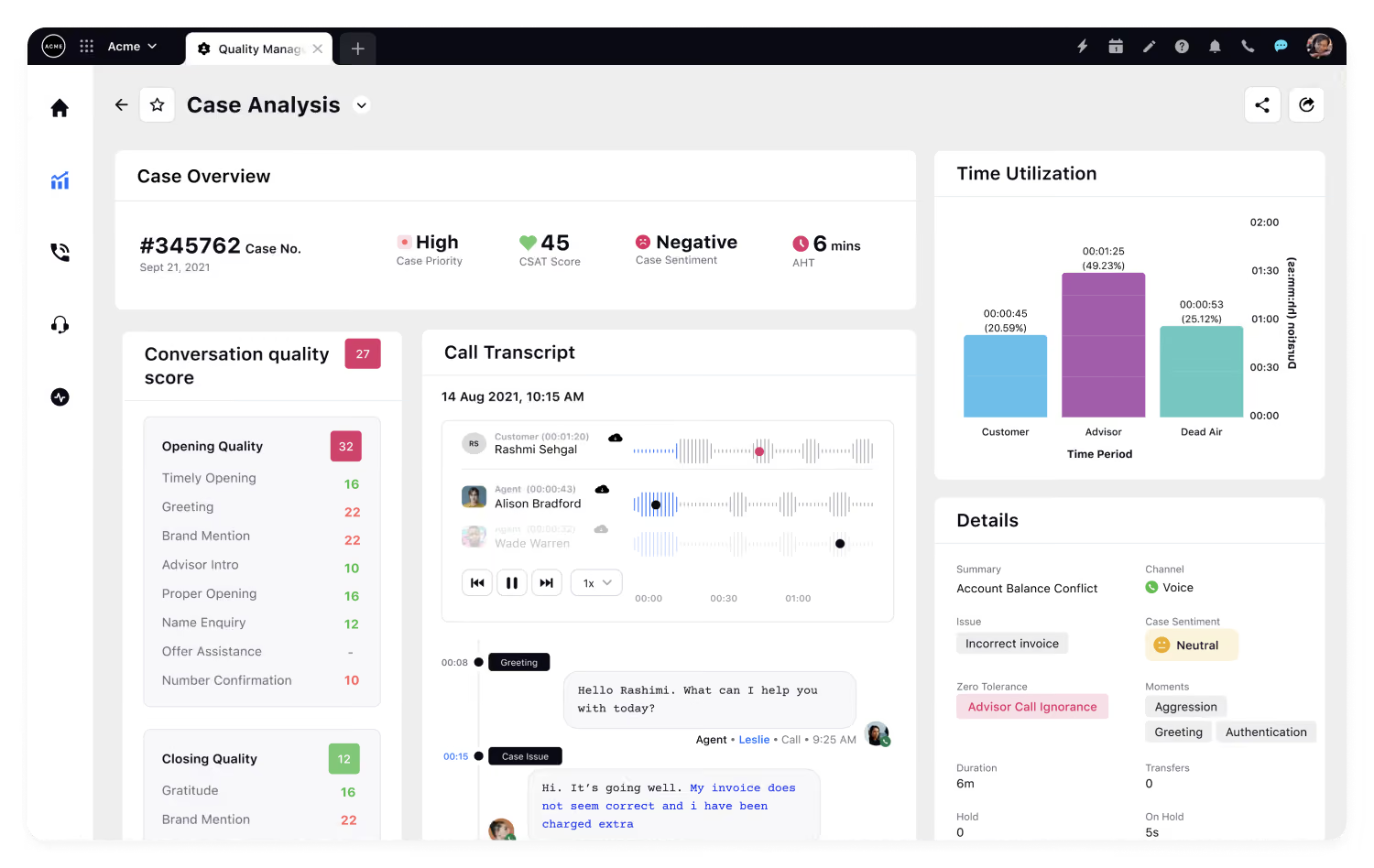
Best for: Large enterprises that need unified AI-powered sentiment analysis across 30+ digital channels within a single platform.
Sprinklr's Unified-CXM platform brings social listening, engagement, advertising, and analytics under one roof. Its AI engine processes sentiment across social media, messaging apps, review sites, surveys, and more — all within a single interface. Its contact center product, Sprinklr Service, applies the same AI to voice and digital support conversations.
Sprinklr Key Features
- Unified AI across 30+ channels: Sentiment analysis, listening, and engagement in one platform
- AI-powered smart alerts: Automated detection of sentiment spikes and crises
- Competitive benchmarking: Track share of voice and sentiment vs. competitors across channels
- Customizable dashboards: Build role-specific views for different teams
- Enterprise governance: Approval workflows, permissions, and compliance controls
2026 Pricing
Custom, enterprise pricing. Sprinklr positions as a platform sale, not a point solution.
Sprinklr Pros
- Consolidates social management, listening, and analytics into one platform
- AI engine is genuinely unified — not a collection of acquired tools stitched together
- Strong enterprise governance and security controls
- Broad channel coverage including messaging apps and review sites
Sprinklr Cons
- Enterprise-only positioning means smaller teams are priced out
- Implementation complexity can be significant — plan for a multi-month rollout
- Feature breadth can be overwhelming if you only need sentiment analysis
Who It's For
Large enterprise marketing and CX teams that need an all-in-one platform for social management, listening, and sentiment analysis across 30+ channels.
G2 Rating
4.1/5 (Sprinklr Social)
Best Sentiment Analysis APIs for Developers
Developer APIs return a sentiment label and confidence score for any text you send. There's no dashboard: you build the pipeline and report yourself. That trade works when you have engineering capacity or need sentiment inside your own product. For broader NLP tooling, see our text analysis software roundup.
13. Amazon Comprehend
Best for: Engineering teams that need to build sentiment analysis into custom applications at massive scale within the AWS ecosystem.
Amazon Comprehend is a fully managed NLP service from AWS that provides sentiment analysis, entity extraction, key phrase detection, language identification, and PII detection via API. It's not a dashboarded business tool — it's infrastructure for teams building custom analytics pipelines. If you're already on AWS and need to process millions of text documents with sentiment scoring, Comprehend's pay-per-use model and deep AWS integration make it a pragmatic choice.
Amazon Comprehend Key Features
- Sentiment analysis API: Classifies text as positive, negative, neutral, or mixed with confidence scores
- Custom classification: Train models on your own labeled data for domain-specific sentiment
- Entity and PII detection: Identifies personal information, organizations, and key entities
- Batch and real-time processing: Analyze individual records or millions of documents asynchronously
- Native AWS integration: Works with S3, Lambda, SageMaker, and other AWS services
2026 Pricing
Pay-per-use: $0.0001 per unit (1 unit = 100 characters) for sentiment analysis, with a 3-unit minimum charge per request. Free tier: 50,000 units/month for the first 12 months from your first Comprehend request.
Amazon Comprehend Pros
- Massive scale — designed for processing millions of documents
- Pay-per-use pricing means you only pay for what you analyze
- Free tier is useful for prototyping and testing
- Deep AWS ecosystem integration
Amazon Comprehend Cons
- No built-in dashboards, reporting, or business user interface
- Requires engineering resources to implement, maintain, and build analysis workflows
- Sentiment analysis is basic (document-level polarity) without custom model training
- Limited to 12 languages for sentiment analysis
Who It's For
Engineering and data teams at organizations on AWS that need to embed scalable sentiment analysis into custom applications and data pipelines.
G2 Rating
4.3/5
14. Google Cloud Natural Language API
Best for: Developer teams on GCP that need production-grade NLP with broad language support and tight integration with BigQuery and Vertex AI.
Google Cloud Natural Language API provides sentiment analysis, entity recognition, content classification, and syntax analysis via API. Like Amazon Comprehend, this is developer infrastructure rather than a business-ready tool. Google's strength is its language support (100+ languages) and integration with BigQuery for analytics and Vertex AI for custom model training.
Google Cloud NLP Key Features
- Sentiment and entity analysis: Document and sentence-level sentiment scoring with entity extraction
- Content classification: Categorizes text into 700+ content categories
- Syntax analysis: Dependency parsing and morphological analysis for deep text understanding
- 100+ language support: One of the broadest multilingual NLP services available
- AutoML Natural Language: Train custom sentiment models without writing code
2026 Pricing
Sentiment analysis is free for the first 5,000 units a month (1 unit = 1,000 characters), then $0.001 per unit, falling to $0.0005 per unit above 1 million units and $0.00025 above 5 million. That works out to $1 per 1,000 units at the entry tier.
Google Cloud NLP Pros
- 100+ language support is among the broadest available
- Tight integration with BigQuery and Vertex AI for end-to-end analytics
- AutoML option lowers the barrier for custom model training
- Reliable, scalable Google Cloud infrastructure
Google Cloud NLP Cons
- No business-user interface — purely developer-facing
- Pricing can be hard to predict at scale due to per-character model
- Requires GCP expertise to implement effectively
- Sentiment scoring is document-level unless you build custom pipelines
Who It's For
Development teams on Google Cloud Platform that need scalable, multilingual NLP integrated with their existing GCP data and analytics stack.
G2 Rating
Not rated on G2 (developer API, not a standalone product)
15. Azure AI Language
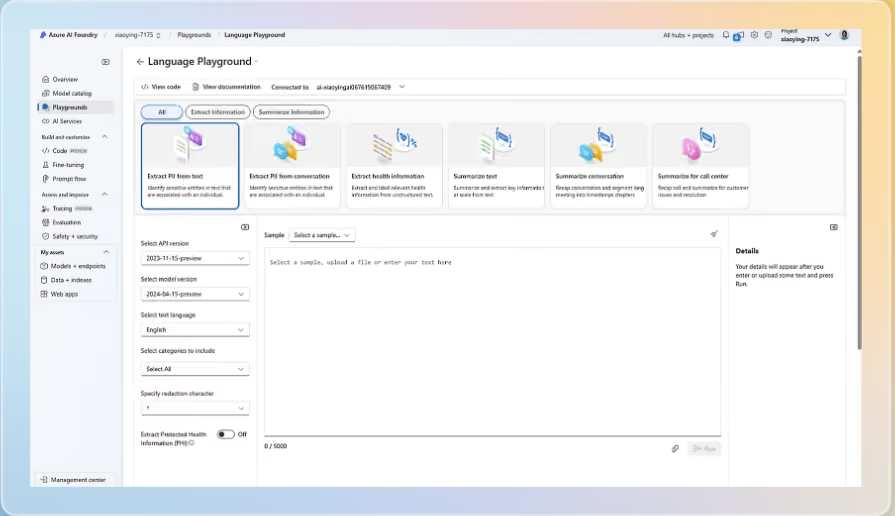
Best for: Teams building on Microsoft Azure that want sentence-level sentiment plus aspect-based opinion mining from one API.
Azure AI Language, now branded Azure Language in Foundry Tools, is Microsoft's managed NLP service. Its sentiment analysis returns positive, neutral, or negative labels with confidence scores at both sentence and document level. The feature that matters most for CX work is opinion mining, which links sentiment to specific aspects in the text. A review like "delivery was fast but the packaging was damaged" comes back as positive for delivery and negative for packaging, rather than a blurred neutral score.
Azure AI Language Key Features
- Sentence and document sentiment: Positive, neutral, and negative labels with confidence scores between 0 and 1
- Opinion mining: Aspect-based sentiment tied to the product or service attributes customers mention
- Flexible deployment: REST API, client libraries for C#, Java, JavaScript, and Python, or Docker containers on your own infrastructure
2026 Pricing
Free tier: 5,000 text records per month. Standard pay-as-you-go: $1 per 1,000 text records for the first 500,000, dropping to $0.75, $0.30, and $0.25 per 1,000 at higher volume tiers. One text record is 1,000 characters.
Azure AI Language Pros
- Aspect-level opinion mining is built in rather than something you engineer yourself
- Free tier of 5,000 text records a month is enough for testing
- Container deployment helps with data residency requirements
Azure AI Language Cons
- No dashboards or reporting; you build the analytics layer
- Microsoft has announced that sentiment analysis and opinion mining retire from Azure Language on March 31, 2029, with Microsoft Foundry as the recommended path, so plan for a migration if you build on it today
Who It's For
Engineering teams already on Azure that need aspect-level sentiment inside their own applications or data pipelines.
G2 Rating
4.3/5
16. IBM Watson Natural Language Understanding
Best for: Enterprise teams already invested in the IBM Cloud ecosystem that need emotion and tone detection alongside sentiment.
IBM Watson NLU provides sentiment analysis as part of a broader natural language understanding suite that includes emotion detection (joy, anger, sadness, fear, disgust), tone analysis, entity extraction, and concept tagging.
IBM Watson NLU Key Features
- Emotion detection: Classifies five distinct emotions beyond positive/negative sentiment
- Tone analysis: Identifies communication tone (analytical, confident, tentative) in text
- Entity and concept extraction: Identifies people, organizations, and abstract concepts in text
- Custom models: Train sentiment models on domain-specific data
- Multi-language NLU: Supports 13 languages for sentiment and emotion analysis
2026 Pricing
Usage-based pricing with a free tier (30,000 NLU items/month, 1 custom model). Paid plans scale by API call volume.
IBM Watson NLU Pros
- Emotion and tone detection go beyond basic sentiment polarity
- Free tier is generous enough for prototyping and small-scale use
- Part of the broader IBM AI ecosystem (watsonx, Watson Discovery)
- Strong enterprise security and compliance certifications
IBM Watson NLU Cons
- Requires developer resources to implement — no out-of-the-box dashboards for business users
- Language support (13) is narrower than competitors
- IBM's product naming and packaging changes can be confusing to navigate
- Performance on nuanced or industry-specific text may require custom model training
Who It's For
Development and data teams at enterprises using IBM Cloud that need to embed sentiment and emotion detection into custom applications.
G2 Rating
4.2/5
17. Lexalytics
Best for: Organizations needing deep NLP capabilities with flexible deployment options (cloud, on-prem, or hybrid).
Lexalytics (an InMoment company) offers one of the more technically sophisticated NLP engines in this space. The platform provides fine-grained sentiment analysis, named entity recognition, theme extraction, summarization, and intention detection. What sets it apart is the level of customization available — teams can train custom models, build industry-specific sentiment dictionaries, and deploy on-premises for data sovereignty requirements.
Lexalytics Key Features
- Salience NLP engine: Deep text analytics including sentiment, themes, entities, and summarization
- Custom model training: Adapt sentiment models to industry-specific language and context
- On-premise deployment: Available for organizations with strict data residency requirements
- Multi-language support: 29+ languages with native processing
- API-first architecture: Designed for integration into existing analytics pipelines
2026 Pricing
Custom, quote-based. Pricing varies by deployment model (cloud vs. on-prem) and volume.
Lexalytics Pros
- Deep NLP capabilities beyond basic sentiment classification
- Flexible deployment: cloud, on-prem, or hybrid
- Customizable models for industry-specific accuracy
- Strong developer documentation and API support
Lexalytics Cons
- Requires technical resources to get full value — not a plug-and-play solution
- UI/dashboard experience lags behind more modern platforms
- Less suited for teams without data engineering support
Who It's For
Data science and analytics teams at enterprise organizations that need customizable, on-premises NLP capabilities integrated into existing data pipelines.
G2 Rating
4.3/5 (Spotlight)
Best Free and Open-Source Sentiment Analysis Tools
Free tools are a sensible way to test sentiment analysis or score a one-off dataset. What you don't get is everything around the model: connectors, themes, dashboards, alerts, and a link to business metrics. That gap is small for a class project and large for a CX program handling millions of comments.
18. Hugging Face Models
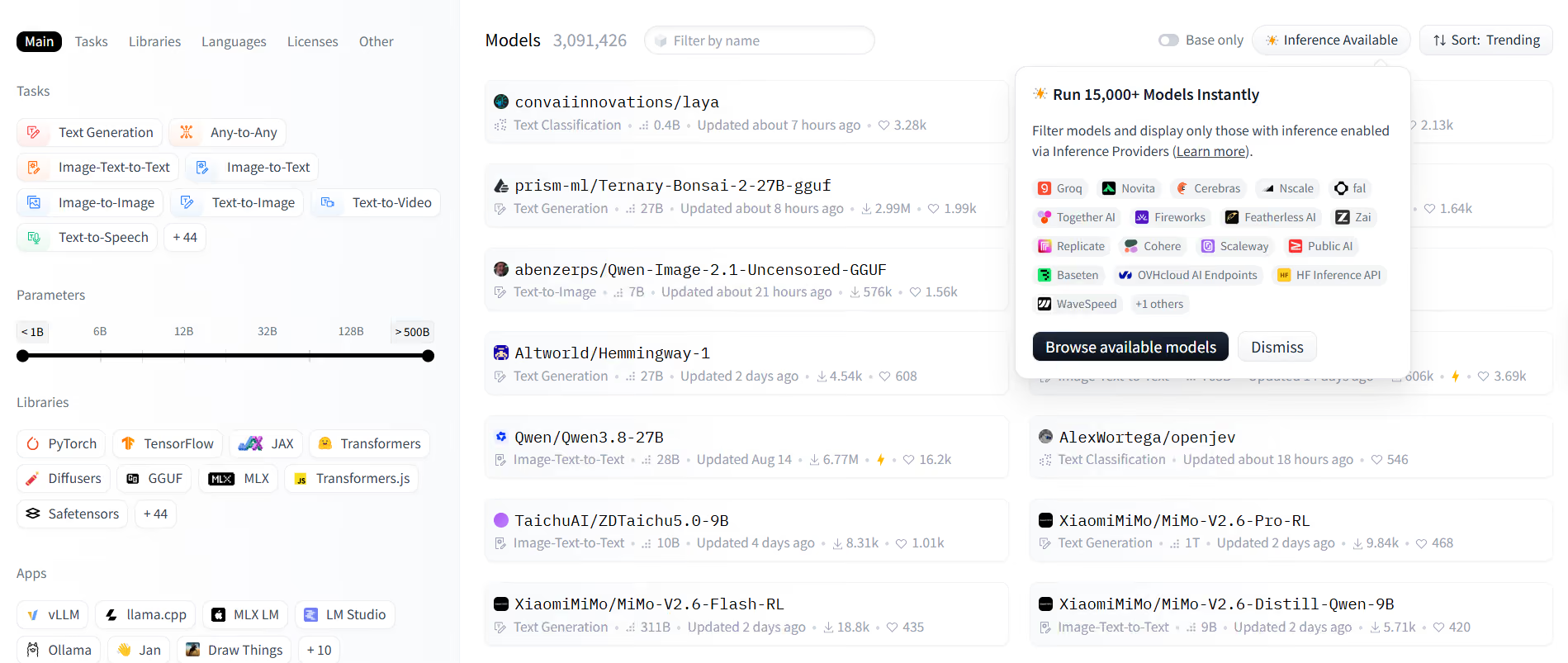
Best for: Data science teams that want pre-trained transformer models they can use as-is or fine-tune on their own feedback.
Hugging Face isn't a single tool but the largest public hub for machine learning models, including many pre-trained sentiment classifiers. Two widely used examples: cardiffnlp/twitter-roberta-base-sentiment-latest is a RoBERTa model trained on about 124 million tweets that labels text as negative, neutral, or positive. nlptown/bert-base-multilingual-uncased-sentiment predicts a 1 to 5 star rating for product reviews in English, Dutch, German, French, Spanish, and Italian.
Hugging Face Key Features
- Pre-trained sentiment models: Ready-to-use classifiers for social posts, reviews, and multilingual text
- Fine-tuning: Adapt a model to your own labeled feedback for domain accuracy
- Transformers library: Load and run a model in a few lines of Python
- Inference Endpoints: Managed hosting if you don't want to run your own infrastructure
2026 Pricing
The models are free to download and use, under licenses set by each model's author (the cardiffnlp model is CC BY 4.0; the nlptown model is MIT). A Hugging Face PRO account is $9/month. Team account is $20/month/user and Enterprise account is $50/month/user. Managed Inference Endpoints start at $0.033/hour for CPU, with GPU instances from $0.50/hour.
Hugging Face Pros
- Transformer models handle context and negation far better than lexicon tools
- Wide choice of free models by language and domain
- Fine-tuning delivers domain-specific accuracy
Hugging Face Cons
- You own hosting, monitoring, and model drift
- Most models output a single label, not themes or aspects
- Needs machine learning skills to use well
Who It's For
Data science teams with ML engineers who want model-level control and are prepared to build the pipeline around it.
G2 Rating
Not rated on G2 (open model hub, not a standalone sentiment product)
19. VADER
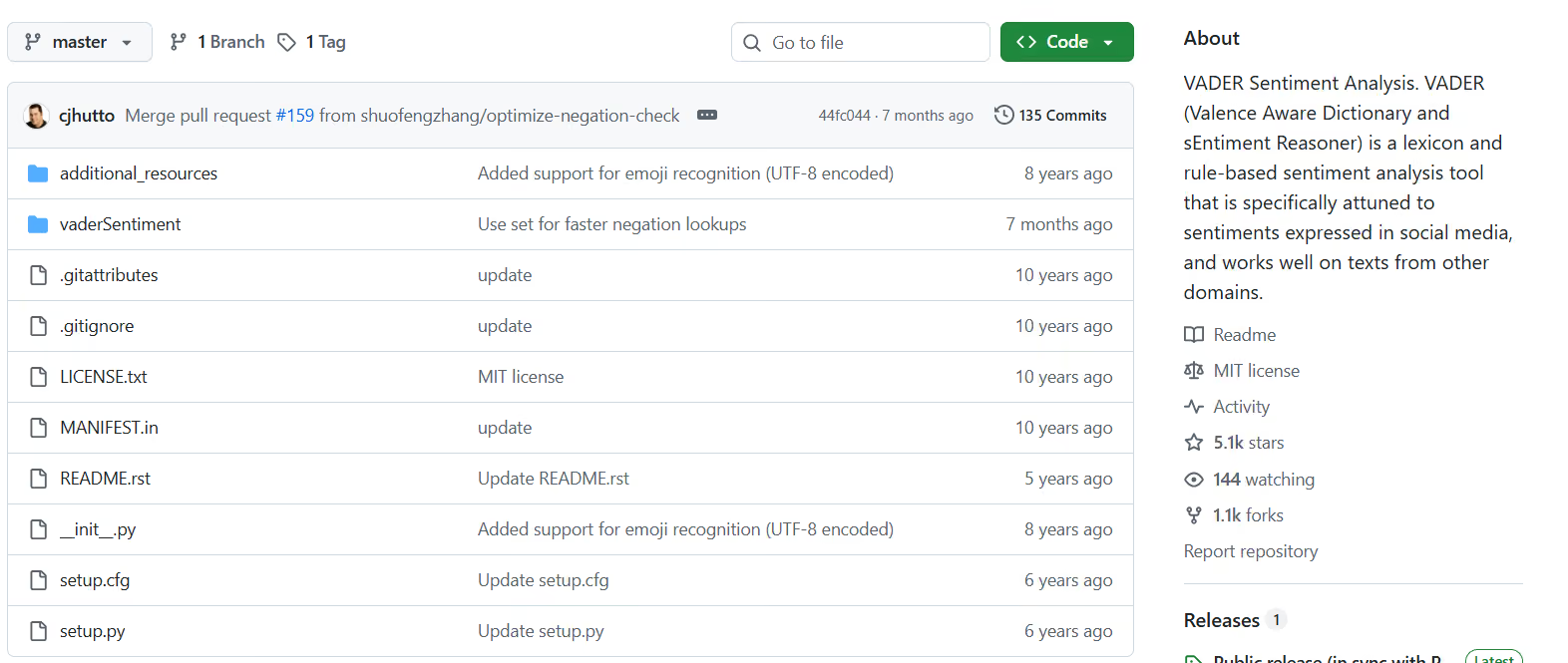
Best for: Fast, free sentiment scoring of short, informal text such as social posts, reviews, and chat messages.
VADER (Valence Aware Dictionary and Sentiment Reasoner) is a lexicon and rule-based analyzer that its authors describe as "specifically attuned to sentiments expressed in social media." The documented convention treats a compound score of 0.05 or above as positive, -0.05 or below as negative, and anything in between as neutral.
VADER Key Features
- Social media lexicon: Scores slang, emoticons, emojis, and initialisms like LOL
- Rules for emphasis and negation: Accounts for ALL CAPS, exclamation marks, intensifiers like "very," and negations like "not great"
- Compound score: A single score from -1 to +1, plus positive, neutral, and negative proportions
- Python package: Install with pip install vaderSentiment; a version also ships with NLTK
2026 Pricing
Free and open source under the MIT license.
VADER Pros
- Runs in milliseconds with no training data
- Handles emojis, capitalization, and punctuation emphasis out of the box
- Transparent rules make every score easy to explain
VADER Cons
- Built for English; other languages need translating first
- Rules can't read domain context, so a word like "sick" or a sarcastic compliment is easily misscored
- No themes, aspects, or reporting
Who It's For
Analysts and developers who need a quick, transparent baseline for social and short-form text.
G2 Rating
Not rated on G2 (open-source library)
20. TextBlob
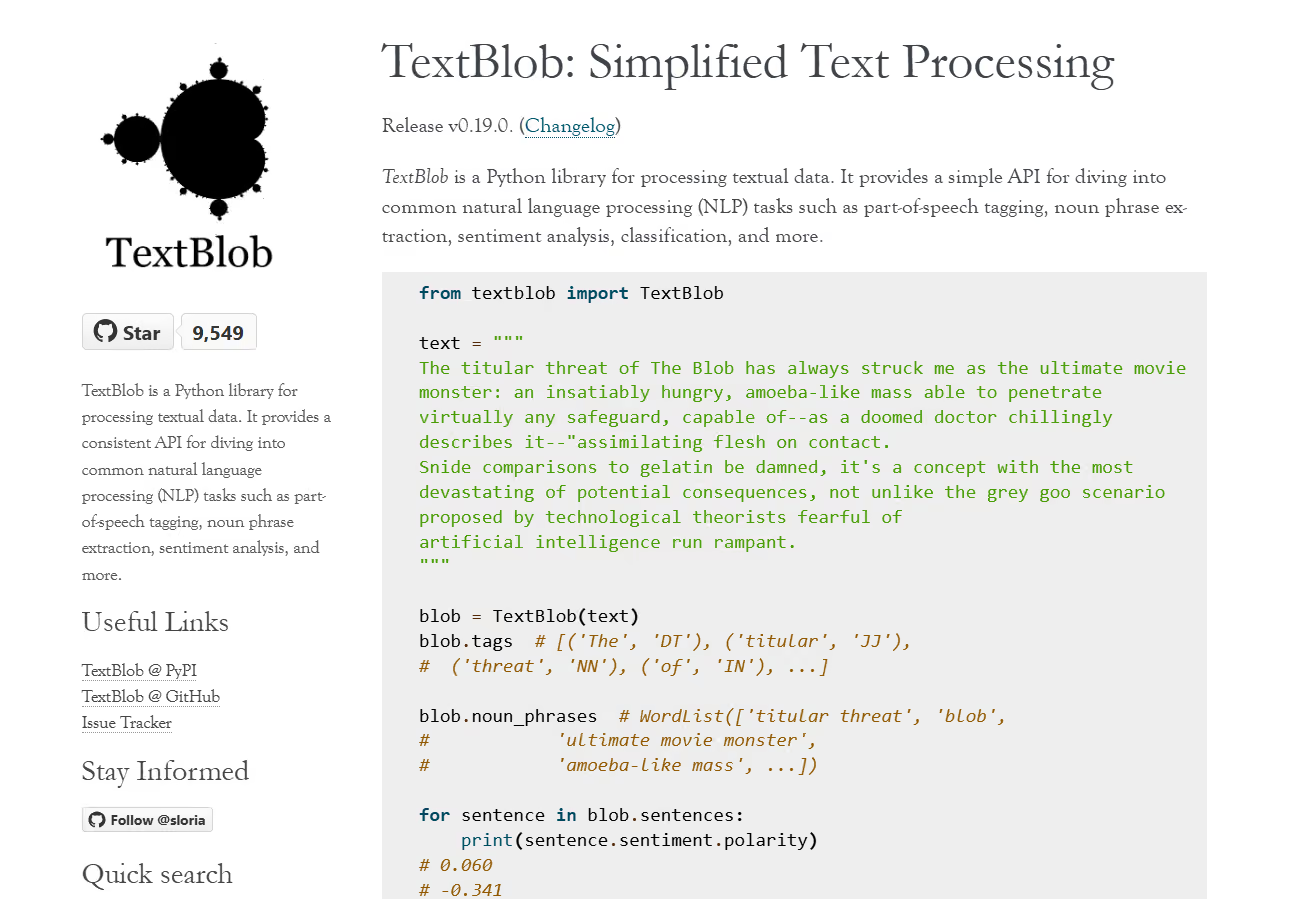
Best for: Python users who want sentiment plus a subjectivity score from a beginner-friendly library.
TextBlob is a Python library for common NLP tasks, built on NLTK and pattern, with sentiment analysis as one of its core features.
TextBlob Key Features
- Polarity score: From -1.0 (negative) to 1.0 (positive)
- Subjectivity score: From 0.0 (very objective) to 1.0 (very subjective)
- Two analyzers: A lexicon-based default, plus an optional NaiveBayesAnalyzer, an NLTK classifier trained on a movie reviews corpus
- Wider NLP toolkit: Part-of-speech tagging and noun phrase extraction in the same library
2026 Pricing
Free and open source under the MIT license. Install with pip install -U textblob.
TextBlob Pros
- The subjectivity score helps separate opinions from factual statements
- Simple API, well suited to teaching and prototyping
- Bundles other NLP tasks in one library
TextBlob Cons
- The lexicon handles slang, emojis, and social text less well than VADER
- The Naive Bayes option was trained on movie reviews, which limits accuracy on customer feedback
- English-focused
Who It's For
Students, analysts, and developers running small experiments in Python.
G2 Rating
Not rated on G2 (open-source library)
21. Free Sentiment Analyzer (Daniel Soper)
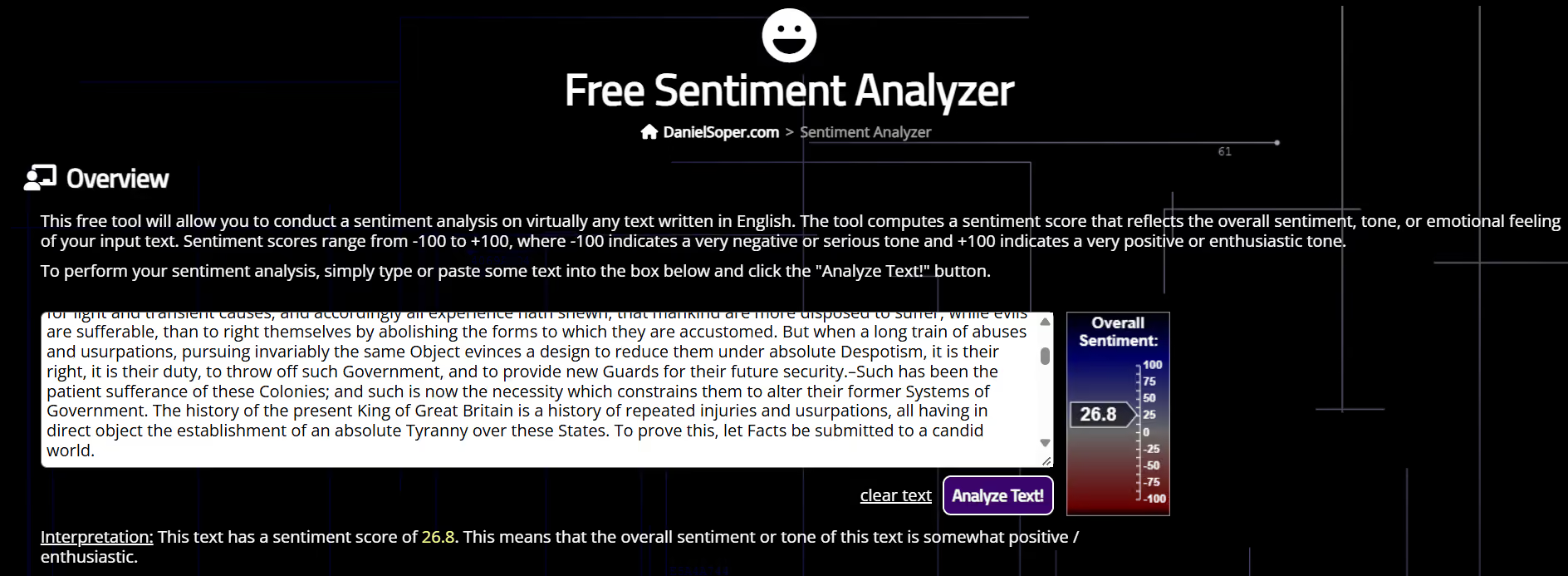
Best for: A quick sentiment read on a single passage of English text, with nothing to install.
This free web tool from Dr. Daniel Soper scores the sentiment of any English text you paste in. Its documentation says it's most accurate on American English written from 1990 onward, and notes that humans disagree about the sentiment of a text in roughly 20% of cases.
Free Sentiment Analyzer Key Features
- Paste-in analysis: No install, account, or code
- Single score: From -100 (very negative) to +100 (very positive)
- General-purpose training: Built on 8,000+ writing samples and transcripts from the American National Corpus
2026 Pricing
Free, with no signup.
Free Sentiment Analyzer Pros
- Instant and free
- Useful for sanity-checking a single review or email
- No technical skills needed
Free Sentiment Analyzer Cons
- One passage at a time, with no batch upload or API
- No themes, aspects, or trend tracking
- English only
Who It's For
Anyone who needs a one-off reading of a single passage rather than an ongoing program.
G2 Rating
Not rated on G2 (free web tool)
Using ChatGPT or an LLM for Sentiment Analysis
Yes, ChatGPT, Claude, Gemini, and other large language models can do sentiment analysis, and they often read context better than lexicon tools, including sarcasm and mixed feedback that trips up VADER. CRM-native features such as HubSpot's sentiment scoring offer something similar for data already in that system.
For ad-hoc questions and small samples, that's often enough. Problems start when sentiment becomes a program rather than a one-off task:
- Consistency: The same prompt can return different labels on different runs or model versions, so this month's numbers can't be compared cleanly with last month's.
- Volume: A chat window holds a few thousand comments, not the millions a $100M+ brand collects each year. Batching through an API means building a pipeline.
- History: An LLM has no baseline, so there are no trend lines, anomaly alerts, or early warnings unless you build them.
- Business impact: It can tell you a comment is negative. It can't tell you how much a delivery theme is moving NPS or churn without the underlying data model.
That's where a dedicated customer feedback analytics platform takes over. Chattermill's Lyra AI applies AI inside a structured pipeline: every channel unified, themes that stay consistent over time, and each theme measured against NPS, CSAT, and retention. For more on the trade-offs, read our Claude vs ChatGPT comparison for feedback analysis and our guide to analyzing customer sentiment with AI. And if your team already works in Claude or ChatGPT, Chattermill's MCP connection lets those assistants query your analyzed feedback directly.
How to Choose the Best Sentiment Analysis Tool
Picking a sentiment analysis tool isn't just a feature comparison exercise. The right choice depends on how your team works, what kind of feedback you're analyzing, and what you plan to do with the insights. Here are the factors that matter most:
What feedback channels do you need to cover?
This is the first filter. If your feedback lives in surveys and support tickets, social listening tools won't help. If you're tracking brand perception across social media and news, a survey-focused platform won't cut it. Map your feedback sources first, then eliminate tools that don't cover them. If most of it arrives as support tickets, our guide to support ticket analysis tools goes deeper.
How deep does your AI/NLP need to go?
Basic positive/negative classification is fine for monitoring high-level trends. But if you need to understand why sentiment is changing — which product feature, which service touchpoint, which pricing concern — you need aspect-based analysis and theme extraction. Match the AI depth to your analytical needs.
What's your team's technical capability?
API-only tools like Amazon Comprehend and Google Cloud NLP are powerful but require engineering resources. Platforms like Chattermill and Sprout Social are designed for business users. Be honest about who will actually use the tool day-to-day. Open-source libraries like VADER and TextBlob cost nothing to license but need someone who can write Python.
Does it connect to your existing stack?
Sentiment insights that live in a standalone dashboard rarely drive action. Look for native integrations with your CRM (Salesforce, HubSpot), support platform (Zendesk, Intercom), BI tools (Tableau, Power BI), and communication tools (Slack). The easier it is to get insights to the people who can act on them, the more value you'll extract.
How many languages do you need?
If you serve a global customer base, multilingual support is non-negotiable. But check whether "multilingual" means genuinely native language processing or just machine translation layered on top — the accuracy difference is significant.
What's the total cost of ownership?
Per-seat pricing, per-use pricing, and platform licensing all have different scaling curves. A tool that costs $79 per seat per month for a small team might not be the best value at 50 seats. Conversely, enterprise platforms with high minimums aren't cost-effective for teams processing modest feedback volumes.
Can it tie sentiment to business outcomes?
The most mature sentiment analysis tools don't just classify text — they connect sentiment trends to business metrics like NPS, CSAT, churn, and revenue. If your goal is to prove the ROI of CX improvements, look for this capability specifically.
What Are Sentiment Analysis Tools?
The Evolution of Sentiment Analysis
Rule-based systems (2000s): Matched words against sentiment dictionaries. "Happy" = positive, "angry" = negative. Broke down with negation ("not happy"), sarcasm, or domain-specific language. Lexicon tools like VADER and TextBlob descend from this approach, with added rules for negation and emphasis.
Machine learning models (2010s): Trained classifiers on labeled datasets to learn sentiment patterns. Better accuracy, but required extensive training data and struggled with out-of-domain feedback.
Deep learning and transformer models (2020s–present): Modern tools use architectures like BERT, GPT, and proprietary models to understand context at the sentence and paragraph level. They handle complex expressions, aspect-level sentiment, and multi-language analysis with significantly higher accuracy.
Types of Sentiment Analysis Tools
- CX feedback platforms (Chattermill, Medallia, Zonka Feedback): Unify feedback from surveys, support, reviews, and social into centralized analytics
- Social listening tools (Brandwatch, Sprout Social, Meltwater): Monitor brand mentions and sentiment across social media, news, and forums
- Contact center and conversation analytics (Qualtrics XM Discover, Sprinklr): Score sentiment, emotion, and effort in calls, chats, and messaging
- Developer APIs (Amazon Comprehend, Google Cloud NLP, Azure AI Language, IBM Watson): Provide NLP-as-a-service for teams building custom sentiment pipelines
- Open-source libraries and models (VADER, TextBlob, Hugging Face): Free building blocks for teams that can write code and host their own analysis
- Specialized tools (Luminoso, Reputation): Focus on specific use cases like concept-level understanding or multi-location reputation management
Benefits of Using Sentiment Analysis Software
Faster issue detection. AI processes thousands of feedback items in seconds, surfacing emerging negative trends before they become full-blown crises. What used to take a team days of manual review now happens automatically.
Root cause identification. The best tools go beyond labeling sentiment to identify what's driving it — specific product features, service touchpoints, or policy changes that are triggering customer reactions.
Proactive CX management. Real-time sentiment monitoring and anomaly alerts enable teams to respond to issues as they emerge, not after they've already affected retention and NPS scores.
Cross-channel visibility. Unifying sentiment data from surveys, support tickets, social media, reviews, and calls gives CX leaders a complete picture of customer perception — not just what one channel tells them.
Data-driven prioritization. When sentiment analysis connects to business metrics like NPS, CSAT, and churn, teams can prioritize improvements based on actual business impact rather than intuition.
Reduced manual effort. Auto-tagging, theme extraction, and automated categorization eliminate the hours teams spend reading and coding feedback manually, freeing analysts for strategic work.
Measurable ROI on CX investments. When you can track how a product fix or process improvement shifts customer sentiment over time, CX initiatives become quantifiable investments rather than cost centers.
ROI & Business Impact of Sentiment Analysis Tools
Reduction in time-to-insight. Fintech Qonto reports 80+ hours of manual work saved after replacing hand-categorization of verbatim customer responses with Chattermill. What took a team of analysts a week to produce can surface in real-time dashboards.
Improved CSAT and NPS responsiveness. Proactive sentiment monitoring enables teams to catch and address negative trends within hours rather than discovering them in quarterly surveys.
Lower churn through early intervention. Predictive sentiment tools that flag at-risk accounts based on feedback patterns allow customer success teams to intervene before the customer decides to leave. Even a 5% reduction in churn can translate to significant revenue retention for subscription businesses.
Operational cost savings. Automated feedback categorization and theme extraction reduce the need for manual coding, saving analyst hours that can be redirected to strategic initiatives.
Revenue impact from product improvements. When sentiment analysis ties customer feedback directly to product features and business outcomes, product teams can prioritize development based on what will move the needle on customer satisfaction and revenue — not just what's loudest. As Mo Nuur, Product Lead for CX and Digital at E.ON Next, puts it: "Chattermill enables us to go to our leadership team and say, 'We want to prioritize this feature next, because we have the data to show that it's a significant pain point for customers.'"
Get Started with Chattermill
If your team is managing feedback across multiple channels and struggling to connect sentiment data to the business metrics that matter, Chattermill is built for exactly that challenge. The platform unifies feedback from surveys, support tickets, reviews, social media, and calls, then uses Lyra AI to surface the themes, anomalies, and outcomes driving customer sentiment. Pricing is usage-based on your data sources and feedback volume, with no per-user fees.
Book a demo to see how Chattermill can turn your customer feedback into actionable intelligence.
Sentiment Analysis Tools: FAQs
Can ChatGPT do sentiment analysis?
Yes. ChatGPT and other LLMs can label text as positive, negative, or neutral, explain why, and often handle sarcasm better than lexicon tools. For ongoing analysis they fall short on consistency (labels can change between runs), volume, trend tracking, and connecting sentiment to metrics like NPS. Our Claude vs ChatGPT comparison covers this in detail.
TextBlob vs VADER: which is better for sentiment analysis?
It depends on your text. VADER was built for social media: it handles emojis, slang, capitals, and exclamation marks, and returns a compound score from -1 to +1. TextBlob returns polarity (-1 to 1) plus a subjectivity score (0 to 1) that helps separate opinion from fact. For tweets, reviews, and chat, VADER is usually stronger; for cleaner, formal text, TextBlob is a reasonable pick. Both are free, English-focused, and lexicon-based, so neither reads domain context like a transformer model.
What is the best model for sentiment analysis?
There's no single winner, because accuracy depends on how closely a model's training data matches your text. Fine-tuned transformer models are the usual starting point: cardiffnlp/twitter-roberta-base-sentiment-latest for social posts, and nlptown/bert-base-multilingual-uncased-sentiment for product reviews in six European languages. LLMs read nuance well without training data but cost more per item and can be inconsistent. For CX work, the bigger question is whether you get aspect-level sentiment (how customers feel about delivery, pricing, or support) rather than one label per comment.
How do you do sentiment analysis in Excel?
Excel has no built-in sentiment formula. If you have Microsoft 365 with Copilot, the Copilot pane can review a column of feedback, identify sentiment and key themes, and add the results to your workbook as a new column. The preview COPILOT() worksheet function is no longer available as of September 14, 2026, and Microsoft points users to the Copilot pane instead. Without Copilot, export the text, score it with VADER or an API like Azure AI Language, and paste the scores back. Both suit a few thousand rows, not ongoing multi-channel feedback.
Are there free sentiment analysis tools?
Yes. VADER, TextBlob, and the sentiment models on Hugging Face are free and open source. Several cloud APIs have free tiers: Azure AI Language includes 5,000 text records a month, Google Cloud Natural Language 5,000 units a month, IBM Watson NLU 30,000 items a month, and Amazon Comprehend 50,000 units a month for 12 months. They're good for testing and small datasets, not for a production CX program.


See Chattermill in action on your own feedback
Book a demo


