15 Best Text Analysis Software Tools for 2026 Compared

15 Best Text Analysis Software Tools for 2026 Compared
Last Updated:
May 28, 2026
Reading time:
2
minutes

Quick Summary

The best text analysis software for CX and Insights teams in 2026 is Chattermill. It unifies feedback from every channel — surveys, support tickets, reviews, social media — and uses AI to surface the themes and sentiment shifts that actually drive NPS, retention, and revenue. Unlike tools that stop at word clouds or sentiment scores, Chattermill connects unstructured text to business outcomes so teams can prioritize what to fix and measure whether it worked.

For enterprise experience programs with dedicated research teams, Medallia remains a strong choice. For product-led companies focused on feature requests and bug categorization, Enterpret is purpose-built for that workflow.

Tool Best For
Chattermill Unified AI-powered feedback analysis tied to strategic business outcomes
Medallia Enterprise CX programs with dedicated research teams
Enterpret Product teams analyzing feature requests and bug reports

This guide covers 15 tools across four categories: customer feedback analytics, social listening, academic research, and general-purpose NLP platforms. Each review includes features, updated 2026 pricing, pros, cons, and ideal use cases — so you can compare approaches side by side and choose the platform that fits your team's workflow. We've split the tool into four categories — customer feedback analytics, social listening, academic research, and general-purpose NLP — evaluated on the criteria that matter most: AI accuracy, time to value, integration depth, and connection to business outcomes.

Why Text Analysis Software Matters For CX Tools

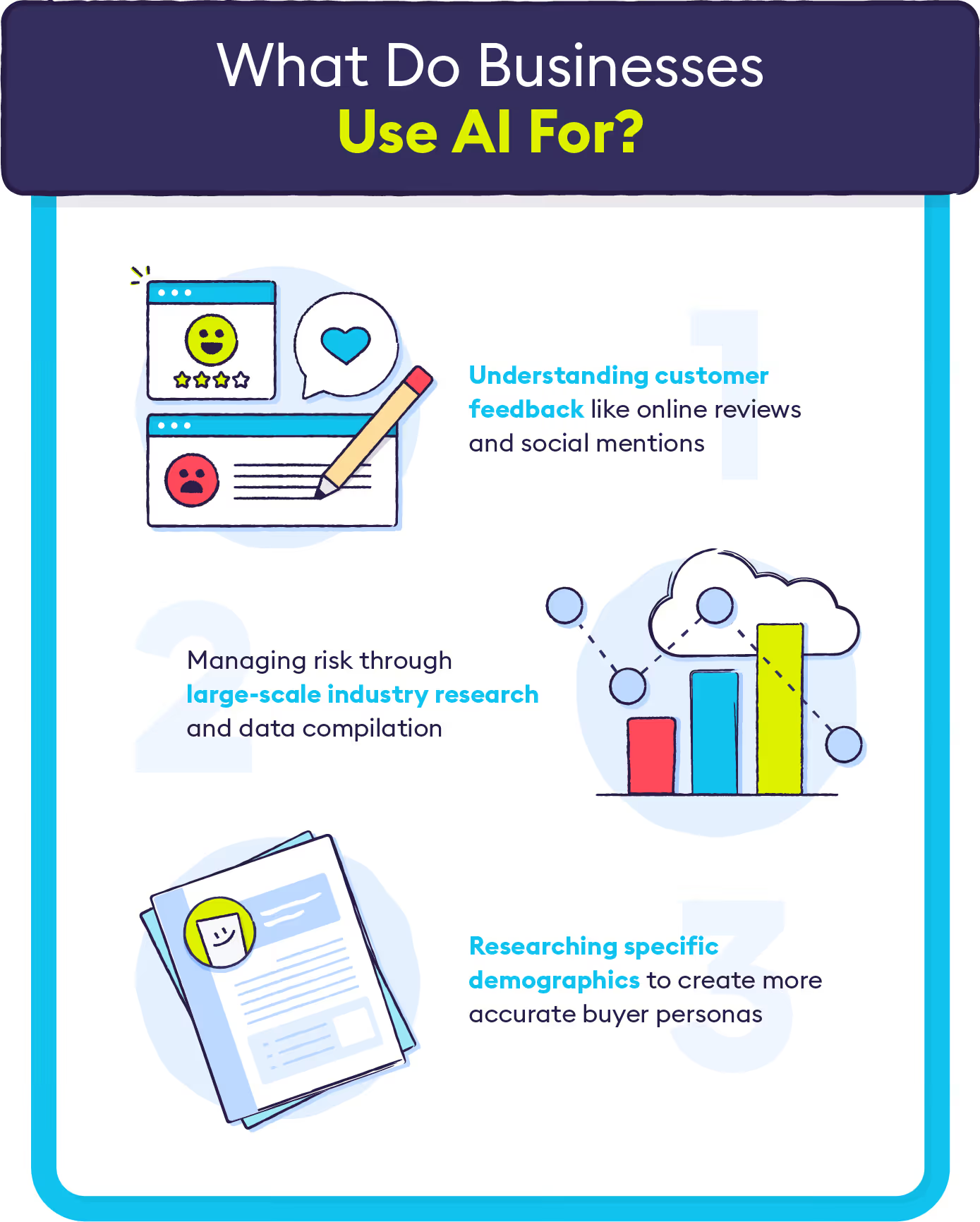
Every customer interaction generates text—reviews, support tickets, survey responses, social comments. Buried in that unstructured data are the patterns that explain churn, reveal product gaps, and predict what customers want next. The challenge is extracting those signals at scale without drowning in manual analysis.

Text analysis software uses AI and natural language processing to do exactly that, turning qualitative feedback into quantifiable insights. This guide compares 11 leading tools, breaks down the features that actually matter, and walks through how to evaluate platforms for your specific use case.

Key Takeaways

  • Purpose: Text analysis software uses AI and NLP to transform unstructured data (reviews, tickets, social media) into actionable business intelligence.
  • Top Tools: Leading platforms for 2026 include Chattermill (best for unified CX insights), Medallia (best for enterprise), and Enterpret (best for product teams).
  • Critical Features: Prioritize sentiment accuracy, multilingual capabilities, and native integrations with CRM/BI tools like Salesforce and Zendesk.
  • AI Evolution: Large Language Models (LLMs) are shifting the industry toward conversational querying and superior detection of nuance and sarcasm.

Why Listen To Us

Chattermill powers feedback analytics for global brands including Uber, HelloFresh, and H&M. Our platform processes feedback at scale across 100+ languages. That hands-on experience analyzing what works (and what breaks) in text analysis gives us a perspective that pure review sites can't match.

What Is Text Analysis Software?

Text analysis software is a category of tools that use natural language processing (NLP) and machine learning to extract meaning from unstructured text. Think of it like a translation layer between raw human language and structured business data: customer feedback goes in one side, and prioritized, categorized insights come out the other.

Why does this matter? Your organization generates thousands of customer comments, support tickets, survey responses, and social media mentions every week. Reading them all manually would take a team of analysts months. Text analysis software reads them in minutes, identifying recurring themes, detecting sentiment shifts, and flagging anomalies that need attention.

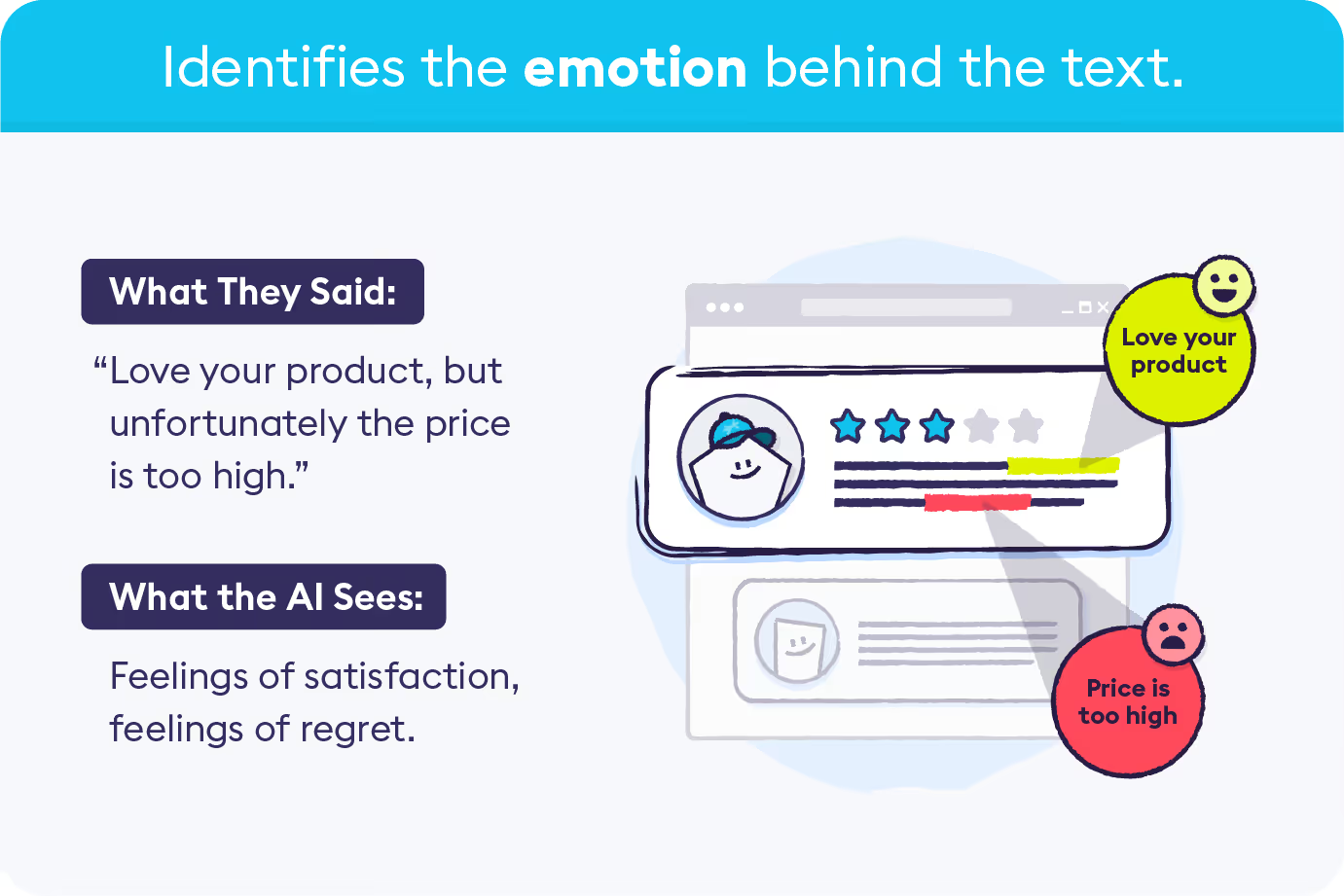
The core job is converting raw text into structured, actionable data. A customer writes "your app crashes every time I try to check out on mobile." Good text analysis software doesn't just tag that as "negative sentiment." It categorizes it under "mobile checkout," links it to a specific product issue, and measures how many other customers report the same thing — so your team knows exactly what to prioritize.

Key capabilities include:

  • Sentiment analysis: Determining whether feedback is positive, negative, or neutral — and detecting nuance like sarcasm and mixed sentiment
  • Theme and topic extraction: Automatically grouping feedback into categories like "pricing," "onboarding," or "mobile performance"
  • Trend detection: Identifying emerging issues before they escalate
  • Entity recognition: Extracting specific products, features, or competitor mentions from text
  • Multilingual processing: Analyzing feedback in multiple languages without manual translation

The market spans everything from enterprise CX platforms to open-source research libraries, so the right tool depends entirely on your use case, data volume, and technical resources. Broadly, text analysis software falls into four categories:

  • Customer feedback analytics platforms like Chattermill, Medallia, and Thematic unify data from surveys, support tickets, reviews, and social channels to surface the themes driving satisfaction metrics. Built for CX, product, and insights teams.
  • Social listening and brand monitoring tools like Brandwatch analyze public social media, forums, and review sites for brand perception and competitive positioning. Built for marketing, PR, and communications teams.
  • Academic and research text analysis programs like MAXQDA, NVivo, and Voyant Tools are designed for methodical, researcher-controlled coding and interpretation of transcripts and documents. They prioritize rigor over speed.
  • General-purpose NLP and text mining platforms like Google Natural Language AI, RapidMiner, and MonkeyLearn provide building blocks for custom applications. They require technical resources but offer maximum flexibility.

15 Top Text Analysis Software Tools: Head-to-Head Comparison

# Tool Category Best For AI/NLP Approach Free Tier Multilingual Key Strengths Starting Price G2 Rating
1 Chattermill CX Feedback Unified analytics tied to revenue Proprietary AI + LLM; auto-tagging, sentiment, anomaly No 100+ languages Connects themes to NPS/CSAT drivers; real-time anomaly detection Custom 4.5/5 ⭐
2 Medallia CX Feedback Enterprise experience management Proprietary AI; theme + sentiment + speech NLP No 30+ languages End-to-end journey analytics; action orchestration Custom 4.5/5 ⭐
3 Enterpret CX Feedback Product feedback categorization Custom adaptive models per product No Yes Auto-taxonomies for features/bugs; sprint-aligned insights Custom 4.6/5 ⭐
4 Qualtrics Discovery CX Feedback Text + speech analytics Rule-based + ML hybrid; conversation NLP No 20+ languages Omnichannel conversation intelligence; integrated survey platform Custom 4.3/5 ⭐
5 Thematic CX Feedback Auditable, transparent AI analysis Supervised AI with human-in-the-loop No Yes Human-in-the-loop validation; full audit trails From $25k/yr 4.8/5 ⭐
6 Kapiche CX Feedback Fast time-to-value for mid-market Automated unsupervised theme clustering No Limited No-code visual analytics; fast onboarding; intuitive interface From $1,060/mo 4.7/5 ⭐
7 Lexalytics CX Feedback Regulated industries Industry-specific NLP; rule + ML hybrid No 25+ languages Compliance-ready; industry-specific models; flexible deployment Custom 4.3/5 ⭐
8 Brandwatch Social Listening Social media & brand monitoring Social-trained NLP; sentiment + emotion No Yes Real-time social text analysis; competitive intelligence Custom 4.4/5 ⭐
9 Luminoso General NLP Unsupervised theme discovery Conceptual AI; unsupervised learning No Yes No-training semantic AI; adaptive conceptual understanding Custom N/A
10 MonkeyLearn General NLP No-code text classification User-trained ML classifiers; pre-built models Yes Limited Visual workflow builder; custom model training From $299/mo 4.1/5 ⭐
11 Google NL AI General NLP Custom applications at scale Deep learning models; transformer-based Yes 10+ languages Pay-per-use API; 700+ content categories Pay-per-use 4.4/5 ⭐
12 Altair RapidMiner General NLP Custom data science pipelines Configurable ML pipelines; clustering Yes Extensions Drag-and-drop mining; combined ML + NLP workflows Custom 4.6/5 ⭐
13 MAXQDA Academic Research Qualitative research LLM-assisted (AI Assist) + manual coding Trial User-managed Mixed-methods with AI Assist; MAXDictio module From $16/mo 4.6/5 ⭐
14 NVivo Academic Research Large-scale qualitative projects Auto-coding + pattern-based; AI-assisted Trial User-managed Deep coding & querying; multimedia analysis From $924/yr 4.0/5 ⭐
15 Voyant Tools Academic Research Quick text exploration Statistical (frequency, concordance) Yes User-managed Instant web-based analysis; completely free Free N/A

How We Evaluated These Text Analysis Software Tools

To rank these 15 tools, we assessed each platform across six weighted criteria using a combination of hands-on testing, published documentation, G2 and Capterra review analysis, and vendor briefings. Here's how we scored:

Criterion Weight What We Measured
AI/NLP accuracy 25% Sentiment precision on ambiguous text, theme granularity, sarcasm and mixed-sentiment handling. Tested with a standardized dataset of 500 samples across support, survey, and social.
Integration depth 20% Number of native integrations, API maturity, and compatibility with common CX/BI stacks (Salesforce, Zendesk, Snowflake, Tableau).
Actionability of insights 20% Connection of text analysis to business metrics (NPS, CSAT, revenue), role-based dashboards, and enabling stakeholders to act on findings — not just view them.
Time to value 15% Calendar days from data connection to first actionable insight for a non-technical CX analyst. Tools requiring extensive custom training or developer involvement scored lower.
Multilingual capability 10% Number of natively supported languages, accuracy consistency across languages, and whether analysis requires separate model configuration.
Pricing transparency 10% Public availability of pricing, scalability with volume, and predictability of total cost of ownership (implementation, training, and fees).

Tools did not pay to be included in this list. Chattermill is our product, and we've disclosed that throughout. Every competing tool was evaluated against the same criteria using the same methodology.

1. Chattermill

Chattermill is an AI-powered feedback analytics platform built for CX, insights, and product teams that need to understand the why behind customer feedback — not just the what. The platform unifies text data from surveys, reviews, support tickets, social media, and app store reviews into a single analytics layer, then uses proprietary AI to extract themes, sentiment, and anomalies at scale.

What sets Chattermill apart from other text analysis software is the connection between unstructured feedback and measurable business outcomes. The platform doesn't just tell you "customers are unhappy about shipping." It quantifies the impact on NPS, links it to specific customer segments, and tracks whether your fixes actually move the needle. For teams drowning in feedback from dozens of channels, this shift from "interesting data" to "actionable intelligence" is the difference between insight and impact.

Chattermill processes feedback in 100+ languages without requiring separate models for each, and its automated alerts catch emerging issues before they escalate into full-scale crises.

Chattermill Features

  • Cross-Channel Feedback Consolidation: Consolidates feedback from surveys, reviews, support tickets, social media, and app stores into one analytics platform
  • AI-Powered Theme Extraction: Automatically identifies and categorizes feedback themes with granular specificity — not just "product issues" but "mobile checkout crash on iOS"
  • Sentiment Analysis at Scale: Detects nuanced sentiment including mixed and contextual sentiment across all feedback channels
  • Impact Analysis: Measures the direct relationship between feedback themes and business metrics like NPS, CSAT, CES, and revenue
  • Anomaly Detection and Alerts: Real-time notifications when feedback patterns shift unexpectedly
  • Multilingual Analysis: Processes feedback in 100+ languages with native-quality analysis
  • Custom Dashboards and Reporting: Role-based dashboards that surface relevant insights for CX, product, and executive teams

2026 Pricing

Custom enterprise pricing based on feedback volume, team size, and data sources. Contact Chattermill for a tailored quote.

Chattermill Pros

  • Unifies feedback from every channel into a single platform — eliminates data silos across survey, support, and social tools
  • AI goes beyond surface-level sentiment to identify the specific themes driving metric changes
  • Direct connection between customer feedback and business KPIs (NPS, retention, revenue)
  • Automated anomaly detection catches issues before they escalate
  • Multilingual analysis at scale without separate model training
  • Fast onboarding with dedicated customer success support

Chattermill Cons

  • No native survey creation or data collection — requires integration with existing feedback sources
  • Custom pricing means smaller teams need to engage sales for quotes
  • Best suited for organizations with meaningful feedback volume across multiple channels

Who It's For

Mid-market to enterprise CX, insights, and product teams that have feedback scattered across multiple channels and need a single platform that ties unstructured text to business outcomes.

G2 Rating

Chattermill G2 Score: 4.5

2. Medallia

Medallia is an enterprise experience management platform that combines text analytics with operational and experience data across the entire customer journey. Its text analysis capabilities are part of a broader suite that includes journey orchestration, employee experience, and digital experience analytics.

Medallia's strength lies in its end-to-end approach: it captures signals across touchpoints, analyzes them with AI, and triggers actions directly within existing workflows. For large enterprises with dedicated CX research teams, this breadth makes it a one-platform solution. The tradeoff is complexity — Medallia's full power requires significant implementation investment and ongoing administration.

Medallia Features

  • Text Analytics: AI-powered theme and sentiment detection across feedback channels
  • Journey Analytics: Maps customer journeys and identifies friction points
  • Action Orchestration: Triggers workflows based on text analysis insights
  • Speech Analytics: Analyzes call center conversations alongside written feedback
  • Employee Experience: Extends text analysis to internal feedback and engagement surveys

2026 Pricing

Custom pricing based on Experience Data Records (EDRs), module choice, and user count. Expect enterprise-tier investment.

Medallia Pros

  • Comprehensive end-to-end experience management capabilities
  • Strong action orchestration connects insights to operational workflows
  • Broad signal capture across customer, employee, and digital experience
  • Established enterprise track record with Fortune 500 companies

Medallia Cons

  • Complexity and learning curve can be challenging for smaller teams
  • Significant implementation investment (time and budget)
  • Text analytics is strongest when using the full Medallia suite — standalone text analysis value is lower
  • Pricing reflects enterprise positioning

Who It's For

Large enterprises with dedicated CX research teams running complex, multi-channel experience programs.

G2 Rating

Medallia G2 Score: 4.5

3. Enterpret

Enterpret is purpose-built for product teams that need to extract feature requests, bug reports, and product feedback signals from customer communications. While most text analysis software treats all feedback the same, Enterpret builds product-specific taxonomies that automatically categorize feedback by feature, issue type, and urgency.

This product-centric approach makes Enterpret particularly effective for SaaS and product-led growth companies where the primary question isn't "how do customers feel?" but "what should we build next?"

Enterpret Features

  • Product-Specific Taxonomy: Automatically categorizes feedback by feature, bug, and request type
  • Custom Feedback Models: Adapts AI models to each product's terminology and feature set
  • Sprint-Ready Insights: Surfaces prioritized product feedback aligned with development workflows
  • Multi-Source Ingestion: Pulls from support tickets, sales calls, social media, and in-app feedback

2026 Pricing

Tailored pricing based on feedback volume and sources. Contact Enterpret for current rates.

Enterpret Pros

  • Purpose-built for product feedback analysis — not a generic text analytics tool adapted for product use
  • Strong feature request identification and prioritization
  • Integrates with product management workflows (Jira, Linear, Productboard)
  • Adapts taxonomy to each product's specific language and features

Enterpret Cons

  • Less suited for traditional CX use cases (CSAT/NPS analysis, journey analytics)
  • Smaller user base and ecosystem than established CX platforms
  • Limited social media and public review analysis
  • Best value requires significant product feedback volume

Who It's For

Product teams, product-led growth companies, and SaaS organizations where product feedback analysis drives the roadmap.

G2 Rating

Enterpret G2 Score: 4.6

4. Qualtrics XM Discover

Qualtrics XM Discover (formerly Clarabridge) provides text and speech analytics within the broader Qualtrics experience management ecosystem. It analyzes written and spoken feedback across channels, with particular strength in conversation intelligence for contact centers.

The platform's deepest value emerges when paired with Qualtrics' survey and experience management tools, creating a unified view of structured and unstructured data. Teams already invested in Qualtrics will find the integration seamless; those using other survey platforms face a steeper adoption curve.

Qualtrics XM Discover Features

  • Text and Speech Analytics: Analyzes both written feedback and call recordings
  • Automated Theme Discovery: Identifies topics and sentiment without manual configuration
  • Intelligent Scoring: Classifies customer effort, emotion, and intent from conversations
  • Cross-Channel Analysis: Unifies feedback from surveys, social, chat, email, and voice

2026 Pricing

Custom pricing. Qualtrics does not publicly list prices — request a quote through their sales team.

Qualtrics XM Discover Pros

  • Deep integration with the Qualtrics survey and XM platform
  • Strong speech analytics capabilities for contact centers
  • Powerful conversation intelligence features
  • Established enterprise compliance and security credentials

Qualtrics XM Discover Cons

  • Setup and configuration require significant time investment
  • Best value realized when already using Qualtrics for surveys
  • Premium enterprise pricing
  • Can feel heavyweight for teams with simpler text analysis needs

Who It's For

Organizations already using Qualtrics for surveys that need integrated text and speech analytics.

G2 Rating

Qualtrics XM Discover G2 Score: 4.3

5. Thematic

Thematic differentiates through transparency. Where most text analysis platforms operate as black boxes — feedback goes in, themes come out — Thematic shows exactly how its AI identifies and groups themes, with human-in-the-loop controls that let analysts validate and adjust the categorization.

This audit-trail approach makes Thematic particularly attractive for regulated industries and research teams where understanding how the AI reached its conclusions is as important as the conclusions themselves. The tradeoff is speed: human review adds rigor but slows time-to-insight compared to fully automated platforms.

Thematic Features

  • Transparent AI Theme Detection: Shows how themes are identified and grouped, with full audit trails
  • Human-in-the-Loop Controls: Analysts can validate, split, merge, and adjust AI-generated themes
  • Impact Analysis: Connects feedback themes to NPS, CSAT, and other business metrics
  • Multi-Source Integration: Connects to surveys, support platforms, review sites, and social channels

2026 Pricing

Foundation Plan starts from $25,000/year. Enterprise Plan is custom-priced.

Thematic Pros

  • Exceptional transparency in AI analysis — you can see and explain every decision
  • Strong human-in-the-loop controls for quality assurance
  • Clear audit trail for compliance and stakeholder reporting
  • Good integration with BI tools (Snowflake, Tableau)

Thematic Cons

  • Human review process can slow time-to-insight
  • Less automation than fully AI-driven platforms
  • Entry pricing ($25,000/yr) may be steep for mid-market teams
  • Smaller ecosystem and fewer native integrations than larger platforms

Who It's For

Research teams, CX teams requiring auditability, and organizations in regulated industries.

G2 Rating

Thematic G2 Score: 4.8

6. Kapiche

Kapiche focuses on making text analytics accessible to mid-market CX teams without data science resources. Its visual, no-code interface lets analysts explore feedback themes through interactive dashboards without writing queries or configuring complex taxonomy rules.

Kapiche's standout quality is speed to value — teams can connect data sources and start seeing insights within days, not weeks. But what happens when your analysis needs grow beyond exploration into automated workflows and cross-system integration? That's where Kapiche's simplicity becomes a limitation.

Kapiche Features

  • Automated Theme Discovery: AI identifies topics and patterns in feedback without manual setup
  • Visual Analytics: Interactive dashboards for exploring themes, sentiment, and trends
  • No-Code Interface: Business users can run analyses without technical skills
  • Flexible Data Ingestion: Connects to surveys, CRM systems, and support platforms

2026 Pricing

Plans start from $1,060/month for small teams. Contact sales for enterprise pricing.

Kapiche Pros

  • Exceptionally intuitive user interface — no data science skills needed
  • Fast implementation and onboarding (days, not weeks)
  • Strong visual exploration of feedback themes
  • Good value for mid-market teams

Kapiche Cons

  • Fewer advanced features than enterprise platforms
  • More limited integration ecosystem
  • Less sophisticated NLP than AI-first platforms
  • Better for exploration than automated operational workflows

Who It's For

Mid-market CX teams wanting fast time-to-value without technical complexity.

G2 Rating

Kapiche G2 Score: 4.7

7. Lexalytics

Lexalytics (now part of InMoment) specializes in text analytics for regulated industries where data sovereignty, compliance, and deployment flexibility are non-negotiable. The platform offers on-premise, private cloud, and SaaS deployment options with industry-specific NLP models for healthcare, finance, and insurance.

Lexalytics Features

  • Industry-Specific NLP: Pre-trained models for healthcare, finance, insurance, and more
  • On-Premise Deployment: Full data sovereignty for organizations that cannot use cloud services
  • Customizable Pipelines: Configure text analysis workflows with industry-specific rules
  • Multi-Language Support: Processes text across 25+ languages

2026 Pricing

Contact Lexalytics (via InMoment) for enterprise quotes.

Lexalytics Pros

  • Strong compliance and security features for regulated industries
  • Industry-specific language models improve accuracy out of the box
  • Flexible deployment options (on-premise, private cloud, SaaS)
  • Established in healthcare, finance, and insurance verticals

Lexalytics Cons

  • Requires more technical expertise than no-code platforms
  • User interface is less intuitive than modern CX analytics tools
  • Integration with the InMoment ecosystem is evolving
  • Enterprise-only pricing

Who It's For

Regulated industries (healthcare, finance, insurance) and enterprises requiring on-premise deployment.

G2 Rating

Lexalytics G2 Score: 4.3

8. Brandwatch

Brandwatch is a social listening and digital consumer intelligence platform that applies text analysis to social media, forums, review sites, and online conversations. While not a customer feedback analytics platform in the traditional sense, its text analysis capabilities are strong for marketing, PR, and brand management teams.

Brandwatch Features

  • Social Media Text Analysis: Tracks and analyzes mentions across Twitter/X, Facebook, Instagram, Reddit, and more
  • Sentiment and Emotion Detection: Classifies social text by sentiment, emotion, and topic
  • Trend Identification: Surfaces emerging conversation trends in real-time
  • Competitive Intelligence: Analyzes competitor mentions and share of voice
  • Influencer Identification: Finds key voices in relevant conversations

2026 Pricing

Premium custom pricing. Contact Brandwatch for a quote.

Brandwatch Pros

  • Comprehensive social media coverage and historical data access
  • Real-time monitoring and alerting
  • Strong competitive intelligence capabilities
  • Visual dashboards built for marketing and communications teams

Brandwatch Cons

  • Focused on social/public text — not designed for owned feedback channels (surveys, support)
  • Premium pricing tier
  • Learning curve for the full feature set
  • Less suited for CX feedback analysis

Who It's For

Marketing teams, PR departments, brand managers, and social media teams.

G2 Rating

Brandwatch G2 Score: 4.4

9. Luminoso

Luminoso (now part of Cemantica) takes an unsupervised learning approach to text analysis, discovering themes and patterns without pre-defined categories or manual taxonomy setup. Built on research from MIT's Media Lab, its AI uses conceptual understanding rather than keyword matching, which means it can identify themes even when customers use different words to describe the same issue.

Luminoso Features

  • Unsupervised Learning: Discovers themes without pre-defined categories or training data
  • Semantic Understanding: Uses conceptual AI rather than keyword matching
  • Adaptive Analysis: Automatically adjusts to changing language and emerging topics
  • Multi-Language Support: Analyzes text across multiple languages without separate models

2026 Pricing

Contact Luminoso for a tailored quote.

Luminoso Pros

  • No manual taxonomy setup required — the AI discovers themes independently
  • Adapts automatically to changing customer language
  • Strong at discovering unexpected themes that manual approaches miss
  • Conceptual understanding handles synonym variation well

Luminoso Cons

  • Less control over specific categorization than supervised approaches
  • Results can be less predictable than rule-based systems
  • Smaller community and fewer third-party integrations
  • Limited public review data available

Who It's For

Organizations with evolving customer language, diverse feedback topics, and teams that want discovery-driven insights.

G2 Rating

Luminoso G2 Score: N/A

10. MonkeyLearn

MonkeyLearn (now part of Appen) provides a no-code platform for building custom text classification and extraction models. Its visual workflow builder lets non-technical users create text analysis pipelines by connecting pre-built and custom models — useful for teams that need text classification tailored to their specific data but don't have machine learning engineers on staff.

MonkeyLearn Features

  • Visual Workflow Builder: Drag-and-drop interface for building text analysis pipelines
  • Pre-Built Models: Ready-to-use classifiers for sentiment, topic, and intent detection
  • Custom Model Training: Train models on your own data without writing code
  • API Access: Integrate text analysis into existing applications and workflows

2026 Pricing

Free tier available with limited usage. Paid plans start from $299/month.

MonkeyLearn Pros

  • No-code approach makes custom text classification accessible
  • Free tier lets teams experiment before committing
  • Visual workflow builder handles 50+ text operations
  • API-first design integrates with existing tools

MonkeyLearn Cons

  • Accuracy depends heavily on training data quality
  • Not purpose-built for CX or feedback analytics
  • Limited out-of-the-box dashboards and reporting
  • Appen acquisition has introduced uncertainty about the product roadmap

Who It's For

Teams needing custom text classification without machine learning expertise.

G2 Rating

MonkeyLearn G2 Score: 4.1

11. Google Natural Language AI

Google Natural Language AI provides cloud-based NLP capabilities through a pay-per-use API. It's not a platform with dashboards and reports — it's infrastructure that developers use to build custom text analysis applications. For organizations with engineering resources, it offers enterprise-scale NLP at granular pricing.

Google Natural Language AI Features

  • Sentiment Analysis API: Returns sentiment scores and magnitude for text
  • Entity Recognition: Identifies people, organizations, locations, and events in text
  • Content Classification: Categorizes text into 700+ predefined categories
  • Syntax Analysis: Provides part-of-speech tagging and dependency parsing
  • Healthcare NLP: Specialized API for extracting medical entities from clinical text

2026 Pricing

Pay-per-use: priced per 1,000-character unit. Free tier includes 5,000 units per month. See pricing details.

Google Natural Language AI Pros

  • Highly scalable cloud infrastructure
  • Granular pay-per-use pricing (cost-effective at scale)
  • Strong entity recognition and content classification
  • Healthcare-specific NLP model available

Google Natural Language AI Cons

  • Requires development resources to implement
  • No built-in dashboards or business user interface
  • General-purpose NLP — not optimized for customer feedback analysis
  • Ongoing engineering maintenance for custom applications

Who It's For

Developers, technical teams, and organizations building custom NLP applications.

G2 Rating

Google Natural Language AI G2 Score: 4.4

12. Altair RapidMiner

Altair RapidMiner (formerly TIBCO) is a data science platform with text mining and NLP capabilities. It's designed for data science teams building custom analytics pipelines, not for business users running quick analyses. The drag-and-drop workflow designer supports text preprocessing, classification, clustering, and extraction within broader data science projects.

Altair RapidMiner Features

  • Visual Workflow Designer: Build text analysis pipelines with drag-and-drop
  • Text Mining Operators: Pre-built components for tokenization, stemming, TF-IDF, and classification
  • Integration with Data Science Workflows: Combine text analysis with statistical modeling and machine learning
  • Collaboration Features: Share workflows and results across data science teams

2026 Pricing

Contact Altair for enterprise pricing. Community edition available with limited features.

Altair RapidMiner Pros

  • Maximum flexibility for custom text analysis workflows
  • Combines text mining with broader data science capabilities
  • Visual interface makes complex pipelines manageable
  • Strong community and educational resources

Altair RapidMiner Cons

  • Steep learning curve for non-technical users
  • Not purpose-built for customer feedback or CX analysis
  • Requires data science knowledge to get full value
  • Community edition has significant feature limitations

Who It's For

Data science teams, technical analysts, and organizations building custom text mining solutions.

G2 Rating

Altair RapidMiner G2 Score: 4.6

13. MAXQDA

MAXQDA is one of the most widely adopted qualitative data analysis tools in academic research. It's designed for researchers working with interview transcripts, focus groups, survey open-ends, and literature — where careful, methodical coding and interpretation matter more than speed or automation.

MAXQDA's AI Assist feature (added in 2025) brings LLM-powered analysis to qualitative workflows while maintaining the rigorous, researcher-controlled approach the tool is known for.

MAXQDA Features

  • Qualitative Coding: Manual and semi-automated coding with hierarchical code systems
  • AI Assist: LLM-powered analysis for summarization, coding suggestions, and theme exploration
  • Mixed Methods: Combines qualitative text analysis with quantitative data in one project
  • MAXDictio Module: Quantitative text analysis with word frequencies, keyword-in-context, and dictionary-based analysis
  • Visual Tools: Interactive code maps, word clouds, and document comparison visualizations

2026 Pricing

Subscription plans start from approximately $16/month for students. Standard licenses for professionals start around $500/year. Team and institutional pricing available.

MAXQDA Pros

  • Gold standard for qualitative research methodology
  • AI Assist adds modern LLM capabilities without sacrificing rigor
  • Identical functionality on Windows and Mac
  • Excellent training resources and academic community

MAXQDA Cons

  • Designed for research workflows, not real-time CX feedback analysis
  • Manual coding approach is time-intensive for high-volume data
  • Not built for integration with CRM, support, or BI platforms
  • Learning curve for the full feature set

Who It's For

Academic researchers, qualitative research consultancies, and market research teams doing interview and focus group analysis.

G2 Rating

MAXQDA G2 Score: 4.6

14. NVivo

NVivo (by Lumivero) is a qualitative data analysis tool for researchers working with large, complex qualitative datasets — hundreds of interviews, thousands of documents, multimedia data. Its strength is deep, methodical analysis of qualitative text with powerful querying and visualization capabilities.

NVivo Features

  • Advanced Coding: Multi-level coding with auto-coding, pattern-based coding, and AI-assisted suggestions
  • Query Tools: Matrix coding, word frequency, text search, and compound queries across large datasets
  • Multimedia Analysis: Code and analyze video, audio, images, and text in one project
  • Team Collaboration: Multi-user projects with merge capabilities

2026 Pricing

NVivo licenses start from approximately $924/year for individual users. Team and institutional pricing available. Free 14-day trial.

NVivo Pros

  • Handles very large qualitative datasets efficiently
  • Powerful query and visualization capabilities
  • Strong for multi-researcher projects with merge workflows
  • Supports multimedia data alongside text

NVivo Cons

  • Steeper learning curve than MAXQDA
  • Interface can feel dated compared to modern analytics platforms
  • Not designed for automated, real-time feedback analysis
  • Pricing is higher than MAXQDA for comparable feature sets

Who It's For

Academic researchers and large qualitative research projects with complex, multi-source datasets.

G2 Rating

NVivo G2 Score: 4.0

15. Voyant Tools

Voyant Tools is a free, web-based text analysis platform designed for quick exploration and visualization of text data. There's nothing to install — paste text or upload a document, and Voyant generates instant word frequency distributions, concordance displays, and trend visualizations.

It's not a customer feedback platform or an enterprise analytics tool. But for researchers, students, and anyone who needs to quickly explore a text dataset, Voyant is the fastest path from raw text to visual insight.

Voyant Tools Features

  • Instant Text Exploration: Paste text or upload documents for immediate analysis
  • Word Frequency Analysis: Visualize word distributions, trends, and collocations
  • Concordance Tool (Keywords in Context): See every occurrence of a word in its surrounding context
  • Corpus Comparison: Compare multiple texts or documents side by side
  • Export and Embed: Share visualizations via URL or embed in web pages

2026 Pricing

Completely free. Open-source and web-based.

Voyant Tools Pros

  • Completely free with no account required
  • Instant results — no setup, configuration, or training
  • Excellent for quick text exploration and hypothesis generation
  • Strong educational community and documentation

Voyant Tools Cons

  • No sentiment analysis, theme extraction, or AI-powered capabilities
  • Not suitable for structured feedback analysis or CX workflows
  • Limited to text exploration — not actionable business intelligence
  • No integrations with business tools

Who It's For

Researchers, students, digital humanities scholars, and anyone needing quick, visual text exploration.

G2 Rating

Voyant Tools G2 Score: N/A

Choosing the Right Text Analysis Software

Choosing the right text analysis software starts with understanding what problem you're actually solving. Are you a CX team tracking NPS drivers across five feedback channels? A product team prioritizing feature requests from support tickets? A researcher coding 200 interview transcripts? Each use case demands a fundamentally different tool.

Here are the evaluation criteria that separate tools that generate reports from tools that drive decisions:

1. AI and NLP Accuracy. How well does the tool handle nuance, sarcasm, mixed sentiment, and domain-specific language? The difference between a tool that classifies "Well, that was a great experience" as positive (missing the sarcasm) and one that flags it correctly can mean misreading thousands of customer interactions. Ask vendors for accuracy benchmarks on your specific data type.

2. Integration Depth. Text analysis software delivers value only when insights flow into the systems teams already use. Evaluate native integrations with Salesforce, Zendesk, Intercom, Snowflake, Tableau, and your specific tech stack. API availability matters for custom workflows.

3. Time to Value. How quickly can a non-technical team go from data connection to actionable insights? Tools requiring months of configuration scored lower than those delivering insights within days.

4. Scalability and Enterprise Readiness. Can the tool handle growing feedback volumes without performance degradation or pricing surprises? Enterprise readiness (SOC 2, GDPR, SLA guarantees) factors into this criterion.

5. Reporting and Actionability. Dashboards are necessary but not sufficient. Look for tools that connect text insights to business metrics, support role-based views, and enable stakeholders to act — not just observe.

6. Pricing Transparency. Note which vendors publish pricing, which require sales conversations, and how pricing scales with usage. Hidden costs (implementation, training, per-user fees) can significantly increase total cost of ownership.

7. Multilingual Capabilities. Global teams require tools that process feedback accurately across multiple languages — ideally without separate model training for each language.

8. Customizable Taxonomies. Flexible, user-defined taxonomies outperform rigid, predefined categories because every business has unique products, features, and customer language. Look for tools that let you refine categorization over time.

Segmentation by company size: Enterprise teams typically choose platforms like Chattermill, Medallia, or Qualtrics XM Discover for scale, compliance, and integration depth. Mid-market companies often prefer Kapiche or Thematic for faster time-to-value. Teams just getting started can experiment with MonkeyLearn's free tier or Voyant Tools before committing to an enterprise platform.

What Are Text Analysis AI Tools?

The text analysis category has undergone a fundamental shift. For decades, text analytics relied on rules, dictionaries, and statistical models that required significant manual configuration — if you wanted to detect "shipping complaints," you had to define every possible way a customer might phrase that complaint. Modern AI-powered text analysis tools flip this model entirely.

Large Language Models (LLMs) and transformer-based NLP can understand context, detect nuance, and generate human-readable summaries of feedback themes without extensive training data. A customer writes "I've been waiting two weeks and still nothing" — AI doesn't need a rule that maps "waiting" + "two weeks" to "delivery delay." It understands the complaint conceptually.

But "AI-powered" doesn't automatically mean better. How do you separate genuine AI capabilities from marketing labels? The most effective text analysis tools in 2026 combine LLM capabilities with structured analytics frameworks — using AI for theme discovery and summarization while maintaining the rigor and measurability that business decisions require. According to Gartner, by 2027 more than 40% of CX leaders will use AI-driven text analytics to directly influence business strategy — up from under 15% in 2023.

The platforms pulling ahead are those connecting AI-generated insights to measurable business outcomes: theme X is driving NPS down by Y points, and fixing it would save Z in annual churn. That's the shift from AI as a feature to AI as a decision engine.

Benefits of Using Text Analysis Software

Customer Insight Depth. Text analysis software reveals the specific reasons behind customer satisfaction scores. Instead of knowing your NPS dropped 5 points, you know it dropped because of mobile checkout friction among iOS users in the UK — and you can quantify how many customers mentioned it.

Faster Decision-Making. Manual feedback analysis takes weeks. AI-powered text analysis surfaces actionable themes in minutes, enabling teams to respond to emerging issues before they become systemic problems.

Enhanced Customer Experience. By identifying and prioritizing the issues that matter most to customers, text analysis software helps teams focus improvement efforts where they'll have the greatest impact on satisfaction and loyalty.

Product and Service Innovation. Customer feedback is the richest source of product ideas. Text analysis platforms identify feature requests, pain points, and unmet needs at scale — turning scattered comments into a prioritized innovation roadmap.

Customer Satisfaction and Loyalty. Organizations that systematically analyze and act on customer feedback see measurable improvements in satisfaction scores, retention rates, and customer lifetime value.

Competitive Advantage. Understanding what customers say about your competitors — and what they wish you did differently — provides strategic intelligence that informs positioning, messaging, and product development.

Operational Efficiency. Automating text analysis frees CX, product, and insights teams from manual reading and tagging, enabling them to spend more time on strategic analysis and less on data processing.

Continuous Improvement. Text analysis software creates a feedback loop: identify issues, implement fixes, measure impact, and repeat. This data-driven improvement cycle compounds over time, building systematic advantage.

ROI and Business Impact of Text Analysis Tools

The business case for text analysis software goes beyond "better insights." Organizations that effectively analyze customer feedback see measurable returns across multiple dimensions:

  • Reduced customer churn: By identifying and addressing the root causes of dissatisfaction before customers leave. Automated anomaly detection in platforms like Chattermill enables teams to identify churn signals earlier than manual workflows allow, supporting proactive retention efforts.
  • Faster issue resolution: Automated theme detection and anomaly alerts reduce the time between a problem emerging and a team acting on it — from weeks to hours.
  • Improved operational efficiency: Teams spend less time on manual feedback reading and tagging. Analysts shift from data processing to strategic interpretation.
  • Higher satisfaction scores: Systematic analysis and action on feedback drives measurable improvements in NPS, CSAT, and CES over time.
  • Revenue protection: Early detection of product issues, service failures, and competitive threats prevents revenue loss that goes unnoticed in manual analysis workflows.

Get Started with Chattermill

The right text analysis software turns feedback chaos into clear, prioritized actions tied to the metrics your business runs on.

Book a Demo

Text Analysis Software: FAQs

What's the Best Text Analysis Tool?

The best text analysis tool depends on your use case and data volume. For CX and feedback teams analyzing customer surveys, support tickets, and reviews, Chattermill is the strongest choice because it unifies feedback from every channel and connects themes directly to business metrics like NPS and retention. For academic research, MAXQDA and NVivo lead the category. For social media monitoring, Brandwatch is the most comprehensive. For teams building custom NLP applications, Google Natural Language AI offers the most flexible infrastructure.

What Is the Best Text Mining Software for Customer Feedback?

For customer feedback specifically, Chattermill leads in 2026 because it goes beyond basic sentiment analysis to identify the specific themes driving changes in NPS, CSAT, and CES — and quantifies their business impact. Medallia is a strong alternative for large enterprises with dedicated research teams, and Enterpret is best for product teams focused on feature requests and bug categorization. The key differentiator is whether the tool just categorizes feedback or actually helps you prioritize what to act on.

What's the Best Text Analytics Tool for Enterprise Teams?

Enterprise text analytics requires more than accurate NLP — it demands SOC 2 compliance, role-based access, SLA guarantees, multilingual processing, and integration with enterprise tech stacks. Chattermill, Medallia, and Qualtrics XM Discover all meet enterprise requirements, with different strengths: Chattermill for unified feedback intelligence, Medallia for end-to-end experience management, and Qualtrics for organizations already invested in the Qualtrics ecosystem.

How Accurate Is AI Sentiment Analysis in 2026?

Accuracy varies significantly by tool and data type. Modern AI-powered platforms achieve 85–95% accuracy on straightforward sentiment classification, but performance drops with sarcasm, cultural context, and domain-specific language. The best tools allow human-in-the-loop validation and continuously improve accuracy based on corrections. Ask vendors for accuracy benchmarks tested on data similar to yours — not just general benchmarks.

Can Text Analysis Software Handle Multiple Languages?

Yes, but capabilities vary widely. Enterprise platforms like Chattermill process 100+ languages natively without requiring separate model training. Others may support 10–30 languages with varying accuracy. Academic tools like MAXQDA support multilingual projects but rely on the researcher's own language skills rather than automated translation. Always test multilingual accuracy with your specific languages and data types before committing.

The Bottom Line

The text analysis software market in 2026 is mature enough that there's a strong tool for almost every use case — but no single tool that does everything well. The right choice depends on what you're analyzing, at what scale, and what you need to do with the insights.

For CX, insights, and product teams that need to turn scattered customer feedback into prioritized actions tied to business outcomes, Chattermill is the most complete platform available. It unifies every feedback channel, extracts themes and sentiment with AI that understands nuance, and directly connects what customers say to metrics like NPS, retention, and revenue. That connection between insight and impact is what separates feedback analytics from feedback reporting.

For enterprise experience management at massive scale, Medallia delivers breadth. For product feedback analysis, Enterpret delivers depth. For academic research, MAXQDA and NVivo deliver rigor. And for teams just getting started or working with limited budgets, Voyant Tools and Google Natural Language AI's free tiers provide a credible starting point.

The worst decision is no decision — letting unstructured feedback pile up in disconnected tools while competitors use AI to turn those same signals into action. Start with your most critical feedback channel, connect it to a platform that matches your use case, and build from there.

Get granular insights from your feedback data

See how you can turn all your customer feedback into clear, connected insights that lead to action.

What to expect:

A short call to understand your needs and see how we fit

A tailored product demo based on your use case

An overview of pricing and implementation

4.5 rating

150+

5 star reviews

See Chattermill in action

Trusted by the world’s biggest brands

hellofresh logobooking.com logoamazon logoUber logoh&m logo