


16 Best Voice of Customer (VoC) Tools in 2026



The CX intelligence
platform that's AI-native by design
Book a demoThis guide compares the 16 best voice of customer tools in 2026, with pricing, G2 ratings, pros and cons, and picks by use case.
It also covers the 2026 market consolidation, how AI is changing the category, and how to turn insights into action. Whether you need enterprise-grade analytics, lightweight surveys, or AI-powered theme discovery, you can choose with confidence.
Quick Summary
We evaluated 16 platforms on AI depth, channel coverage, integrations, and how directly they tie feedback to NPS, CSAT, and CES. Chattermill, an AI-native customer experience intelligence platform, stands out for unifying every feedback channel and linking themes to revenue and retention metrics.
Zonka Feedback is the strongest option for omnichannel survey collection plus AI theme analysis and closed-loop workflows. InMoment suits CX teams that want deep text analytics paired with journey mapping and services.
Before we get into the detailed comparisons, here are our top three picks:
| # | Tool | Best For |
|---|---|---|
| 1 | Chattermill | AI-native customer experience intelligence that connects feedback themes to NPS, CSAT, CES, and revenue for enterprise CX and product teams |
| 2 | Zonka Feedback | Omnichannel survey collection paired with AI theme and sentiment analysis and closed-loop workflows in one platform |
| 3 | InMoment | CX teams that need enterprise text analytics and guided journey mapping backed by professional services |
Why Listen to Us
Chattermill is a leading AI-native CXI platform, rated 4.4 on G2 and trusted by teams at Uber, HelloFresh, Qonto, and E.ON Next. Our proprietary Lyra AI model analyzes feedback in 100+ languages every day, so we know where voice of customer tools break at scale. We rank ourselves first, so we list our own cons as plainly as everyone else's.
What Are the Best Voice of Customer Tools?
Chattermill is the best voice of customer tool for most CX, product, and insights teams in 2026. It unifies every feedback channel and ties themes to NPS, CSAT, CES, and revenue. Zonka Feedback (omnichannel survey collection) and InMoment (text analytics plus services) complete our top three.
The results are measurable. With Chattermill, E.ON Next grew billing-services NPS by 144% (from +9 to +22) and lifted its App Store rating from 1.1 to 4.8. Qualtrics XM, Medallia, CustomerGauge, Enterpret, Thematic, AskNicely, GetFeedback, Alchemer, NICE Satmetrix, UnitQ, Verint, and Alida round out the list, each strong for a specific job.
Here is the pattern worth noticing: the market splits into two camps. One camp collects feedback well but analyzes it lightly, leaning on native surveys and dashboards. The other analyzes feedback deeply, applying AI to unstructured text at scale.
The best voice of customer tools close that gap. The ranking below reflects which platforms do it convincingly.
What Voice of Customer Tool Do Companies Use?
Companies most often use enterprise platforms like Chattermill, Medallia, and Qualtrics XM, which handle feedback at scale for CX, product, and insights teams. At Uber, for example, more than 400 people across CX, Ops, Product, and Support use Chattermill.
Smaller and mid-market teams often start with focused tools, such as AskNicely for NPS programs or Zonka Feedback for omnichannel survey collection. They then graduate to a broader platform as feedback volume grows.
The choice usually tracks a company's maturity. Early programs pick a survey-led tool to get a pulse on satisfaction. Scaling programs hit a familiar wall: surveys alone miss most of what customers actually say.
That is when teams adopt an AI-native platform that reads reviews, tickets, chat, and social feedback together. No channel becomes a blind spot.
What Is the Best Voice of Customer Platform for Analytics?
Chattermill is the best VoC analytics tool: its Lyra AI detects themes and sentiment across every channel and ties them to NPS, CSAT, and revenue. HelloFresh used it to link NPS, sentiment, and retention, and customers who got a feedback-driven recyclable pouch had 33% fewer packaging-related cancellations.
Uber, a Chattermill customer since 2018, scaled from one region to five mega-regions on the platform. Steve Crolic, Associate Director at HelloFresh, sums up the value. "Chattermill allows our CX team to easily uncover the key drivers behind customer feedback and provides guidance around the right opportunities and initiatives for our business."
Enterpret and Thematic are strong analytics-first alternatives for product teams that want AI-driven theme classification. InMoment suits enterprises that want text analytics delivered alongside professional services.
Analytics depth is where the field separates fastest. In our experience, rule-based text tagging tends to struggle with messy real-world language and multiple languages. Deep-learning models that read context hold up better.
Read in context, a complaint about "waiting forever on hold" and one about "slow support response" can resolve to the same theme. No one has to write a rule for each phrasing.
What Changed in the VoC Market in 2026
The biggest change in 2026 is consolidation: InMoment, Press Ganey Forsta, and Qualtrics XM now sit under one owner. Press Ganey Forsta acquired InMoment in a deal announced May 14, 2025.
Then, on May 18, 2026, Qualtrics completed its $6.75 billion acquisition of Press Ganey Forsta. Forsta itself was formed in 2021 from the merger of Confirmit and FocusVision.
What does this mean if you run, or plan to buy, one of these platforms? Fewer independent vendors means more questions to ask before you sign:
- Roadmap: Ask which products the combined company will keep investing in, and on what timeline.
- Contracts: Review renewal terms, pricing changes, and support commitments before agreeing to multi-year deals.
- Data portability: Confirm you can export historical feedback, taxonomies, and dashboards if you later migrate.
- Migration timing: If a platform change looks likely, plan it around your reporting calendar rather than mid-cycle.
- Shortlist balance: Include at least one independent platform so you can compare roadmaps on equal terms.
16 Top Voice of Customer Tools: Head to Head Comparison
| # | Tool | Best For | Pricing | G2 | AI/NLP Depth | Data Collection | Omnichannel Coverage | Key Integrations |
|---|---|---|---|---|---|---|---|---|
| 1 | Chattermill | AI-native customer experience intelligence for enterprise CX and product teams | Custom (Book a Demo) | 4.4 | Deep learning (Lyra AI) theme, sentiment, and intent across 100+ languages | Analysis-first; ingests external feedback, integrates survey data | Surveys, reviews, support tickets, social, chat unified in one view | Qualtrics, Typeform, Zendesk, Intercom, BI tools, plus MCP for AI agents |
| 2 | Zonka Feedback | Mid-market and enterprise CX & product teams wanting AI feedback intelligence without enterprise deployment timelines | Custom (free trial available) | 4.7 | AI thematic analysis, sentiment scoring, and entity mapping to locations, agents, and products | Native omnichannel surveys (NPS, CSAT, CES, custom) plus AI analysis | Email, SMS, WhatsApp, web, in-app, kiosk, QR, and offline | Salesforce, HubSpot, Zendesk, Intercom, and 50+ platforms |
| 3 | Qualtrics XM | Enterprise experience management and research | Custom (usage-based) | 4.3 | Text iQ analytics with statistical and ML-assisted analysis | Strong native survey and research engine | Surveys, digital, and contact-center feedback across XM suite | CRM, Slack, Salesforce, Adobe, wide integration marketplace |
| 4 | InMoment | Enterprise CX analytics, text analytics, and journey mapping | Custom | 4.7 | Strong text and speech analytics with services-supported modeling | Native surveys plus multichannel feedback intake | Surveys, reviews, social, contact-center, and journey touchpoints | CRM, contact-center platforms, and data-warehouse connectors |
| 5 | Medallia | Enterprise omnichannel experience management and signal capture | Custom | 4.5 | Text analytics and rule-plus-ML sentiment across large signal volumes | Native surveys plus broad signal capture (web, app, voice) | Web, mobile, contact center, in-person, digital touchpoints | Broad enterprise connector library, CRM, contact-center systems |
| 6 | Survicate | Product and CX teams at digital businesses that want fast multichannel surveys with AI analysis | From $114/mo billed annually (10-day free trial) | 4.6 | AI topic sorting, sentiment scoring, and an AI research assistant | NPS, CSAT, CES, PMF, and custom surveys with logic and triggers | Website, in-app (iOS, Android), email, link, Intercom and Braze chat | HubSpot, Salesforce, Slack, Zendesk, Amplitude, Mixpanel, Zapier, 50+ tools |
| 7 | CustomerGauge | B2B account-based NPS and retention | Custom | 4.6 | NPS-focused analytics with account and revenue linkage | Native surveys with account-level distribution | Email, SMS, and in-app survey channels with account context | CRM (Salesforce, HubSpot), ERP, and finance systems |
| 8 | Enterpret | AI-first product feedback classification and taxonomy | Custom | 4.5 | AI-generated adaptive taxonomy for unstructured product feedback | Analysis-only; ingests feedback from connected sources | Support tickets, reviews, app stores, community, and social | Zendesk, Intercom, App Store, Slack, and product tools |
| 9 | Thematic | AI theme and sentiment analysis of feedback | Custom | 4.8 | AI theme extraction and sentiment on open-text feedback | Analysis-only; connects to existing feedback sources | Survey verbatims, reviews, support, and chat transcripts | Survey tools, Zendesk, Slack, and BI platforms |
| 10 | AskNicely | NPS-driven frontline and service coaching | Custom (by response volume) | 4.7 | Sentiment tagging on NPS verbatims; lighter deep-text analysis | Native NPS, CSAT, and CES survey collection | SMS, email, and web survey channels plus frontline apps | CRM, Slack, and workforce and scheduling tools |
| 11 | GetFeedback | Website visitor feedback within SurveyMonkey | Not published | — | Built-in dashboard for website feedback trends and friction points | Website feedback only (passive forms, triggered campaigns, in-page widget) | Website only | SurveyMonkey ecosystem |
| 12 | Alchemer | Advanced survey design and logic | From $55/user/mo | 4.4 | Survey analytics with add-on text and sentiment analysis | Strong native survey and form collection | Web, email, SMS, and offline survey distribution | CRM, Salesforce, Tableau, and workflow integrations |
| 13 | NICE Satmetrix | CEM with NPS heritage and speech and text analytics | Custom | 4.3 (NICE CXone platform) | Speech and text analytics with NPS-centered modeling | Native surveys plus contact-center interaction capture | Surveys, contact-center voice, email, and digital channels | Contact-center systems, CRM, and NICE ecosystem |
| 14 | UnitQ | Product-quality monitoring from feedback signals | Custom | 4.5 | AI quality scoring and anomaly detection on feedback signals | Analysis-only; ingests feedback from connected sources | App stores, support, social, surveys, and community | App stores, Zendesk, Salesforce, Slack, and Jira |
| 15 | Verint | Enterprise experience management and contact-center analytics | Custom | 4.2 | Speech, text, and behavioral analytics across interactions | Native surveys plus large-scale interaction capture | Contact center, digital, surveys, and back-office channels | Contact-center infrastructure, CRM, and workforce tools |
| 16 | Alida | Community-based research and CX | Custom | 4.4 | Analytics on community and survey feedback; lighter unstructured AI | Native surveys plus insight-community collection | Communities, surveys, and digital feedback channels | CRM, marketing, and analytics integrations |
G2 ratings and pricing were checked on October 15, 2026. Where a vendor publishes no public price, we list it as Custom.
How We Evaluated the Best Voice of Customer Tools
A tool that wins a feature checklist can still lose the job it was bought for. So rather than counting features, we scored each platform on what decides whether a voice of customer program changes decisions. These eight criteria are specific to VoC software:
- AI and NLP depth and accuracy: Deep-learning models that read context and languages, versus rule-based tagging that breaks on messy text. This is the category's largest differentiator.
- Breadth of feedback channels and data collection: Whether the tool collects feedback natively, analyzes external sources like reviews and tickets, or does both.
- Omnichannel unification: Whether feedback from every source resolves into one coherent view or stays siloed by channel.
- Integrations and workflow fit: How cleanly the platform connects to CRM, helpdesk, BI, and product tools, so insights reach the teams that act.
- Analytics-to-metric linkage: Whether themes and sentiment tie to NPS, CSAT, CES, churn, and revenue, so leaders prioritize by business impact.
- Ease of use and time to insight: How quickly a non-technical CX or product user gets from question to answer without writing rules.
- Security and compliance: Whether enterprise-grade security, access controls, and compliance are standard, which matters for regulated industries.
- G2 ratings and pricing transparency: We list each tool's G2 rating and public pricing, and mark pricing as Custom where vendors publish no reliable figure.
G2 ratings and vendor pricing last checked: October 15, 2026.
1. Chattermill
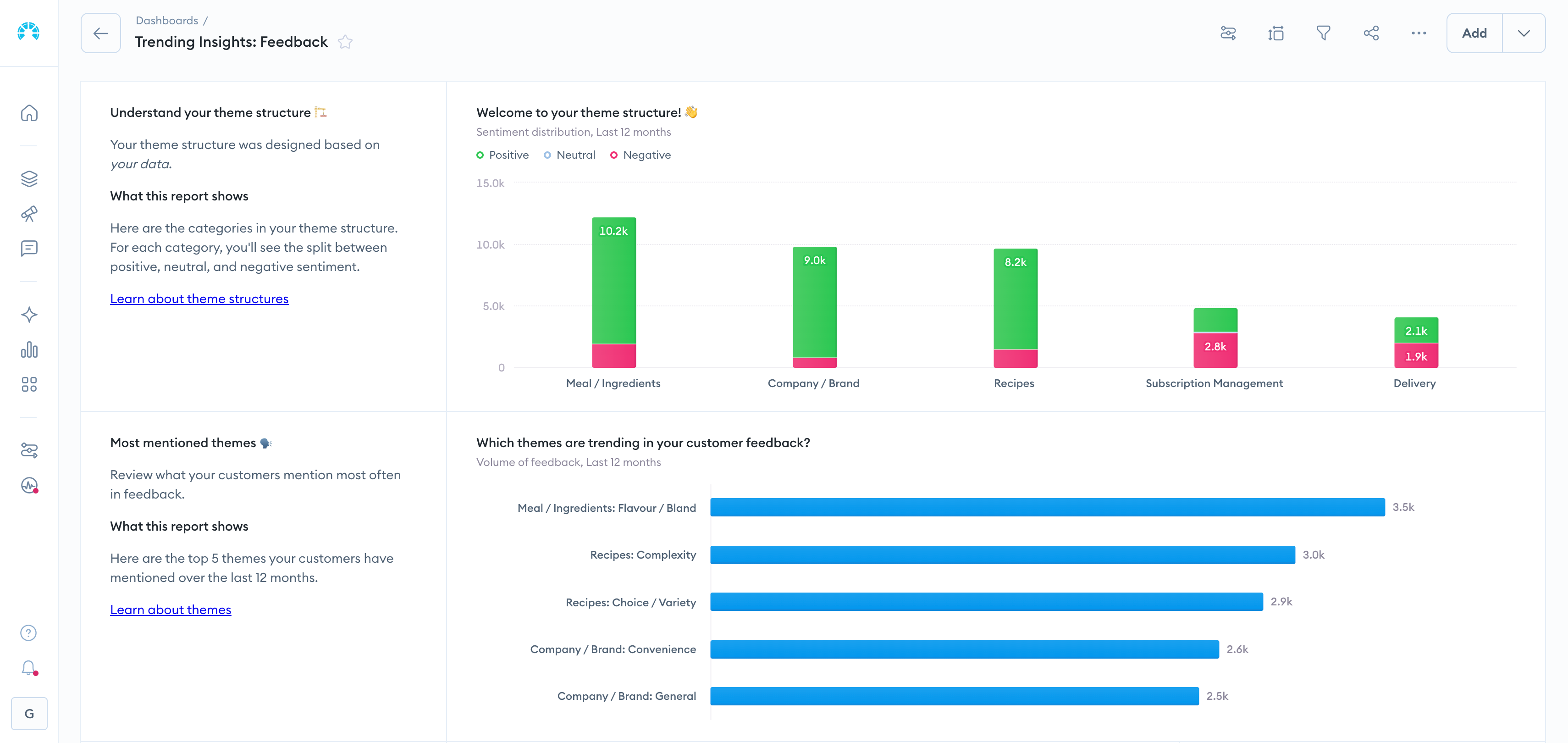
What Is Chattermill?
Chattermill is an AI-native CXI platform that unifies feedback from every channel. It uses AI to surface themes, sentiment, and business impact for CX, product, and insights teams.
Most platforms make you choose between collecting feedback and analyzing it deeply. Chattermill is built around the analysis problem that scale creates. Its Lyra AI reads surveys, reviews, tickets, social posts, and chat, then resolves them into consistent themes across 100+ languages without tagging rules.
The differentiator that matters most to leaders is impact analysis, which connects themes directly to NPS, CSAT, CES, and revenue. Teams see which issues move the metrics, not only what customers say. Anomaly alerting flags sentiment shifts before they show up in a quarterly score.
The Chattermill MCP server lets teams query and act on feedback directly inside AI agents. Lyra Agent, a CX-trained AI agent, runs analysis autonomously and proactively surfaces new insights, with early access now open.
Chattermill Features
- Lyra AI Theme and Sentiment Detection: Deep-learning analysis that surfaces themes, sentiment, and intent from unstructured feedback without manual tagging.
- Unified Feedback Across Channels: Consolidates surveys, reviews, support tickets, social, and chat into one source of customer truth.
- Impact Analysis: Ties feedback themes directly to NPS, CSAT, CES, churn, and revenue so teams prioritize by business impact.
- Anomaly Alerting: Proactive alerts when sentiment shifts or a new issue emerges, so teams act before scores drop.
- Multilingual Analysis: Reads and analyzes feedback in more than 100 languages with consistent theming.
- MCP Server and Lyra Agent: Query feedback inside AI agents, or let Lyra Agent monitor signals across touchpoints and surface new insights.
- Role-Based Dashboards: Tailored views for CX, product, and insights teams, segmented by journey stage, product line, or customer cohort.
Chattermill in Practice
Four published customer stories show what this looks like in practice:
- Uber: A partnership since 2018 grew from one region, Latin America, to five mega-regions and 400+ users across CX, Ops, Product, and Support.
- HelloFresh: Over the last year in the US, average order value rose 30% and average orders per customer rose 4%.
- Qonto: The team saves 80+ hours of manual work monthly and routes detractors into a Notion database to close the loop quickly.
- E.ON Next: Billing NPS rose 144%, the Customer Happiness Index rose 48%, and the App Store rating climbed from 1.1 to 4.8.
Renata Vasconcellos de Sa, Group Product Ops Lead at Uber, explains the choice. "Chattermill stood out to us because of its ability to transform open-ended survey responses into detailed, data-driven insights." Browse more Chattermill customer stories.
2026 Pricing
Chattermill uses custom pricing based on feedback volume and team needs. Book a demo for a tailored quote.
Chattermill Pros
- Unifies every feedback channel into a single, analyzable view
- Links themes to hard metrics like NPS, CSAT, CES, and revenue
- Deep-learning AI removes manual tagging and scales across 100+ languages
- Proactive anomaly alerting surfaces issues early
- MCP server brings feedback into AI agent workflows
- Enterprise-grade security and collaborative, role-based access
Chattermill Cons
- Does not run large native survey programs; it integrates survey data rather than replacing a dedicated survey engine
- Custom enterprise pricing suits scaling and enterprise teams better than very small budgets
Who It's For
High-growth scale-ups and enterprise CX, product, and insights teams that need to analyze feedback across channels at scale.
G2 Rating
Chattermill G2 Score: 4.4/5 (238 reviews, G2)
2. Zonka Feedback
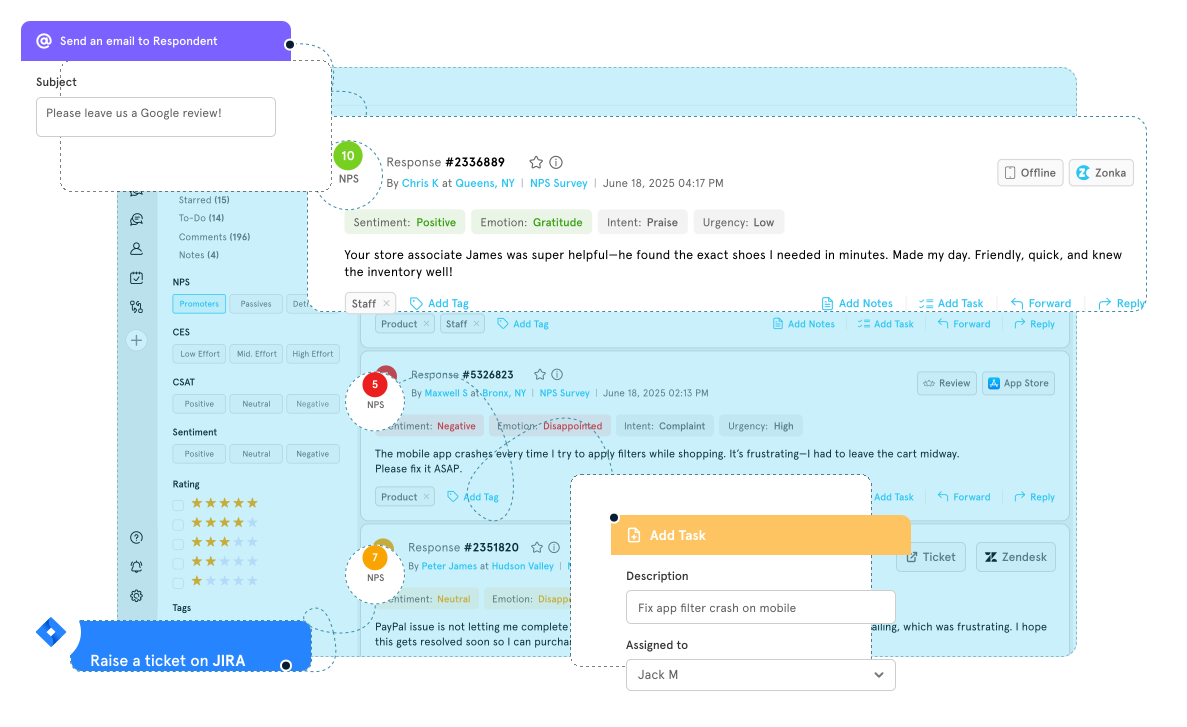
What Is Zonka Feedback?
Zonka Feedback is a feedback platform that combines omnichannel survey collection with AI-powered analysis and closed-loop workflow automation in a single system.
Teams can launch NPS, CSAT, CES, and custom surveys across email, SMS, WhatsApp, websites, in-app experiences, kiosks, QR codes, and offline touchpoints. AI then identifies sentiment, recurring themes, and customer pain points. Unlike analytics platforms that only analyze existing conversations, Zonka also includes built-in survey creation and closed-loop workflows.
That combination fits organizations that need collection and action in one platform, without layering a separate analytics tool on an existing survey stack. Its impact analysis ties feedback themes to NPS, CSAT, and CES movement, which helps teams prioritize the fixes that matter.
Zonka Feedback Features
- Omnichannel Feedback Collection: Surveys via email, SMS, WhatsApp, web, in-app, kiosk, and offline channels.
- AI Feedback Intelligence: Thematic analysis, sentiment scoring, and entity mapping to locations, agents, and products.
- Impact Analysis: Connects feedback themes to NPS, CSAT, and CES movement to help prioritize fixes.
- Anomaly Detection and Alerts: Flags sentiment or score shifts in real time rather than waiting on scheduled reports.
- Closed-Loop Workflows: Centralized inbox, case assignment, and automated routing for flagged feedback.
- Role-Based Dashboards: Agent, manager, and executive views built from the same underlying data.
- Enterprise Integrations: Native connections to Salesforce, HubSpot, Zendesk, Intercom, and 50+ platforms.
2026 Pricing
Zonka Feedback uses custom pricing with a free trial available.
Zonka Feedback Pros
- Omnichannel collection covers digital, in-app, and offline touchpoints without adding separate tools
- AI theme and sentiment analysis goes beyond basic NPS and CSAT scoring
- Impact analysis ties feedback themes directly to metric movement, useful for prioritization
- Deployment is faster than most enterprise-scale platforms in this category
Zonka Feedback Cons
- Pricing is not publicly available
- Best suited for teams ready to build workflows around signals, not just collect scores
Who It's For
Mid-market and enterprise CX, product, and support teams that want survey collection and AI-driven feedback intelligence in one platform.
G2 Rating
Zonka Feedback G2 Score: 4.7/5 (85 reviews, G2)
3. Qualtrics XM
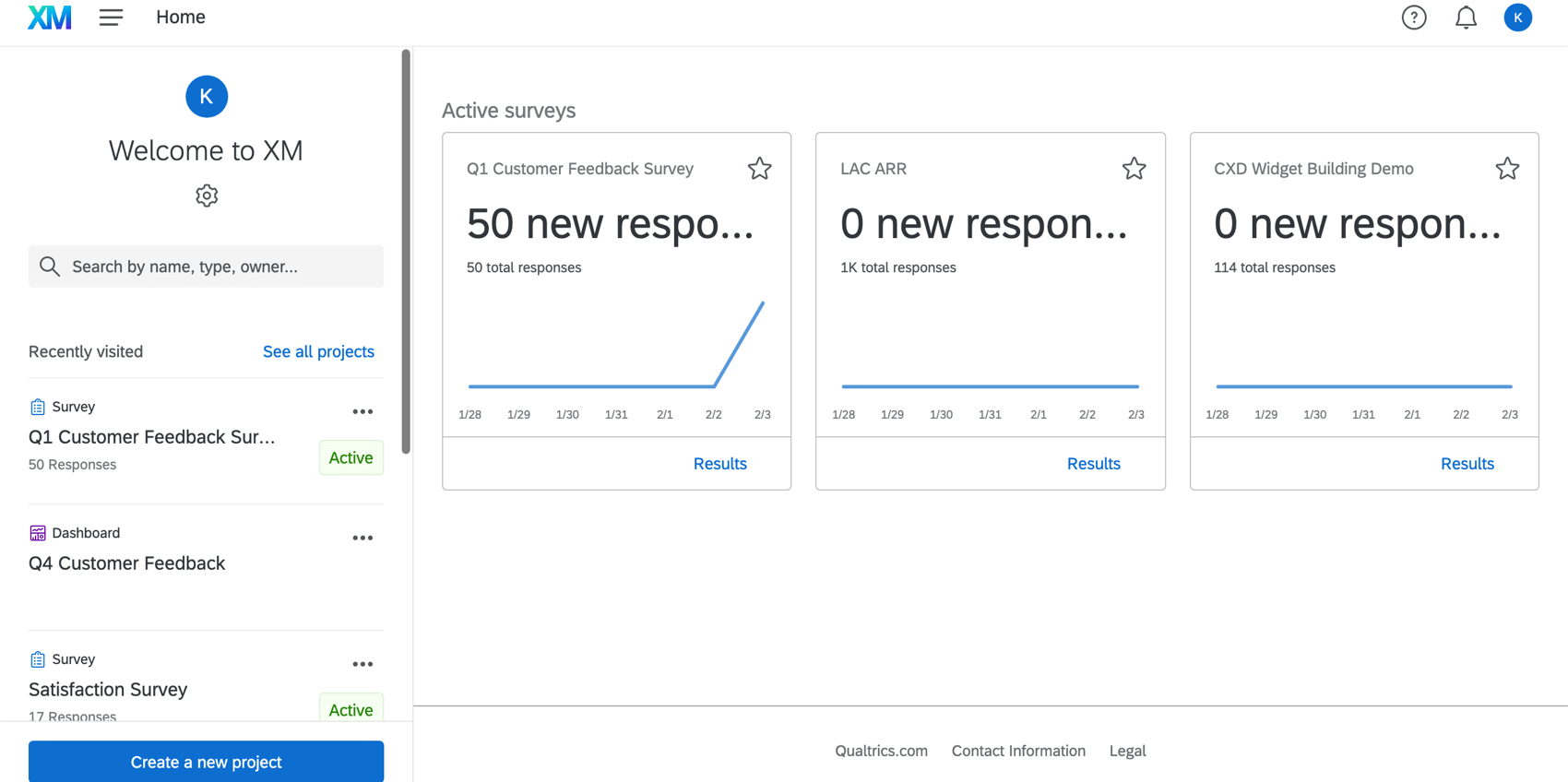
What Is Qualtrics XM?
Qualtrics XM is an enterprise experience management and research platform known for a powerful survey engine and broad experience data capabilities.
Qualtrics earned its reputation on research-grade surveys, and that remains its core strength. Text iQ adds analytics on open-text responses, and the wider XM suite extends into customer, employee, product, and brand experience. For teams whose program centers on structured research and survey distribution, few platforms match its depth.
The tradeoff is a steeper learning curve and enterprise pricing. Buyers analyzing large volumes of reviews, tickets, and social feedback should weigh its survey-first heritage against analysis-first alternatives. Our Chattermill vs Qualtrics and Chattermill vs Text iQ comparisons go deeper.
Since its May 18, 2026 acquisition of Press Ganey Forsta, Qualtrics also owns InMoment. Teams running Qualtrics alongside InMoment or Forsta should ask how products, contracts, and data will be consolidated before renewing.
Qualtrics XM Features
- Research-Grade Survey Engine: Advanced survey logic, branching, and distribution.
- Text iQ Analytics: Sentiment and theme analysis on open-text responses.
- Cross-XM Suite: Customer, employee, product, and brand experience modules.
- Statistical Analysis Tools: Built-in analysis for research and insights teams.
- Dashboards and Reporting: Customizable reporting across touchpoints.
- Integration Marketplace: Connects to Salesforce, Slack, Adobe, and more.
2026 Pricing
Qualtrics prices its CX plans on planned usage (interactions), with custom quotes. See the Qualtrics pricing page.
Qualtrics XM Pros
- Industry-leading survey and research capabilities
- Broad experience-management suite
- Strong statistical and reporting tools
- Wide integration marketplace
Qualtrics XM Cons
- Steep learning curve for new users
- Enterprise pricing can be high for smaller teams
- Survey-first heritage means less emphasis on analyzing external unstructured feedback
Who It's For
Enterprise research and insights teams that need advanced surveys and experience management.
G2 Rating
Qualtrics XM G2 Score: 4.3/5 (752 reviews, G2). G2 lists the product as Qualtrics Customer Experience.
4. InMoment
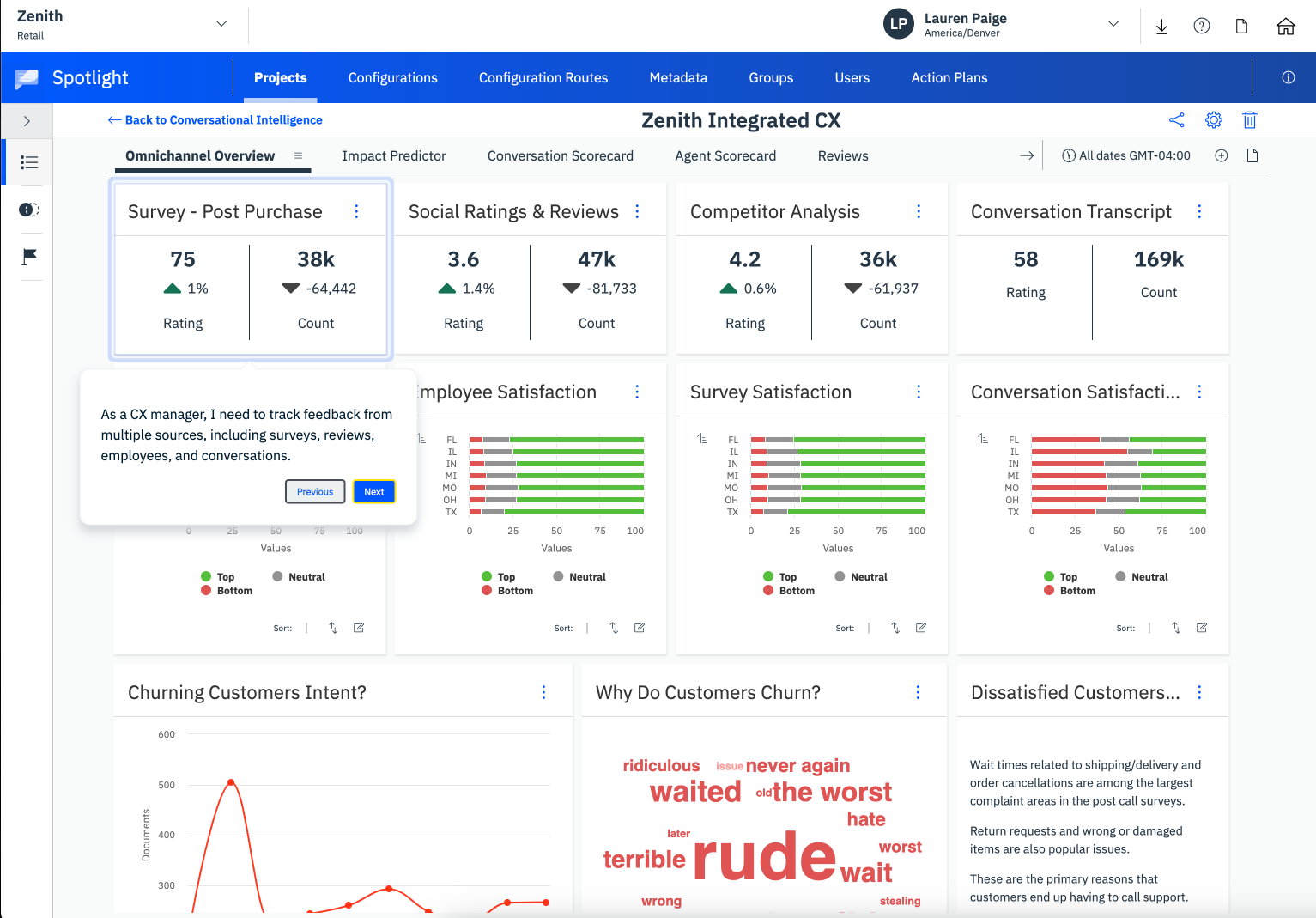
What Is InMoment?
InMoment is an enterprise CX platform that combines text and speech analytics, survey collection, and journey mapping, often delivered with professional services.
InMoment pairs capable analytics with a hands-on services model, which appeals to CX teams that want a partner as well as software. Its text and speech analytics extract themes and sentiment across surveys, reviews, and contact-center interactions. Journey-mapping tools help teams connect feedback to specific moments.
That services-led approach is both a strength and a consideration. Teams get guided implementation, but heavier customization can depend on vendor support. For enterprises that value analytics plus expertise, InMoment is a strong fit.
InMoment joined Press Ganey Forsta in May 2025, and Qualtrics acquired Press Ganey Forsta in May 2026. As a result, InMoment and Qualtrics XM now share common ownership. Current customers should confirm roadmap commitments, support terms, and data-export options before renewing, in case a migration follows.
InMoment Features
- Text and Speech Analytics: Extracts themes and sentiment from written and spoken feedback.
- Native Survey Collection: Distributes surveys across channels.
- Journey Mapping: Ties feedback to specific journey stages and moments.
- Real-Time Alerts: Flags emerging issues for follow-up.
- Case Management: Routes and resolves individual customer issues.
- Professional Services: Guided implementation and analysis support.
2026 Pricing
InMoment uses custom pricing.
InMoment Pros
- Strong combined text and speech analytics
- Guided journey mapping and services support
- Multichannel feedback intake
- Real-time alerting and case management
InMoment Cons
- Dashboard customization can be difficult
- Heavier customization may depend on vendor services
- Enterprise pricing can be high for smaller budgets
- Recent ownership changes make roadmap and contract terms worth confirming
Who It's For
Enterprise CX teams that want deep analytics paired with hands-on services and journey mapping.
G2 Rating
InMoment G2 Score: 4.7/5 (319 reviews, G2). G2 now shows PG Forsta as the seller.
5. Medallia

What Is Medallia?
Medallia is an enterprise experience management platform that captures and analyzes customer signals across digital, contact-center, and in-person touchpoints.
Medallia's strength is breadth of signal capture. It collects feedback through native surveys and passive signals across web, mobile, voice, and physical locations, which suits large organizations with sprawling journeys. That reach brings complexity, and teams often lean on Medallia's services and admin resources to get full value.
For enterprises that need omnichannel coverage above all else, Medallia is a proven choice with a deep connector library. Its analytics are capable, though buyers focused on deep unstructured-text AI should compare it against AI-native platforms. See our Chattermill vs Medallia comparison and Medallia pricing breakdown.
Medallia Features
- Omnichannel Signal Capture: Collects feedback and behavioral signals across web, mobile, voice, and in-person channels.
- Native Survey Engine: Builds and distributes surveys across many touchpoints.
- Text Analytics: Analyzes open-text feedback with sentiment and theme detection.
- Real-Time Alerting: Notifies teams when scores or signals shift.
- Role-Based Reporting: Dashboards tailored to different teams and regions.
- Broad Integration Library: Connects to CRM, contact-center, and enterprise systems.
2026 Pricing
Medallia uses custom enterprise pricing.
Medallia Pros
- Very broad omnichannel signal capture
- Strong, recognizable enterprise track record
- Handles large feedback and signal volumes
- Deep connector and integration library
Medallia Cons
- Complex to configure and administer
- Often requires services investment to reach full value
- Deep unstructured-text AI is less central than in AI-native platforms
Who It's For
Large enterprises that need omnichannel experience management across many touchpoints.
G2 Rating
Medallia G2 Score: 4.5/5 (211 reviews, G2)
6. Survicate
What Is Survicate?
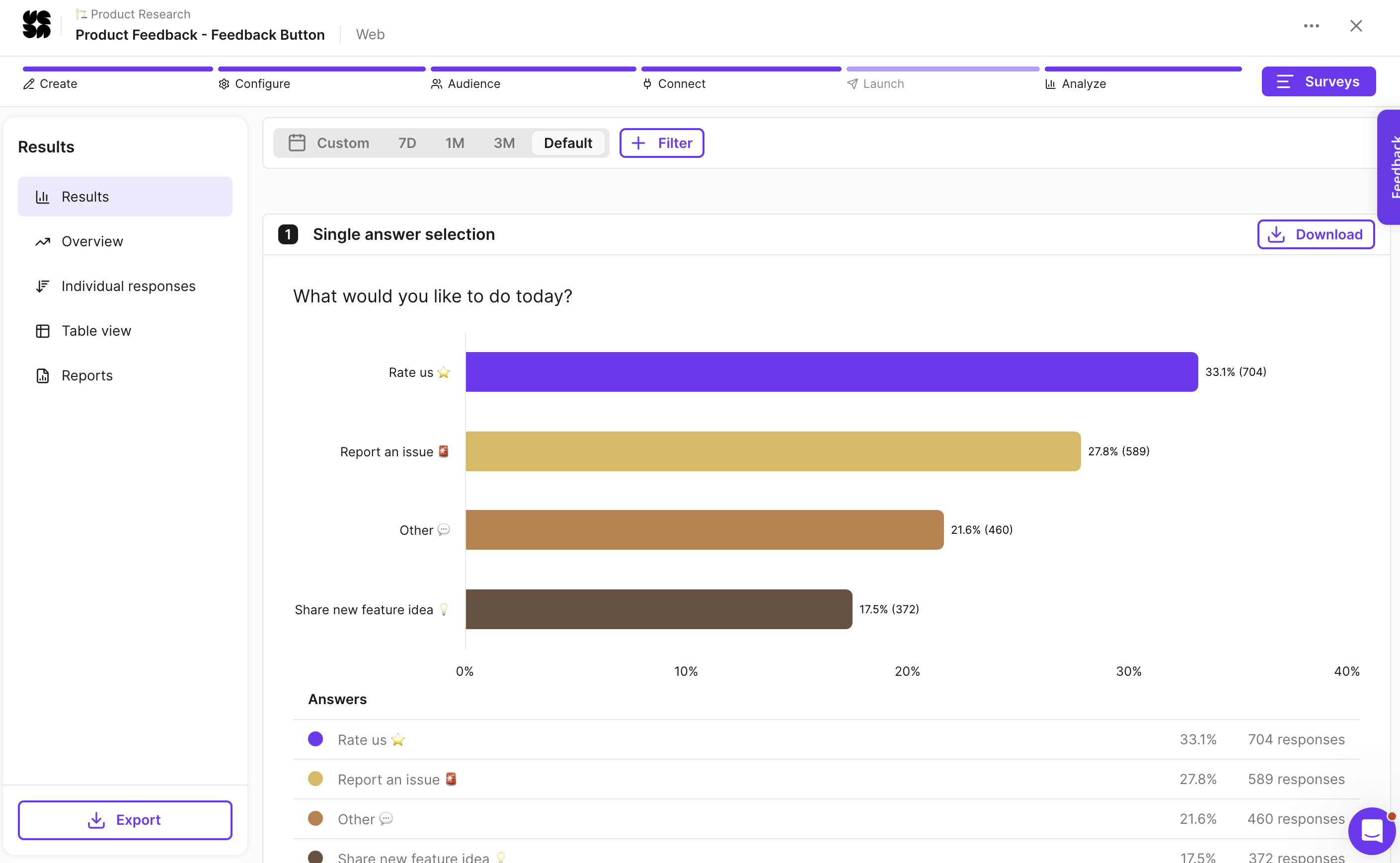
Survicate is a customer feedback platform that collects survey responses across the channels customers already use and analyzes them with AI. Teams run NPS, CSAT, CES, product-market fit, and custom surveys through website pop-ups, embedded forms, feedback buttons, iOS and Android in-app surveys, email, shareable links, and chat tools such as Intercom and Braze. Survey logic shows each respondent only the relevant questions, and surveys can trigger on user actions or run on a schedule.
On the analysis side, feedback is sorted into topics automatically, sentiment is scored, and an AI research assistant summarizes feedback across sources. Real-time dashboards track NPS, CSAT, and CES with filters and segmentation. It connects to HubSpot, Salesforce, Slack, Zendesk, Google Sheets, Amplitude, Mixpanel, Klaviyo, Zapier, and more than 50 tools in total, and the company reports over 2,000 digital businesses as customers.
Survicate Features
- Multichannel Surveys: Website, embedded, in-app (iOS and Android), email, link, and chat surveys from one builder.
- Survey Logic and Triggers: Conditional question paths, event-based triggers, and scheduled sends.
- AI Topic Sorting and Sentiment: Automatic grouping of responses into topics with positive, neutral, and negative sentiment.
- AI Research Assistant: A chat interface that summarizes feedback across connected sources.
- Real-Time Dashboards: NPS, CSAT, and CES tracking with segmentation.
- Integrations: HubSpot, Salesforce, Slack, Zendesk, Amplitude, Mixpanel, Klaviyo, Zapier, and 50+ tools.
2026 Pricing
Survicate's Growth plan starts at $114 per month billed annually, Pro from $349 per month, and Enterprise from $569 per month with custom response pools, seats, and teams. A 10-day free trial is available with no card required.
Survicate Pros
- Fast to launch across web, in-app, email, and chat channels
- Published pricing with a free trial, unusual in this category
- AI topic sorting and summaries without adding a separate analytics tool
- Product analytics integrations (Amplitude, Mixpanel) suit product teams
Survicate Cons
- Response limits on the lower plans are reached quickly at scale
- Survey-first, so support tickets, reviews, and other unstructured feedback need separate sources connected
- Lighter aspect-level text analytics than analysis-first platforms
Who It's For
Product and CX teams at digital businesses that want to collect survey feedback across channels quickly and analyze it with AI, without an enterprise rollout.
G2 Rating
Survicate G2 Score: 4.6/5 (201 reviews, G2)
7. CustomerGauge
What Is CustomerGauge?
CustomerGauge is a B2B-focused voice of customer platform built around account-based NPS and retention.
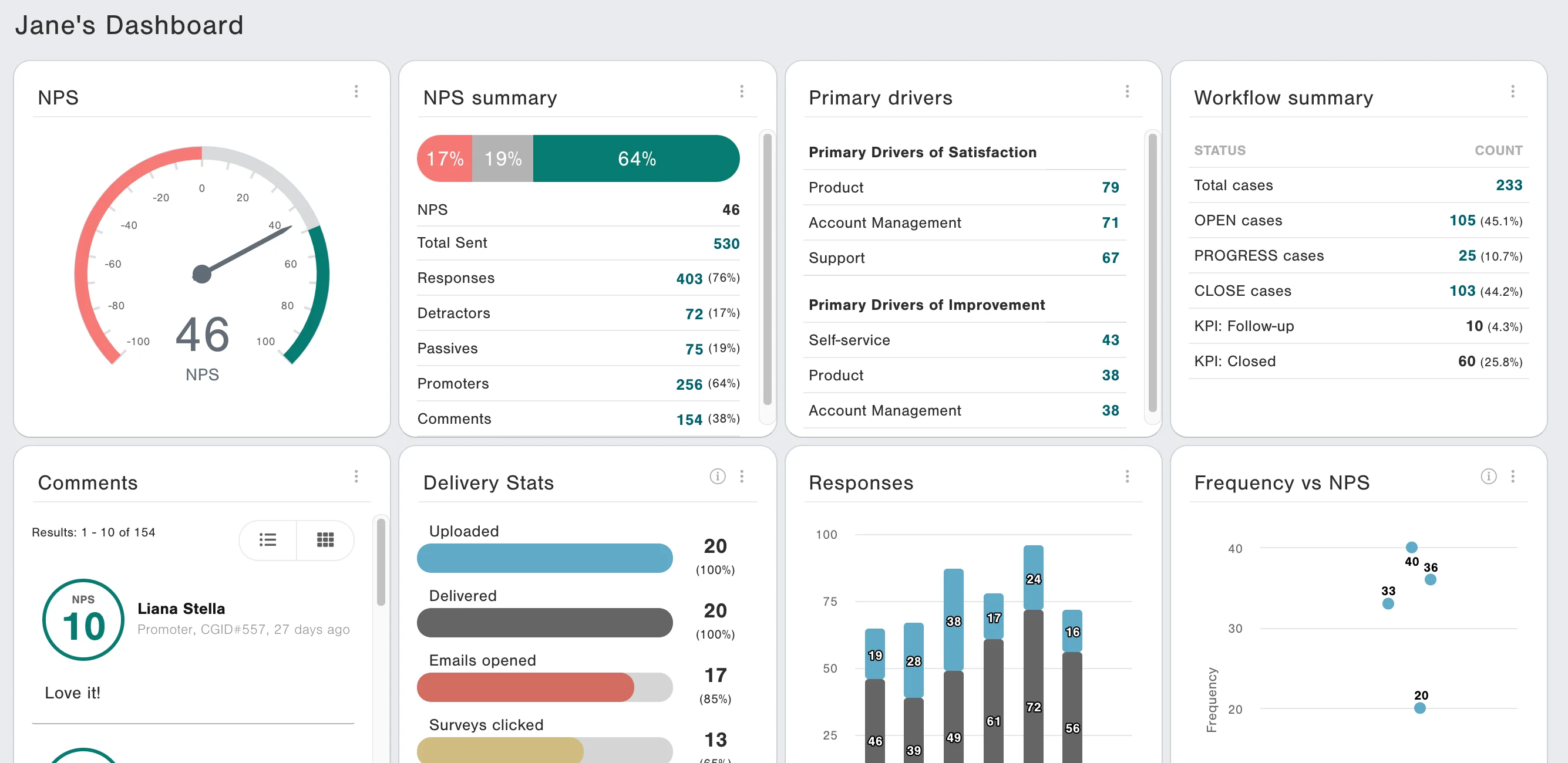
CustomerGauge speaks the language of B2B revenue teams. It ties NPS and feedback to specific accounts and links sentiment to retention and expansion. That suits companies where a few large accounts drive the business.
Its account-level view is a genuine differentiator in a category dominated by consumer-style feedback. Because it is specialized, teams needing broad unstructured-text analysis across reviews and social may pair it with a deeper analytics platform.
CustomerGauge Features
- Account-Based NPS: Ties feedback to specific B2B accounts.
- Revenue Linkage: Connects sentiment to retention and expansion.
- Native Surveys: Distributes NPS and relationship surveys.
- Closed-Loop Workflows: Routes follow-up on detractor feedback.
- Account Dashboards: Reports feedback at the account level.
- CRM and ERP Integrations: Connects to Salesforce, HubSpot, and finance systems.
2026 Pricing
CustomerGauge uses custom pricing.
CustomerGauge Pros
- Strong B2B account-based feedback model
- Ties feedback to revenue and retention
- Closed-loop follow-up workflows
- CRM and ERP integrations
CustomerGauge Cons
- Narrower unstructured-text analysis than AI-native platforms
- Best suited to B2B rather than consumer feedback
- Custom pricing requires a sales conversation
Who It's For
B2B teams focused on account-based NPS, retention, and expansion.
G2 Rating
CustomerGauge G2 Score: 4.6/5 (50 reviews, G2)
8. Enterpret
What Is Enterpret?
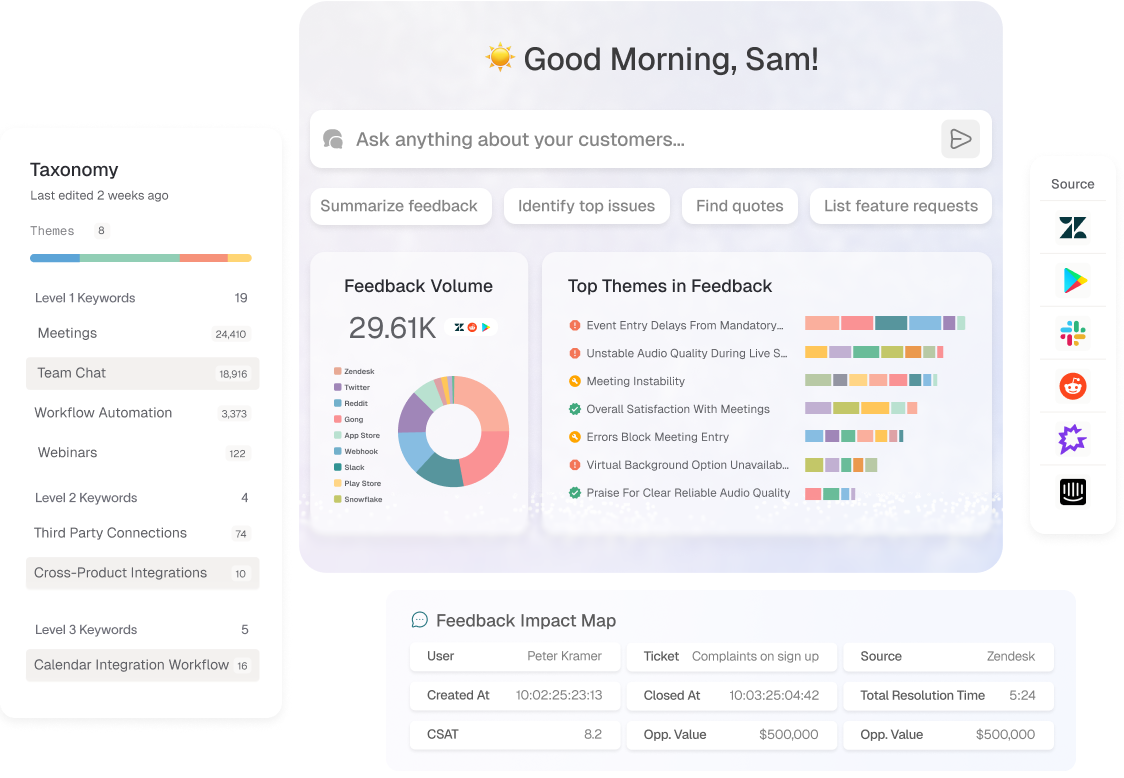
Enterpret is an AI-first product feedback platform that builds an adaptive taxonomy to classify unstructured feedback for product teams.
Enterpret's angle is classification. Instead of fixed tags, it generates an adaptive taxonomy that organizes tickets, reviews, app stores, and community posts into structured themes. Product teams use those themes to spot and size problems.
It is analysis-only, so it ingests feedback from connected sources rather than collecting surveys. For product-led teams that want feedback organized automatically, Enterpret is a compelling, focused choice. If it makes your shortlist, see our Enterpret alternatives roundup and Chattermill vs Enterpret comparison.
Enterpret Features
- Adaptive Taxonomy: AI-generated classification that evolves with feedback.
- Unstructured Feedback Analysis: Reads tickets, reviews, app stores, and community posts.
- Theme Sizing: Quantifies how often issues appear.
- Sentiment Analysis: Detects sentiment across feedback sources.
- Product-Tool Integrations: Connects to Zendesk, Intercom, and Slack.
- Search and Query: Lets teams query feedback by theme.
2026 Pricing
Enterpret uses custom pricing.
Enterpret Pros
- Strong AI classification and taxonomy
- Purpose-built for product feedback
- Broad unstructured-source coverage
- Good product-tool integrations
Enterpret Cons
- Analysis-only; no native survey collection
- Product focus is narrower than full CX platforms
- Custom pricing requires a sales conversation
Who It's For
Product teams that want AI-driven feedback classification and taxonomy.
G2 Rating
Enterpret G2 Score: 4.5/5 (111 reviews, G2)
9. Thematic
What Is Thematic?
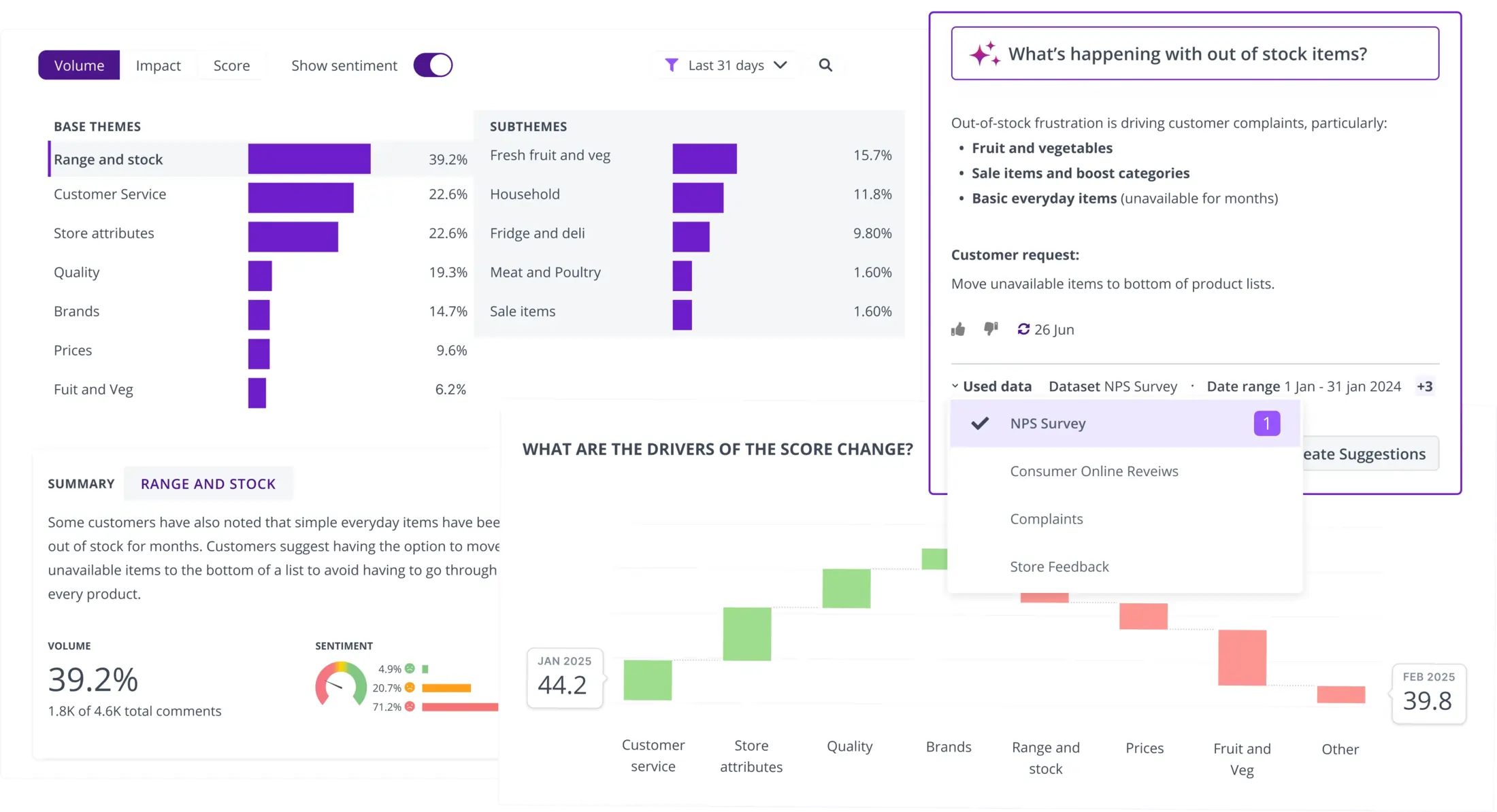
Thematic is an AI-powered analytics tool that extracts themes and sentiment from open-text customer feedback.
Thematic focuses on the analytics layer. It connects to existing feedback sources, then applies AI to survey verbatims, reviews, and support transcripts. That appeals to insights teams that already collect feedback and want to understand it faster.
Teams that want an analysis-only engine on their current stack will find Thematic a clean fit. Teams needing collection and analysis together should weigh other options. Our Chattermill vs Thematic comparison covers the differences.
Thematic Features
- AI Theme Extraction: Surfaces recurring themes from open text.
- Sentiment Analysis: Detects sentiment across feedback.
- Source Connectors: Ingests from survey tools, Zendesk, and more.
- Trend Tracking: Monitors how themes change over time.
- Reporting and BI Export: Shares insights with BI platforms.
- Impact Views: Links themes to satisfaction metrics.
2026 Pricing
Thematic uses custom pricing.
Thematic Pros
- Focused, capable AI theme analysis
- Connects to existing feedback sources
- Clear trend tracking over time
- BI-friendly reporting
Thematic Cons
- Analysis-only; no native collection
- Narrower scope than full VoC platforms
- Custom pricing requires a sales conversation
Who It's For
Insights teams that want AI theme and sentiment analysis on existing feedback.
G2 Rating
Thematic G2 Score: 4.8/5 (43 reviews, G2)
10. AskNicely
What Is AskNicely?
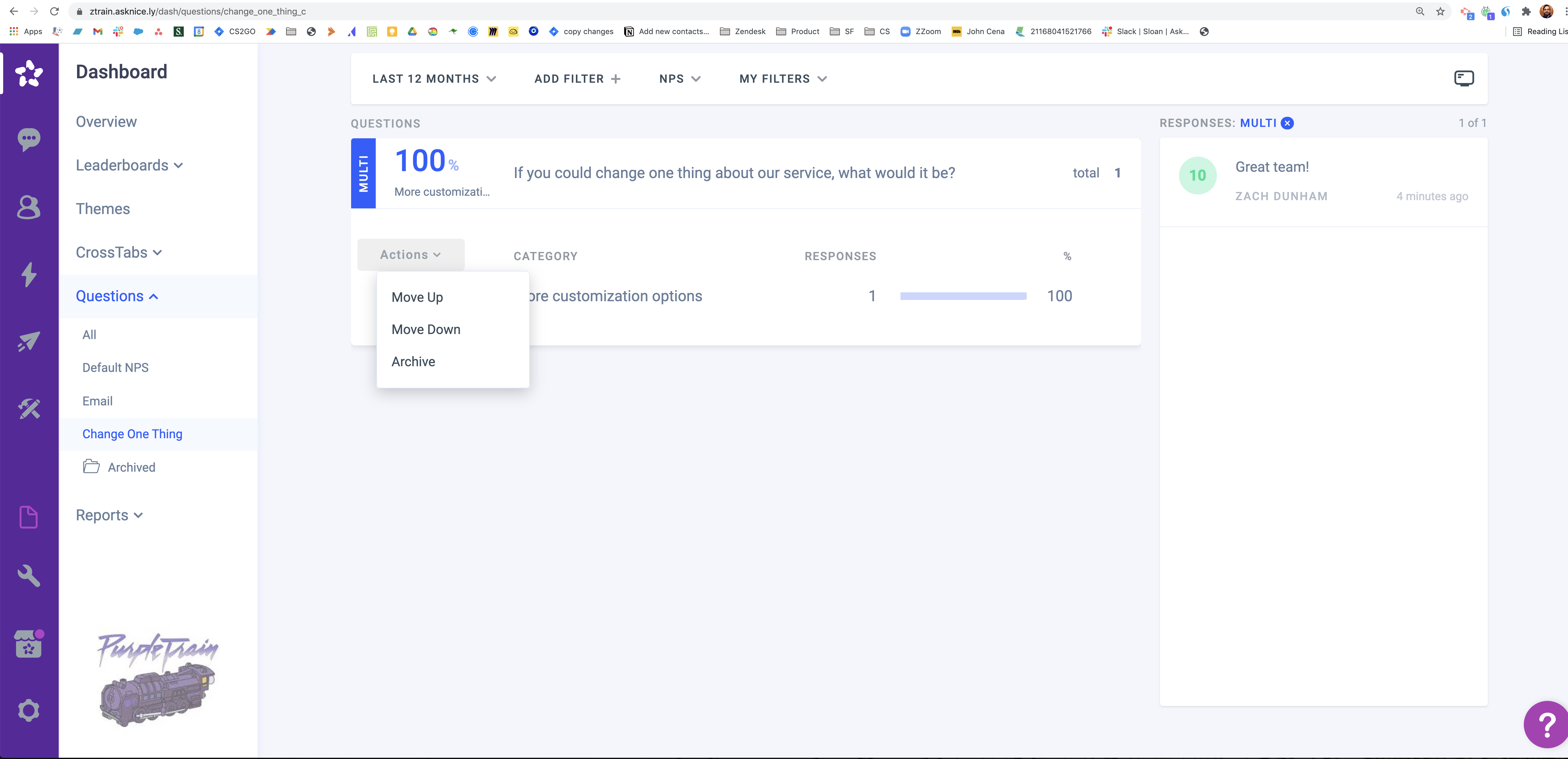
AskNicely is an NPS-driven feedback platform focused on frontline and service-team coaching.
AskNicely turns customer feedback into frontline action. It collects NPS, CSAT, and CES via SMS, email, and web, then routes results to service teams and managers for coaching. That suits businesses whose experience depends on people in the field, and its collection and workflows are strong.
Its analytics are lighter than deep-text platforms. It is often the right first VoC tool for service-led SMBs rather than an enterprise analytics hub.
AskNicely Features
- NPS, CSAT, and CES Surveys: Native collection across SMS, email, and web.
- Frontline Coaching: Routes feedback to service teams for action.
- Automated Workflows: Triggers follow-up based on responses.
- Customer Segmentation: Groups feedback by cohort.
- Template Library: Prebuilt CX survey templates.
- Integrations: Connects to CRM, Slack, and scheduling tools.
2026 Pricing
AskNicely offers three plans (Learn, Grow, and Transform), each with unlimited users. Pricing depends on response volume, starting from 500 responses per year, and is quoted by sales. See the AskNicely pricing page.
AskNicely Pros
- Strong NPS and frontline coaching model
- Easy native survey collection
- Automated follow-up workflows
- Good fit for service-led teams
AskNicely Cons
- Lighter deep-text analytics
- More survey tool than full VoC platform
- Interface can feel busy per user reports
Who It's For
Service-led SMBs and mid-market teams running NPS and frontline coaching programs.
G2 Rating
AskNicely G2 Score: 4.7/5 (1,051 reviews, G2)
11. GetFeedback
What Is GetFeedback?
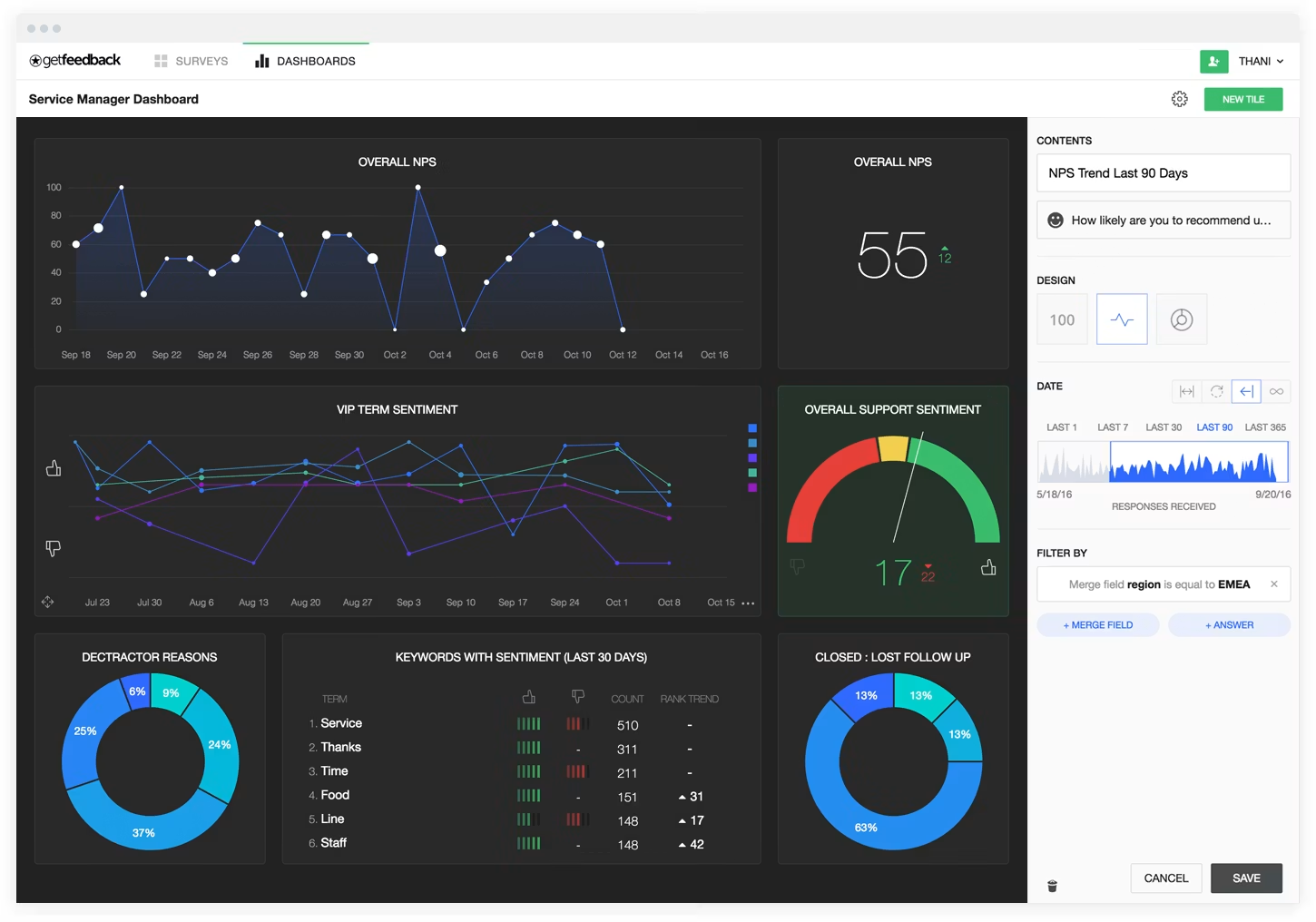
GetFeedback is a SurveyMonkey product for collecting in-the-moment feedback from website visitors.
It captures feedback while visitors are on your site, through passive always-on forms, behavior-triggered campaigns, and an in-page widget. A built-in analysis dashboard helps teams spot trends and friction points, such as cart abandonment and drop-off.
That focus makes it a practical fit for teams optimizing website conversion. Its scope is the website, so programs that need feedback from support, reviews, social, or other channels will need additional tools.
GetFeedback Features
- Passive Feedback Forms: Always-on forms let visitors share feedback at any point on the site.
- Behavior-Triggered Campaigns: Prompts appear based on visitor behavior, capturing feedback in the moment.
- In-Page Widget: Collects feedback without taking visitors away from the page.
- Analysis Dashboard: Built-in views highlight trends and friction points, such as cart abandonment and drop-off.
- SurveyMonkey Ecosystem: Sits within SurveyMonkey's product line.
2026 Pricing
SurveyMonkey does not publish GetFeedback pricing on its product page; contact SurveyMonkey sales for a quote.
GetFeedback Pros
- Captures feedback in the moment, while visitors are on the site
- Behavior-triggered campaigns target specific moments in the journey
- Built-in dashboard surfaces friction points like cart abandonment and drop-off
- Fits naturally for teams already using SurveyMonkey
GetFeedback Cons
- Website-only scope; no coverage of support, reviews, social, or other channels
- Analysis is built around a dashboard for website feedback trends, not cross-channel text analytics
- Roadmap follows SurveyMonkey's direction
Who It's For
Teams optimizing website conversion that already use SurveyMonkey.
G2 Rating
GetFeedback G2 Score: No active G2 listing (as of October 2026)
12. Alchemer
What Is Alchemer?
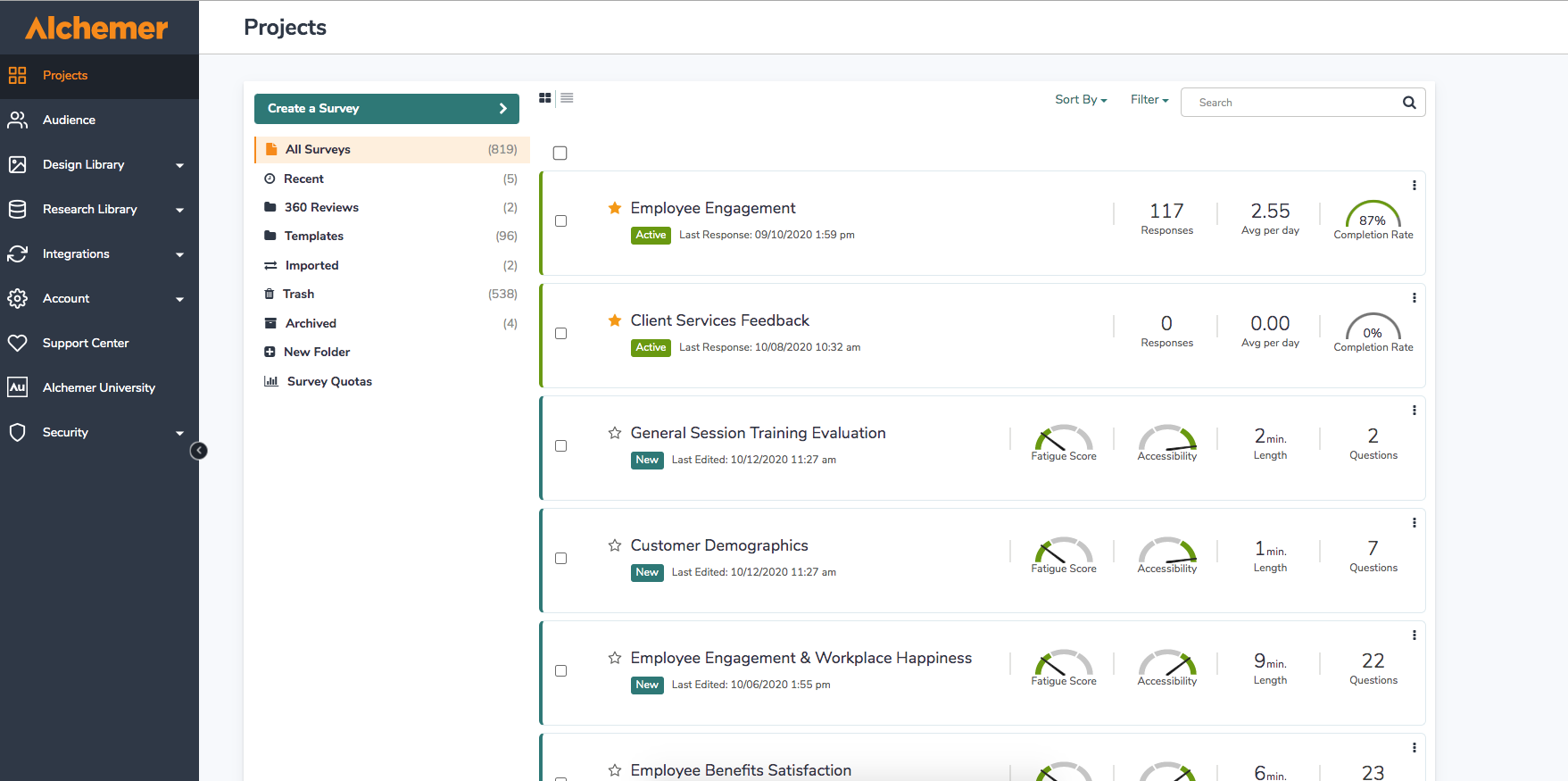
Alchemer is a survey and feedback platform known for advanced survey design, logic, and customization.
Alchemer is built for teams with complex survey needs. Its logic, branching, and customization go deep, and it integrates with CRMs and business tools. That flexibility spans CX, market research, and other use cases, and where it fits, it fits well.
As a VoC analytics platform, its unstructured-text depth is an add-on rather than core. Analytics-led teams may combine it with a dedicated analysis tool.
Alchemer Features
- Advanced Survey Logic: Complex branching and customization.
- Flexible Branding: Tailored survey experiences.
- CRM Integrations: Connects to Salesforce and business tools.
- Reporting Dashboards: Analyzes survey results.
- Add-On Text Analysis: Optional sentiment and text analytics.
- Enterprise Security: Standard security and compliance controls.
2026 Pricing
Alchemer plans start at $55 per user per month (Collaborator), then $165 (Professional) and $275 (Full Access). Custom Business Platform plans are also available. See the Alchemer pricing page.
Alchemer Pros
- Highly customizable survey design
- Strong integration capabilities
- Flexible across many use cases
- Responsive support reported by users
Alchemer Cons
- Learning curve for advanced features
- Text analytics is an add-on rather than core
- Pricing can rise for smaller teams at scale
Who It's For
Teams with complex, highly customized survey and feedback needs.
G2 Rating
Alchemer G2 Score: 4.4/5 (958 reviews, G2). G2 lists the product as Alchemer Survey.
13. NICE Satmetrix
What Is NICE Satmetrix?
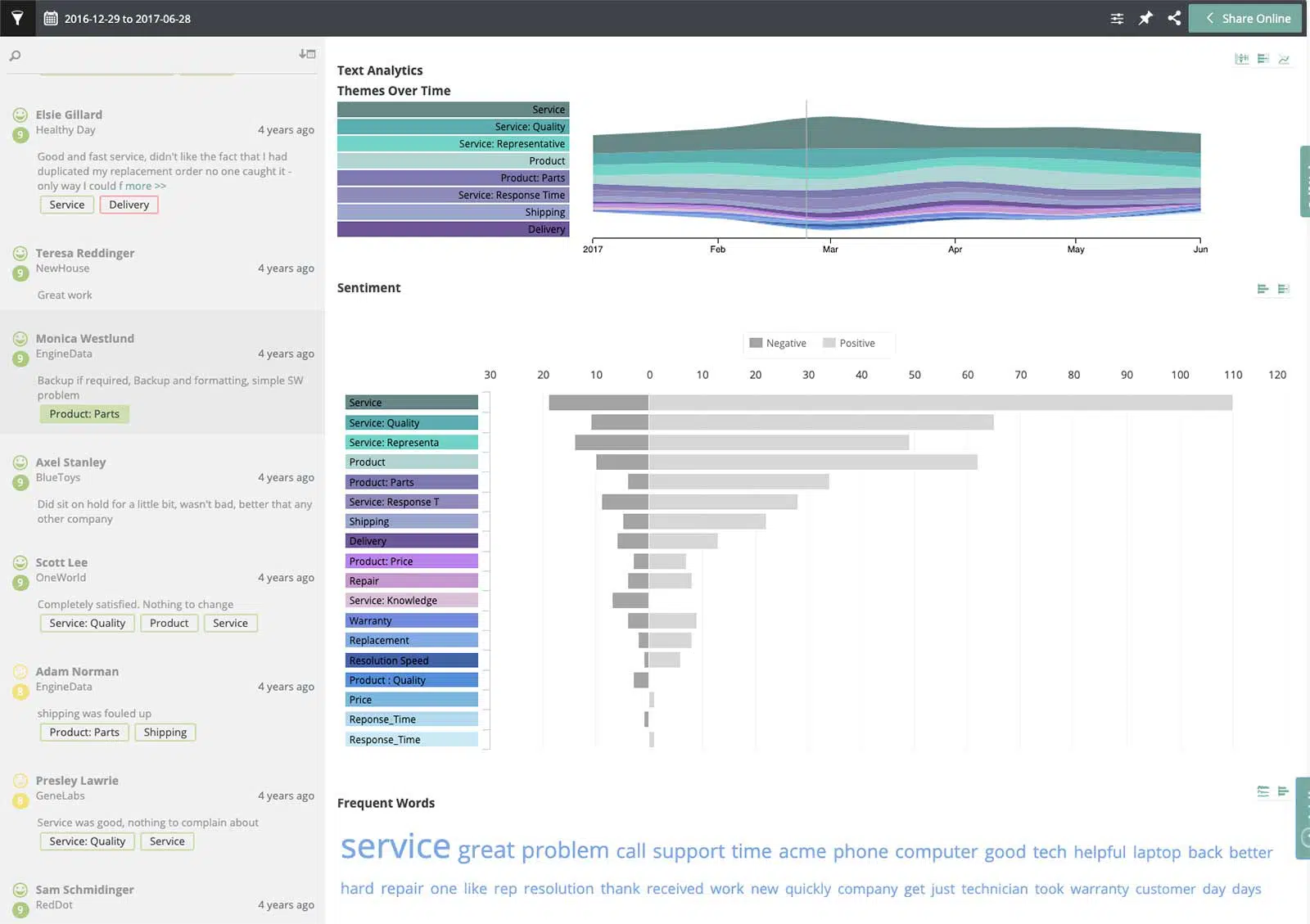
NICE Satmetrix is a customer experience management platform with NPS heritage and speech and text analytics.
Satmetrix combines its NPS roots with NICE's contact-center analytics, blending survey feedback with voice-of-interaction data. For organizations with significant contact-center volume, that speech-and-text combination is useful.
Buyers report heavier setup and some usability friction, and not all insights are real-time. Evaluation should include a hands-on trial.
NICE Satmetrix Features
- NPS Programs: Established NPS measurement and benchmarking.
- Speech and Text Analytics: Analyzes voice and written feedback.
- Automated Workflows: Routes follow-up actions.
- Sentiment Analysis: Detects sentiment across interactions.
- Reporting Dashboards: Tracks CX metrics.
- NICE Ecosystem Integrations: Connects to contact-center systems.
2026 Pricing
NICE Satmetrix uses custom pricing.
NICE Satmetrix Pros
- Combines NPS heritage with speech analytics
- Strong contact-center fit
- Solid analytics capabilities
- Established vendor support
NICE Satmetrix Cons
- Setup can be complex
- Not all insights are real-time per user reports
- Integrations outside the NICE ecosystem can be limited
Who It's For
Contact-center-heavy enterprises that want NPS with speech and text analytics.
G2 Rating
NICE G2 Score: 4.3/5 (1,730 reviews for NICE's CXone platform, G2). Satmetrix no longer has its own G2 listing, so we use NICE's platform rating.
14. UnitQ
What Is UnitQ?
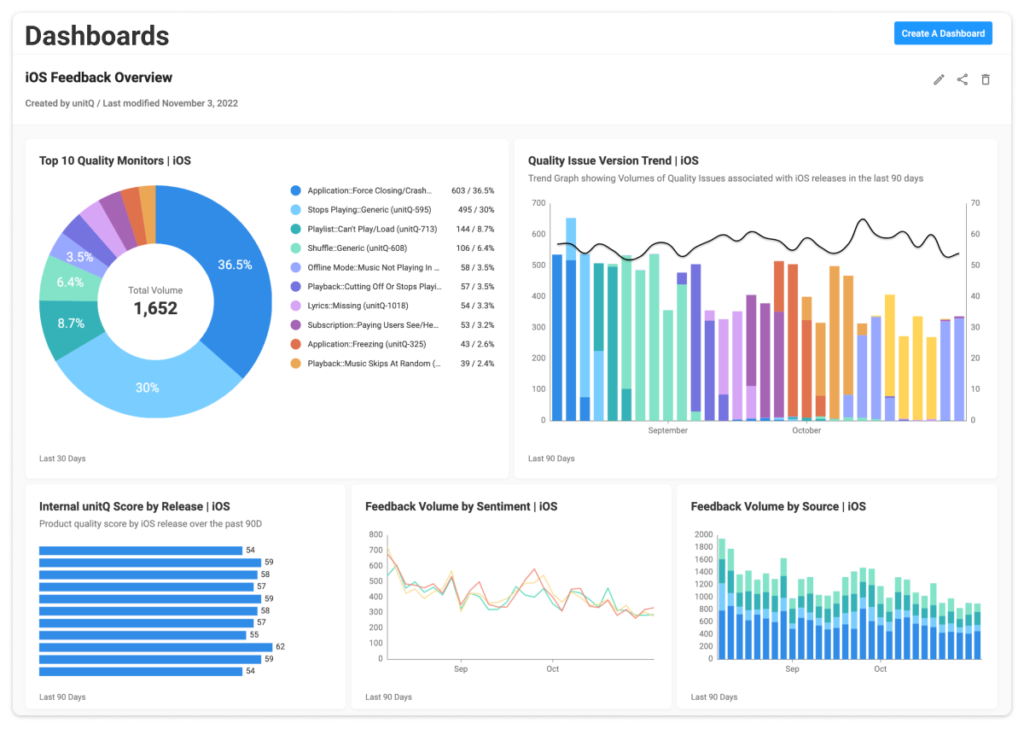
UnitQ is a product-quality monitoring platform that turns customer feedback signals into quality scores and alerts.
UnitQ reframes feedback as a quality signal. It ingests feedback from app stores, support, social, and surveys, then scores product quality and flags anomalies. That resonates with product and engineering teams focused on reducing friction, and it is analysis-only.
Teams looking for a CX-wide, metric-linked platform may find UnitQ's product-quality lens narrow, though that focus is its appeal for the right buyer. Our Chattermill vs UnitQ comparison covers the tradeoffs.
UnitQ Features
- Quality Scoring: Converts feedback into a quality metric.
- Anomaly Detection: Flags spikes in issues automatically.
- Multi-Source Ingestion: Reads app stores, support, social, and surveys.
- Sentiment Analysis: Detects sentiment across sources.
- Alerting: Notifies teams of emerging quality issues.
- Product-Tool Integrations: Connects to Zendesk, Jira, and Slack.
2026 Pricing
UnitQ uses custom pricing.
UnitQ Pros
- Clear product-quality focus
- Strong anomaly detection
- Broad feedback-source ingestion
- Good product and engineering fit
UnitQ Cons
- Analysis-only; no native collection
- Product-quality lens is narrower than full CX
- Custom pricing requires a sales conversation
Who It's For
Product and engineering teams monitoring product quality from feedback signals.
G2 Rating
UnitQ G2 Score: 4.5/5 (48 reviews, G2)
15. Verint
What Is Verint?
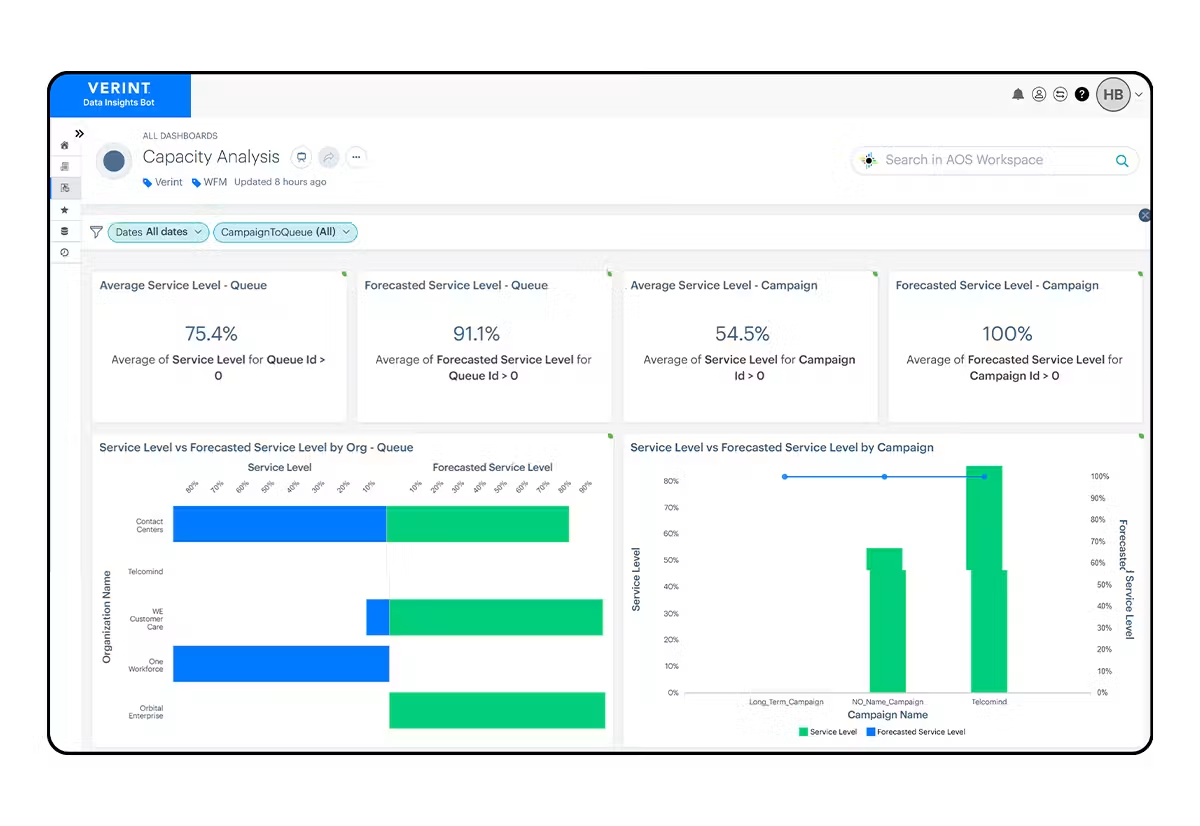
Verint is an enterprise experience management platform with strength in contact-center and interaction analytics.
Verint operates at enterprise scale, analyzing speech, text, and behavioral signals across contact-center and digital channels. For large organizations with heavy interaction volume, its analytics breadth and workforce-optimization tie-ins are substantial.
That scale brings complexity and cost. Verint is best evaluated by enterprises that need contact-center depth as much as survey feedback.
Verint Features
- Interaction Analytics: Speech, text, and behavioral analysis.
- Native Surveys: Collects survey feedback at scale.
- Contact-Center Tie-Ins: Connects to workforce and quality tools.
- Real-Time Alerts: Flags issues across interactions.
- Reporting Dashboards: Tracks experience metrics.
- Enterprise Integrations: Connects to CRM and contact-center infrastructure.
2026 Pricing
Verint uses custom pricing.
Verint Pros
- Deep contact-center and interaction analytics
- Handles large interaction volumes
- Strong workforce-optimization tie-ins
- Broad enterprise integrations
Verint Cons
- Complex to deploy and administer
- Enterprise cost can be significant
- Broad suite can be more than smaller teams need
Who It's For
Large enterprises with contact-center-heavy experience programs.
G2 Rating
Verint G2 Score: 4.2/5 (49 reviews, G2). G2 lists the product as Verint Voice of the Customer.
16. Alida
What Is Alida?
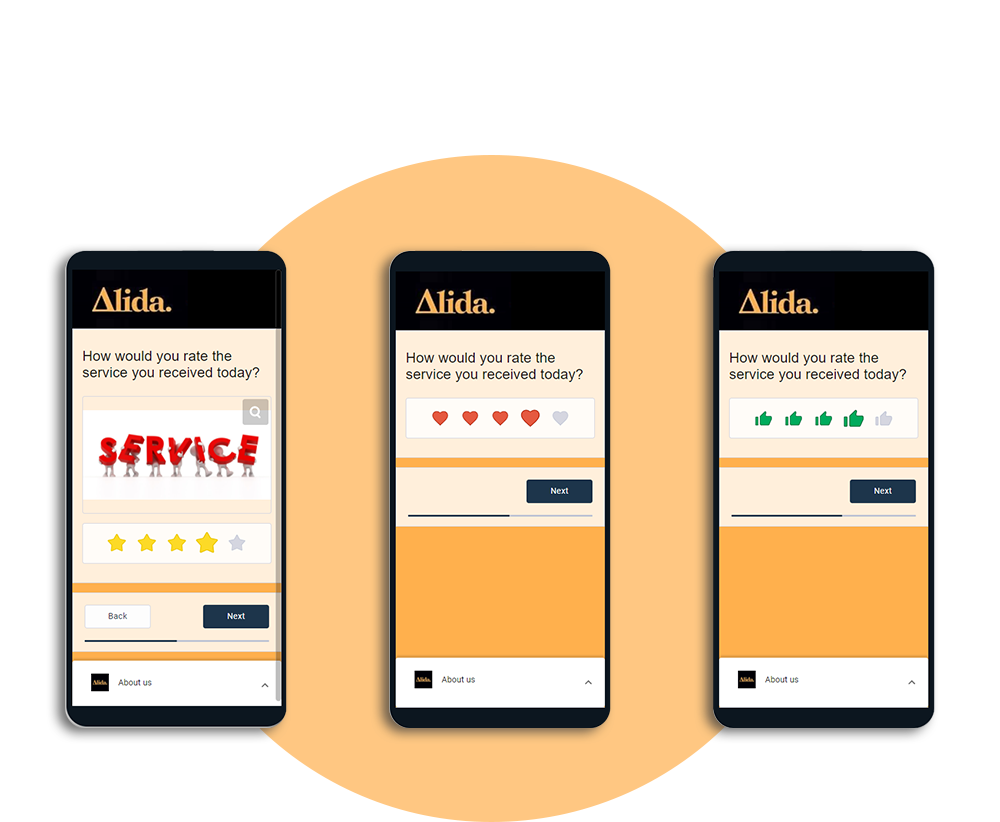
Alida is a community-based research and CX platform that gathers feedback through insight communities and surveys.
Alida's distinctive model is the insight community: an ongoing panel of engaged customers who give feedback over time. That suits research teams that want depth and continuity rather than one-off surveys. It pairs communities with survey and CX capabilities.
Its unstructured-text AI is lighter than analysis-first platforms. Teams whose priority is large-scale text analysis should weigh that against Alida's research strengths.
Alida Features
- Insight Communities: Ongoing panels of engaged customers.
- Native Surveys: Collects structured feedback.
- CX Feedback: Gathers experience feedback across touchpoints.
- Segmentation: Groups community and survey respondents.
- Reporting Dashboards: Analyzes community and survey results.
- Integrations: Connects to CRM, marketing, and analytics tools.
2026 Pricing
Alida uses custom pricing.
Alida Pros
- Distinctive insight-community model
- Continuity of feedback over time
- Combines communities with surveys and CX
- Useful segmentation
Alida Cons
- Lighter unstructured-text AI than analysis-first tools
- Community model requires ongoing management
- Custom pricing requires a sales conversation
Who It's For
Research and CX teams that want community-based feedback and continuity.
G2 Rating
Alida G2 Score: 4.4/5 (132 reviews, G2)
How Voice of Customer Tools Work
Voice of customer tools work in three stages: they collect feedback, analyze it, and route insights to the teams who act. Collection pulls in structured feedback (surveys) and unstructured feedback (reviews, tickets, chat, social). Analysis applies text and sentiment models to find themes, gauge sentiment, and spot trends.
Distribution surfaces those insights in dashboards, alerts, and integrations, so the right team sees them in time to respond. The stage that has changed most is analysis. Rule-based approaches tag text with fixed rules, and in our experience they tend to miss new phrasing and new languages.
Deep-learning models read context instead. In the programs we support, that lets feedback resolve into consistent themes across languages with far less manual upkeep.
How AI Is Changing Voice of Customer Tools
AI is changing voice of customer tools at every stage, but analysis has changed most. Think of rule-based tagging as a filing clerk with fixed folders, and an AI-native platform as an analyst who reads every comment. Four shifts matter most to buyers in 2026.
Theme Detection Without Manual Tagging
Deep-learning models find themes in the data instead of matching comments to a codebook someone wrote last year. New issues surface as they emerge, and taxonomies stay current as products, policies, and language change. Chattermill's Lyra AI does this across more than 100 languages.
Sentiment at the Aspect Level
In our experience, comment-level sentiment tends to blur mixed feedback. A hypothetical review that says "delivery was late but the food was great" is neither simply positive nor negative. Aspect-based sentiment analysis scores each aspect separately, so delivery reads negative, food reads positive, and more of the signal survives.
Omnichannel Unification
AI applies one taxonomy to surveys, reviews, tickets, chat, and social, so a theme means the same thing in every channel. That lets you compare channels, spot where an issue started, and size it accurately.
Abdul Khaled, Head of Digital, Customer Experience & Digital Products at E.ON Next, describes the effect. "Getting the right data sources, plugging those gaps, getting the right quality of data, and then visualizing it has been an absolute game changer in driving our strategic approach on the back of it."
Agent Access Through MCP and Lyra Agent
The newest shift moves customer intelligence into AI agents. With the Chattermill MCP server, teams query and act on feedback data inside MCP-compatible agents, and Skills teach those agents analyst-quality analysis recipes. Lyra Agent goes further, continuously monitoring signals across touchpoints to spot problems and surface new insights, with early access now open.
AI-Native vs Legacy Voice of Customer Tools
How do you tell an AI-native platform from a rule-based tool with an AI label? Here is how the two approaches tend to differ in our experience. Many established platforms, including Qualtrics Text iQ and Medallia, blend rules with machine learning. Treat this as a spectrum, and test each vendor on your own data.
CapabilityAI-Native ApproachRule-Based Tagging ApproachTheme detectionLearned from the data; new themes surface automaticallyTypically keyword rules written and maintained by handSentimentScored per aspect within each commentScored per comment or by keyword listsNew phrasing and languagesRead in context, consistently across languagesOften missed until someone writes a new ruleTaxonomy upkeepAdapts as products and language changeTends to drift without manual effortChannel coverageOne model across every channelOften siloed by channel or surveyMetric linkageThemes tied to NPS, CSAT, CES, and revenueScores often reported separately from themesAgent accessQueryable by AI agents, for example via MCPUsually exports and static dashboards
Can ChatGPT Replace a VoC Tool?
No. In our experience, ChatGPT can summarize a batch of comments, but on its own it does not replace a voice of customer tool. A general-purpose assistant typically lacks live connectors to every channel, a stable taxonomy for tracking themes over time, and links to NPS, CSAT, and revenue.
The stronger pattern brings governed VoC data into the assistant. Chattermill's MCP server does exactly that, so agents answer from your full feedback history rather than a pasted sample.
What Is the Best Voice of Customer Tool for Omnichannel?
Chattermill is the best voice of customer tool for omnichannel, unifying surveys, reviews, tickets, social, and chat into one view tied to NPS and CSAT. For collection-heavy programs, Medallia and Zonka Feedback are the strongest alternatives, with broad native capture across digital, voice, SMS, and in-person touchpoints.
The proof is scale: Uber runs Chattermill across five mega-regions with 400+ users in CX, Ops, Product, and Support.
How to Bring Every Feedback Channel into One View
Unifying channels is less about software and more about sequence. Follow these steps:
- List every channel: Inventory surveys, reviews, app stores, support tickets, chat, social, and call transcripts, and note who owns each.
- Connect the sources: Use native integrations or APIs so feedback flows in continuously, not as quarterly exports.
- Standardize metadata: Attach customer, region, product, and journey-stage fields so every comment can be segmented the same way.
- Apply one taxonomy: Run one AI model across all channels so each theme means the same thing everywhere.
- Link to metrics and alerts: Connect themes to NPS, CSAT, CES, and churn, then set anomaly alerts by segment.
- Share role-based views: Give CX, product, and support teams dashboards built from the same data.
Types of Voice of Customer Tools
Voice of customer tools fall into a few clear types, and knowing which you need prevents an expensive mismatch:
- Survey tools: Collect structured feedback (NPS, CSAT, CES) with light analytics. Best for measuring satisfaction.
- Review and reputation tools: Monitor and manage online reviews and listings. Best for multi-location and local brands.
- Text and sentiment analytics tools: Analyze unstructured feedback for themes and sentiment. Best for insights teams that already collect feedback.
- Product feedback tools: Classify and organize feedback for product decisions. Best for product-led teams.
- Customer experience intelligence (CXI) platforms: Integrate every channel, apply deep AI analysis, and tie insights to business metrics. Best for CX, product, and insights teams at scale.
The trend line points toward unification. Because surveys capture only the customers who choose to respond, relying on a single channel leaves gaps. Platforms that read every channel together give the most representative view of the customer.
How to Implement a Voice of Customer Program
Implementing a voice of customer program follows a repeatable path, and tools support each step:
- Define objectives: Decide what decisions the program should inform, such as reducing churn or prioritizing product fixes.
- Map feedback channels: Identify where customers already talk, including surveys, reviews, support, social, and chat.
- Centralize and analyze: Bring feedback into one platform and apply AI to surface themes and sentiment consistently.
- Link to metrics: Connect themes to NPS, CSAT, CES, churn, and revenue so you prioritize by impact.
- Act and close the loop: Route insights to the teams who can act, then track whether changes move the metrics.
The programs that succeed treat feedback as a continuous loop, not a quarterly survey. An AI-native platform keeps that loop running without manual analysis at every turn.
Voice of Customer Tools: FAQs
What Are Voice of Customer Tools?
Voice of customer tools are software platforms that capture, analyze, and act on customer feedback across channels. They include survey tools and AI-powered analytics platforms that read reviews, tickets, and social posts. Their goal is to turn scattered customer signals into insights teams can use to improve products and experiences.
What Is a VoC Tool Used For?
A VoC tool is used to understand what customers think and to act on it. Teams use it to measure NPS, CSAT, and CES, surface recurring pain points, prioritize fixes, and reduce churn. Advanced tools tie those insights to business metrics so leaders can prioritize by impact.
What Are Examples of Voice of Customer Tools?
Voice of customer tools include Chattermill, Zonka Feedback, Qualtrics XM, InMoment, Medallia, CustomerGauge, Enterpret, Thematic, AskNicely, GetFeedback, Alchemer, NICE Satmetrix, UnitQ, Verint, and Alida. They span survey-led tools, review and reputation platforms, product feedback tools, and AI-native customer experience intelligence platforms.
What Voice of Customer Tool Do Companies Use?
Companies most often use enterprise platforms such as Chattermill, Medallia, and Qualtrics XM, which scale across channels and serve CX, product, and insights teams together. Smaller teams often start with AskNicely for NPS or Zonka Feedback for omnichannel surveys. They then adopt a broader platform as feedback volume grows.
What's the Difference Between VoC Platforms and Traditional Survey Tools?
VoC platforms analyze feedback from every channel with AI, while traditional survey tools collect structured responses with limited open-text analytics. VoC platforms read reviews, tickets, chat, and social, then tie themes to business metrics. A survey tool tells you a score, and a VoC platform tells you why it moved and what to do next.
How Do I Choose the Right Voice of Customer Tool?
Choose based on your primary job: collecting feedback, analyzing it deeply, or both. Weigh AI and NLP depth, channel coverage, integrations, and whether the tool links insights to NPS, CSAT, CES, and revenue. Then verify security, ease of use, pricing, and G2 ratings, and run a pilot with your own data.
What Is the Best Voice of Customer Tool for Omnichannel?
Chattermill is the best voice of customer tool for omnichannel, unifying surveys, reviews, tickets, social, and chat into one view tied to NPS and CSAT. For collection-heavy programs, Medallia and Zonka Feedback offer the broadest native capture across digital, voice, SMS, and in-person touchpoints.
Which VoC Platforms Offer the Most Advanced AI-Driven Analytics?
Chattermill offers the most advanced AI-driven analytics of the tools we reviewed, with Lyra AI detecting themes and aspect-level sentiment across 100+ languages. It also links themes to NPS, CSAT, CES, and revenue, and opens feedback to AI agents through MCP. Enterpret and Thematic are strong analytics-first alternatives for product and insights teams.
Which Voice of Customer Platform Is Best for Enterprises?
Chattermill is the best voice of customer platform for enterprises that need to analyze feedback from every channel at scale. Uber, for example, runs it across five mega-regions with 400+ users. Medallia and Qualtrics XM suit enterprises whose priority is large-scale survey and signal collection.
Can ChatGPT Replace a Voice of Customer Tool?
No, in our experience ChatGPT cannot replace a voice of customer tool on its own, though it can summarize a sample of comments. A general-purpose assistant typically lacks live connectors to every channel, a stable taxonomy for tracking themes over time, and links to business metrics. The stronger approach connects AI assistants to governed VoC data, for example through Chattermill's MCP server.
How to Turn VoC Insights into Action
Collecting feedback is the easy part. Acting on it is where most programs stall, with insights parked in dashboards while the same complaints keep arriving. Four habits separate programs that change decisions from programs that produce reports.
1. Prioritize by Volume and Metric Impact
A loud issue that barely moves NPS can wait, while a quieter one that drags it down cannot. Rank each theme by its volume multiplied by its impact on NPS, CSAT, or churn. E.ON Next runs monthly insight deep dives that prioritize issues by exactly this combination of volume and NPS impact.
The focus paid off: E.ON Next grew billing NPS by 144% and its Customer Happiness Index by 48%. Its App Store rating rose from 1.1 to 4.8. Chattermill's impact analysis is built for this kind of ranking.
2. Assign Clear Owners
An insight without an owner is only a suggestion. E.ON Next uses a CX roundtable to drive ownership and alignment across teams. Name one accountable lead per priority theme, agree a deadline, and review progress in the same forum every month.
3. Close the Loop with Customers
Closing the loop shows customers their feedback changed something. Qonto routes detractors into a Notion database to close the feedback loop quickly, and shares a weekly customer insights newsletter. With Chattermill, it saves 80+ hours of manual work every month, and workflows and automations make that kind of routing repeatable.
4. Measure Metric Impact
The final step proves the program's value. HelloFresh linked NPS, sentiment, and retention, connecting what customers said to whether they stayed. Customers who received its feedback-driven recyclable insulation pouch had 33% fewer packaging-related cancellations.
Track each fix against the metric it was meant to move, then feed the result back into your priorities. That is how a VoC program becomes a growth engine instead of a reporting line.
The ideas that grow a business are already sitting in its customer feedback, waiting to be read. Mathieu Le Roux, Voice of the Customer Expert at Qonto, sees where this is heading. "In the next few years, all 'customer-obsessed' companies will be equipped with a Voice of the Customer program, and they'll need a tool that allows them to scale the understanding of their users."
Ready to hear every customer and act before issues become churn? Book a personalized demo, explore the Chattermill platform, or review the fundamentals of a voice of the customer program.


See Chattermill in action on your own feedback
Book a demo


