
Every customer interaction generates text—reviews, support tickets, survey responses, social comments. Buried in that unstructured data are the patterns that explain churn, reveal product gaps, and predict what customers want next. The challenge is extracting those signals at scale without drowning in manual analysis.
Text analysis software uses AI and natural language processing to do exactly that, turning qualitative feedback into quantifiable insights. This guide compares 11 leading tools, breaks down the features that actually matter, and walks through how to evaluate platforms for your specific use case.
What is text analysis software and why it matters
Text analysis software uses Natural Language Processing (NLP) to extract insights from unstructured text—customer reviews, survey responses, support tickets, social media comments. NLP is a branch of artificial intelligence that teaches computers to understand human language. The software automatically identifies sentiment, topics, and patterns, then transforms qualitative data into quantifiable intelligence.
Here's the challenge most teams face: customer feedback sits in text form that spreadsheets cannot analyze, representing 80-90 percent of all data. Manual coding. Manual coding cannot keep pace with modern feedback volumes. And human reviewers introduce inconsistency and bias into categorization. Text analytics solutions provide speed, scale, and consistency that CX and product teams rely on to act before competitors do.
How text analysis and text mining tools work
Text analytics follows a straightforward pipeline. Raw text goes in, actionable insights come out. NLP powers each stage of the process.
Data ingestion and preprocessing
First, text analysis tools collect and clean raw data from surveys, reviews, support tickets, and social media. Preprocessing removes noise, standardizes formats, and handles multiple languages. Think of it as preparing ingredients before cooking—the quality of preparation determines the quality of the final dish.
Natural language processing and categorization
Next, NLP enables machines to "understand" text by breaking it into smaller components (tokenization), analyzing grammatical structure (parsing), and automatically assigning categories or tags. The software essentially learns to read between the lines.
Sentiment detection and theme extraction
- Sentiment analysis: Automatically detects emotional tone—positive, negative, or neutral—in each piece of feedback.
- Topic modeling: Identifies recurring patterns and themes without manual effort, acting as a theme finder for text at scale.
Visualization and actionable reporting
Finally, findings appear through dashboards, word clouds, and trend charts. Raw data transforms into clear, shareable reports that support business decisions across teams.
Types of text analytics tools
The text analysis market spans academic research, social listening, and CX feedback analysis. Understanding the categories helps narrow your search.
TypePrimary use caseExample usersCustomer feedback analyticsSurveys, NPS, support ticketsCX teams, product teamsSocial listeningBrand mentions, social trendsMarketing, PRAcademic/researchLiterary analysis, qualitative researchResearchers, academicsGeneral-purpose NLPCustom ML applicationsData scientists, developers
Customer feedback analytics platforms
Customer feedback analytics platforms unify data from surveys, reviews, and support tickets specifically for CX teamsCustomer feedback analytics platforms unify data from surveys, reviews, and support tickets specifically for CX teams. Pre-built integrations with common business systems and dashboards designed for non-technical users make adoption straightforward.
Social listening and brand monitoring tools
Social listening tools analyze text from social media channels to track brand sentiment, identify emerging trends, and gather competitive intelligence. Real-time monitoring of public conversations is the primary strength.
Academic and research text analysis programs
Academic tools include textual analysis software for qualitative research, literary analysis software, and mixed-methods studies. MAXQDA and NVivo are popular examples, offering features like manual coding and annotation that researchers value.
General-purpose NLP and text mining platforms
Flexible text mining tools and cloud APIs—Google Natural Language AI, Amazon Comprehend—serve data scientists and developers building custom implementations. Maximum flexibility comes with a requirement for technical expertise.
Key features to evaluate in text analytics software
When comparing text analysis tools, focus on capabilities that deliver business impact rather than technical specifications alone.
AI-powered sentiment analysis accuracy
Accuracy matters enormously, especially for understanding nuance, sarcasm, and industry-specific language, with modern AI-driven systems achieving accuracy rates of 89.7% on diverse datasets. Can the tool be trained on your specific business domain? The answer separates adequate tools from exceptional ones.
Multilingual text processing capabilities
Global teams require tools that process feedback accurately across multiple languages. Many solutions struggle beyond English, so testing multilingual accuracy with actual data is essential before committing.
Integration with CRM, support, and BI platforms
Text analytics software delivers value only when insights flow into existing systems—Salesforce, Zendesk, Tableau. Native integrations and reliable two-way sync matter more than manual exports. Native integrations and reliable two-way sync matter more than manual exports.
Real-time alerts and anomaly detection
Real-time notifications when customer sentiment shifts or unexpected themes emerge can mean the difference between proactive response and damage control. Real-time intelligence transforms feedback analysis from retrospective reporting to early warning system.
Customizable taxonomies and theme tagging
Flexible, user-defined taxonomies outperform rigid, predefined categories. Your business language is unique, and your text analysis tool adapts to it—not the other way around.
Dashboards and reporting for stakeholders
"Actionable" reporting means shareable reports, executive summaries, and dashboards with drill-down capabilities"Actionable" reporting means shareable reports, executive summaries, and dashboards with drill-down capabilities. If insights cannot reach decision-makers in digestible formats, even the best analysis goes unused.
11 best text analysis software tools compared
The comparison below highlights each tool's standout capability and ideal use case. Every organization's requirements differ, but understanding the distinctions helps narrow evaluation.
1. Chattermill
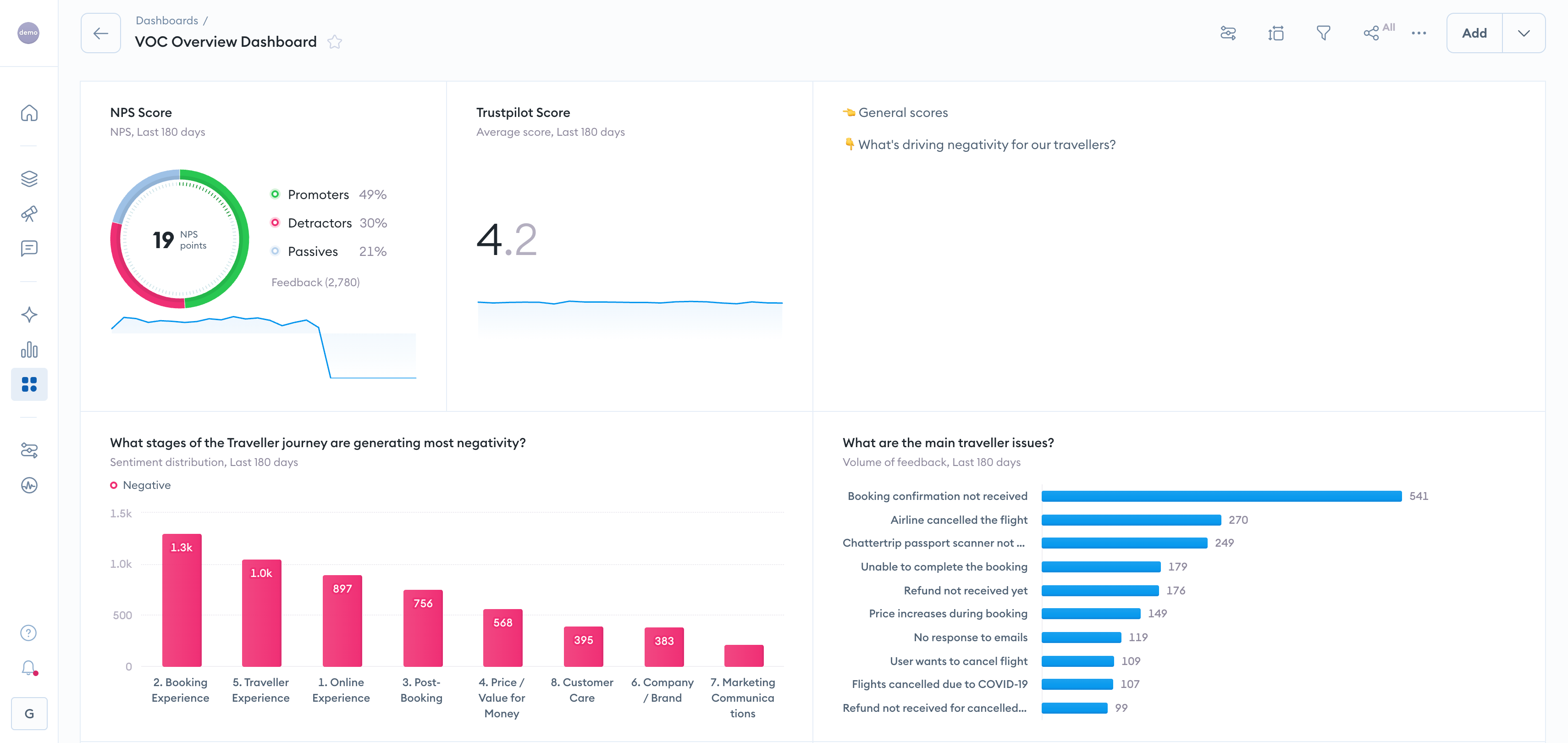
Chattermill is a Customer Experience Intelligence platform that unifies customer feedback and extracts valuable insights to improve products, services, and customer experiences. It uses advanced artificial intelligence, machine learning, and natural language processing (NLP) technologies to analyze and understand unstructured customer feedback at scale.
The platform enables you to analyze feedback from multiple channels, including surveys, reviews, social media, and customer support interactions. Chattermill's NLP capabilities allow it to analyze and categorize this feedback at scale, extracting meaningful themes, sentiment, and customer opinions without manual tagging.
The platform also provides real-time analytics and visualizations. You and your teams can access dashboards and reports highlighting key metrics, sentiment trends, and customer feedback patterns. These visualizations help you easily understand and act upon the insights derived from your customer feedback.
Chattermill Features:
- Unified Customer Intelligence: Consolidates feedback from surveys, reviews, support tickets, social media, and chat into a single source of truth
- Advanced AI Analytics: Deep learning algorithms automatically detect themes, sentiment, and emerging issues without manual tagging
- Real-Time Insights & Alerting: Proactive alerts when customer sentiment shifts or critical issues emerge
- Impact Analysis: Connects customer feedback directly to business metrics like NPS, CSAT, and churn risk
- Advanced Segmentation: Filter insights by customer segments, product lines, or journey stages with metadata
- Custom Dashboards: Role-based dashboards for CX, product, and insights teams
- Enterprise Integrations: Native connections to CRM, helpdesk, and business intelligence platforms
Chattermill G2 Score: 4.5
Who It's For: High-growth Startups, Scaleups, Enterprise Brands
Chattermill Pros:
- Unification of data sources and use cases
- Contextually-rich insights that help you prioritize customer issues
- Proactive alerting
- Collaborative transparency (easy to collaborate as a team, share insights with stakeholders, add new users and teams)
- Intuitive user experience
- Enterprise agility and security
Chattermill Cons:
- No data collection capabilities
2. Medallia
Medallia is an enterprise-grade experience management platform that helps large organizations capture, analyze, and act on customer, employee, and market signals. The platform combines text analytics with broader experience management capabilities including journey mapping, action orchestration, and predictive analytics.
Medallia's text analytics engine processes feedback from surveys, social media, contact center interactions, and digital channels. The platform uses AI to identify themes, sentiment, and effort scores across the customer journey, then connects those insights to operational systems for closed-loop action.
The platform excels in environments where experience management extends beyond feedback analysis to include case management, role-based workflows, and enterprise-wide governance. Organizations already invested in the Medallia ecosystem benefit from deep integration across modules.
Medallia Features:
- Text Analytics: AI-powered theme and sentiment detection across feedback channels
- Journey Analytics: Maps feedback to specific touchpoints and customer journeys
- Action Intelligence: Automated workflows and case management for closing the loop
- Predictive Analytics: Forecasts customer behavior and identifies at-risk segments
- Role-Based Dashboards: Customizable views for different teams and functions
- Enterprise Integrations: Connects to CRM, contact center, and operational systems
Who It's For: Large enterprises with complex, multi-channel experience programs
Medallia Pros:
- Comprehensive end-to-end experience management capabilities
- Strong action orchestration and closed-loop workflows
- Enterprise-grade security and compliance features
- Extensive integration ecosystem
Medallia Cons:
- Complexity and learning curve can be challenging for smaller teams
- Significant implementation investment required
- Pricing typically suited for enterprise budgets
3. Qualtrics XM Discover
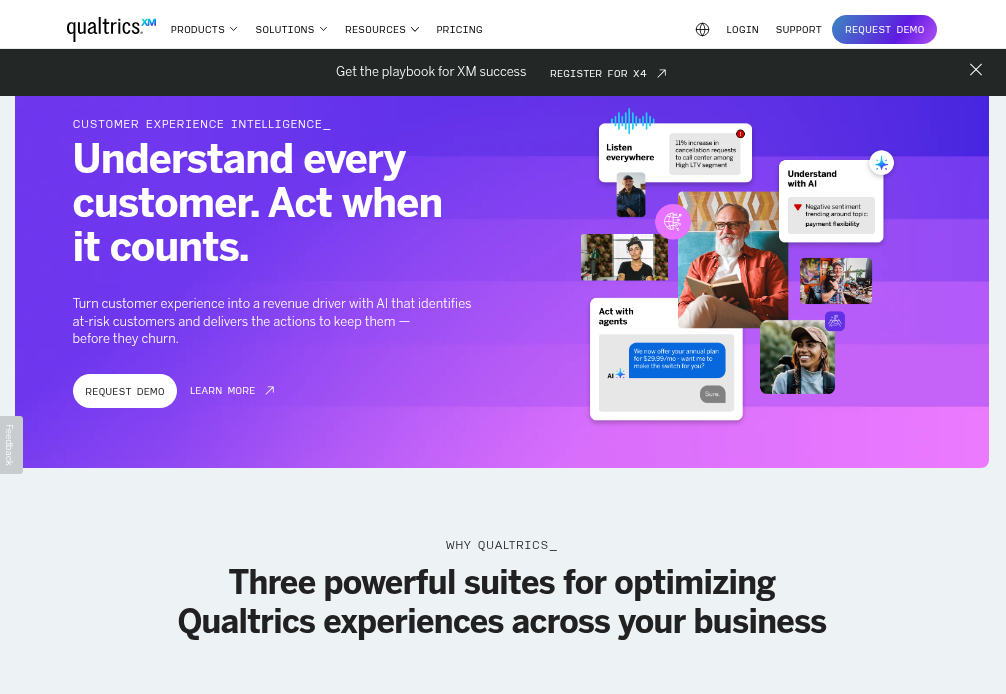
Qualtrics XM Discover (formerly Clarabridge) is a text analytics and speech analytics solution integrated into the Qualtrics Experience Management platform. The tool analyzes unstructured feedback from surveys, reviews, social media, chat transcripts, and call recordings to surface themes, sentiment, and customer effort.
XM Discover uses natural language understanding to categorize feedback automatically, detect emotion and intent, and identify root causes behind customer experiences. The platform's strength lies in its tight integration with Qualtrics survey tools, allowing organizations to combine structured and unstructured data analysis in a unified workflow.
The platform works best for organizations already using Qualtrics for survey management who want to extend their capabilities to include sophisticated text and speech analytics without managing multiple vendor relationships.
Qualtrics XM Discover Features:
- Text & Speech Analytics: Analyzes written and spoken feedback across channels
- Automated Theme Discovery: AI identifies topics and categories without manual setup
- Sentiment & Emotion Detection: Understands emotional tone and intensity
- Root Cause Analysis: Connects themes to experience metrics and business outcomes
- Qualtrics Ecosystem Integration: Seamless connection to XM surveys and workflows
- Multilingual Support: Processes feedback in over 30 languages
Who It's For: Organizations using Qualtrics for surveys seeking integrated text analytics
Qualtrics XM Discover Pros:
- Deep integration with Qualtrics survey platform
- Powerful speech analytics capabilities
- Strong emotion and intent detection
- Enterprise-grade scalability
Qualtrics XM Discover Cons:
- Setup and configuration can require significant time investment
- Best value realized when already using Qualtrics ecosystem
- Premium pricing tier
4. Thematic
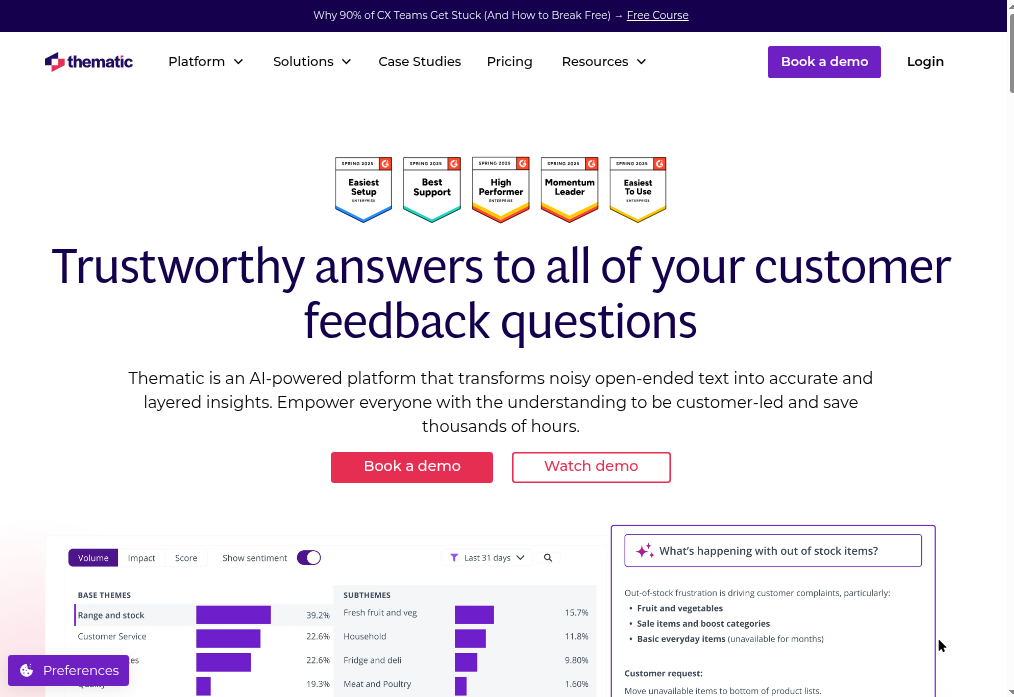
Thematic is a customer feedback analytics platform that emphasizes transparency and human-in-the-loop AI. The platform analyzes feedback from surveys, reviews, support tickets, and other sources, using AI to identify themes while allowing teams to review, refine, and validate the analysis.
Thematic's approach combines machine learning with human oversight, making it particularly valuable for teams that need to audit and explain their analysis methodology. The platform automatically groups similar feedback into themes, then allows users to merge, split, or rename themes to match their business language and requirements.
The platform provides clear visibility into how themes are created and which pieces of feedback contribute to each theme, making it well-suited for research teams, regulated industries, and organizations requiring explainable AI.
Thematic Features:
- Transparent AI Theme Detection: Shows exactly how themes are identified and grouped
- Human-in-the-Loop Refinement: Review and adjust AI-generated themes
- Sentiment Analysis: Detects positive, negative, and neutral sentiment at theme level
- Impact Scoring: Identifies which themes most affect satisfaction metrics
- Trend Analysis: Tracks how themes change over time
- Collaboration Tools: Team-based theme review and approval workflows
Who It's For: Research teams, CX teams requiring auditability, regulated industries
Thematic Pros:
- Exceptional transparency in AI analysis
- Strong human-in-the-loop controls
- Clear audit trail for theme creation
- Intuitive theme management interface
Thematic Cons:
- Human review process can slow time-to-insight
- Less automation than fully AI-driven platforms
- Integration ecosystem smaller than enterprise competitors
5. Kapiche
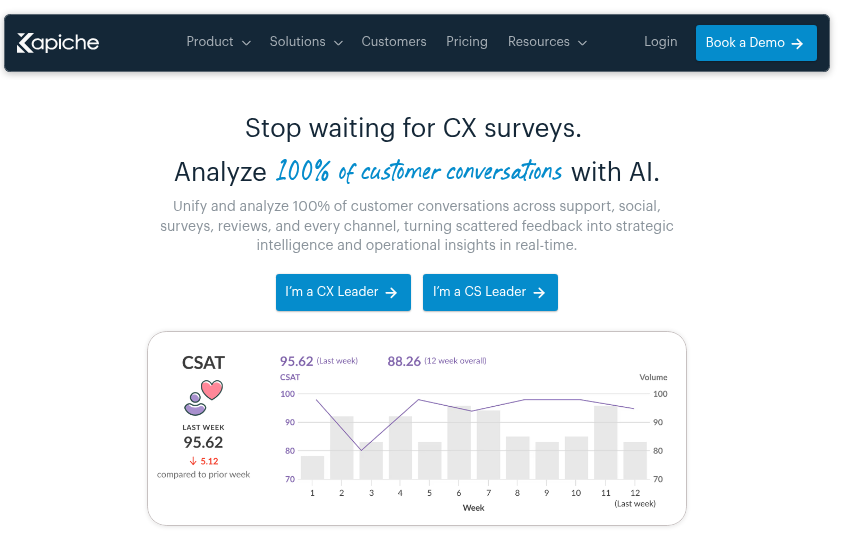
Kapiche is a mid-market customer feedback analytics platform designed for fast implementation and intuitive use. The platform analyzes open-ended survey responses, reviews, support tickets, and other text feedback to surface themes, sentiment, and customer priorities without requiring data science expertise.
Kapiche's interface emphasizes visual exploration of feedback data. Users can click through themes to see supporting verbatims, filter by segments or time periods, and create shareable reports without technical training. The platform's speed from data upload to actionable insight makes it popular with CX leaders who need quick answers.
The platform works particularly well for mid-sized organizations that want sophisticated text analytics without the complexity, implementation timelines, or price tags associated with enterprise platforms.
Kapiche Features:
- Automated Theme Discovery: AI identifies topics and patterns in feedback
- Visual Analytics: Interactive charts and word clouds for exploring themes
- Sentiment Analysis: Detects emotional tone across feedback and themes
- Segment Comparison: Compare feedback across customer groups or time periods
- Quick Setup: Upload data and start analyzing within minutes
- Collaboration Tools: Share insights and reports across teams
Who It's For: Mid-market CX teams, organizations wanting fast time-to-value
Kapiche Pros:
- Exceptionally intuitive user interface
- Fast implementation and onboarding
- No data science skills required
- Responsive customer support
Kapiche Cons:
- Fewer advanced features than enterprise platforms
- Integration ecosystem more limited
- Less customization for complex taxonomies
6. Enterpret
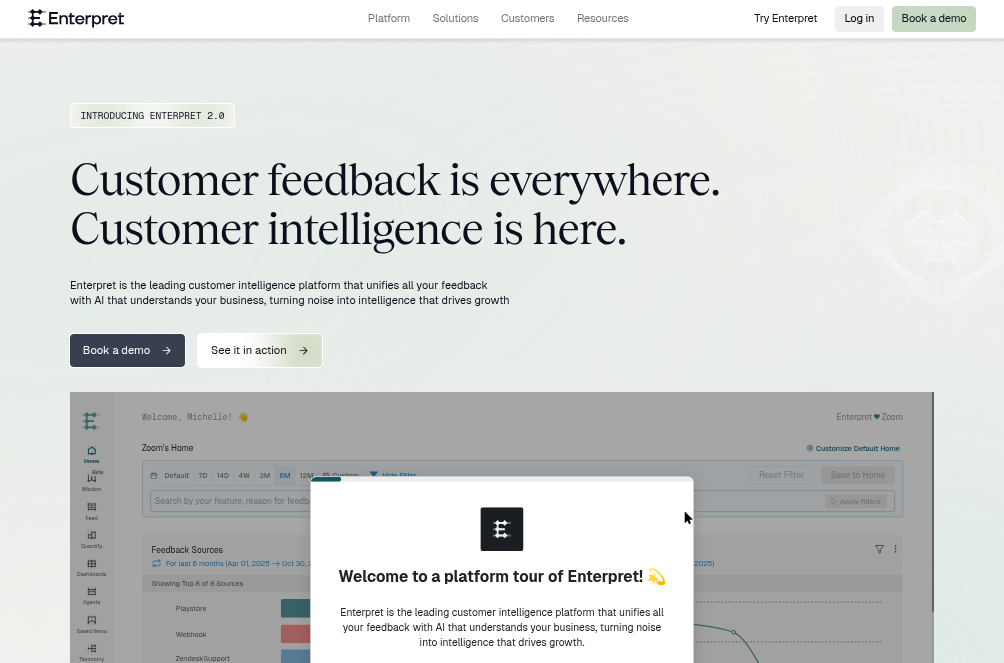
Enterpret is a product feedback intelligence platform built specifically for product teams. The platform consolidates feedback from support tickets, app reviews, sales calls, surveys, and social media, then uses AI to categorize feedback by product area, feature request, bug report, and user sentiment.
Enterpret's approach focuses on helping product managers understand what customers want, which features drive satisfaction, and where product gaps exist. The platform automatically tags feedback with product-specific taxonomy and connects insights to product roadmaps and prioritization frameworks.
The platform workms best for product-led organizations where engineering, product management, and customer success teams need a shared view of customer feedback organized around product features and user journeys rather than traditional CX metrics.
Enterpret Features:
- Product-Specific Taxonomy: Automatically categorizes feedback by feature, bug, and request type
- Unified Feedback Repository: Consolidates feedback from support, reviews, sales, and surveys
- AI-Powered Insights: Identifies feature requests, pain points, and satisfaction drivers
- Trend Detection: Surfaces emerging issues and growing feature requests
- Roadmap Integration: Connects feedback insights to product planning tools
- Custom Segmentation: Filter by user type, plan tier, or product area
Who It's For: Product teams, product-led growth companies, SaaS organizations
Enterpret Pros:
- Purpose-built for product feedback analysis
- Strong feature request identification
- Product-focused taxonomy and workflows
- Integration with product management tools
Enterpret Cons:
- Less suited for traditional CX use cases
- Smaller user base than established platforms
- Limited social listening capabilities
7. Lexalytics
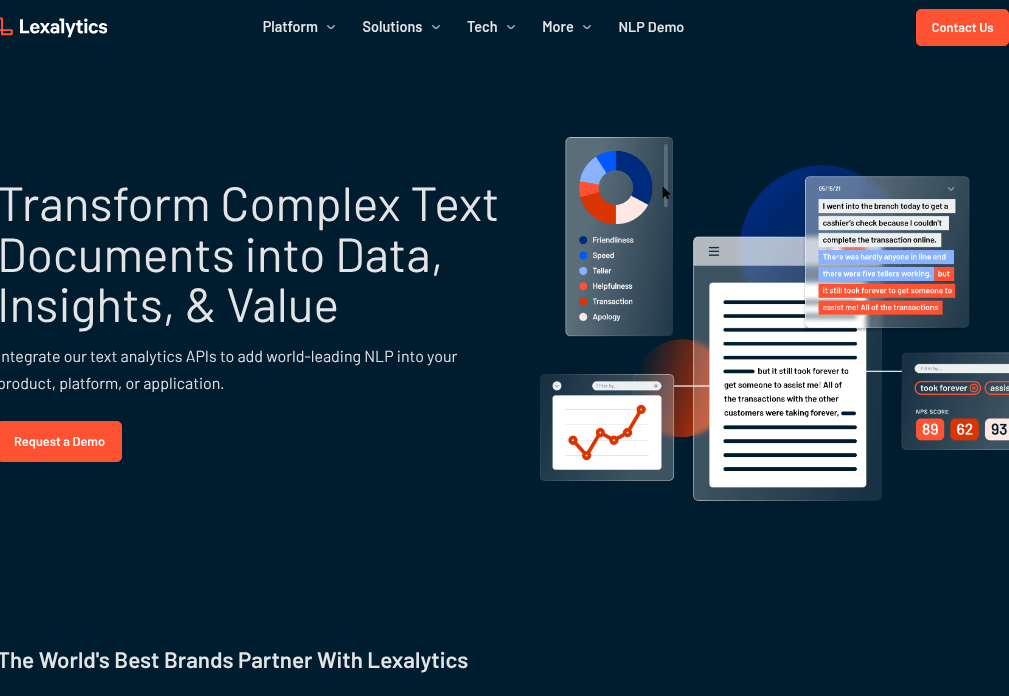
Lexalytics is an enterprise text analytics platform with industry-specific natural language processing models and a strong focus on compliance and data security. The platform provides on-premise and cloud deployment options, making it suitable for regulated industries with strict data governance requirements.
Lexalytics offers pre-built models trained on industry-specific language for healthcare, financial services, insurance, and other sectors. The platform performs sentiment analysis, entity extraction, theme categorization, and intent detection while maintaining audit trails and access controls required for compliance.
The platform works best for organizations in regulated industries that need sophisticated text analytics with the security, compliance, and deployment flexibility that consumer-focused platforms may not provide.
Lexalytics Features:
- Industry-Specific NLP: Pre-trained models for healthcare, finance, insurance, and more
- On-Premise Deployment: Install and run on your own infrastructure
- Compliance-Ready: SOC 2, HIPAA, and GDPR compliance features
- Sentiment & Entity Extraction: Identifies sentiment, people, organizations, and concepts
- Theme Categorization: Automatically groups feedback into business-relevant categories
- API & SDK Access: Integrate into custom applications and workflows
Who It's For: Regulated industries (healthcare, finance, insurance), enterprises requiring on-premise deployment
Lexalytics Pros:
- Strong compliance and security features
- Industry-specific language models
- Flexible deployment options (cloud and on-premise)
- Robust audit trails and access controls
Lexalytics Cons:
- Requires more technical expertise than no-code platforms
- User interface less intuitive than modern SaaS tools
- Implementation can be complex
8. RapidMiner
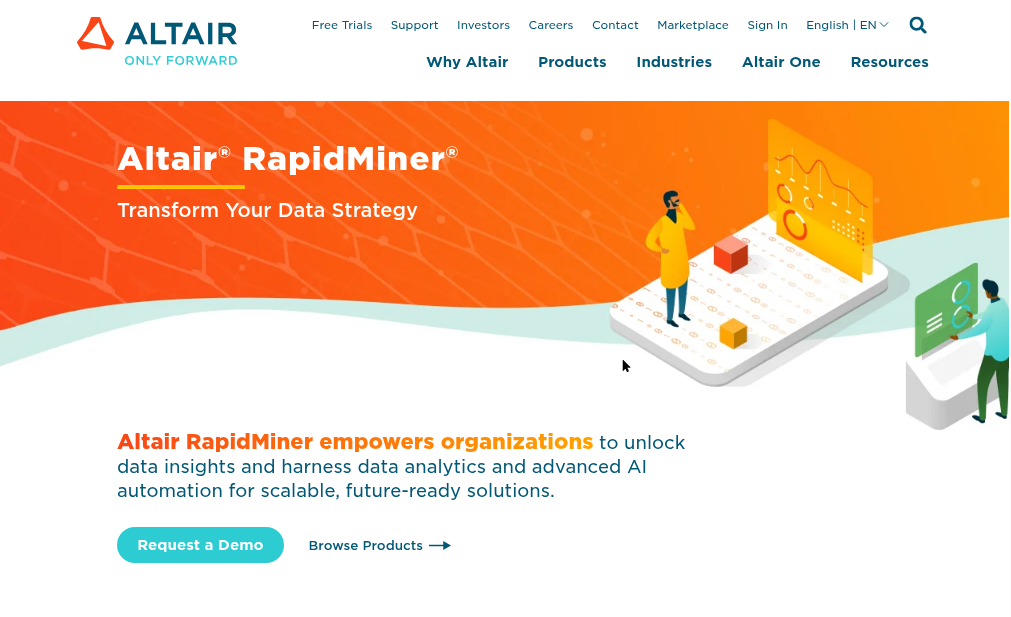
RapidMiner is a data science platform that includes text mining and natural language processing capabilities alongside broader machine learning and predictive analytics tools. The platform provides a visual workflow designer for building custom text analysis pipelines without extensive coding.
RapidMiner's text mining features include document preprocessing, tokenization, stemming, sentiment analysis, topic modeling, and text classification. Data scientists can combine these text analysis operators with other machine learning techniques to build sophisticated analytical workflows tailored to specific business problems.
The platform works best for technical teams and data science departments that need flexibility to create custom text analysis solutions integrated with broader data science workflows, rather than teams seeking out-of-the-box feedback analytics.
RapidMiner Features:
- Visual Workflow Designer: Build text analysis pipelines with drag-and-drop interface
- Text Mining Operators: Preprocessing, tokenization, stemming, and feature extraction
- Machine Learning Integration: Combine text analysis with predictive modeling
- Custom Model Development: Train and deploy custom NLP models
- Data Connectors: Import data from databases, files, and APIs
- Deployment Options: Cloud, on-premise, and hybrid deployment
Who It's For: Data science teams, technical analysts, organizations building custom solutions
RapidMiner Pros:
- Maximum flexibility for custom workflows
- Combines text mining with broader data science capabilities
- Strong community and documentation
- Visual interface reduces coding requirements
RapidMiner Cons:
- Steep learning curve for non-technical users
- Not purpose-built for customer feedback analysis
- Requires data science expertise to maximize value
- Implementation and maintenance require ongoing technical resources
9. Brandwatch
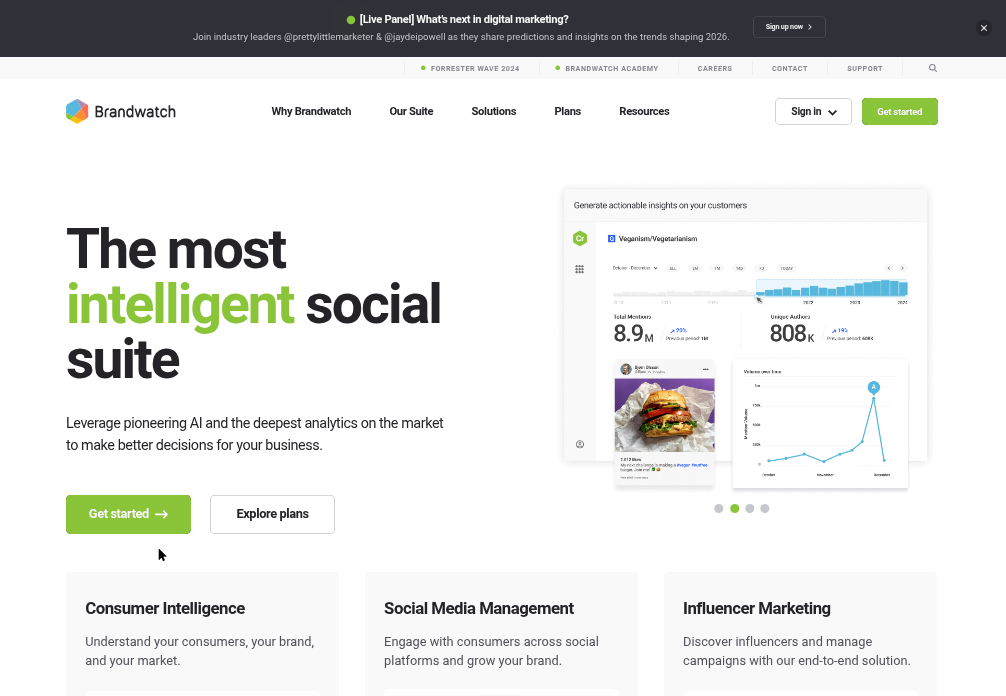
Brandwatch is a social listening and consumer intelligence platform that monitors and analyzes conversations across social media, news sites, blogs, forums, and review sites. The platform uses AI to track brand mentions, analyze sentiment, identify influencers, and surface emerging trends in real-time.
Brandwatch's text analytics engine processes millions of social conversations daily, categorizing mentions by sentiment, theme, and demographic attributes. The platform provides dashboards for tracking brand health, competitive intelligence, campaign performance, and crisis detection across social channels.
The platform works best for marketing teams, PR departments, and brand managers who need to understand public perception, track competitor activity, and respond quickly to social media trends and potential reputation issues.
Brandwatch Features:
- Social Media Monitoring: Track mentions across Twitter, Facebook, Instagram, Reddit, and more
- Sentiment Analysis: Understand emotional tone of social conversations
- Trend Detection: Identify emerging topics and viral content
- Competitive Intelligence: Monitor competitor mentions and market share of voice
- Influencer Identification: Find and track influential voices in your industry
- Crisis Alerts: Real-time notifications of sentiment spikes and potential issues
- Image Recognition: Analyze brand logos and products in social images
Who It's For: Marketing teams, PR departments, brand managers, social media teams
Brandwatch Pros:
- Comprehensive social media coverage
- Real-time monitoring and alerting
- Strong competitive intelligence features
- Advanced demographic and geographic filtering
Brandwatch Cons:
- Focused on social listening rather than owned feedback channels
- Premium pricing tier
- Learning curve for advanced features
- Less suited for analyzing surveys and support tickets
10. Luminoso

Luminoso is a text analytics platform that uses unsupervised machine learning to understand customer feedback without requiring pre-defined categories or training data. The platform's AI learns the meaning and relationships between concepts directly from your text data, making it particularly effective when analyzing feedback with evolving language and terminology.
Luminoso's approach differs from traditional text analytics by using semantic understanding rather than keyword matching. The platform builds a conceptual map of your feedback, identifying themes, relationships, and sentiment without manual setup or ongoing maintenance of taxonomies.
The platform works best in environments where customer language changes rapidly, where feedback covers diverse topics that are difficult to predict in advance, or where teams want to discover unexpected insights rather than validate existing hypotheses.
Luminoso Features:
- Unsupervised Learning: Discovers themes without pre-defined categories
- Semantic Understanding: Understands meaning and context, not just keywords
- Concept Mapping: Visualizes relationships between themes and topics
- Sentiment Analysis: Detects emotional tone at document and concept level
- Multilingual Support: Analyzes feedback in multiple languages simultaneously
- Driver Analysis: Identifies which themes most impact satisfaction metrics
Who It's For: Organizations with evolving customer language, diverse feedback topics, research teams
Luminoso Pros:
- No manual taxonomy setup required
- Adapts automatically to changing language
- Strong at discovering unexpected insights
- Effective multilingual analysis
Luminoso Cons:
- Less control over specific categorization
- Results can be less predictable than supervised approaches
- Smaller integration ecosystem than enterprise competitors
11. Google Natural Language AI
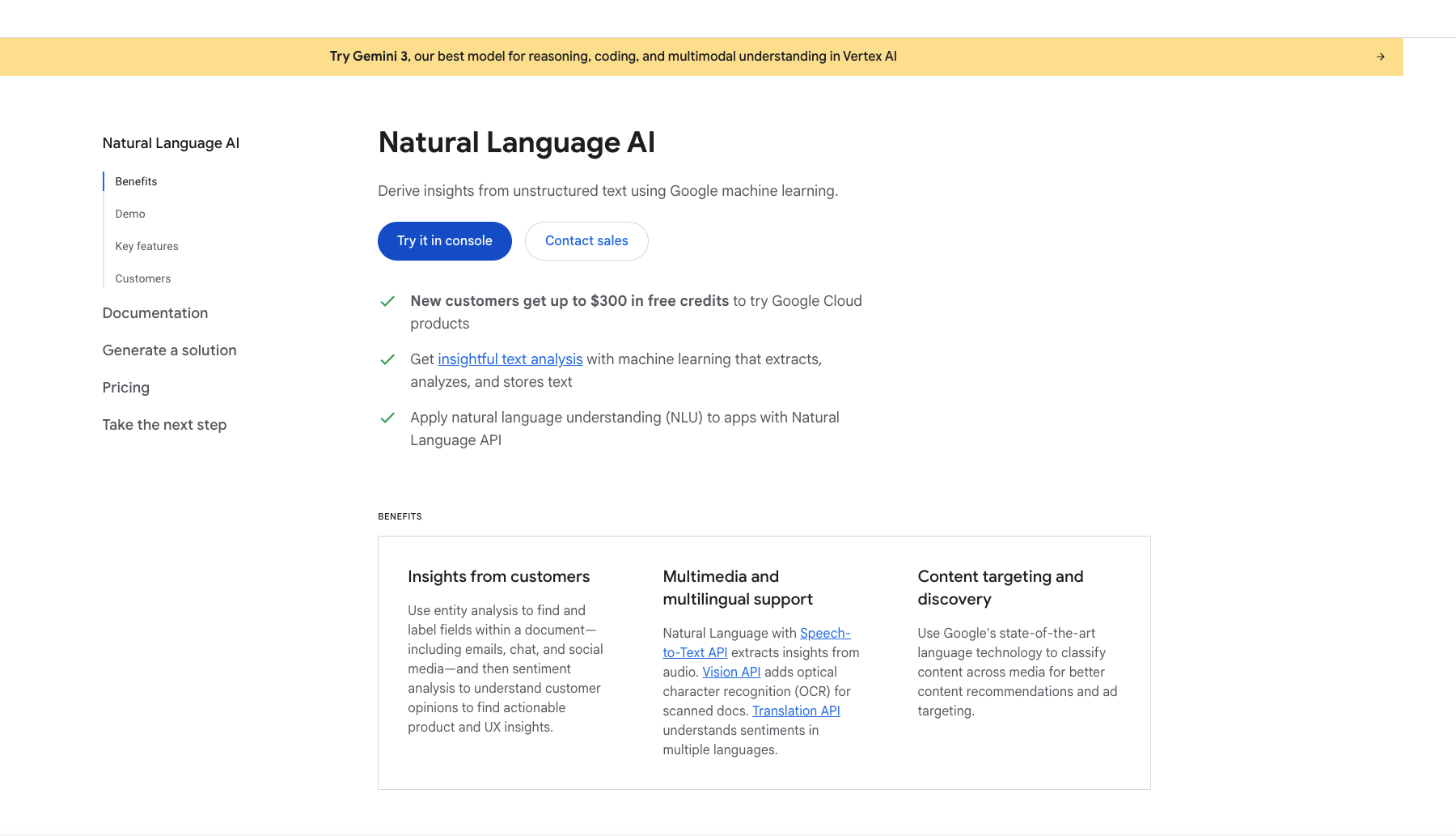
Google Natural Language AI is a cloud-based API that provides pre-trained natural language processing models for sentiment analysis, entity extraction, content classification, and syntax analysis. The service is part of Google Cloud's AI and machine learning platform, designed for developers building custom text analysis applications.
The API analyzes text and returns structured data about sentiment scores, entity types (people, organizations, locations), content categories, and grammatical structure. Developers can call the API from any application, process text at scale, and integrate NLP capabilities into custom workflows without training their own models.
The platform works best for technical teams and developers who need flexible, scalable NLP capabilities to build custom applications rather than teams seeking ready-made feedback analytics dashboards and business user interfaces.
Google Natural Language AI Features:
- Sentiment Analysis: Returns sentiment scores and magnitude for text
- Entity Recognition: Identifies and categorizes people, places, organizations, and events
- Content Classification: Assigns text to 700+ predefined categories
- Syntax Analysis: Provides grammatical structure and part-of-speech tagging
- Multilingual Support: Processes text in multiple languages
- Scalable Infrastructure: Handles high-volume text processing
Who It's For: Developers, technical teams, organizations building custom NLP applications
Google Natural Language AI Pros:
- Highly scalable cloud infrastructure
- Pay-per-use pricing model
- Strong entity recognition capabilities
- Integration with Google Cloud ecosystem
- No model training or maintenance required
Google Natural Language AI Cons:
- Requires development resources to implement
- No built-in dashboards or business user interface
- Generic models not trained on customer feedback specifically
- Costs can increase significantly with high volume
Enterprise text analytics platforms
"Enterprise-grade" refers to specific capabilities for scale, security, and governance—not just marketing language.
What sets enterprise solutions apart
- Service Level Agreements (SLAs): Guaranteed uptime and response times.
- Dedicated support: Named account managers and priority assistance.
- Advanced permissioning: Role-based access controls for multi-team governance.
- Audit trails: Compliance documentation for regulated industries.
SMB-focused tools often lack these features, creating friction as organizations scale.
Scalability for high-volume text data
Enterprise platforms handle massive feedback volumes without performance degradation. Testing scalability during evaluation prevents costly migrations later.
Security, compliance, and governance
Enterprise tools meet strict standards like SOC 2, GDPR, and HIPAA. Regulated industries require document analytics software with robust audit trails and role-based access controls.
Free text analysis tools and when to use them
Budget constraints are real. Understanding free tools' limitations helps set appropriate expectations.
Open-source NLP and text mining libraries
Python libraries (NLTK, spaCy) and R packages offer powerful capabilities for technical users with data science resources. Building and maintaining custom solutions requires ongoing investment.
Freemium text analyzer platforms
Free tiers of tools like Voyant Tools work well for experimentation, academic projects, and small-scale analysis. Low-risk exploration of text analytics concepts is the primary benefit.
Limitations of free text analytics solutions
Free tools typically lack enterprise-grade integrations, scalability, and dedicated support. Accuracy may be lower than paid solutions. Investing in a paid solution makes sense when scale, higher accuracy, and integration into business workflows become priorities.
How to choose the right text analysis tool
The framework below covers what users often wish they knew before committing to a platform.
1. Define your goals and primary use cases
Are you analyzing customer feedback, research data, or social media mentions? Different goals require different tools. Clarity here prevents evaluating features that will never be used.
2. Assess data sources and integration needs
List every source your data comes from: surveys, support tickets, reviews, social media. The best text analysis software connects seamlessly where your data already lives.
3. Evaluate AI transparency and accuracy
Be cautious of "black box" AI where conclusions cannot be traced. Always test accuracy on real-world data before committing.
4. Calculate total cost of ownership
Look beyond the sticker price. Ask about implementation, training, data overages, and add-on modules. Request transparent pricing breakdowns.
5. Pilot test with real customer feedback
Run a proof-of-concept with your own data. Ask vendors for hands-on trials, not pre-packaged demos with curated datasets.
Tip: During pilots, time the end-to-end loop from data ingestion to actionable insight. The measurement reveals whether the tool fits your team's actual workflow.
How AI and LLMs are transforming text analytics software
Large Language Models (LLMs) go beyond traditional NLP by understanding nuance, context, and open-ended questions. The best AI text analysis tools combine LLM power with domain-specific expertise., particularly when applied to customer experience. The best AI text analysis tools combine LLM power with domain-specific expertise.
- Contextual understanding: LLMs grasp sarcasm, idioms, and complex phrasing that older NLP missed.
- Conversational querying: Users can ask questions of their data in plain language.
- Continuous learning: Models improve as they process more feedback.
However, AI remains an enabler rather than a magic solution. Accuracy, transparency, and domain fit still matter more than buzzwords.
Unlock actionable insights from every customer conversation
The right text analytics solution turns feedback chaos into clarity and competitive advantage. Prioritize tools that unify your data, surface actionable themes, and integrate with existing workflows. Moving from simply collecting feedback to using it for measurable business outcomes is the transformation that separates leading CX teams from the rest.
Book a personalized demo to see how Chattermill helps CX teams turn customer feedback into measurable business outcomes.
FAQs about text analysis software
What is the difference between text analysis, text mining, and text analytics?
In practice, the terms are often used interchangeably. Text analysis broadly examines text for meaning, text mining emphasizes extracting patterns from large datasets, and text analytics focuses on turning insights into business intelligence.
How accurate is AI sentiment analysis at detecting sarcasm and nuance?
Accuracy varies significantly by tool and training data. Modern AI text analysis tools using LLMs handle nuance much better than older rule-based systems, though no tool is perfect. Testing on your own data remains essential.
Can text analysis software meet compliance requirements in regulated industries?
Yes. Enterprise text analytics platforms often include SOC 2 certification, GDPR compliance features, audit trails, and role-based access controls to satisfy regulatory requirements in healthcare, finance, and other regulated sectors.
How do organizations measure ROI from a text analytics platform?
ROI typically tracks improvements in customer satisfaction scores (CSAT, NPS), reduced churn, faster issue resolution, and hours saved compared to manual analysis, with companies investing in CX strategies seeing up to 25% revenue growth.
What is the typical implementation timeline for enterprise text analysis tools?
Timelines range from a few days for simple integrations to several weeks for complex deployments requiring custom taxonomies, multiple data sources, and cross-functional training.
Can text analysis software be used for competitive intelligence?
Yes. Many tools analyze publicly available data—customer reviews, social mentions, forum discussions—to surface insights about competitor strengths, weaknesses, and emerging market trends.